


.avif)





.svg)
.svg)



Should UiPath be used in 2025?

.svg)
UiPath is a robotic process automation (RPA) platform widely recognized in the professional world. It automates repetitive, often time-consuming tasks, using software robots capable of interacting with various applications as a human would. This capability is transforming the way companies manage their business processes, increasing productivity and reducing human error.
As digital transformation gains momentum, UiPath is establishing itself as a key player for content creators, marketing agencies, production studios, and other professionals looking to optimize their workflows. But what exactly does this solution offer, and how can it really facilitate your operations? This article provides a comprehensive overview of UiPath and its key features.

My experience with UiPath
In my professional use, particularly in digital project management and automation of administrative tasks, UiPath has proved to be a major asset. I particularly appreciate its power and ability to automate complex processes, while offering a relatively accessible interface for developers and advanced users. Its robotic engine saves precious time on repetitive operations.
The software excels particularly in contexts where tasks involve multiple interactions between different software, such as data extraction from ERP systems, email management, or data integration into CRM systems. For marketing agencies and studios, this versatility is a real advantage for streamlining workflows.
However, despite its strengths, UiPath has certain limitations, notably its relatively high cost for small structures and a learning curve that can be quite technical for users with no prior experience in development or automation. It's a powerful tool, but requires an initial investment in training.
Is UiPath really useful for my needs?
The real question to ask before investing in UiPath is whether you have repetitive, time-consuming processes that require reliable, robust automation. UiPath is not simply a time-saving tool, it's a platform designed to optimize and secure complex workflows that often involve multiple steps and applications.
Here are some examples of profiles for whom UiPath is particularly suited:
- Content creators looking to automate cross-platform publishing.
- Video and motion designers looking to automate digital asset management.
- Marketing agencies looking to integrate customer data from multiple CRM tools.
- Production studios looking to automate reporting and project tracking.
Another UiPath strength is its ability to adapt to a variety of IT environments thanks to its numerous integrations and APIs, meaning that whatever your sector, this tool can adapt and scale according to your needs.


Is UiPath suitable for beginners?
UiPath does indeed offer a free trial version and educational resources to help beginners get started. Nevertheless, its positioning remains rather geared towards users with some technical background or a desire to learn RPA concepts. The drag-and-drop graphical interface helps to simplify process construction, but complete mastery requires time.
For a beginner, there are many practical advantages: the ability to test simple scenarios, a very active online community, as well as detailed tutorials. Even if the software does require some learning, it offers a solid foundation from which to rapidly evolve towards complex automation.
How much does UiPath cost?
UiPath practices customized pricing based on customers' needs, which means contacting their sales department for a precise quote. This strategy is mainly suited to medium-sized to large companies looking to deploy customized RPA solutions.
In general, offerings are structured around several packages:
- Licence Studio for developers, enabling the creation and testing of robots.
- Robot Attended and Unattended, for assisted and autonomous automation respectively.
- Orchestrator Platform for managing large-scale automated processes.
Small teams or freelancers can, however, get started with the free Community version, which offers limited but sufficient functionality to discover RPA automation.
What are UiPath's key features?
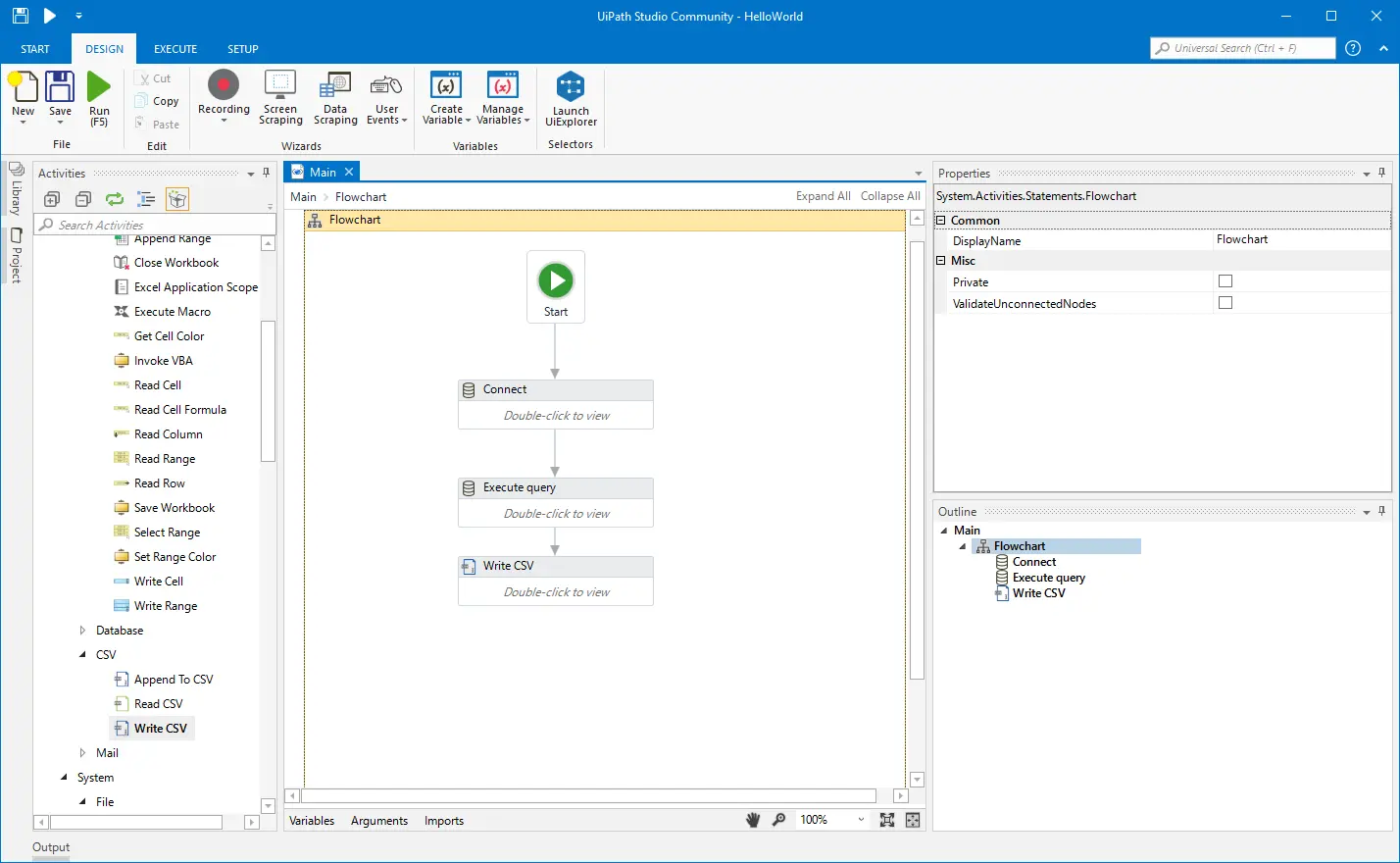
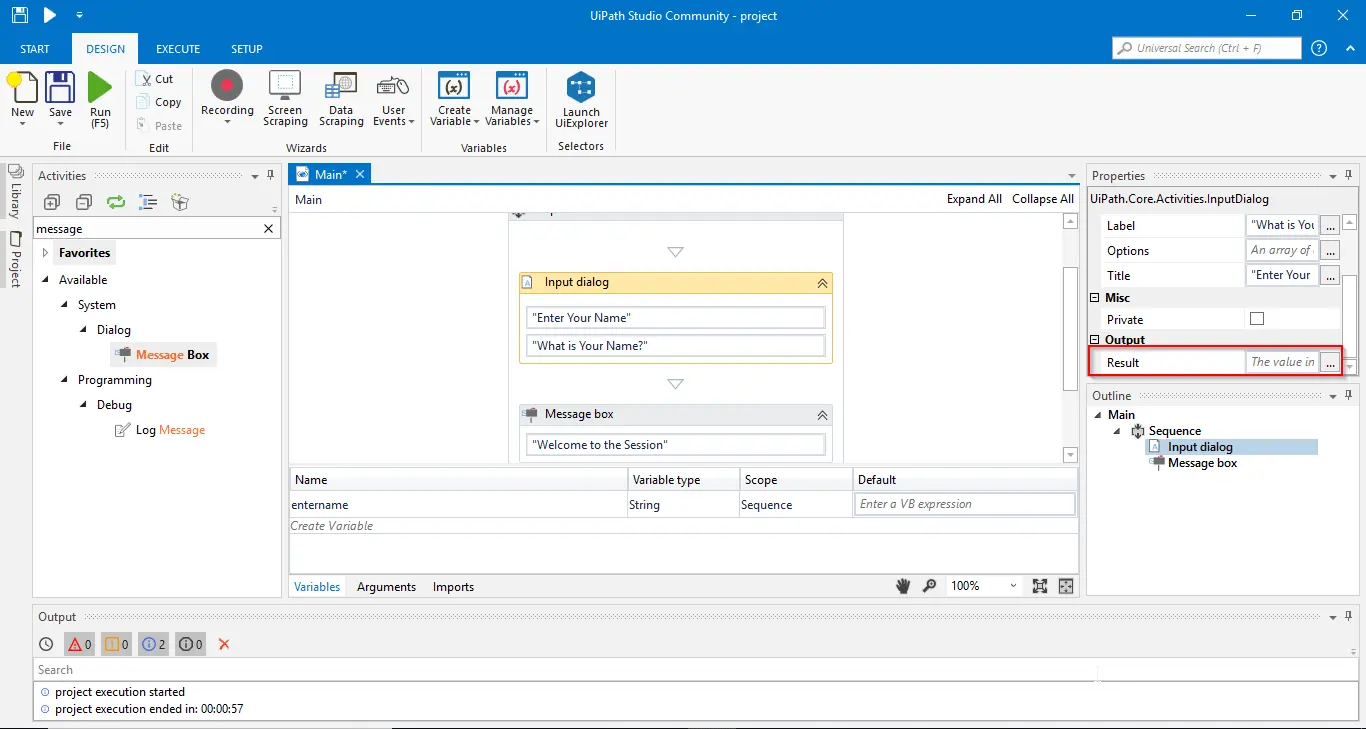
UiPath's first key feature is its intuitive visual process creator. Thanks to a drag-and-drop interface, users can easily design automated workflows, even with little coding experience. The system can be used to model complex actions incorporating interactions with a variety of applications.
Next, UiPath stands out for its robust robot orchestration. With the Orchestrator platform, it is possible to manage, program and monitor a large number of robots performing various tasks simultaneously, thus guaranteeing precise control and optimum efficiency in business operations.
Among its advanced features, UiPath offers integrated optical character recognition (OCR). This enables information to be automatically extracted from paper or digital documents, greatly simplifying processes involving unstructured data.
Next, UiPath offers extensive integration with artificial intelligence and machine learning via plug-ins. These capabilities enable robots to be enriched with more refined and adaptive data analysis, as well as automating tasks requiring a certain level of judgment and flexibility.
Despite its many advantages, UiPath has certain limitations depending on the use case. For example, for small businesses or freelancers with simple automation needs, the complexity and cost of the solution can be disproportionately high. What's more, its full deployment often requires technical expertise, which is not always accessible without in-depth training.
However, on the market, alternatives such as Automation Anywhere or Blue Prism also offer interesting RPA solutions, sometimes better suited to certain profiles or budgets. These competitors offer a variety of options, sometimes simpler to integrate for less complex needs.
In the face of this, UiPath retains an excellent advantage/disadvantage ratio thanks to:
- Advanced flexibility to automate highly complex workflows.
- A rich ecosystem of complementary tools.
- A supportive and active community to accelerate skills uptake.
FAQS
Is it reliable and secure?
UiPath is a reliable, secure platform that complies with strict IT security standards. It uses robust protocols for access management, data encryption and security audits. The Orchestrator platform incorporates a role-based access control system, ensuring that only authorized users can configure or run robots.
In addition, UiPath offers a secure architecture that ensures data confidentiality during transfers between robots and servers, while maintaining resilience in the face of failures. These measures reinforce confidence in using the solution especially in sensitive business environments.
Is it compatible with my other tools?
UiPath is compatible with a wide range of formats and applications, making it a highly flexible solution. Robots can interact with desktop applications (Windows), web interfaces, office suites (such as Microsoft Office) and popular ERP or CRM systems.
The platform also supports APIs to enable custom integrations with third-party systems, facilitating communication between different IT infrastructures.
Is there responsive customer support?
UiPath offers structured customer support with several levels of intervention depending on the package chosen. Reactivity is generally good, and the service includes exhaustive documentation resources, as well as an active online community for exchanges with other users.
Support is accessible via tickets, telephone or chat, and responds effectively to technical or functional requests within reasonable timescales. This organization helps maximize the continuity of automated operations.
What do other users think?
User reviews of UiPath are overwhelmingly positive, highlighting the platform's power and ability to manage complex processes. The community particularly appreciates the wealth of tools and flexibility offered by the solution.
However, some critics point to the initial complexity and high cost, which can represent a brake for small entities. Nevertheless, the support provided and the possibility of upgrading remain points highly valued by users.
Can I easily change later?
User reviews of UiPath are overwhelmingly positive, highlighting the platform's power and ability to manage complex processes. The community particularly appreciates the wealth of tools and flexibility offered by the solution.
However, some critics point to the initial complexity and high cost, which can represent a brake for small entities. Nevertheless, the support provided and the possibility of upgrading remain points highly valued by users.
Alternatives

Specializing in business creation, sales and digital marketing, he puts his expertise at the service of users to help them identify the solutions best suited to their needs. Passionate about digital innovation and optimizing online performance, Alexis is committed to providing detailed, transparent and unbiased comparisons.
Do you have an entrepreneurial project?
We support you in the structuring and development of your tech project. Make an appointment with one of our Business Strategists.