


.avif)





.svg)
.svg)




Runway ML has established itself as a key player in the world of AI-assisted video and visual creation, positioning itself at the forefront of generative tools. But at the start of 2025, with the explosion of creative AI solutions, does Runway ML still deliver on its promises for our workflows as web designers and agencies? From its ease of use to the power of its features, not to mention its limitations, I had the opportunity to push it to its limits at Easy Web. Expect candid feedback and concrete advice on whether Runway ML really belongs in your creative arsenal this year.

My experience with Runway ML
Runway ML, I've seen it evolve since its inception a few years ago, when video AI was just a promise. What has always blown me away is its ability to democratize AI-assisted video creation, making accessible what was once complex.
It excels for pros who want to prototype fast or integrate motion design without heavyweight tools. Generating clips from text, modifying existing videos, it's top for quick concepts or innovative content on a controlled budget.
It's great for pros who want to prototype fast or integrate motion design without heavyweight tools.
Let's be clear, it's not yet a complete post-production studio. For hyper-tight projects, absolute finesse or pixel-by-pixel control, you'll quickly hit the limits. It's a powerful springboard, not the ultimate solution for all productions.
Is Runway ML really useful for my needs?
The real question to ask yourself before using Runway ML is: what is your objective? Its relevance depends on the use. If your need is to quickly generate videos (text/images), or apply bluffing AI effects to your rushes, then yes, this is the tool. It excels in visual prototyping and creative exploration.
Video editor, motion designer, content creator or agency AD: Runway ML will transform the way you work. Imagine generating a complex animation for a customer pitch in minutes, or producing infinite variations of a sequence for your social networks. It's an incredible time-saver and creative freedom.
Its other major asset is its user interface. Despite its power in generative AI, Runway ML remains surprisingly intuitive. You don't need to be an expert to use it. It's the democratization of AI-assisted video creation, opening new doors for every creative.


Is Runway ML suitable for beginners?
You know, when I saw the first demos of Runway ML, I immediately thought of the incredible opportunity it represented for non-specialists. This tool opens the door to video and visual effects creation for everyone. Want to generate a video from simple text, or remove a complex background without tearing your hair out? Runway ML makes it ultra-accessible, even if you've never touched editing software before. This is the magic of AI at the service of creativity.
The interface is so intuitive that the learning curve is almost non-existent for a beginner. For them, it's a godsend. You can prototype complex visual ideas in a few clicks, explore bold concepts without being held back by the technical. It allows you to concentrate fully on the idea and the message, rather than on tedious software manipulation, which is revolutionary for democratizing the production of quality content.
How much does Runway ML cost?
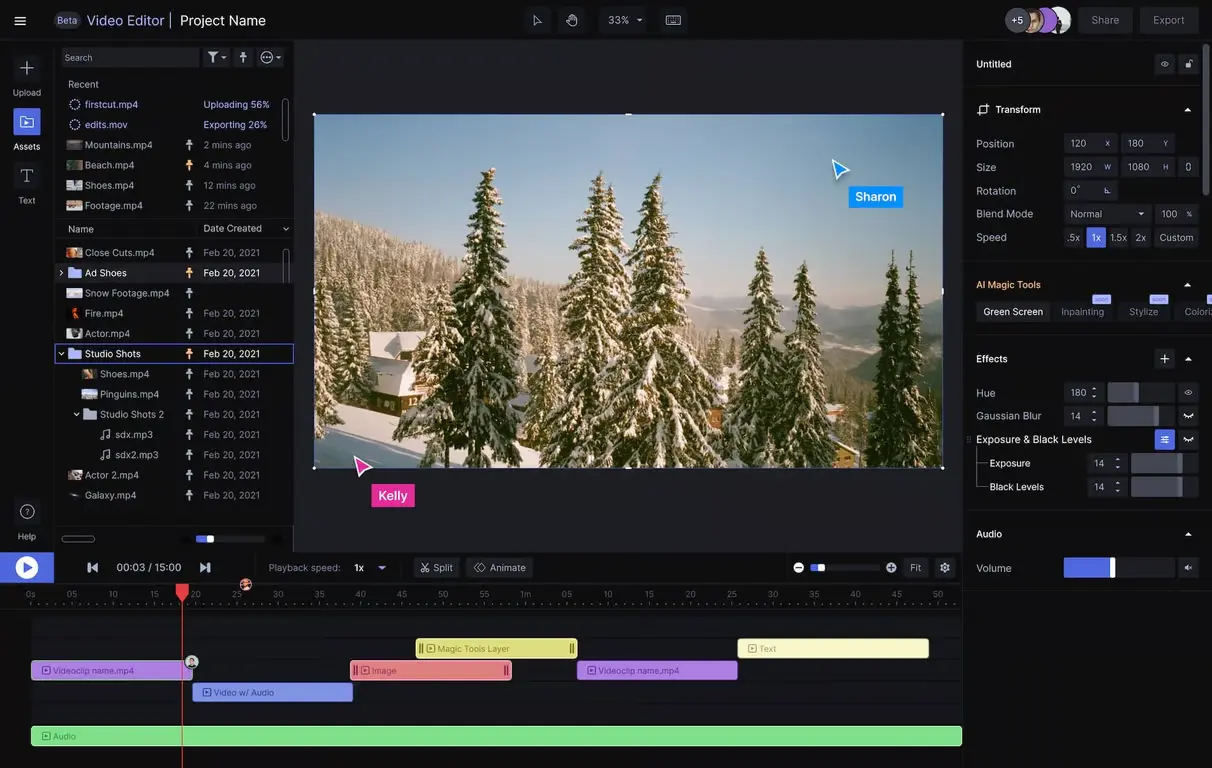
Let's talk budget! A high-performance tool is great, but the price has to match. Runway ML is well structured to support every profile.
You've got the "Free"plan. This is your discovery: a few credits to test the basic functions (generation, clipping). Perfect for getting started in creative AI or exploring without pressure.
Then, the "Creator"plan, around $15/month (annual). More credits, access to advanced templates, watermark-free HD exports. Ideal for the regular freelancer or small studio aiming for pro quality.
Finally, for intense needs, the "Pro"plan. Charges $35/month. Unlocks massive generation times, custom template training and priority support. For agencies like Easy Web, this is the essential investment for high volumes.
What are Runway ML's key features?
The first thing that really blew me away with Runway ML was AI-driven video generation. We're no longer just talking about classic editing, but transforming text into a video clip, or even radically modifying the style of an existing sequence with disconcerting ease. For us at Easy Web, it's a revolution in rapid prototyping and creative exploration, far beyond what we were doing just a few years ago.
.Beyond generation, their "Magic Tools" are frighteningly effective. Inpainting, to remove unwanted objects with one click, or motion brush, to animate specific elements of a static image, are real time-savers. These tools simplify tasks that previously required complex software and hours of work, a valuable asset when deadlines are tight.
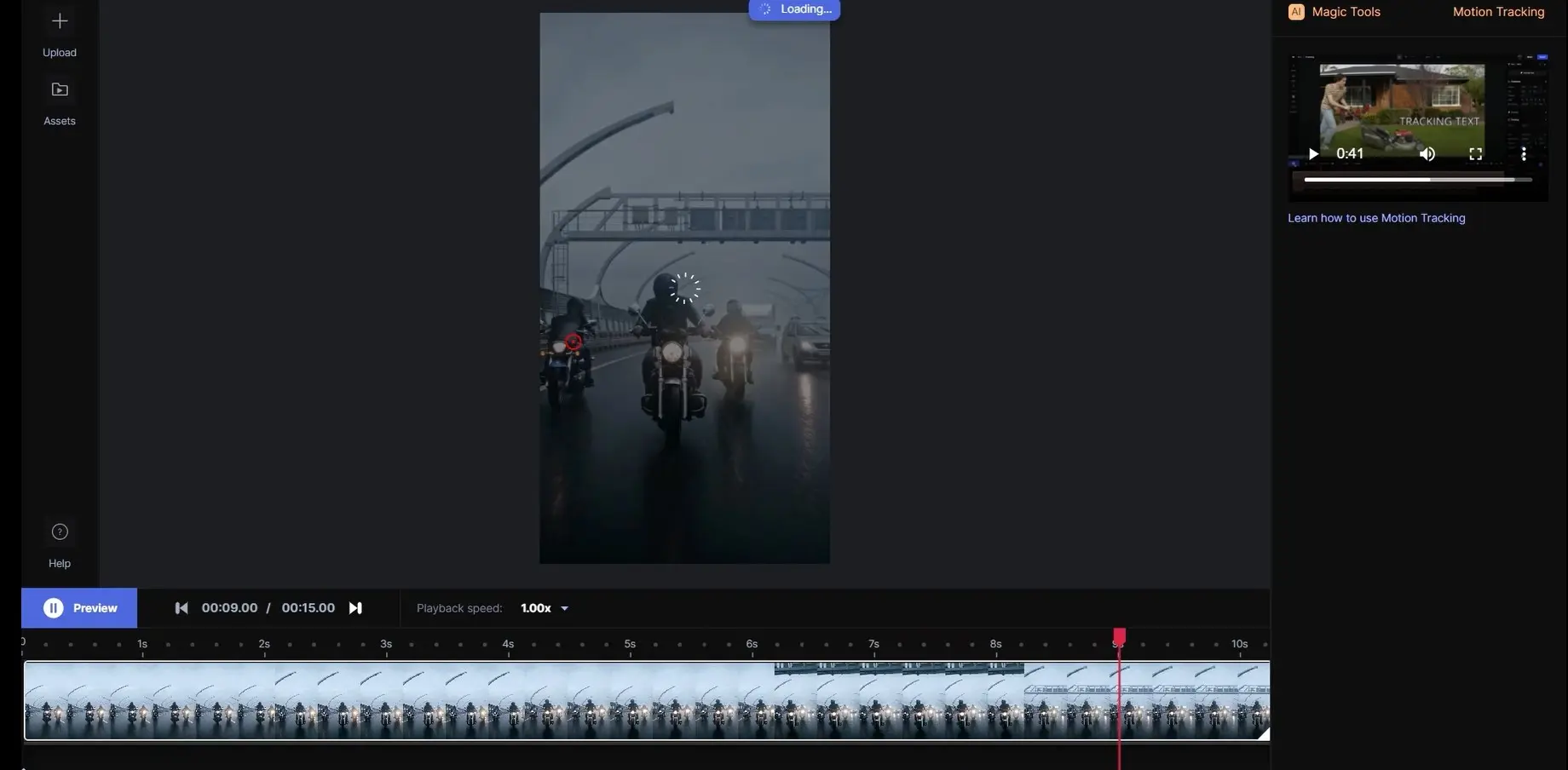
What really blew me away with Runway ML was its ability to turn your ideas into video, almost by magic. Generating video from text or images is a huge advance. We've integrated it for some of our customers who needed rapid prototypes or unique animations. It's an incredible time-saver, and opens up creative doors we couldn't have imagined a few years ago.
And let's talk about the Motion Brush. It's that kind of detail that changes everything. You can bring precise elements of your image to life in just a few clicks, with just a stroke of the brush. For motion designers or even for animating static illustrations, it's a game changer. No need to master complex software, Runway makes it accessible and disconcertingly fluid.
Runway ML is powerful, but I feel its limitations on certain projects. For animation requiring pixel-perfect control or ultra-precise storytelling, it doesn't replace the finesse of an After Effects. Think of short films or commercials with strict requirements.
For total mastery, tools like After Effects or DaVinci Resolve remain indispensable. They offer this precision. But Runway ML excels at rapidly prototyping ideas and generating visual concepts. It's a real time-saver in the exploratory phase, and an excellent creative starting point nonetheless.
In short:
Advantages:
Disadvantages:
FAQS
Is it reliable and secure?
Reliability and safety are my top priorities, and they should be yours. For Runway ML, the transparency is there. They rely on robust encryption, protecting your projects and training data. Their infrastructures are designed for stability, and we see frequent updates that patch potential vulnerabilities. On the privacy side, they comply with standards like RGPD, which is essential in 2025. In our experience at Easy Web, we've never encountered a major flaw that would jeopardize our productions or those of our customers. That's a solid point for them.
Is it compatible with my other tools?
Absolutely. This is a crucial question for any designer. Runway ML is designed to integrate seamlessly into your existing workflow.
We're talking about exports to standard formats like MP4 video or image sequences (PNG, JPG), easily importable into Premiere Pro, After Effects or DaVinci Resolve. They also have open APIs for more advanced integrations, which is a major asset for us. This flexibility is non-negotiable to optimize your productivity and not break your habits. That's what makes the real difference in the field.
Is there responsive customer support?
Frankly, the responsiveness of support at Runway ML is a strong point. Our teams have had occasion to call on them for a variety of questions, particularly about specific exports or advanced features, and responses are generally prompt. Most queries are answered within 24 hours, which is very appreciable when a project is in a hurry. Their knowledge base is also an excellent complement for more common problems, making for a smooth user experience.
What do other users think?
I can tell you that the feedback has been overwhelmingly positive! Our designers, and many others, are praising its power, especially for AI-based video generation, whether "Text-to-Video" or "Image-to-Video". It's a real creative lever. The points of vigilance often concern the budget for heavy projects, and sometimes a small learning curve if you're new to AI. But in 2025, no one can ignore Runway ML's impact on the creative workflow. It has become a benchmark.
Can I easily change later?
I can tell you that the feedback has been overwhelmingly positive! Our designers, and many others, are praising its power, especially for AI-based video generation, whether "Text-to-Video" or "Image-to-Video". It's a real creative lever. The points of vigilance often concern the budget for heavy projects, and sometimes a small learning curve if you're new to AI. But in 2025, no one can ignore Runway ML's impact on the creative workflow. It has become a benchmark.
Alternatives
.svg)

Specializing in business creation, sales and digital marketing, he puts his expertise at the service of users to help them identify the solutions best suited to their needs. Passionate about digital innovation and optimizing online performance, Alexis is committed to providing detailed, transparent and unbiased comparisons.
Do you have an entrepreneurial project?
We support you in the structuring and development of your tech project. Make an appointment with one of our Business Strategists.