


.avif)





.svg)
.svg)



Should you use Adobe Firefly in 2025?

Adobe Firefly quickly established itself as a key player in generative AI for design, perfectly integrated into the Adobe ecosystem and aiming to revolutionize our creative workflows. But in 2025, with the explosion of AI tools, is this promise still valid? Is it really the essential tool to power your creations, or just one more option among many? Simplicity, power, technical limitations... After years of using it on a daily basis at Easy Web, I share with you my concrete experience and my unfiltered opinion on its real usefulness for us design professionals.

My experience with Adobe Firefly
I've been using Adobe Firefly since its launch a few years ago, and it quickly found its place at Easy Web and transformed our processes. What always blows me away is its incredibly powerful and increasingly relevant generation of images from text.
For agencies like ours, juggling tight deadlines, Firefly is a creative gas pedal. It allows us to visually prototype, generate variations or specific textures. It's perfect for exploring ideas, saving time on repetitive tasks and stimulating inspiration.
That said, it's not a magic bullet. While generation is impressive, mastery of fine detail or perfect integration always requires manual refinement. Styles can be generic, and for a strong brand identity, a passage through Photoshop or Illustrator remains indispensable.
This said, it's not a miracle solution.
Is Adobe Firefly really useful for my needs?
The real question to ask yourself before using Adobe Firefly is: what is my objective? Because the relevance of Adobe Firefly depends very much on how you use it. If your primary need is rapid ideation, visual concept generation or creative exploration, then Firefly is a formidable ally. This is where the tool excels, offering you dozens of variations in a matter of seconds.
Whether you're an art director, a freelance graphic designer, a content creator for social networks or even a UI/UX designer in the rapid mock-up phase, Firefly can energize your process. For example, we use it at Easy Web to generate visual moodboards, create original textures for client websites, or get unlimited variations for striking text effects. It's a huge time-saver in the early stages of design.
Another undeniable Firefly strength is its native and increasingly deep integration with the Adobe Creative Cloud suite. Being able to move directly from Firefly to Photoshop or Illustrator without friction is a major asset for our professional workflows.


Is Adobe Firefly suitable for beginners?
You know, when I discovered Firefly, I immediately thought of those who are getting into generative AI without a heavy technical background. It's an absolutely brilliant gateway. Would you like to generate an image from simple text using "Text to Image"? It's disarmingly simple. Need to delete an element and intelligently replace it with "Generative Fill"? Child's play. Even creating color variations or text effects becomes hyper accessible.
What's bluffing for a beginner is this ease of experimentation. No need to master complex prompts or spend hours setting up parameters. Firefly gives you fast results, which you can adjust in just a few clicks. It's ideal for roughing out ideas, creating quick mock-ups or just exploring the potential of AI without ever feeling lost. A real springboard for getting started without pressure.
How much does Adobe Firefly cost?
Let's talk about Firefly's cost, a key issue when aiming for efficiency.
First, the free version. It grants you a limited number of generative credits per month. Ideal for a first contact, testing AI without commitment. I recommend it for freelance designers discovering AI or for students. For intensive professional use, you quickly reach the ceiling.
Then there are the paid packages, available as stand-alone subscriptions or included in Creative Cloud. Count around €4.99/month for 100 credits or €19.99/month for 500 generative credits. These plans unlock more credits, the commercial license, and access to the latest features like Text-to-Vector or Generative Expand. For an agency or designer generating content at scale, this is a strategic investment that pays off in productivity.
What are the key features of Adobe Firefly?
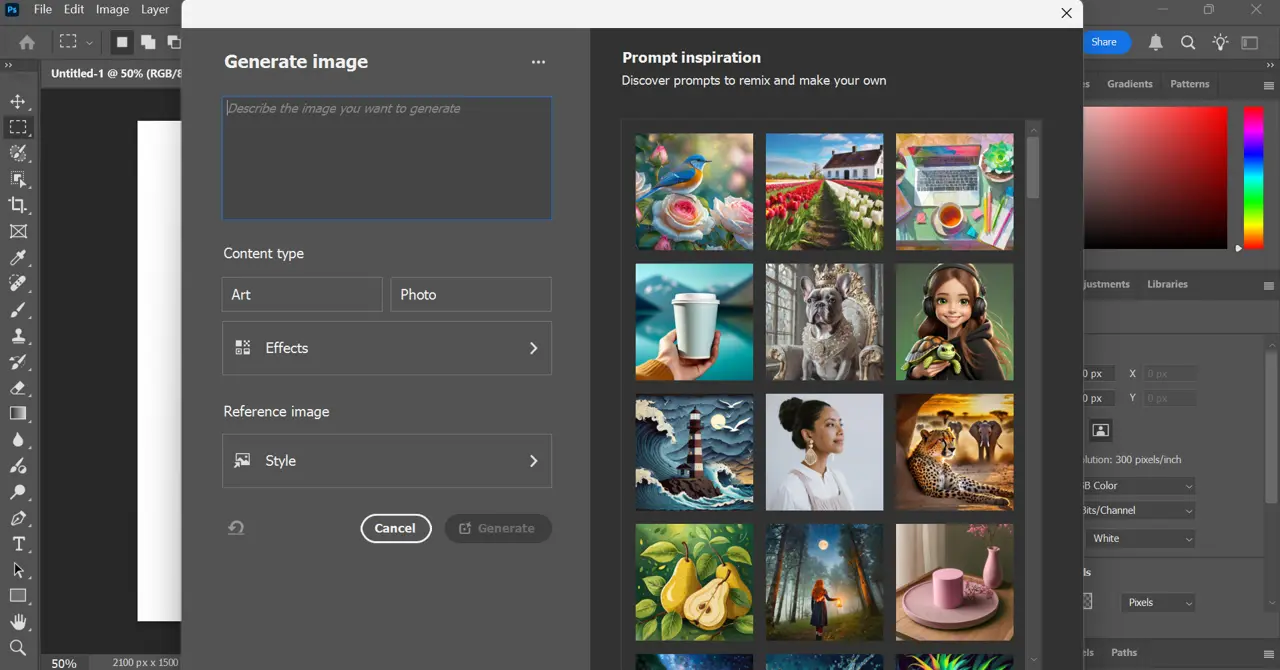
Firefly's Text-to-Image feature is a revolution for our designers at Easy Web. No more long searches for royalty-free images or complex creation from scratch. You type in your idea - a mood, a style, precise elements - and the AI comes up with incredible proposals. It's an enormous time-saver, directly integrated into our Adobe ecosystem. The quality is there, even if a touch-up is sometimes necessary for perfection. A real productivity engine.
But where Firefly really blew me away was with Generative Fill. Extending an image, removing a detail or adding a non-existent element becomes child's play. You select and describe what you want, and the AI takes care of the rest, integrating everything perfectly into the visual context. For retouching and quick composition, it's game-changer. It unleashes insane creativity and lets you react at a moment's notice to customer projects. Frankly, it changes everything!
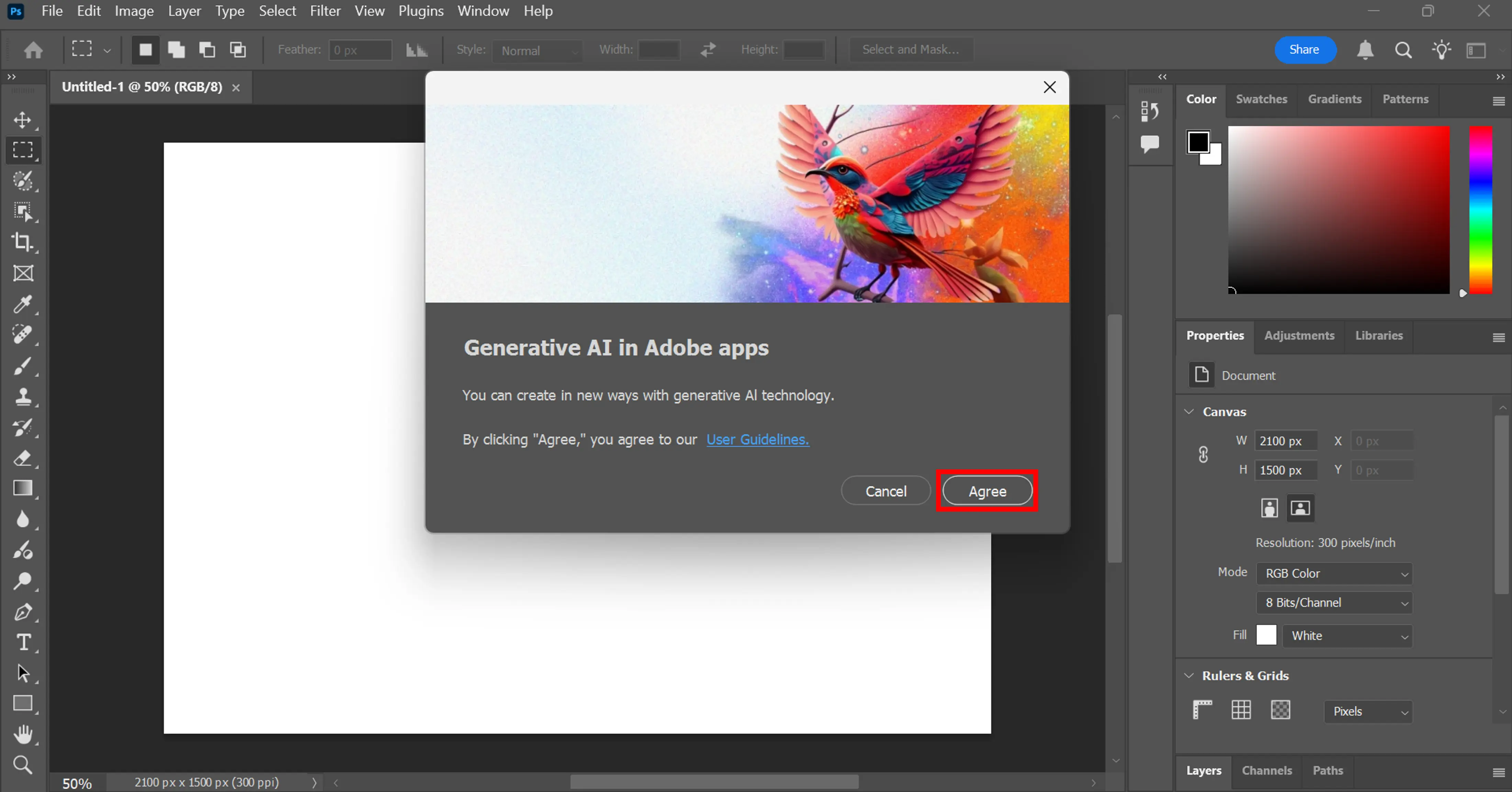
The Generative Fill has been a real revolution for us at Easy Web. I was skeptical at first, but the ability to modify or extend an existing image with bluffing consistency, directly in Photoshop, is impressive. No more hours spent masking and retouching complex backgrounds or extending visuals for banners. It's a colossal time-saver. The quality is often astounding, even for demanding pros like you.
But Firefly doesn't stop there. The Generation of Text to Image has also evolved considerably. What I like is the precise level of control: styles, compositions, variations. You can explore color palettes or textures in a few clicks for your mock-ups, or quickly generate visual concepts for your customers. It's a real creativity gas pedal, pushing rapid iteration into our design processes in 2025.
You quickly come up against Firefly's limitations when the composition becomes complex. For a hyper-specific visual, such as a detailed object under precise lighting, or for a highly stylized illustration, granular control is lacking. The result can sometimes be too generic, far removed from the singular creative vision we're after.
This is where alternatives like Midjourney or Stable Diffusion excel, offering greater precision and stylization capability. For very specific generation needs, they are unbeatable. But let's not forget that Firefly, with its seamless integration with the Adobe ecosystem, remains a major asset for the rapid creation of basic assets.
To sum up my opinion of Firefly in 2025:
- Advantages: Native Adobe integration, ease of use, rapid visual prototyping.
- Disadvantages: Lack of fine-grained control, difficulty with complex or hyper-specific queries, results sometimes too "clean" or generic.
FAQS
Is it reliable and secure?
Absolutely. Reliability and security are at the heart of Adobe's concerns for Firefly. The tool relies on Adobe's robust cloud infrastructure, which guarantees excellent availability. On the security side, your data is protected by the company's standard protocols, including encryption. The crucial point, especially for agencies like ours, is the source of training data: Adobe makes it a point of honor to use only licensed content, from the public domain or from its own stock library, ensuring intellectual property compliance and security for untroubled commercial use.
Is it compatible with my other tools?
Absolutely, and it's one of its greatest assets. At Easy Web, we've integrated it, and we can see the enormous added value: Firefly is designed for the Adobe workflow. It integrates natively with Creative Cloud, so your AI-generated creations are directly accessible in Photoshop, Illustrator or Express. No need for laborious export-import. It's fluid, straightforward and saves our teams a huge amount of time, especially when it comes to rapid concept iteration. It's clearly designed to optimize your productivity.
Is there responsive customer support?
Clearly, Adobe offers solid customer support. For Firefly, and more broadly for the entire Creative Cloud suite we use at Easy Web on a daily basis, I've found that live chat is often the quickest and most effective for specific technical questions. For more complex concerns, their telephone support remains a reliable option. And don't forget the vast community and official forums, which are a mine of information and can often resolve bottlenecks even before contacting direct support. For pros, this is a positive point.
What do other users think?
What I see coming back from the field and within our teams is a definite enthusiasm for Firefly's seamless integration into the Adobe ecosystem. Designers appreciate its ability to quickly generate variations and explore visual concepts, which represents a huge time-saver in the ideation phase. Its ease of use for everyday tasks is a big plus. On the other hand, many point out that it still needs to be coupled with manual retouching for final production renderings. It's a powerful tool, but requires practice to get the best out of it.
Can I easily change later?
What I see coming back from the field and within our teams is a definite enthusiasm for Firefly's seamless integration into the Adobe ecosystem. Designers appreciate its ability to quickly generate variations and explore visual concepts, which represents a huge time-saver in the ideation phase. Its ease of use for everyday tasks is a big plus. On the other hand, many point out that it still needs to be coupled with manual retouching for final production renderings. It's a powerful tool, but requires practice to get the best out of it.
Alternatives
.svg)

Specializing in business creation, sales and digital marketing, he puts his expertise at the service of users to help them identify the solutions best suited to their needs. Passionate about digital innovation and optimizing online performance, Alexis is committed to providing detailed, transparent and unbiased comparisons.
Do you have an entrepreneurial project?
We support you in the structuring and development of your tech project. Make an appointment with one of our Business Strategists.