


.avif)





.svg)



Should Typeform be used in 2025?

.svg)
Typeform has established itself as a must-have solution for creating elegantly designed, interactive online forms, surveys and polls. Its user-friendly interface and advanced features make it a popular tool for professional developers and web agencies looking to maximize user engagement through fluid, personalized questionnaire experiences.
But why choose Typeform over any other form creation tool? Can it really meet the complex requirements of development professionals while remaining accessible? In this article, we'll break down Typeform's main features, its strengths, limitations and usefulness for different profiles, as well as my feedback after use.
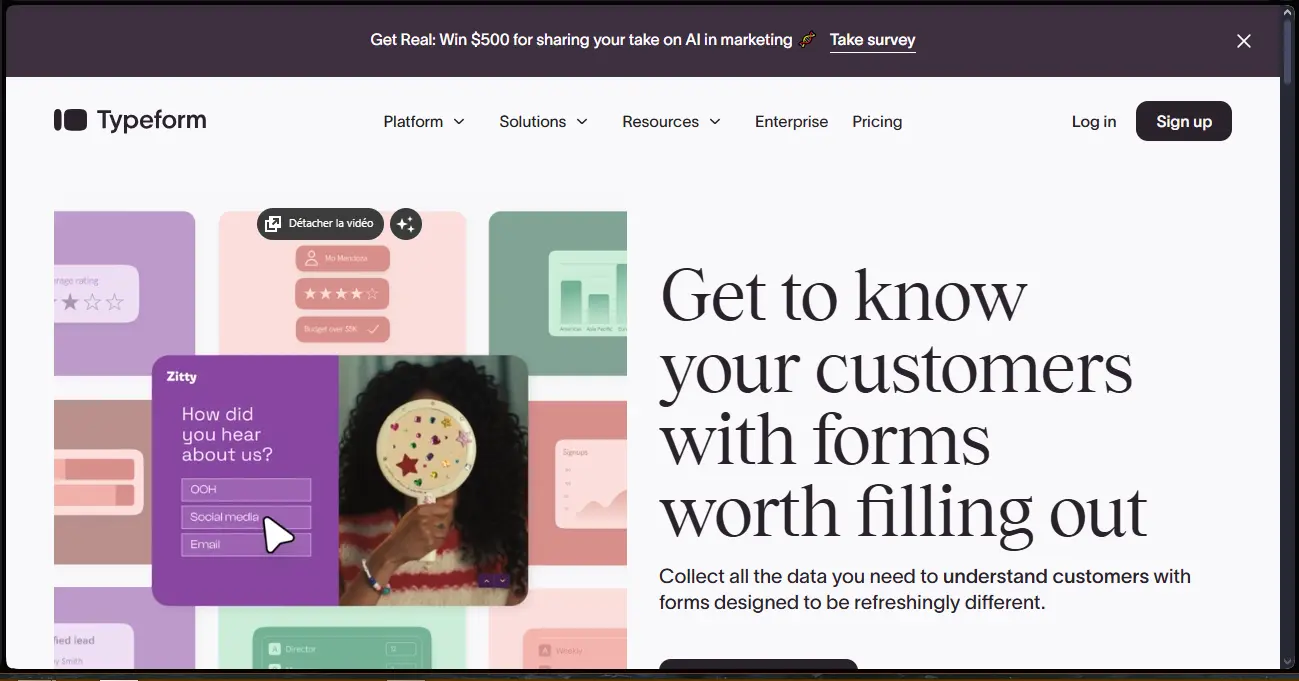
My experience with Typeform
In my professional use, Typeform has proved an invaluable ally for creating surveys and forms for my customers. Its ease of use and above all its modern, interactive design are strong points that facilitate respondent engagement.
Typeform particularly excels in qualitative data collection thanks to its advanced personalization options and progressive interactions that make the questionnaire less off-putting. For customer surveys or internal forms, it's a tool that adapts perfectly.
However, I've noted certain limitations, notably on advanced integration with certain databases or CRMs, which may require additional development. What's more, the free plans limit the number of responses, which can be restrictive depending on voluminous usage.
Is Typeform really useful for my needs?
The real question to ask is whether Typeform matches the nature of the forms you want to create and your audience. Typeform favors immersive design and fluid user experience, making it highly relevant in cases where visuals and interaction are crucial.
For example, web agencies who need to integrate elegant forms into marketing campaigns or developers creating user surveys will find Typeform extremely suitable. Human resources for employee satisfaction questionnaires, as well as freelancers wanting a simple, professional interface, are also typical personas.
Another strong point is the ability to create interactive workflows with conditional branching, which amplifies the relevance of collected responses and personalizes the experience according to the answers provided.
.
Is Typeform suitable for beginners?
Typeform is particularly well suited to beginners, thanks to its intuitive interface and numerous pre-designed templates that enable you to quickly create an aesthetically pleasing form without advanced technical skills. Drag-and-drop options simplify set-up.
For novices, the ability to see the result in real time and easily test questions reduces learning time. Typeform's support also offers clear tutorials, facilitating a gradual build-up of skills.
How much does Typeform cost?
Typeform offers an attractive free formula with basic functionality limited to 10 questions per form and 100 responses per month, suitable for personal needs or one-off tests.
Then, the €25/month Essentials formula offers unlimited questions, multiple integrations (Zapier, Mailchimp) and basic reporting, suitable for small businesses and freelancers who want regular use.
The €50/month Professional package unlocks all advanced features, including conditional logic, integrated payments and customized branding options, useful for agencies or companies with comprehensive needs and a substantial volume of responses.
What are Typeform's key features?
Probably Typeform's most outstanding feature is the interactive, fluid user experience it delivers. Questionnaires are designed to display one question at a time with animations, reducing respondent fatigue and increasing completion rates.
Another key feature is advanced personalization via conditional branching. This option makes it possible to propose different questions depending on previous responses, making each form unique and better targeted.

Beyond the core functionality, Typeform also offers integrations with third-party tools such as Google Sheets, Slack or Zapier, making it easier to centralize data and automate workflows.
Furthermore, the tool offers the ability to add payments directly to forms, handy for paid registrations or collecting donations without going through an external platform.
Like any tool, Typeform has its limitations, particularly depending on the use case. For very large forms with complex data analysis requirements or custom integrations, it may prove less flexible than data-driven solutions such as Google Forms or JotForm.
However, Typeform remains competitive and retains an edge on design and user experience. Competitors such as SurveyMonkey or Microsoft Forms can replace Typeform in certain contexts thanks to specific functionalities such as advanced quota management or more precise user tracking.
In summary, Typeform is ideal for high-end user experiences, but can reveal its limits in highly technical contexts with needs for advanced customization and statistical analysis. So it's important to assess your needs carefully before committing yourself.
FAQS
Is it reliable and secure?
Typeform uses modern security protocols such as SSL encryption to protect transmitted data. The architecture is hosted in data centers that comply with international security and privacy standards.
The service is RGPD-compliant, guaranteeing respectful treatment of European users' personal data. Data access is protected by robust authentication mechanisms.
Is it compatible with my other tools?
Typeform is compatible with numerous platforms thanks to open APIs and native integrations with third-party software such as CRM, marketing and project management tools. Data can be exported in common formats such as CSV or XLSX.
This extensive compatibility facilitates integration into existing corporate ecosystems.
Is there responsive customer support?
Typeform customer support is accessible via online chat and email, with generally fast response times. The knowledge base is comprehensive and contains tutorials and FAQs for effective self-help.
For paid plans, priority support is offered, with more personalized assistance and technical advice.
What do other users think?
Users particularly appreciate Typeform's ease of use and polished design, underlining its positive impact on survey response rates. The conditional branching system provides real added value.
On the other hand, some point to limits in terms of response volume for the free formula and some constraints on advanced integrations, which can curb very specific professional uses.
.Can I easily change later?
Users particularly appreciate Typeform's ease of use and polished design, underlining its positive impact on survey response rates. The conditional branching system provides real added value.
On the other hand, some point to limits in terms of response volume for the free formula and some constraints on advanced integrations, which can curb very specific professional uses.
.Alternatives

Specializing in business creation, sales and digital marketing, he puts his expertise at the service of users to help them identify the solutions best suited to their needs. Passionate about digital innovation and optimizing online performance, Alexis is committed to providing detailed, transparent and unbiased comparisons.
Do you have an entrepreneurial project?
We support you in the structuring and development of your tech project. Make an appointment with one of our Business Strategists.