


.avif)





.svg)
.svg)



Should Phantombuster be used in 2025?

Phantombuster is a proven web automation platform designed to facilitate data collection and the automation of repetitive tasks on the internet. Aimed primarily at marketing professionals, agencies, sales people and content creators, this tool makes it easy to extract information from social networks, online directories or any other website, without requiring advanced programming skills.
In a world where data and speed of execution are major assets, Phantombuster stands out as a reliable and flexible solution for optimizing digital processes. But what are its real capabilities, and how can this tool really transform your workflow? This article provides a comprehensive analysis to help you fully understand Phantombuster, its key features, advantages and limitations.
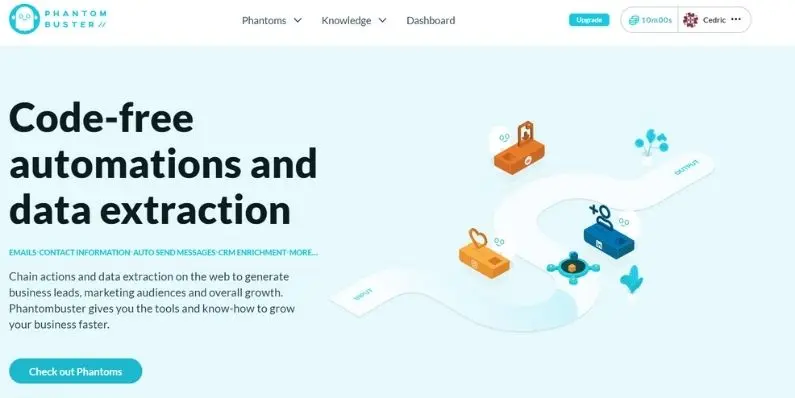
My experience with Phantombuster
In my professional use, I've mainly used Phantombuster to automate information gathering on LinkedIn and other social networks, which has saved me precious time. The strong point of this tool lies in its versatility and its interface which, although somewhat technical, allows you to launch automation scripts without coding, which helped me a lot.
Phantombuster excels in contexts where mass data retrieval is necessary, notably for sales prospecting, competitive intelligence or the development of up-to-date contact databases. Integrations with other marketing tools also facilitate rapid data transfer.
However, it does have certain limitations, notably in terms of error handling during scripting, which can sometimes require manual supervision. Also, usage quotas on basic plans can prove restrictive for more ambitious projects.
Is Phantombuster really useful for my needs?
The real question to ask yourself before adopting Phantombuster is whether you really need to automate web tasks to better gain time and efficiency. This tool is particularly aimed at those who manage large quantities of data or contacts on the web and wish to streamline these processes.
Phantombuster is ideal for several profiles:
- Salespeople who need to regularly enrich their prospect databases.
- Marketing agencies looking to quickly feed targeted data into campaigns.
- Content creators who want to automate monitoring of topics or competitors.
- Analysts who need to extract information from various sites at regular frequency.
Another strong point of Phantombuster is its ability to operate without the need to install complex software, everything being accessible via an intuitive web interface that adapts well to different user levels.


Is Phantombuster suitable for beginners?
Phantombuster can be suitable for beginners, thanks in particular to its clear web interface and the availability of numerous ready-to-use automation templates. This makes it possible to launch actions without programming, a real plus for those who are not comfortable with code.
For a beginner, the tool also offers tutorials and an active community that make it easy to get to grips with. However, a basic understanding of web concepts is recommended to fully exploit its potential, particularly when it comes to managing extracted data and setting up automated scenarios.
How much does Phantombuster cost?
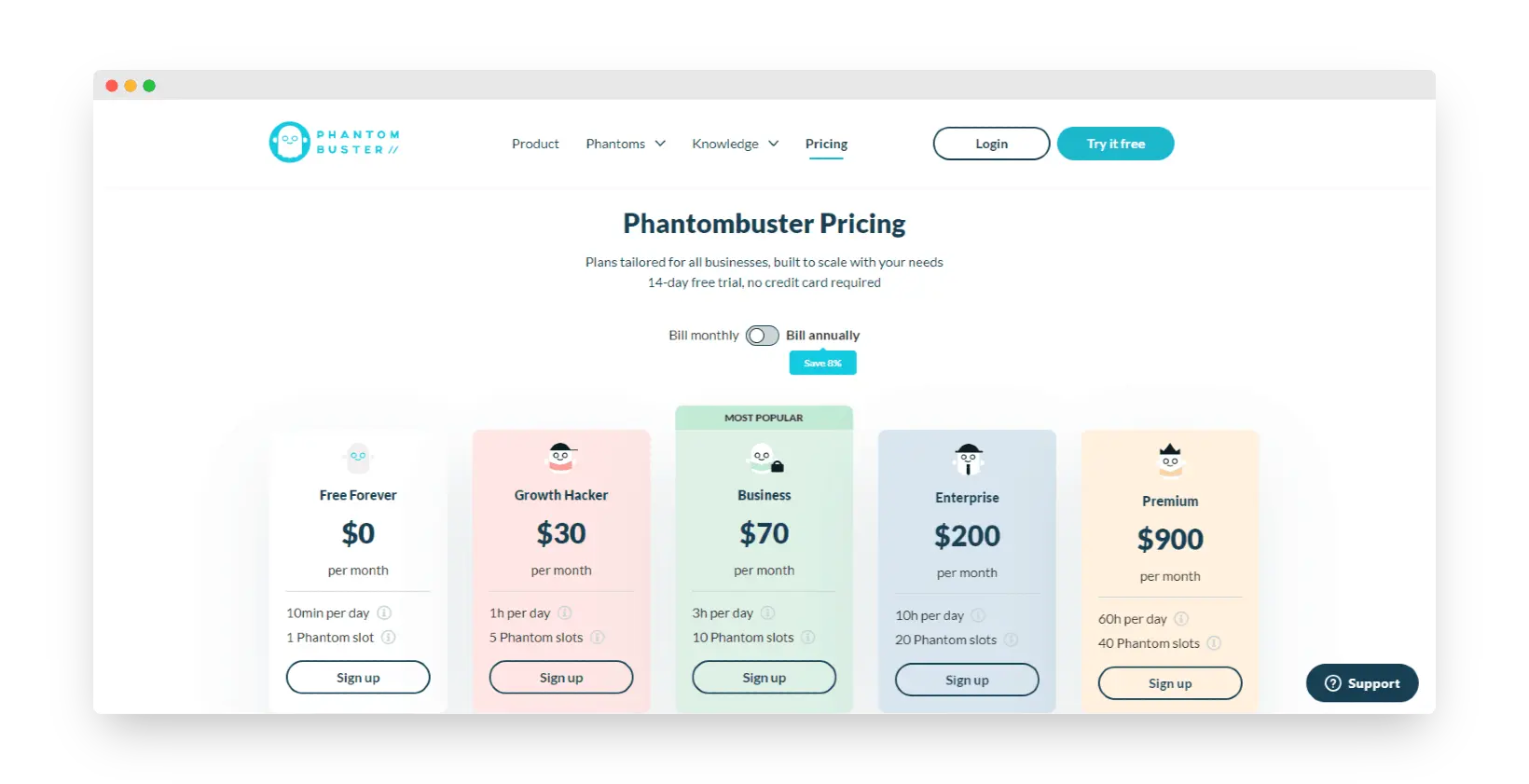
Phantombuster offers several packages to suit different uses. The basic package starts at $30/month, including a quota of 5,000 automated actions per month, ideal for small prospecting or first-time automation.
For more advanced users, there are superior plans including more actions, the ability to run multiple scripts simultaneously, and priority support. These packages are suitable for agencies and teams with larger, more regular needs, guaranteeing them greater flexibility in their campaigns.
It's worth noting that the pricing policy is clear, and that the main functionalities are accessible from the entry-level, allowing you to effectively test the tool before a more substantial commitment.
What are Phantombuster's key features?
The first key feature of Phantombuster is its powerful, configurable scraping engine, which extracts data from a multitude of platforms, including LinkedIn, Instagram, Facebook, Twitter, and standard websites. This makes it possible to collect contact lists, public information or automate targeted actions such as sending invitations or messages.
The second major feature lies in the automation of web workflows. Phantombuster lets you build scenarios in which several actions are chained together automatically, facilitating the completion of repetitive tasks without constant manual intervention. These workflows can be parameterized to fit the specific needs of each user.
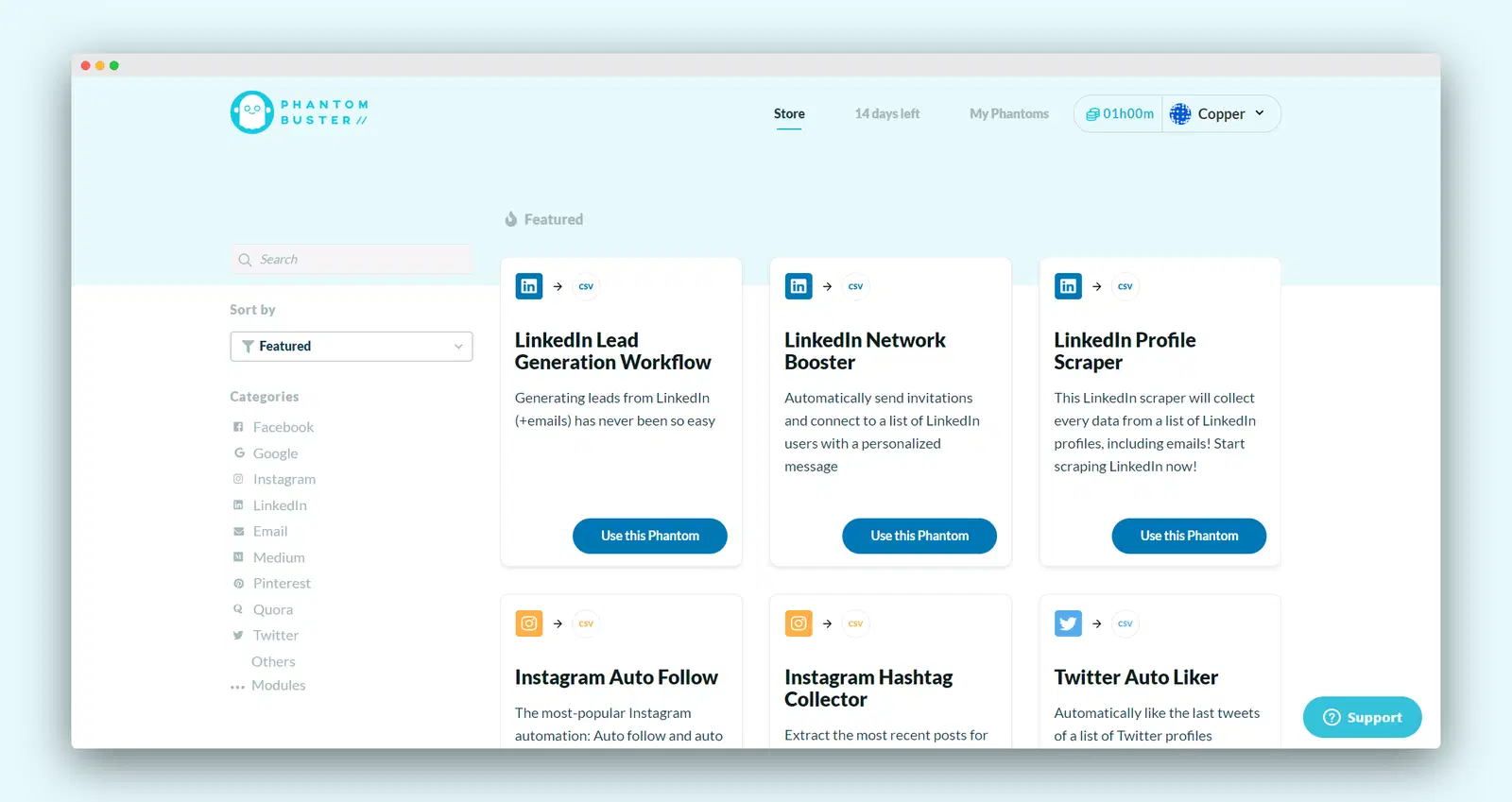
Phantombuster also offers advanced options, such as proxies to bypass access limitations on certain sites, guaranteeing continuous and stable use. This is essential for large-scale campaigns requiring prolonged harvesting.
Another advanced feature is integration with third-party tools via API or webhook, enabling Phantombuster to be connected to CRMs, emailing tools or marketing platforms. This interoperability greatly extends the possibilities for complex automation tailored to a variety of business needs.
Phantombuster, despite its many qualities, shows limitations depending on the use case. For example, for ultra-technical or bespoke use requiring complex automations, it may prove insufficient when compared to more programmable solutions.
However, several competitors such as Zapier or Integromat (Make) offer more complete workflow-oriented automations, whereas Phantombuster focuses primarily on scraping and targeted web actions. The fact remains that, for many users, it represents an excellent compromise between power and simplicity.
To sum up, its advantages lie in its ability to scrape efficiently and integrate into an ecosystem of marketing tools, but you have to accept a moderate learning curve and sometimes limited pricing plans. The choice will therefore depend on your specific needs and user profile.
FAQS
Is it reliable and secure?
Phantombuster uses standard security protocols such as HTTPS for all communications, ensuring the confidentiality of data transiting between the user and the platform. The service also complies with best practices in terms of personal data protection, and takes care not to violate the terms of use of target sites.
The platform's robustness is reflected in its scalable cloud architecture, guaranteeing service availability and responsiveness even under heavy load. However, users must be vigilant about respecting usage limits and responsibly managing extracted data to avoid any legal issues.
Is it compatible with my other tools?
Phantombuster is compatible with a wide range of popular web platforms and social networks, including LinkedIn, Facebook, Instagram, Twitter, and several commercial sites or directories. Results can be exported in CSV formats or integrated directly via API.
The tool also offers native integrations or via Zapier/Make to easily connect data to CRMs, emailing tools or other marketing solutions used in business.
Is there responsive customer support?
Phantombuster customer support is accessible primarily online via a ticketing system and a well-stocked knowledge base. Response times are generally fast, and priority support is available on higher plans.
An active community and tutorial resources round out this offering, enabling users to quickly obtain advice or solutions to common problems.
What do other users think?
User reviews of Phantombuster are generally positive, highlighting the tool's power and its ability to automate complex tasks without coding. Users also appreciate the richness of functionality and the quality of support.
Criticisms mostly concern the initial complexity for beginners and the limitations imposed by basic pricing plans, which can restrict the volume of actions possible in certain cases.
Can I easily change later?
User reviews of Phantombuster are generally positive, highlighting the tool's power and its ability to automate complex tasks without coding. Users also appreciate the richness of functionality and the quality of support.
Criticisms mostly concern the initial complexity for beginners and the limitations imposed by basic pricing plans, which can restrict the volume of actions possible in certain cases.
Alternatives
.svg)

Specializing in business creation, sales and digital marketing, he puts his expertise at the service of users to help them identify the solutions best suited to their needs. Passionate about digital innovation and optimizing online performance, Alexis is committed to providing detailed, transparent and unbiased comparisons.
Do you have an entrepreneurial project?
We support you in the structuring and development of your tech project. Make an appointment with one of our Business Strategists.