


.avif)





.svg)



Should Knack be used in 2025?

Knack has established itself since 2010 as an essential no-code solution for the creation and management of customized databases, particularly suited to SMEs and non-technical developers. Thanks to its intuitive interface and ability to automate simple tasks while offering advanced data management options, Knack makes it easy to structure and publish your data without the need to code.
With a recently updated version 5.0 in 2024, the platform enables the creation of responsive and mobile databases, with seamless integration with third-party tools via a REST API. But then, is this type of tool really suitable for the complex projects of development professionals? In this article, we'll analyze Knack in detail to understand whether it deserves its place in your tools in 2025.
My feedback on Knack
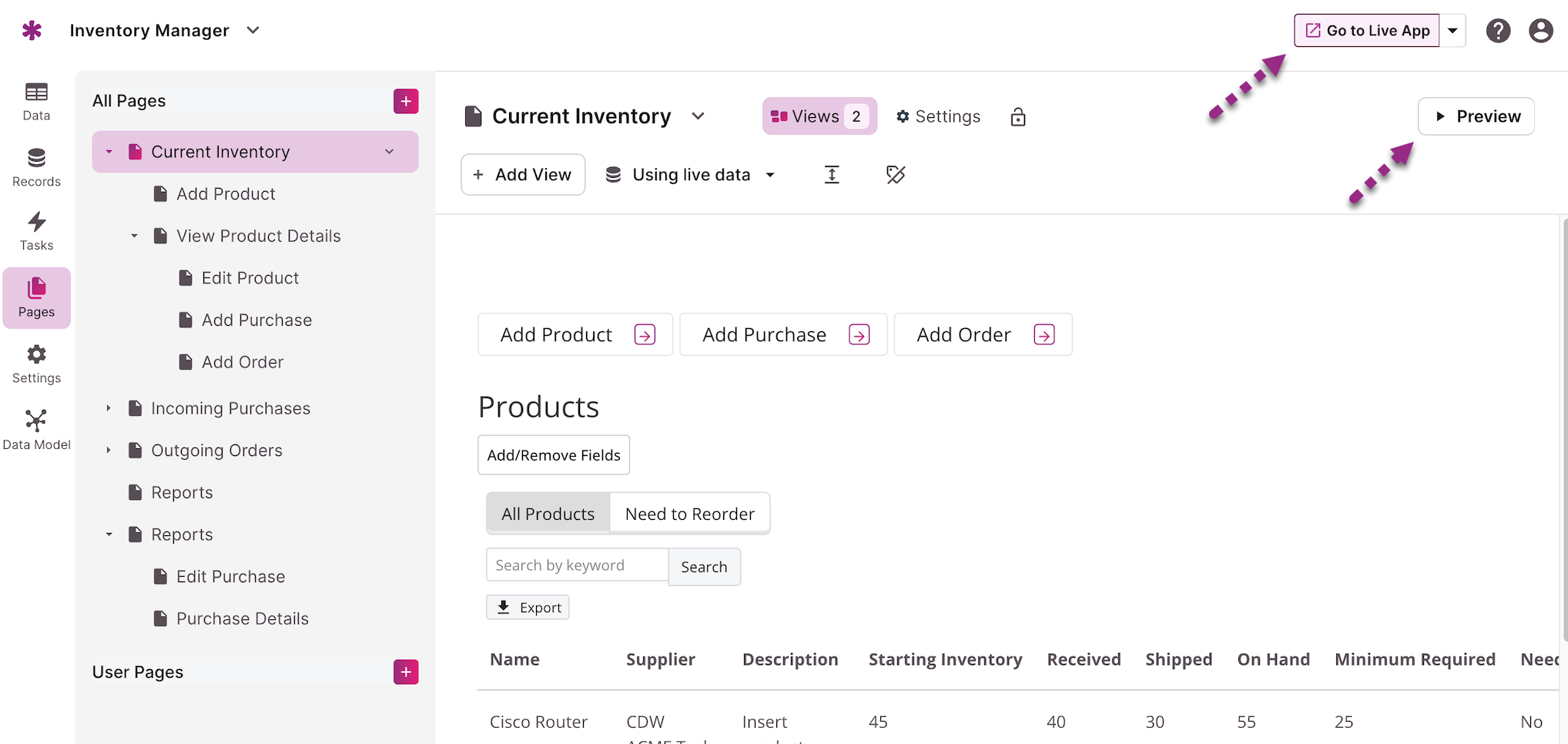
I've used Knack for both personal and professional projects, including internal databases for SMEs. What impressed me most was its ease of use thanks to the drag-and-drop interface and the speed with which data-driven applications can be created.
Knack particularly excels in contexts where a data manager needs to be set up quickly with little or no code, such as for customized dashboards or small internal web applications. Its integration via API also enables external tools to be connected without major difficulty.
On the other hand, I've found it to be limited when databases become very large or automations require high complexity, scenarios where other specialized tools will be better suited.
Is Knack really useful for my needs?
The real question to ask yourself before adopting Knack is: do I need a simple database that's quick to set up, without coding? For developers in a hurry and SMBs who want an efficient tool without spending weeks on development, Knack answers this need perfectly.
For example, a marketing manager wishing to manage contacts and campaigns, a project manager looking for customized dashboards, or a small web agency wishing to offer a customized tool to its customers without heavy investment in development, will be typical users who will find a lot of value in Knack.
Another strong point is its multi-user collaboration which facilitates teamwork, making it a pragmatic solution geared towards efficiency in a professional environment.

Is Knack suitable for beginners?
Knack is very well positioned for beginners thanks to its intuitive handling and drag-and-drop based interface. Users with no technical experience can quickly build a database and publish it without writing a single line of code, making it much easier to take the first steps into data management.
For a beginner, access to comprehensive documentation, video tutorials and an active community forum are valuable assets that facilitate learning. These elements enable serene progress without technical frustration, while offering the opportunity to explore more advanced functionalities smoothly.
How much does Knack cost?
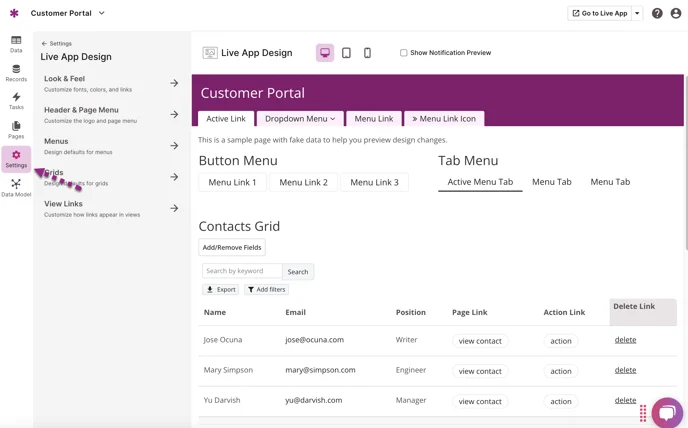
Knack offers a freemium package with basic functionality, ideal for testing the platform and carrying out simple or personal projects. In particular, this entry-level formula allows you to build and publish databases at no cost, with some limitations in terms of volumes and advanced features.
For professionals or SMEs with more advanced needs, Knack offers several paid plans starting at €39/month. These plans include additional features such as advanced user management, API integration, basic automations, and priority customer support. This pricing positioning remains affordable for a high-performance, accessible no-code database.
What are Knack's key features?
Knack's main key feature is undoubtedly its drag-and-drop interface, which allows you to create custom databases without writing code. This visual approach facilitates the structuring of data, organizing it into tables, fields and relationships, thus speeding up the process of creating applications based on this data.
Another important feature is the management of users and permissions. Knack enables precise control over who can view, modify or manage which data, which is essential for collaborative enterprise applications or for managing customer access.
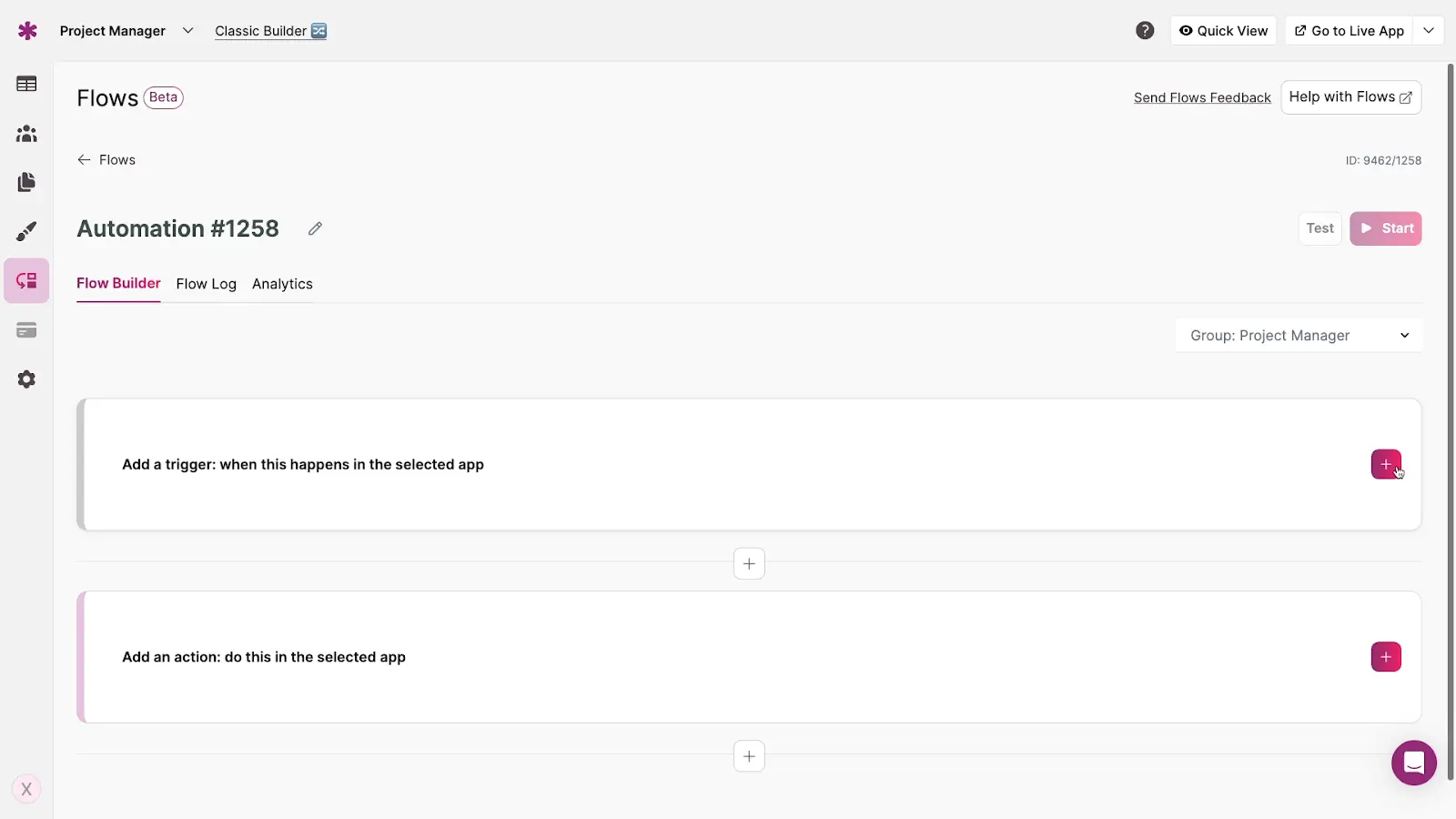
Among the advanced features, Knack offers basic automations enabling simple actions to be triggered from data, simplifying certain in-house workflows. What's more, the platform guarantees RGPD-compliant security with SSL encryption and multi-factor authentication, ensuring the confidentiality and protection of user data.
Knack also integrates numerous native connectors, notably with Zapier, GitHub or Slack, greatly facilitating interconnection with other tools already used in the professional ecosystem.
Knack is particularly well suited to small and medium-sized databases, but shows its limitations as soon as data becomes very large or advanced automations are required. For example, for complex systems involving automation or management of large quantities of data in real time, Knack can become too restrictive.
Tools like Airtable, Bubble or even more robust low-code solutions like OutSystems may therefore prove preferable alternatives, depending on the complexity of the project. Nonetheless, Knack retains the advantage of being quick to learn and intuitive to use, which often justifies its choice for simpler projects or prototypes.
In summary, Knack's advantages are its simplicity, speed of implementation and accessible no-code offering, while its disadvantages mainly concern the scale and depth of automation functionality for more ambitious projects.
.FAQS
Is it reliable and secure?
Knack is a reliable and secure platform, complying with RGPD standards and using SSL encryption for data transmission. Multi-factor authentication reinforces access security, and user permissions are finely manageable to ensure strict control over data.
The robustness of the cloud infrastructure guarantees high availability and stable performance, suited to the needs of SMEs and small teams developing simple, secure web applications.
Is it compatible with my other tools?
Knack is accessible via any modern web browser with no installation required, and its applications are fully responsive for mobile use. The platform offers a REST API that greatly facilitates integration with other tools and services, and supports CSV file import/export for data import and manipulation.
Is there responsive customer support?
Knack's customer support is available via email and chat, with hours mainly based in the USA. Despite this, the quality of responses is generally deemed relevant and helpful, with reasonable response times for a SaaS solution.
What do other users think?
Users essentially appreciate Knack's ease of use, the speed with which databases can be set up and the flexibility it offers. On the other hand, some regret limitations in automations and limited scalability on very large data volumes.
Can I easily change later?
Users essentially appreciate Knack's ease of use, the speed with which databases can be set up and the flexibility it offers. On the other hand, some regret limitations in automations and limited scalability on very large data volumes.
Alternatives
.svg)

Specializing in business creation, sales and digital marketing, he puts his expertise at the service of users to help them identify the solutions best suited to their needs. Passionate about digital innovation and optimizing online performance, Alexis is committed to providing detailed, transparent and unbiased comparisons.
Do you have an entrepreneurial project?
We support you in the structuring and development of your tech project. Make an appointment with one of our Business Strategists.