


.avif)





.svg)



Should you use Canva Logo Maker in 2026?
Canva Logo Maker, we all know it. It has established itself as the platform of choice for rapid graphic creation, democratizing access to design for millions of users. But in 2025, with heightened market demands and the rise of generative AI, is it still relevant for professional, distinctive logos? Since my early days with Easy Web, I've seen this tool evolve, and I've scrutinized it myself from every angle. Simplicity, functionality, but above all its real limits: here I share my feedback and an objective opinion on its usefulness for your agency.
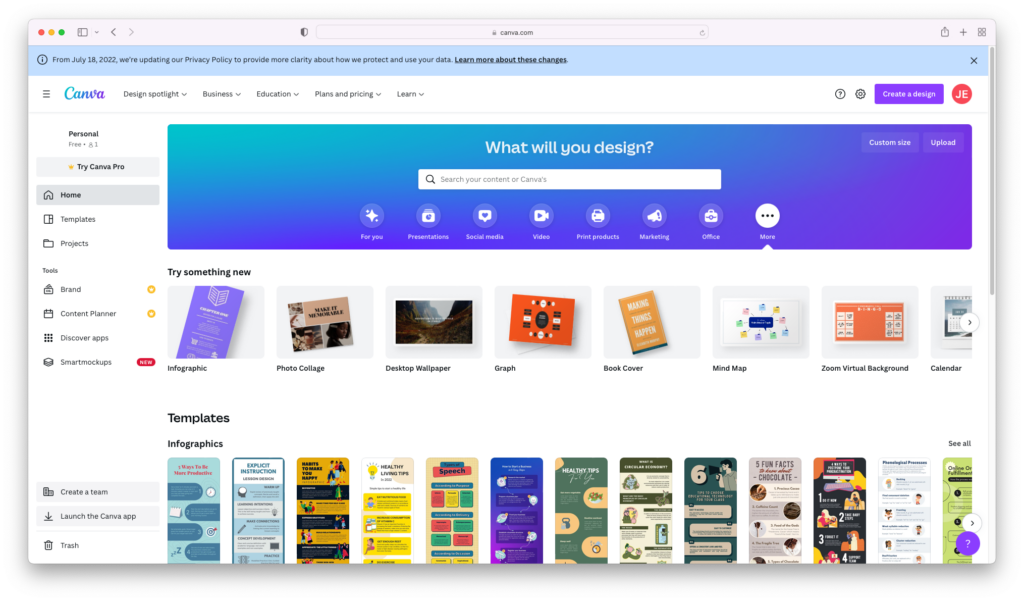
My experience with Canva Logo Maker
Since Canva integrated its Logo Maker a few years ago, it's become one of my unexpected backup tools, even for a pro. I've watched it evolve, and to be honest, what's always struck me is how disconcertingly easy it is to get a credible first draft.
For customer discovery phases or projects where the budget doesn't allow for deep design immersion, Canva Logo Maker is an asset. It allows you to quickly lay out visual options, test directions and have tangible support to start discussions without investing hours.
For customer discovery phases or projects where the budget doesn't allow for deep design immersion, Canva Logo Maker is an asset.
Despite everything, let's face it: for a unique, truly distinctive logo designed for perfect scalability across all media, it's no substitute for a pro designer. Advanced customization options and vector management remain limited, which is crucial for a robust, long-lasting brand identity.
Is Canva Logo Maker really useful for my needs?
The real question to ask yourself before using Canva Logo Maker is: what is my objective? Because the relevance of Canva Logo Maker depends very much on how you use it. If your need is to quickly create a simple visual identity to kick-start a project, test an idea or for informal, non-critical media, then yes, it's a great place to start. It responds perfectly to urgency and flexibility.
Whether you're a freelancer, content creator, solo entrepreneur or communications manager in a small organization, Canva Logo Maker can save you precious time. To quickly launch visuals, have a logo that sticks and lets you create social network posts, presentation slides or a newsletter with immediate consistency, it's perfect. You gain in autonomy and agility.
Beyond this ease of access, one of the tool's great assets is its ability to democratize branding. It allows anyone to forge a visual presence, even on a limited budget, and quickly iterate on their brand image without technical friction.

Is Canva Logo Maker suitable for beginners?
Clearly, Canva Logo Maker is aimed primarily at beginners and non-designers. I've seen it time and time again: many of our customers, in their launch phase, are looking for a fast, efficient solution. The tool simplifies everything: thousands of ready-to-use templates, a vast library of icons and fonts, all in intuitive drag & drop. It's ideal for creating a first logo for a personal project, a blog or validating an idea without investing heavily in design.
The huge advantage for a novice is the virtually non-existent barrier to entry. No need to master complex software like Illustrator or Figma. In just a few minutes, you can generate an acceptable visual, even without any notion of typography or graphic composition. This allows you to concentrate fully on the core of your business, without getting bogged down in the initial visual identity aspect.
How much does Canva Logo Maker cost?

Let's talk money, because a tool, no matter how powerful, has to stick to your budget. Canva's Logo Maker fits into their core offerings.
The Free plan: It lets you design logos with a limited selection of templates and elements. It's perfect for micro-entrepreneurs just starting out, or for quickly testing an idea without spending a dime. A great option for a first draft.
Next up is the Canva Pro, priced at around €11.99/month or €119.99/year. Here, you unlock everything: premium library, branding kit for consistency, and crucial download in transparent background. This plan is ideal for demanding freelancers and small agencies who need to produce professional logos quickly, with real flexibility. It's the most relevant investment for productivity.
For larger structures managing several customers or teams, the Canva for Teams is available on quotation. It integrates advanced collaborative tools and centralized brand control. It's the solution for management at scale.
What are the key features of Canva Logo Maker?
One of Canva Logo Maker's most obvious strengths is its huge library of templates and graphic elements. To be frank, when you need to rough out an idea quickly or present creative leads to a customer, this is a significant time-saver. But for us designers, the challenge is to transform these generic bases into something unique. We have to push for personalization, mix elements to avoid the "déjà vu" effect, and inject our own artistic flair. This is where experience makes all the difference.
Where Canva becomes an interesting ally for agencies like ours is with its Brand Kit functionality. Being able to centralize color palettes, typographies and validated logos is a precious help in ensuring the consistency of customer assets. What about export? You can choose between PNG, JPG and SVG. The vector format is essential for lossless scaling, although for complex creations, we'll always have our preferred tools. It's a good basis for versatility.

Don't underestimate the depth of Canva's library of graphic elements. Beyond templates, I found a real ability to push customization: precise color adjustment, layer management for complex overlays, and even texture integration. You can really deconstruct a template into something entirely new, far from the "Canva-look" cliché.
The other highlight for us professionals is export flexibility. Canva can now generate logos in SVG (Scalable Vector Graphics). This is essential to guarantee impeccable quality and infinite scalability, whatever the medium. And their "Brand Kit" function, which centralizes typographies and color palettes, becomes a major asset for consistency across all your projects.
For a pro designer, Canva Logo Maker quickly reaches its ceiling. Looking for a unique, scalable identity? Advanced customization options are sorely lacking. No precise vector manipulation, impossible to distort typography at will. For branding that stands out, you quickly feel restricted.
Need to go further? Behemoths like Adobe Illustrator, Sketch or Figma remain our must-haves. They offer the creative freedom we demand. That said, don't blame Canva. For a start-up or a personal project, it remains an excellent springboard. It democratizes design, and that's powerful.
In summary, its strong points:
- Easy to use
- Speed of creation
- Vast template library
On the other hand, its weaknesses are clear:
- Limited advanced customization
- Braked originality
- Lack of native vector files for pro scalability
FAQS
Is it reliable and secure?
You're wondering about the security of your creations, aren't you? As a major SaaS platform, Canva invests heavily in cybersecurity. Their infrastructures are robust, with standard encryption to protect your data and your projects.
When it comes to reliability, the tool boasts very high availability. Since it's not an open-source solution, full infrastructure security management is their responsibility, minimizing your risk from third-party vulnerabilities. Your designs remain your intellectual property, but be careful about the licensing of graphic elements from their library.
Is it compatible with my other tools?
For compatibility, Canva Logo Maker exports mainly in JPG, PNG, and sometimes PDF. This is handy for the web or simple media. But let's be clear: if you're working with pro tools like Illustrator or Affinity Designer, you'll quickly notice the limitations. Files exported from Canva are generally not fully editable vector files (.AI, .EPS, .SVG). You can import them as images, but for in-depth modifications or high-resolution print use requiring perfect scalability, you'll often need to recreate the asset. It's a compromise to keep in mind for your workflows.
Is there responsive customer support?
Honestly, Canva's support relies mostly on their extensive help center and a ticket system. For routine queries, responsiveness is good. But for more complex questions, those involving vector export specifics or licensing nuances for professional use, for example, response times can get longer. It's not the ultra-reactive, personalized support we sometimes expect from more "pro" tools, but it's functional for the majority of needs.
What do other users think?
When we talk to designers and agencies, opinions are often divided, but converge on one point. Laypeople love its simplicity and speed for basic needs. However, for us in the pro community, the tool quickly reaches its limits. We applaud its accessibility, yes, but the lack of precise vector control and the limited originality of the templates are major hindrances. It's perfect for a quick pitch or concept, but for a robust and unique brand identity, dedicated tools remain the benchmark. Criticism often revolves around genericity.
Can I easily change later?
When we talk to designers and agencies, opinions are often divided, but converge on one point. Laypeople love its simplicity and speed for basic needs. However, for us in the pro community, the tool quickly reaches its limits. We applaud its accessibility, yes, but the lack of precise vector control and the limited originality of the templates are major hindrances. It's perfect for a quick pitch or concept, but for a robust and unique brand identity, dedicated tools remain the benchmark. Criticism often revolves around genericity.
Alternatives
.svg)

Specializing in business creation, sales and digital marketing, he puts his expertise at the service of users to help them identify the solutions best suited to their needs. Passionate about digital innovation and optimizing online performance, Alexis is committed to providing detailed, transparent and unbiased comparisons.
Do you have an entrepreneurial project?
We support you in the structuring and development of your tech project. Make an appointment with one of our Business Strategists.