


.avif)





.svg)
.svg)



Should Buffer be used in 2025?

.svg)
Buffer has established itself as an essential automation tool for managing and scheduling content on social networks. Designed primarily for content creators, marketing agencies, community managers and small structures, it facilitates the organization of publications on different platforms by centralizing all social media-related actions.
In a digital world where a regular presence on networks is crucial, how does Buffer help optimize the day-to-day management of this content? We'll explore its key functionalities, usage and limitations in detail in this comprehensive article.
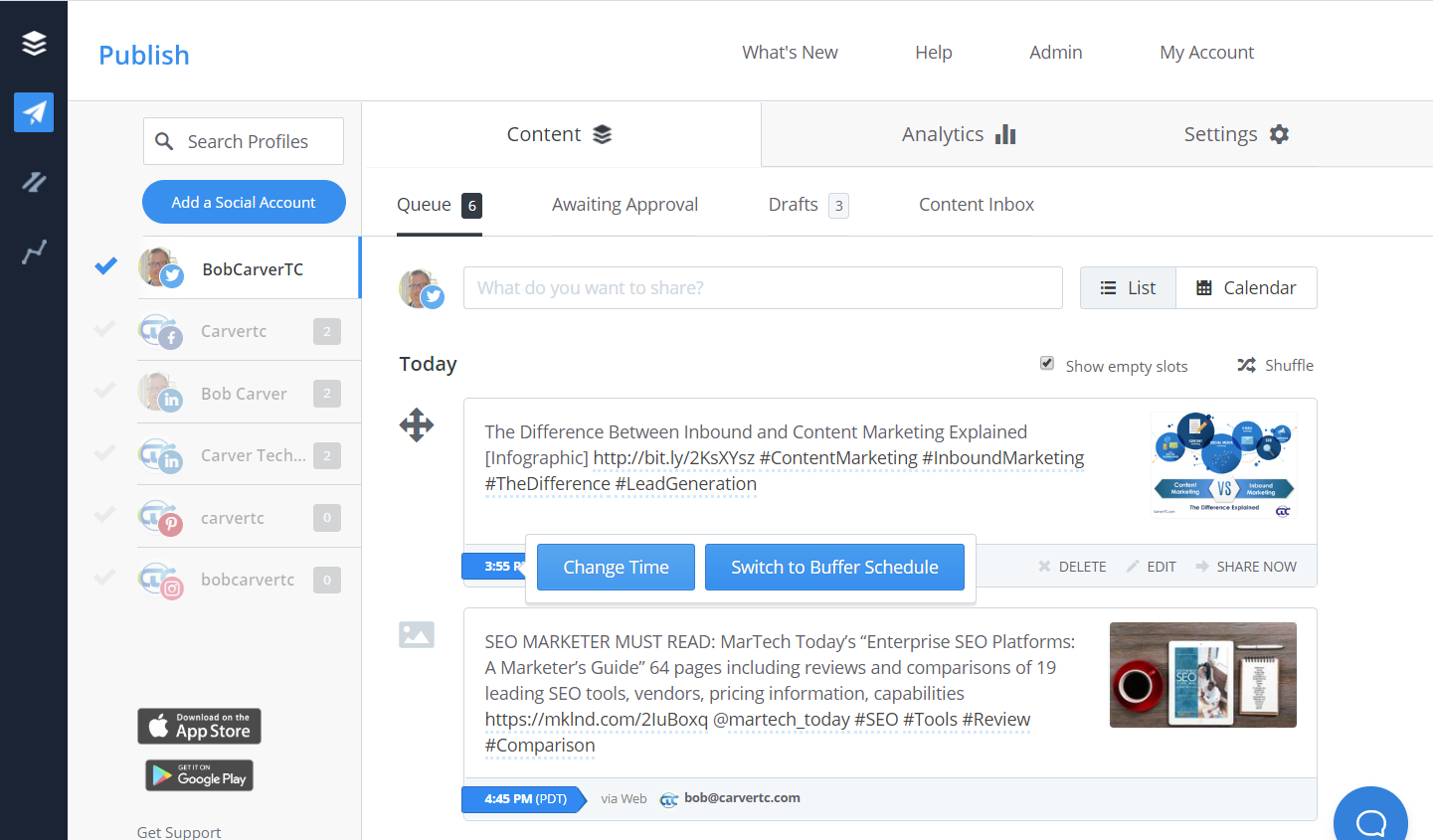
My experience with Buffer
For professional use, Buffer has enabled me to structure and schedule the publication of content for different clients from a single intuitive interface. Its strong point is its simplicity of use, which makes it easy to schedule and track posts, even for small teams.
Buffer particularly excels in contexts where regularity and diversity of publications are essential, especially for agencies that manage several accounts simultaneously and wish to standardize their social communication.
However, I've noticed that Buffer shows its limitations when it comes to in-depth analysis or advanced interaction management: some advanced features remain reserved for higher plans, which can hold back demanding users.
Is Buffer really useful for my needs?
The real question to ask yourself before adopting Buffer is: "Do I need a simple, effective tool to centralize and automate my social networking posts?" For individual designers looking to save time, Buffer offers a very affordable solution. For agencies or studios, it enables content scheduling to be organized and delegated without loss of control.
The personas concerned are varied:
- The videographer wishing to broadcast his projects regularly on Instagram and Facebook.
- The community manager of an SME wishing to schedule a multitude of posts on several networks in advance.
- The freelance content creator looking for a simple tool to optimize his strategy without drowning in complex functionalities.
Another strong point lies in its clear interface and the ease with which it allows messages to be planned and adapted according to real-time feedback.


Is Buffer suitable for beginners?
Yes, Buffer is particularly suitable for beginners. Its streamlined, ergonomic interface means you can quickly get to grips with scheduling publications without being overwhelmed by complex options. Features such as the visual calendar or simple programming with just a few clicks make the experience enjoyable for a novice.
Furthermore, the integrated tutorials and online help are designed to guide new users step by step. The absence of technical jargon and the clarity of the dashboard also facilitate natural progression towards more advanced management over time.
How much does Buffer cost?
Buffer offers several formulas tailored to different user profiles:
Formule Pro at $5/month: This offer is ideally suited to freelancers and individual creators. It allows you to connect up to 8 social accounts and schedule up to 100 publications. It's a cost-effective option to start automating your social networks.
Premium package at $10/month: Suitable for small teams, it extends capabilities with 2 users, up to 8 accounts, and unlimited scheduling. It also includes more advanced analytics to track campaign impact.
Enterprise package at $100/month: Intended for larger structures and agencies, it allows up to 25 users, extensive account management (up to 150), and detailed reporting. This package also offers priority support and additional features for collaborative working.
What are Buffer's key features?
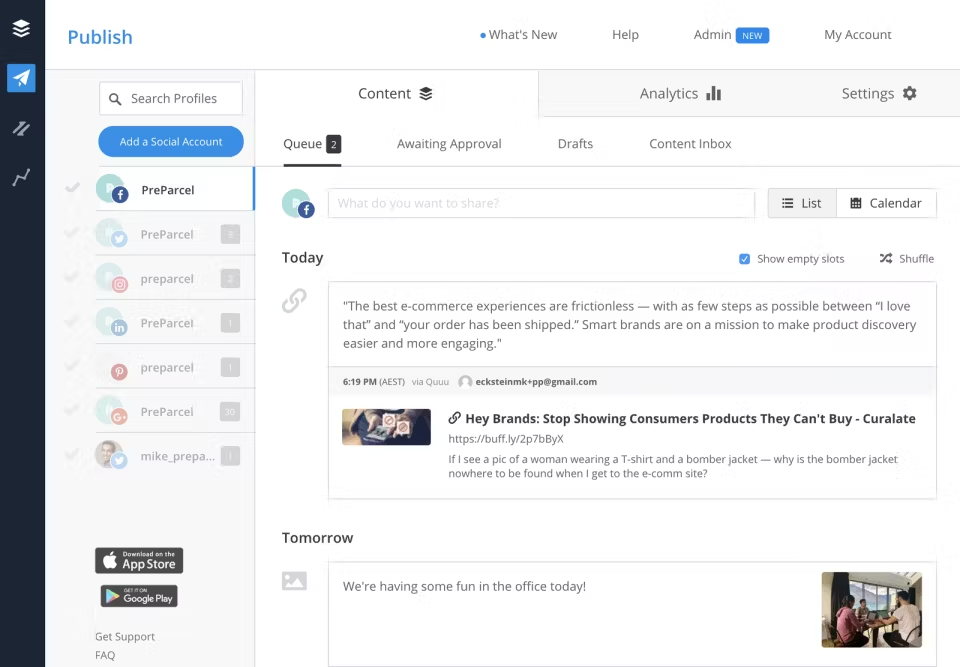
Buffer's first major feature is centralized scheduling of posts across multiple social networks. By connecting their accounts (Facebook, Instagram, Twitter, LinkedIn, Pinterest), users can easily schedule posts in advance and maintain a constant presence without daily intervention.
Then, Buffer offers an intuitive visual calendar that simplifies the management of scheduled content. This overview makes it easy to reorganize publications, add content on the fly and quickly visualize the overall schedule to better allocate marketing efforts.
Among the advanced features, Buffer integrates basic analysis tools to measure publication performance in terms of engagement, clicks, impressions and shares. This enables you to adjust your strategy according to the results obtained on each network.
Another example is multi-user management for teams. Each member can be assigned to specific tasks, with rights tailored to their role. This collaboration facilitates delegation and control of content without confusion or overlap.
Buffer can nevertheless show certain limitations depending on specific needs. For users looking for very advanced analyses, Buffer's reports will remain fairly basic. In the case of very advanced community management (moderation, complex conversation management), the tool may prove insufficient.
Competitors such as Hootsuite or Sprout Social offer more comprehensive features in terms of analysis or engagement, while remaining reliable options for professional use. Buffer, however, retains a simplicity of use that many professionals appreciate.
In summary, Buffer offers an excellent balance between efficiency and accessibility. Its main advantages include an intuitive interface and reliable service, while its disadvantages relate mainly to advanced features and its rather lightweight orientation for intensive community management.
FAQS
Is it reliable and secure?
Buffer is a reliable and secure tool. It uses standard protocols such as HTTPS and OAuth to secure connections to social networks and protect user data. Its servers are hosted in secure data centers with strict access control measures.
In addition, the company regularly updates its systems and actively protects against vulnerabilities. User rights management also protects confidentiality within teams. In short, Buffer guarantees a secure environment for managing your social accounts.
Is it compatible with my other tools?
Buffer is compatible with most of the major social networks: Facebook, Instagram, Twitter, LinkedIn, Pinterest, and Google My Business. It supports various content formats, whether images, videos, carousels or URL links.
Furthermore, Buffer offers integrations with third-party tools via API, facilitating automation and synchronization with external CRMs or analytics platforms, considerably extending its usage possibilities.
Is there responsive customer support?
Buffer customer support is accessible via chat, email and online help center. Typically, responses arrive within 24 to 48 hours, with priority service for premium and enterprise subscribers. Support is renowned for its relevance and responsiveness, effectively helping to resolve any issues encountered.
What do other users think?
Users particularly appreciate Buffer's ease of use and clear interface. Multi-account management and automatic publication scheduling are frequently highlighted as strong points.
On the other hand, some regret the lack of in-depth analysis features or the upmarket pricing required to access all the options. Despite this, its stability and efficiency make it a popular choice.
Can I easily change later?
Users particularly appreciate Buffer's ease of use and clear interface. Multi-account management and automatic publication scheduling are frequently highlighted as strong points.
On the other hand, some regret the lack of in-depth analysis features or the upmarket pricing required to access all the options. Despite this, its stability and efficiency make it a popular choice.
Alternatives

Specializing in business creation, sales and digital marketing, he puts his expertise at the service of users to help them identify the solutions best suited to their needs. Passionate about digital innovation and optimizing online performance, Alexis is committed to providing detailed, transparent and unbiased comparisons.
Do you have an entrepreneurial project?
We support you in the structuring and development of your tech project. Make an appointment with one of our Business Strategists.