


.avif)





.svg)



Should After Effects be used in 2025?

Adobe After Effects is a must-have tool for motion design professionals, videographers and production studios who want to create sophisticated animations and advanced visual effects. Known for its power and flexibility, it offers an exhaustive palette of tools for manipulating video, adding special effects and integrating animated graphics in a professional way.
But how does After Effects stack up against the rise of simpler, easier-to-access solutions? This article explores its features, strengths and some trade-offs to consider to help you decide whether this tool is the right choice for your projects in 2025.

My experience with After Effects
I use After Effects mainly in a professional context, particularly for motion design projects and complex visual effects that require a high degree of creativity. One of the major strengths I appreciate is its enormous flexibility, thanks to the many plugins and scripts that enable the tool to be adapted to a wide variety of workflows, from the simple to the most ambitious projects.
After Effects particularly excels when it comes to creating detailed graphic animations or seamlessly integrating special effects into video projects. Its compatibility with other Adobe tools such as Premiere Pro considerably optimizes the audiovisual production chain.
However, its level of complexity sometimes represents a brake, especially for beginners. The learning curve is steep, and it can take time to master all its advanced features. What's more, its performance can be highly dependent on the power of the machine used, especially for heavy compositions.
Is After Effects really useful for my needs?
The real question to ask yourself before adopting After Effects is whether your projects require a tool dedicated to motion design and advanced visual effects, or whether a simpler solution might suffice. If you're a content creator with high standards in terms of quality and customization, After Effects fits the bill perfectly.
Here are just a few examples of profiles that could benefit fully from this tool:
- Professional motion designers looking for complex, customized animations.
- Videographers integrating heavy visual effects or graphic animations into their productions.
- Marketing agencies creating engaging video campaigns with polished rendering.
- Production studios requiring advanced integration with Adobe Premiere and other Adobe tools.
Another strong point of After Effects is its rich ecosystem of plugins and scripts, which allows its functionality to be extended according to specific needs, offering invaluable modularity.

Is After Effects suitable for beginners?
After Effects is a tool that is generally not recommended for a total beginner in video editing or animation. Its rich functionality is accompanied by an interface and logic that can appear complex without training or appropriate tutorials. The software does, however, offer progressive functionalities, such as animation presets, facilitating the first steps in motion design.
For motivated beginners, this software offers tutorials and an active community enabling initiation and gradual upgrading of skills, which can represent an excellent long-term investment. The ability to work with layers, advanced effects and expressions expresses its full potential as you learn.
How much does After Effects cost?

After Effects is available via a monthly or annual subscription as part of Adobe's Creative Cloud. The classic formula costs around €23.99 per month for an individual license. This offer includes regular updates, cloud storage and access to a vast catalog of resources and plugins.
This subscription model may represent a substantial budget for freelancers or small structures, but it guarantees constant evolution of the tool and seamless integration with other Adobe software such as Premiere Pro, Photoshop or Illustrator, which can significantly improve productivity.
What are the key features of After Effects?
The first key feature of After Effects is its layer-based animation engine, which enables sophisticated animations to be created thanks to fine management of keyframes, effects and expressions. This approach offers total control and creative freedom for customized projects from simple animated logos to complex sequences of visual effects.
Another essential feature is the ability for advanced compositing and integration. After Effects lets you merge multiple video sources, graphics, and 3D animations via layers and masks, offering rich, detailed postproduction suitable for making music videos, commercials and cinematic special effects.
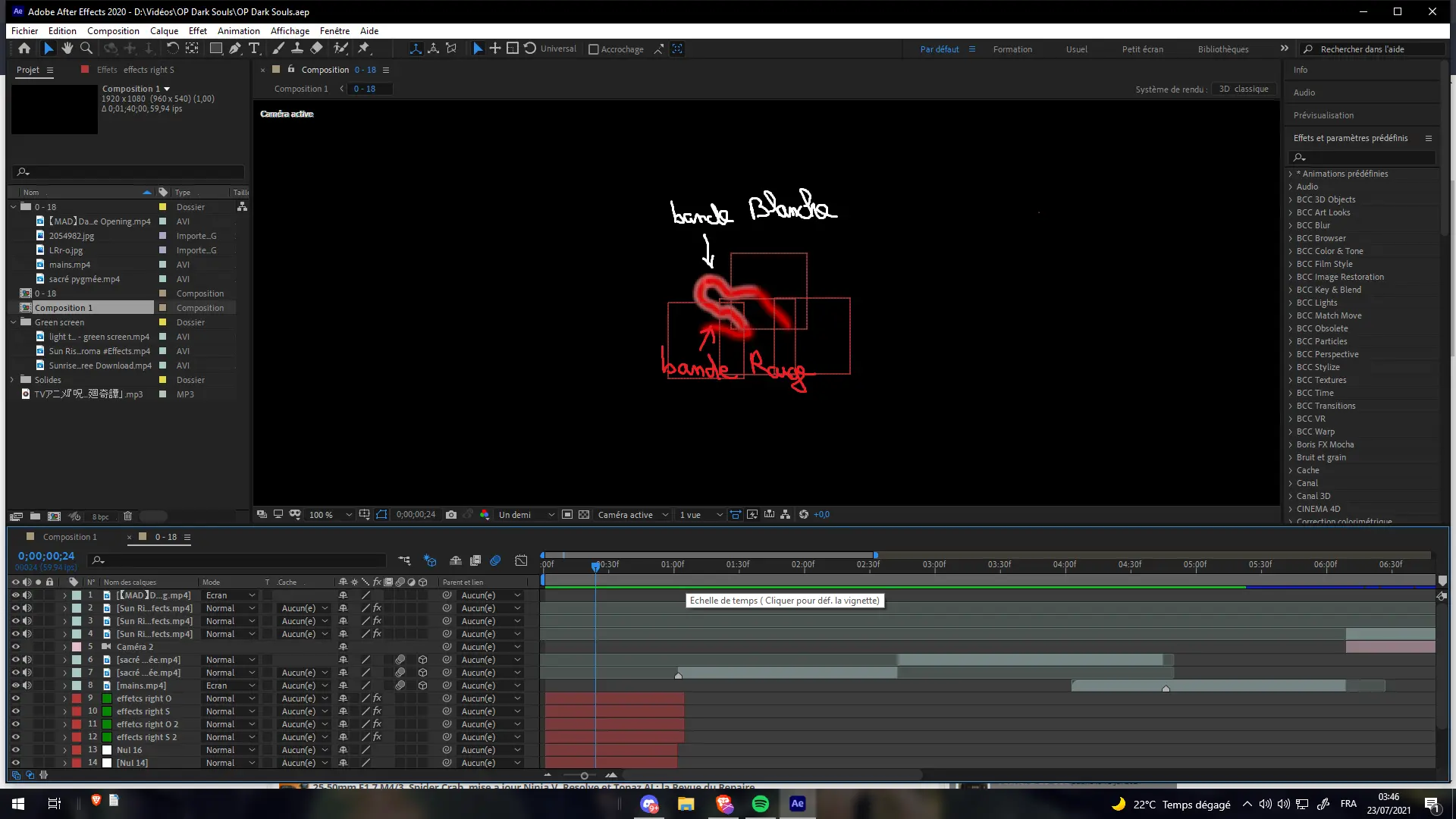
Beyond the basics, After Effects incorporates advanced features such as the use of expressions, which are scripts that automate and create complex animations without a manual animation key. This automation amplifies creative possibilities while optimizing working time.
The software also supports 3D rendering thanks to the integration of external engines and plugins, paving the way for more immersive creations. Export in a variety of professional formats, compatible with the majority of editing software and platforms, adds to After Effects' versatility.
Despite its power, After Effects has certain limitations depending on the use case. For users looking to quickly edit simple videos without complex effects, the tool may appear oversized and difficult to get to grips with. Hobbyists and beginners risk coming up against a dense interface and a steep learning curve.
As for competitors, software such as Apple Motion, HitFilm Express or DaVinci Resolve offer more accessible alternatives that are sometimes sufficient for less advanced projects. However, none benefit from the same advanced integration with the Adobe suite and the functional richness of After Effects.
In summary, After Effects stands out for a large number of advantages:
- Extreme power and flexibility.
- Complete integration with Adobe Creative Cloud.
- Enormous library of plugins and scripts.
But its disadvantages should also be considered:
- Tough learning curve.
- Hardware-intensive usage.
- Relatively high price for freelancers.
FAQS
Is it reliable and secure?
After Effects is an Adobe product with a high level of reliability and security. The software is regularly updated, incorporating bug fixes and performance improvements. Local and cloud project management ensures secure working and efficient data backup.
On the security side, Adobe applies industry-standard protocols, notably for Creative Cloud accounts, with multi-factor authentication and data encryption. For professionals concerned about the confidentiality and robustness of workflows, these guarantees are a pledge of seriousness and durability.
Is it compatible with my other tools?
After Effects offers extensive compatibility with popular video and graphics formats such as MP4, MOV, AVI, as well as numerous image files such as PSD, AI, and PNG. It works seamlessly with all Adobe software via Creative Cloud, making it easy to import/export and synchronize projects.
The tool can be enhanced via third-party plugins, and incorporates APIs that allow After Effects to be connected to other professional solutions or cloud services, increasing its potential for integration into different production workflows.
Is there responsive customer support?
Adobe customer support for After Effects is accessible via several channels including live chat, self-help forums and telephone support for subscribers. Response times are generally fast, with extensive documentation and an active community often helping to resolve issues quickly.
For professional users, Adobe also offers premium services with dedicated support, guaranteeing support tailored to demanding production needs.
What do other users think?
After Effects users mainly praise the functional richness and power of the tool, as well as its seamless integration with the Adobe Creative Cloud suite. Positive comments highlight its virtually unlimited potential in terms of visual creation.
On the other hand, critics focus on the complexity for beginners and the cost of the subscription, which may represent a brake for some freelancers or small agencies looking for a more economical solution.
Can I easily change later?
After Effects users mainly praise the functional richness and power of the tool, as well as its seamless integration with the Adobe Creative Cloud suite. Positive comments highlight its virtually unlimited potential in terms of visual creation.
On the other hand, critics focus on the complexity for beginners and the cost of the subscription, which may represent a brake for some freelancers or small agencies looking for a more economical solution.
Alternatives
.svg)

Specializing in business creation, sales and digital marketing, he puts his expertise at the service of users to help them identify the solutions best suited to their needs. Passionate about digital innovation and optimizing online performance, Alexis is committed to providing detailed, transparent and unbiased comparisons.
Do you have an entrepreneurial project?
We support you in the structuring and development of your tech project. Make an appointment with one of our Business Strategists.