


.avif)





.svg)



Should you use Weebly in 2025?

Weebly has established itself as an accessible and intuitive website creation solution, ideal for developers wishing to quickly build showcase sites or small online stores. It occupies a prime position among CMS-type tools and site builders by virtue of its ease of use, while offering solid functionality adapted to basic and intermediate needs.
But, does Weebly really meet all the expectations of web developers and agencies today? What are its major strengths and limitations in a fiercely competitive environment? Let's take a look at the tool together to help you understand whether it makes sense to adopt it in 2025.
.
My experience with Weebly
I've been using Weebly for several years, mainly for projects involving the rapid creation of showcase sites and small e-commerce sites. What convinced me was its ease of use: the drag & drop interface is intuitive and allows you to build a functional site in just a few hours. The **big plus point** is clearly its speed and accessibility for projects on a limited budget.
Weebly particularly excels in setting up sites that are simple to maintain and update, especially for SME or freelance customers who don't want an overly complex solution. It also allows you to concentrate on design without having to code.
However, I've found certain limitations, particularly in terms of advanced customization and specific features for developers. The closed source code and sometimes restricted options can hold back more technical and bespoke projects.
Is Weebly really useful for my needs?
The real question to ask with Weebly is to clearly define the nature of your project and your technical requirements. For a simple need, such as a showcase site or a small online catalog, Weebly is a very effective solution.
Here are a few personas who can particularly benefit from Weebly:
- Freelancers who quickly want an online portfolio without getting in over their heads
- Small agencies who need to quickly deliver simple customer sites
- Entrepreneurs or SMEs wishing to test their web presence before going any further
Add to this the ease of integration of basic elements such as forms, galleries or even lightweight e-commerce, and you get a functional solution, while prioritizing ease of use.

Is Weebly suitable for beginners?
Weebly is perfectly suited to beginners, thanks to its highly intuitive drag & drop interface. This means users can build a site without a single line of code, with professional rendering.
Beginners also benefit from numerous pre-designed templates that make it easy to get started. The simplicity of the tools and the built-in support help avoid the frustrations and mistakes common in web creation.
How much does Weebly cost?
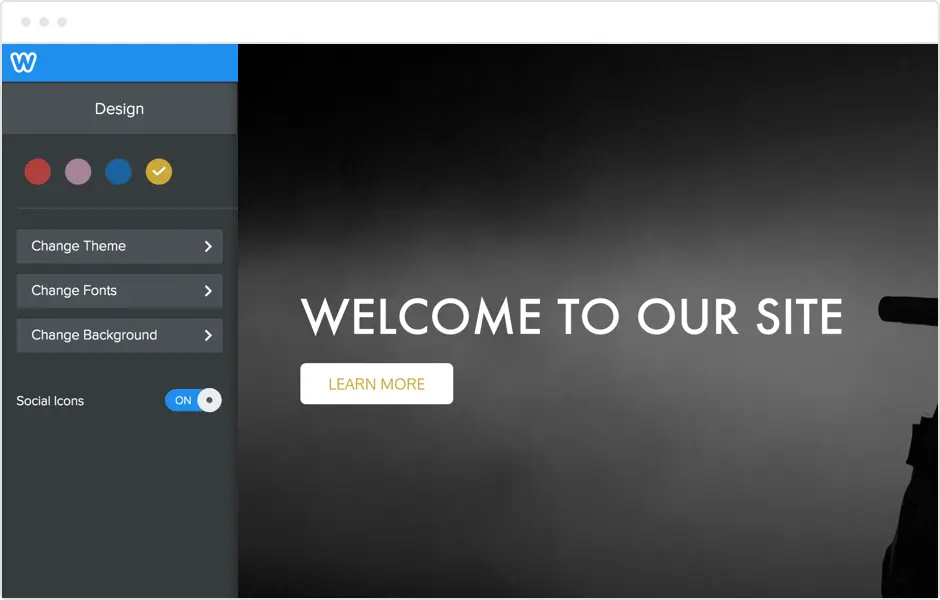
Weebly offers an attractive free package that lets you create a basic site with a Weebly subdomain, ideal for testing or personal projects.
For professionals, the paid offer starts at around €12/month with the Connect plan, which unlocks a personalized domain name, removes Weebly ads, and offers additional features for basic e-commerce. Higher plans add more capabilities, including increased storage, marketing tools, and the ability to integrate more applications.
Thus, pricing remains affordable for agencies or developers looking for a fast, cost-effective solution for their customers.
What are Weebly's key features?
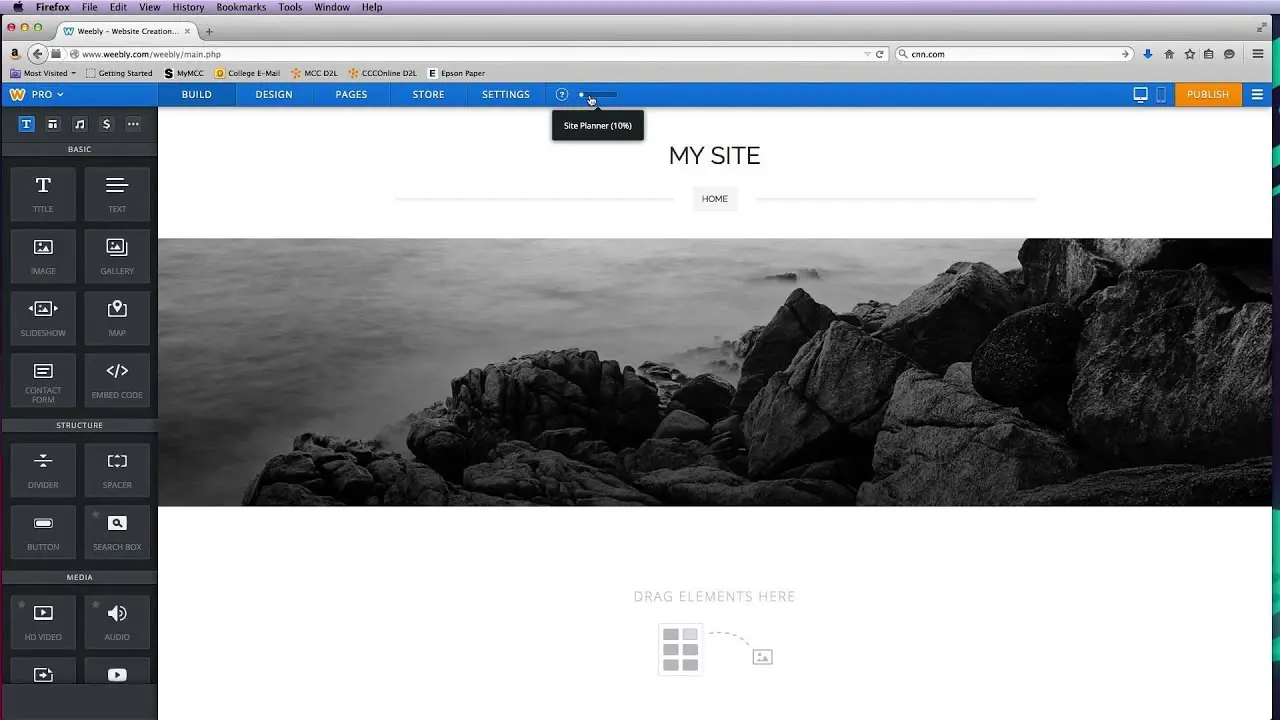
Weebly's first key feature is undoubtedly its simple drag & drop editor, which enables any developer or agency to quickly build web pages without coding. This speeds up the prototype and delivery phases considerably.
The second great feature is its integrated e-commerce integration, which enables small stores to be set up with product management, payments and shipping without any major technical effort.
.
Advanced features include built-in SEO management that helps sites rank higher in Google without extensive knowledge of SEO.
Weebly also offers responsive design options and widgets, as well as third-party integrations via apps to extend functionality according to specific needs.
Weebly has notable limitations depending on the use case. For projects requiring extensive design customization or complex integration with external APIs, the tool shows its limitations.
Compared with more open platforms such as WordPress or Webflow, Weebly remains less flexible. However, it retains an advantage thanks to its fast learning curve and stability, making it ideal for standard projects.
In summary, its advantages lie in its ease of use and speed, while its disadvantages are mainly linked to its closed environment and limited potential for developers looking to push functionality further.
FAQS
Is it reliable and secure?
Weebly is a reliable and secure platform that uses the HTTPS protocol to guarantee secure browsing. User and customer data are protected with standard measures, including backup and protection against attacks.
The robust infrastructure relies on Square (Weebly's parent company) servers, renowned for their stability and regular maintenance. The closed environment limits the risks associated with uncontrolled modifications to the source code.
Is it compatible with my other tools?
Weebly is compatible with most modern browsers and is optimized for mobile with a responsive design.
It also offers integrations via third-party applications and provides a basic API for certain customizations, although openness remains limited compared to other, more modular solutions.
Is there responsive customer support?
Weebly offers customer support via live chat and email, with generally fast response times. The quality of support is good for common and basic technical questions.
A comprehensive help center and active community are also available, facilitating user autonomy.
What do other users think?
User reviews often praise Weebly's simplicity and speed in creating a functional website. Many appreciate the intuitive interface and integrated e-commerce management.
On the other hand, some users deplore the limitations in terms of customization and regret the lack of flexibility for more advanced projects. Despite this, the majority recommend Weebly for quick and easy projects.
.Can I easily change later?
User reviews often praise Weebly's simplicity and speed in creating a functional website. Many appreciate the intuitive interface and integrated e-commerce management.
On the other hand, some users deplore the limitations in terms of customization and regret the lack of flexibility for more advanced projects. Despite this, the majority recommend Weebly for quick and easy projects.
.Alternatives
.svg)

Specializing in business creation, sales and digital marketing, he puts his expertise at the service of users to help them identify the solutions best suited to their needs. Passionate about digital innovation and optimizing online performance, Alexis is committed to providing detailed, transparent and unbiased comparisons.
Do you have an entrepreneurial project?
We support you in the structuring and development of your tech project. Make an appointment with one of our Business Strategists.