


.avif)





.svg)



Should Thunkable be used in 2025?

Thunkable has established itself as an essential platform for developers and agencies wishing to create mobile applications without writing a single line of code. Combining ease of use and power, this no-code/low-code tool offers a fast, agile alternative to traditional native development, ideal for speeding up prototyping and production release cycles. But how well does Thunkable fit in with the real needs of development professionals in 2025, when technical demands are ever higher?
In this article, we'll explore Thunkable's strengths and limitations in detail, to help you decide whether this tool is the right choice for your current and future projects. We'll cover its usage, key features, as well as my relevant professional feedback.
My experience with Thunkable
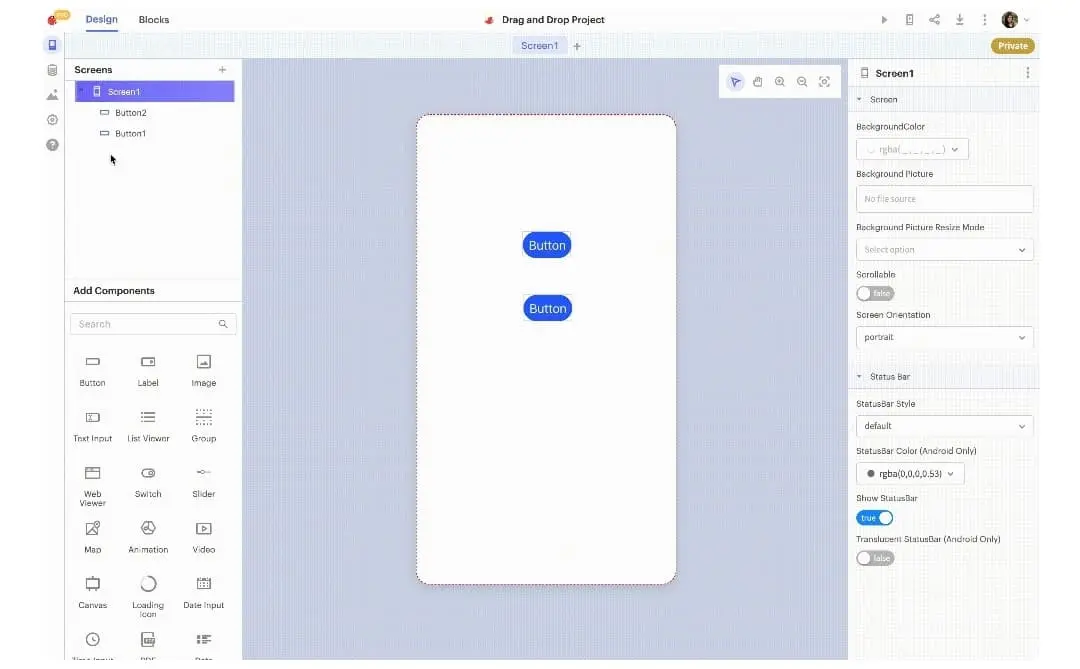
As a professional developer, I've used Thunkable mainly for rapid prototyping projects and simple mobile application development. What I've appreciated above all is **the ease of use combined with an intuitive interface that lets you visualize components in real time**. This facilitates collaboration with non-technical teams.
Thunksable excels particularly in contexts where you need to rapidly deploy a cross-platform application (iOS and Android) without complex native code management. It's particularly well suited to MVP and user testing.
However, its limitations become apparent when you're looking to create highly customized applications or ones requiring complex integrations. The lack of flexibility when it comes to advanced functions can quickly become a brake on ambitious projects.
.Is Thunkable really useful for my needs?
The real question to ask yourself before adopting Thunkable is to identify the nature and complexity of your mobile development needs.
This platform mainly targets several types of users:
- Start-ups and entrepreneurs wishing to rapidly prototype a viable application
- Web agencies needing to quickly deliver prototypes to validate concepts
- General developers wanting a quick solution without delving into native languages
In addition, Thunkable stands out for its simplified API integration system, a major asset for enriching your applications without coding heavily. It's a real time-saver for projects with limited resources.

Is Thunkable suitable for beginners?
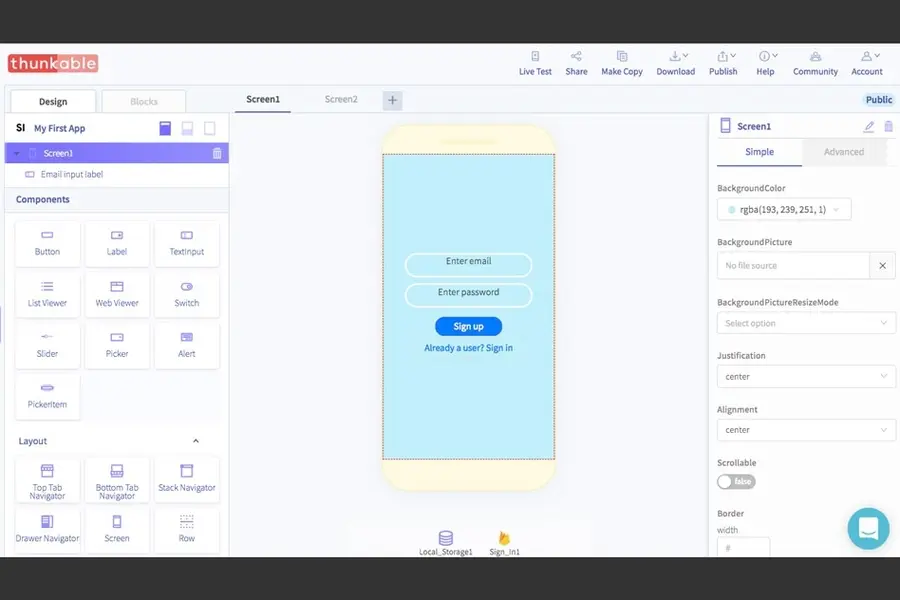
Thunkable is particularly suited to beginners who want to create mobile applications without mastering code. Its intuitive drag-and-drop interface makes it easy to build interfaces and application logic by assembling visual blocks.
Beginners thus benefit from a gentle learning curve, with the ability to immediately test their ideas and see the results on different devices, which is a major motivational boost.
How much does Thunkable cost?
Thunkable offers a free version that lets you create and test applications, with certain limitations such as a restricted number of public projects and limited access to advanced features.
The Pro package, at €15 per month, offers benefits such as unlimited projects, enhanced performance, access to more components, and the ability to publish applications without watermarks. This formula is ideal for developers and agencies who want to make a serious commitment to the platform and enjoy greater freedom and technical options.
What are Thunkable's key features?
An essential key feature of Thunkable is its drag-and-drop visual editor, which simplifies the creation of mobile interfaces without coding. This system makes it easy to compose screens by laying down graphical and functional elements.
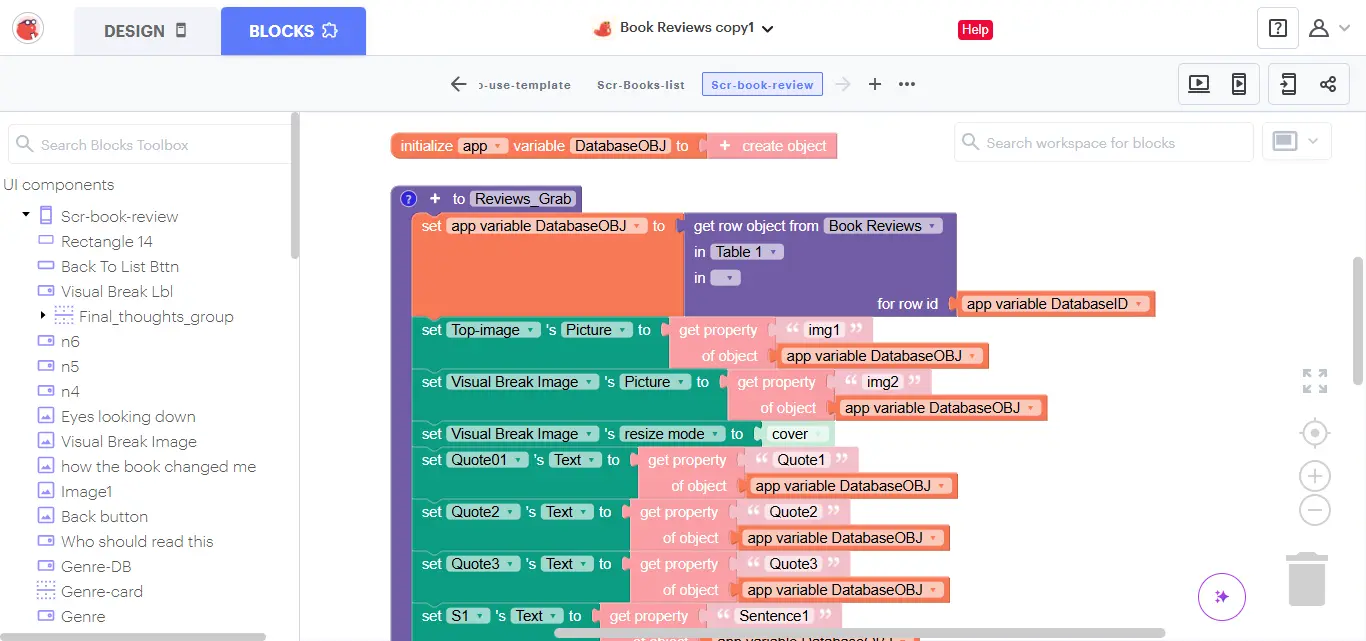
Then, Thunkable integrates Scratch-inspired visual block logic, which facilitates the control of interactions and data, making programming accessible even to non-developers.
Among its advanced features, Thunkable offers seamless integration of external APIs via dedicated components, enabling applications to be greatly enriched with real-time data, network services or databases.
Furthermore, the platform supports direct publishing on iOS and Android stores, simplifying the deployment and distribution of applications to end users without going through lengthy manual compilation phases.
Underneath its accessible aspects, Thunkable has certain limitations, especially depending on use cases.
If you're working on an application requiring a lot of custom functionality, advanced optimizations or native performance, Thunkable may show its weaknesses.
Competing tools like Flutter or React Native are then better suited for finer-grained, more robust full-code development. Nevertheless, Thunkable's no-code aspect remains a significant advantage for rapid deployments despite these constraints.
In summary, Thunkable offers a good compromise between development speed and simplicity, but with less technical control than conventional development. So consider these advantages and limitations according to your specific objectives.
FAQS
Is it reliable and secure?
Thunkable is a reliable and secure platform. It uses standard protocols such as HTTPS to secure data transmission, guaranteeing the confidentiality of information exchanged.
Furthermore, the platform benefits from a robust cloud-based architecture, enabling automatic project backup and reducing the risk of loss. Access is controlled and the privacy policy complies with RGPD standards, reassuring professional users.
Is it compatible with my other tools?
Thunkable is compatible with all major iOS and Android mobile systems. It supports integrations via API REST, Webhooks, as well as media import in various formats.
The platform also offers options for connecting your projects to popular third-party services, increasing the flexibility of use in your development workflows.
Is there responsive customer support?
Thunkable's customer support is accessible via several channels: community forum, knowledge base and ticket system.
Response times are generally fast, and technical support is competent to help with questions related to using the platform and resolving bugs.
A good point for professionals who work with this solution on a daily basis.
What do other users think?
Thunkable users' opinions are generally positive, particularly for its ease of use and time-saving benefits.
Some users, however, point to a certain rigidity in advanced functionalities, and the impossibility of going as far as with more advanced native or low-code development.
On the whole, Thunkable is praised for its no-code approach, accessible to professionals and novices alike.
Can I easily change later?
Thunkable users' opinions are generally positive, particularly for its ease of use and time-saving benefits.
Some users, however, point to a certain rigidity in advanced functionalities, and the impossibility of going as far as with more advanced native or low-code development.
On the whole, Thunkable is praised for its no-code approach, accessible to professionals and novices alike.
Alternatives
.svg)

Specializing in business creation, sales and digital marketing, he puts his expertise at the service of users to help them identify the solutions best suited to their needs. Passionate about digital innovation and optimizing online performance, Alexis is committed to providing detailed, transparent and unbiased comparisons.
Do you have an entrepreneurial project?
We support you in the structuring and development of your tech project. Make an appointment with one of our Business Strategists.