


.avif)





.svg)
.svg)



Should Smartmockups be used in 2025?

Smartmockups has rapidly established itself as the benchmark for creating realistic, impactful mockups, without drowning in complex software. It has democratized the visual presentation of projects, from website to mobile app to print. But in 2025, in an ecosystem where AI and new technologies are shaking things up, is it still the ideal tool for your visual creations? Simplicity of use, functionalities, but also its limits... After years of pushing it in my projects at Easy Web, I share with you my unfiltered opinion: its true value today and for whom it's really made.
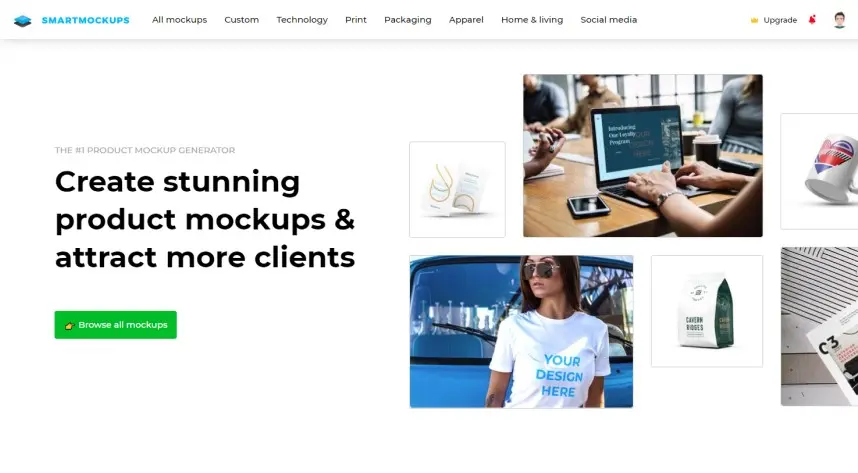
My experience with Smartmockups
Smartmockups? I've been integrating it into our workflow at Easy Web for years. For customer presentations or our internal sprints, it's been a natural fit. My absolute strong point with this tool? It's disconcertingly easy to use, and the end result is ultra-professional.
It excels whenever you need to quickly add value to an idea or creation. Got a web mockup, logo or app design? Upload, choose the mockup: the rendering is instantaneous, photorealistic. It's a formidable attention-grabber, without the time-consuming Photoshop manipulations you're used to. A real time and impact saver.
But be realistic: don't look here for the flexibility of an advanced retouching tool. Customizations are succinct beyond the placement of your visual. If you're aiming for granular control over the environment or the exact angle, you'll quickly reach its limits. This is a brilliant presenter, not a complete design studio.
Is Smartmockups really useful for my needs?
The real question to ask yourself before using Smartmockups is: what is my objective? Because the relevance of Smartmockups depends very much on how you use them. If your need is to present designs - web, mobile, print - in a realistic, professional context, Smartmockups is your ideal solution. It excels in this impactful staging.
Whether you're a freelance designer, a web agency looking to impress a client, or a product designer, this tool is formidable. Imagine a website displayed on a 4K screen, an app on the latest smartphone, or a logo on complete stationery. This immersive, professional presentation makes all the difference to your projects.
Its other major advantage? Speed. No more Photoshop for complex montages that take hours. Here, a simple drag-and-drop of your design and it integrates in seconds into photorealistic scenes. A precious time-saver, leaving you to concentrate on what's essential: creating.


Is Smartmockups suitable for beginners?
Honestly, if you're just starting out and the idea of mastering Photoshop or Figma for your presentations gives you cold sweats, Smartmockups is a breath of fresh air. I've seen designers at Easy Web save an incredible amount of time with it. Its intuitive drag-and-drop interface and exhaustive library of mockups - from high-tech devices to prints and textiles - make the creation of professional visuals accessible to all. Simply insert your design, and it's integrated into a realistic context.
The great thing is that the learning curve is virtually non-existent. In just a few minutes, even with no experience of 3D rendering, you get stunning visuals that immediately add value to your work. It's an incredible gas pedal for showcasing your creations and demonstrating the potential of your designs without drowning in technique. Ideal for impressing right from the first pitch.
How much does Smartmockups cost?
Let's talk money, because it's a question that often comes up when evaluating a tool. Smartmockups offers fairly clear formulas, and everyone can find something to suit their needs.
First, the Free plan. This is perfect for getting started, or if your usage is very occasional. You get access to a selection of mockups, just to get you started. For a student or a freelance content creator just starting out, it's an excellent gateway.
Then, the plan Pro is the one we use most at Easy Web for our designers. At around $14 a month (annual billing), you unlock the full library, unlimited high-resolution exports and all the advanced customization options. It's the must-have tool for freelancers and small agencies who want professional rendering without breaking the bank.
Finally, for larger structures, the Team Plan is available around $29 per month. It integrates collaboration features, access management and priority support. If you manage an agency with several designers, this is clearly the choice that will simplify your workflows and ensure consistency in your productions.
What are Smartmockups' key features?
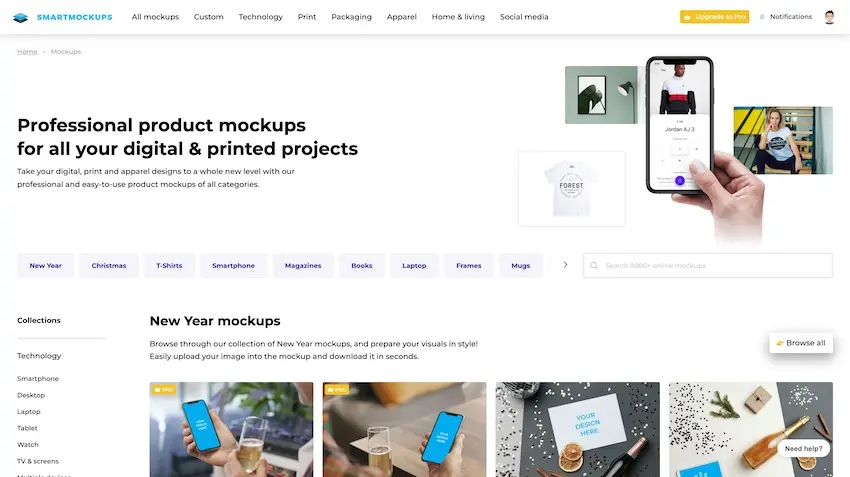
When it comes to Smartmockups, the first thing that strikes me is the breadth of their library. We're not talking about a few dozen templates, but an impressive collection, constantly updated. Whether you need to present a web design on a MacBook, a logo on a T-shirt, or an app on a smartphone, you'll find what you're looking for. A real time-saver for our projects at Easy Web.
But what really makes Smartmockups indispensable for my team is its ease of use. Drag and drop your visual, and the tool automatically integrates and manages perspective. No more complex layers in Photoshop for professional rendering. In just a few clicks, your mockup is impeccable and ready to impress. It's speed and efficiency incarnate, a real asset in our tight deadlines.
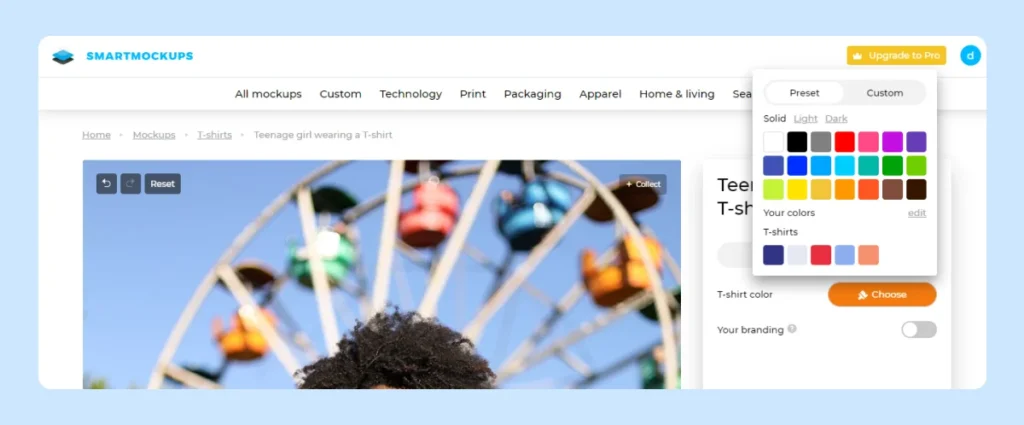
What really blew me away with Smartmockups was the depth of customization. It's not just drag-and-drop. Being able to adjust the intensity of reflections on a smartphone screen, modify the drop shadow to better integrate it into a scene, or even change the color of a device, it transforms a simple visual into an ultra-realistic presentation. It's truly granular control.
Another strong point for an agency like ours: export management. When you need to generate dozens of mockups with slightly different designs or for several resolutions, the batch export function becomes a monstrous time-saver. No need to redo the operation one by one. This is the kind of detail that, on a day-to-day basis, makes our workflows so much smoother, enabling us to deliver faster without sacrificing quality.
.Let's get straight to the point: Smartmockups, while essential, shows its limits when it comes to extreme customization. Forget hyper-specific 3D mockups, complex narrative animations, or non-standard viewing angles. It's designed for speed, not for absolute creative freedom or the design of truly unique scenes.
For these cases, I turn to Photoshop, Dimension, Blender or After Effects. They offer total control. But Smartmockups remains my ally for day-to-day efficiency: it saves an incredible amount of time on quick renders. A smart compromise depending on the project.
Simple summary:
Benefits:
- Fast creation
- Large library
- Maximum intuition
Disadvantages:
- Limited customization
- No advanced 3D
- Non-unique scenes
FAQS
Is it reliable and secure?
To be blunt: yes, Smartmockups is a tool you can rely on. Personally, I've never had any major worries with their availability; the cloud infrastructure behind it is solid. When it comes to security, they're serious: they use HTTPS to encrypt your data in transit, and your creations are hosted on secure servers. For us at Easy Web, this is crucial, especially when we're managing our customers' visuals. They pay close attention to security updates, which is reassuring.
Is it compatible with my other tools?
Absolutely. For us, a solution only makes sense if it fits seamlessly into your ecosystem. Smartmockups understands this. It offers direct integrations with the tools we use on a daily basis at Easy Web, such as Figma, Sketch and Adobe XD, often via dedicated plugins. For more traditional files, drag-and-drop from Photoshop or Illustrator is impressively fluid. It's designed so you don't waste a second.
Is there responsive customer support?
Frankly, their customer support is an asset. We've had the opportunity to call on them several times, and each time they've been very responsive. Generally, you get a detailed response within 24 hours maximum, often much less. For us in the agency, it's crucial to know that we can count on fast help when we're in the middle of a rush on a project for a customer. It's a real plus for their platform.
What do other users think?
When I talk to designers or agency teams, the general feeling about Smartmockups is very positive. One thing that often comes up is how easy it is to use - even for the uninitiated, it's child's play. Many appreciate the speed with which you can generate striking visuals without having to use cumbersome software. The quality of renderings is regularly praised, and the catalog of mockups is deemed sufficient for most current needs. A few would like more advanced customization options for very specific projects, but overall, it's a tool that's very well perceived for its efficiency and time-saving.
.Can I easily change later?
When I talk to designers or agency teams, the general feeling about Smartmockups is very positive. One thing that often comes up is how easy it is to use - even for the uninitiated, it's child's play. Many appreciate the speed with which you can generate striking visuals without having to use cumbersome software. The quality of renderings is regularly praised, and the catalog of mockups is deemed sufficient for most current needs. A few would like more advanced customization options for very specific projects, but overall, it's a tool that's very well perceived for its efficiency and time-saving.
.Alternatives
.svg)

Specializing in business creation, sales and digital marketing, he puts his expertise at the service of users to help them identify the solutions best suited to their needs. Passionate about digital innovation and optimizing online performance, Alexis is committed to providing detailed, transparent and unbiased comparisons.
Do you have an entrepreneurial project?
We support you in the structuring and development of your tech project. Make an appointment with one of our Business Strategists.