


.avif)





.svg)




SEOptimer is an SEO audit tool accessible primarily to SEO professionals wishing to quickly obtain a complete state of a website's SEO health. Aimed at SEO consultants, agencies as well as site owners and webmasters, SEOptimer provides a quick and understandable analysis of key points for improving online visibility.
With a simple interface and automated reports, it integrates easily into an SEO workflow dedicated to technical optimization and performance monitoring. How can such a simple tool provide a comprehensive analysis in just a few clicks? Here we take a detailed look at its key features, value for money, benefits and limitations to find out if SEOptimer is right for your SEO needs in 2025.
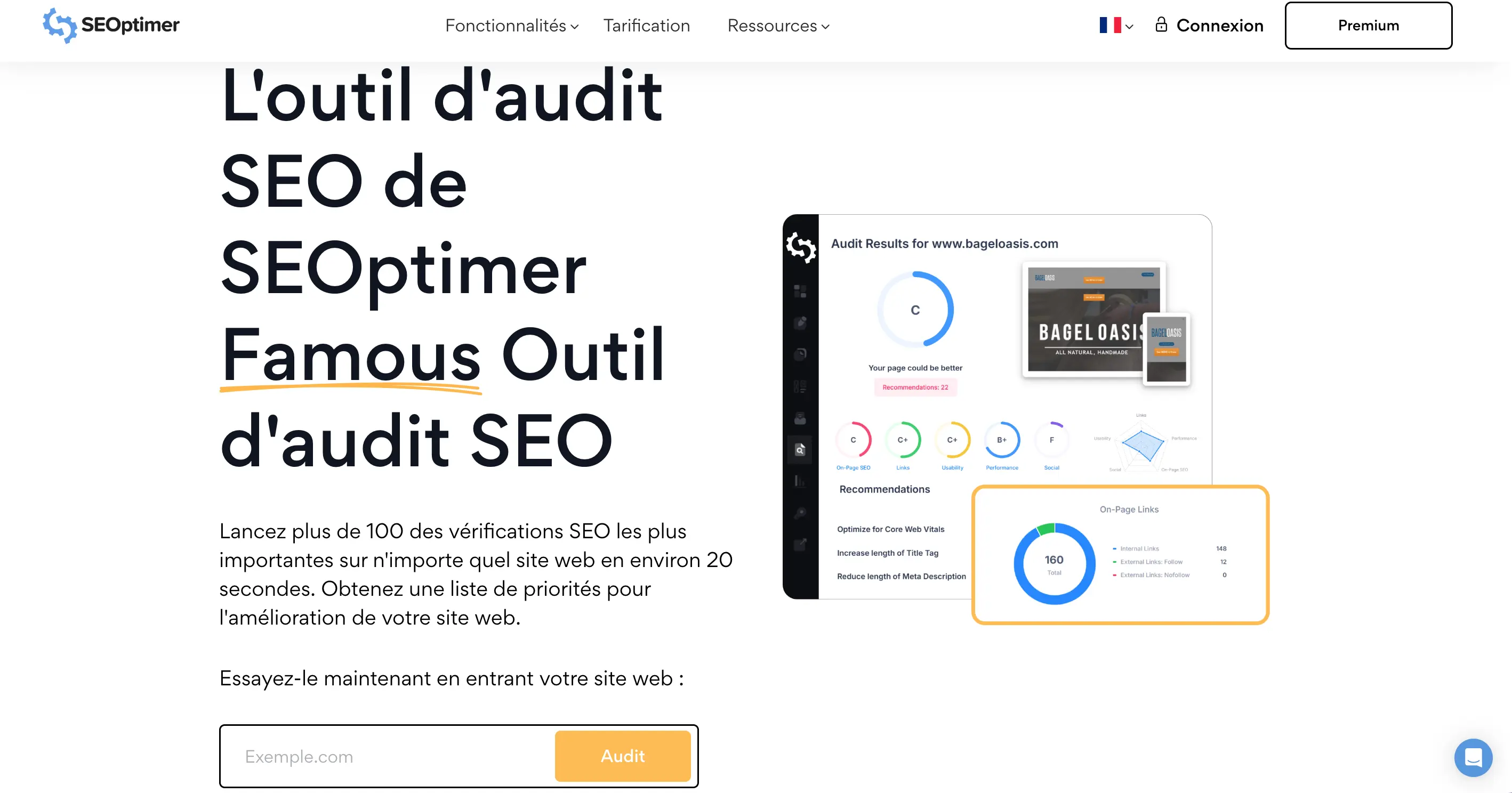
My experience with SEOptimer
I use SEOptimer regularly both on SEO assignments for my clients and for quick in-house audits. Its major strength lies in its ease of use and the clarity of the reports generated, enabling rapid detection of technical problems and effective optimization of pages in a minimum of time.
In an SEO context, SEOptimer particularly excels in rapid technical analysis, diagnosis of UX problems, as well as initial evaluation of key indicators such as loading speed, meta tags or broken links. It's an ideal tool for preliminary audits before entering into more advanced analyses with solutions such as Screaming Frog or Ahrefs.
On the other hand, its limitations appear on advanced aspects such as in-depth backlink analysis, granular positioning tracking or advanced integration with other tools. It is therefore perfect as a complement to more complex tools, but is not sufficient on its own to manage a complete SEO strategy over the long term.
Is SEOptimer really useful for my needs?
The real question to ask is: do I need a quick, visual audit tool to get a clear initial diagnosis of my site's SEO strengths and weaknesses? SEOptimer answers precisely this initial need, useful before embarking on more complex analyses.
Whether you're a freelance SEO consultant, a copywriter optimizing your content, a web agency carrying out customer audits, an e-tailer concerned about its performance or an SEO manager in a SaaS startup, SEOptimer offers added value with its clear, easy-to-interpret reports.
Another strong point is its ability to generate actionable recommendations that are accessible even to non-technical people, facilitating collaboration between SEO and marketing or technical teams. This makes it a useful and versatile tool, particularly in contexts where simplicity and speed are a priority.

Is SEOptimer suitable for beginners?
SEOptimer is particularly suited to SEO beginners thanks to its intuitive interface and easy-to-understand reports. It requires no advanced technical skills to launch an audit and interpret the results, making it much easier to get started with SEO.
For a novice, it's an excellent tool for learning how to identify the most crucial problems on a site (missing tags, speed, broken links) and understand the avenues for improvement. What's more, the recommendations provided effectively guide the implementation of corrections, reinforcing confidence in the SEO actions taken.
How much does SEOptimer cost?

SEOptimer offers a free version that lets you perform basic SEO audits on any site. This version is ideal for testing the tool, getting an initial overview and carrying out one-off analyses without investment.
For regular users or professionals, several paid packages are available, starting at $19/month, with additional features such as a higher number of monthly audits, customizable reports, white-labeling integration for agencies, and API access. These packages better support an ongoing SEO strategy.
The higher plans specifically target SEO agencies and consultants, offering more flexibility, better support and advanced options for data processing and customer reporting. This competitive pricing makes it an affordable option for both novice and experienced professionals.
What are SEOptimer's key features?
The first key feature of SEOptimer is undoubtedly its automatic and comprehensive SEO audit, which quickly and visually analyzes the main technical aspects of a website. This includes diagnosing indexing errors, checking meta tags, detecting broken links, and analyzing page loading speed.
This analysis also covers the UX and mobile aspect with a report on the site's responsive compatibility, providing a quick and clear view of technical optimization. Results are presented in score form and accompanied by precise recommendations, facilitating decision-making.

Among the advanced features, SEOptimer also incorporates a detailed report that can be customized for clients, which is particularly useful for SEO agencies. It offers white-labeling options to facilitate the rebranding of audits, as well as an API for integrating data into other tools or dashboards.
Tracking changes and the history of completed audits allow progress to be measured over time, improving SEO project management. However, the tool remains focused on the audit part and does not offer position tracking or keyword research.
SEOptimer has a few limitations depending on SEO usage. For backlink analysis, it doesn't offer data as rich as SEMrush or Ahrefs. On content, its recommendations remain rather basic compared to dedicated tools like SurferSEO or Clearscope. In terms of technical performance, while effective for a quick audit, it doesn't replace robust solutions such as Google Lighthouse or Screaming Frog for in-depth analysis.
Facing competitors such as Semrush, Ahrefs, SE Ranking, which offer a complete package of features (audit, position tracking, backlink analysis, keyword research), SEOptimer remains limited to simple, visual auditing. In short, SEOptimer is very accessible and fast, but does not cover all the complexity of a global SEO strategy. It makes up for this with simplicity and good value for money, but you'll need to combine it with other tools to manage all SEO aspects effectively.
FAQS
Is it reliable and secure?
SEOptimer is a reliable service that guarantees high availability and enhanced data security. The company complies with GDPR standards, ensuring the protection of audit-related personal data. Reports are generated and stored securely, with regular backups to prevent any loss of information.
The platform is known for its stability, offering a smooth experience even during peak usage. By choosing SEOptimer, you benefit from a robust tool capable of delivering accurate analysis without compromising the security of your sensitive SEO data.
Is it compatible with my other tools?
SEOptimer is compatible with all major CMS and web platforms thanks to its simple integrations. It can be coupled with Google Search Console to retrieve additional data and enrich audits. The tool also offers access to an API to automate reports and integrate results into customized dashboards.
This compatibility is an important asset for SEO consultants and agencies who need to bring together multiple data sources for a global view. However, SEOptimer does not yet offer direct integration with marketing analytics tools such as Google Analytics, which may be a point for improvement.
Is there responsive customer support?
SEOptimer customer support is renowned for its responsiveness and relevance. It can be reached via email and online chat, with an average response time of less than 24 hours. The teams provide clear assistance, from advice on use to the resolution of technical problems.
Complete documentation and an enriched knowledge base are available, making it easy to get to grips with the tool on your own. For professional users, priority support is offered in the higher plans, guaranteeing fast, personalized follow-up.
What do other users think?
SEO users appreciate the simplicity and speed of auditing with SEOptimer. Positive reviews highlight the clarity of the reports and ease of use, making it a popular tool for express diagnostics and client presentation.
However, some feedback mentions that the tool lacks depth on some advanced aspects, including position tracking and backlink analysis, limiting its use as an all-in-one SEO solution. Despite this, SEOptimer remains a relevant choice for those looking for a quick and accessible audit.
Can I easily change later?
SEO users appreciate the simplicity and speed of auditing with SEOptimer. Positive reviews highlight the clarity of the reports and ease of use, making it a popular tool for express diagnostics and client presentation.
However, some feedback mentions that the tool lacks depth on some advanced aspects, including position tracking and backlink analysis, limiting its use as an all-in-one SEO solution. Despite this, SEOptimer remains a relevant choice for those looking for a quick and accessible audit.
Alternatives
.svg)

Specializing in business creation, sales and digital marketing, he puts his expertise at the service of users to help them identify the solutions best suited to their needs. Passionate about digital innovation and optimizing online performance, Alexis is committed to providing detailed, transparent and unbiased comparisons.
Do you have an entrepreneurial project?
We support you in the structuring and development of your tech project. Make an appointment with one of our Business Strategists.