


.avif)





.svg)
.svg)



RoboFont has established itself as a benchmark for typography professionals, a tool of choice for sculpting type with surgical precision. But in 2025, with design constantly evolving, does it still have a place in your toolbox? Simplicity, flexibility, and sometimes a few challenges... At Easy Web, we've flown a lot of hours with RoboFont. Today, I'd like to share with you my feedback and my very concrete opinion on what it can really bring to your typographic projects.
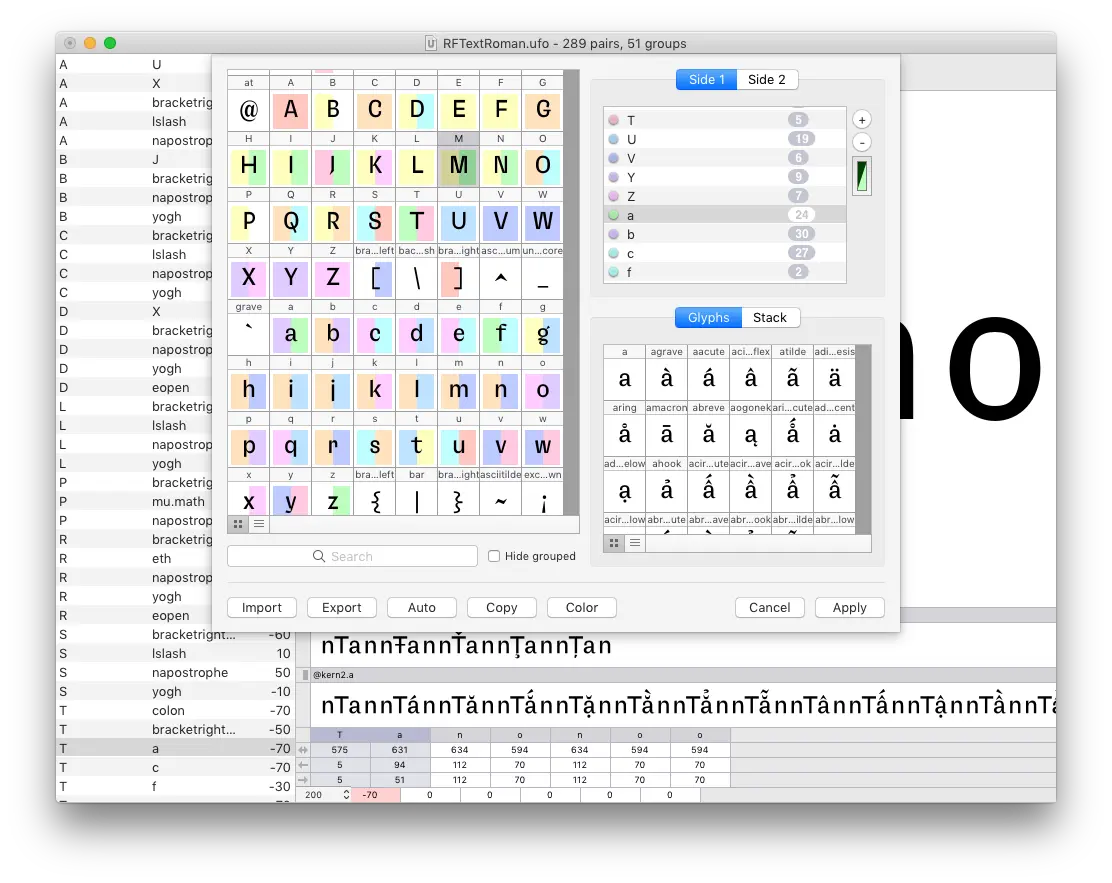
My experience with RoboFont
Since my early days with Easy Web, RoboFont has become a mainstay for our most ambitious typographic projects. I've spent hundreds of hours exploring its depths, sculpting typefaces and optimizing custom fonts. What I discovered, and what still astounds me, is its unrivalled flexibility and power of automation via Python scripting.
Concretely, if you need to create complex font families, manage infinite variants or even automate repetitive tasks in typographic design, RoboFont is your best ally. It's designed for demanding minds who want total control, well beyond more mainstream software.
However, make no mistake: this power comes at a cost. Its learning curve is steep, and it's clearly not made for quick retouching or occasional use. It requires a real investment to master its subtleties, making it more suited to experienced professionals and typographic foundries.
Is RoboFont really useful for my needs?
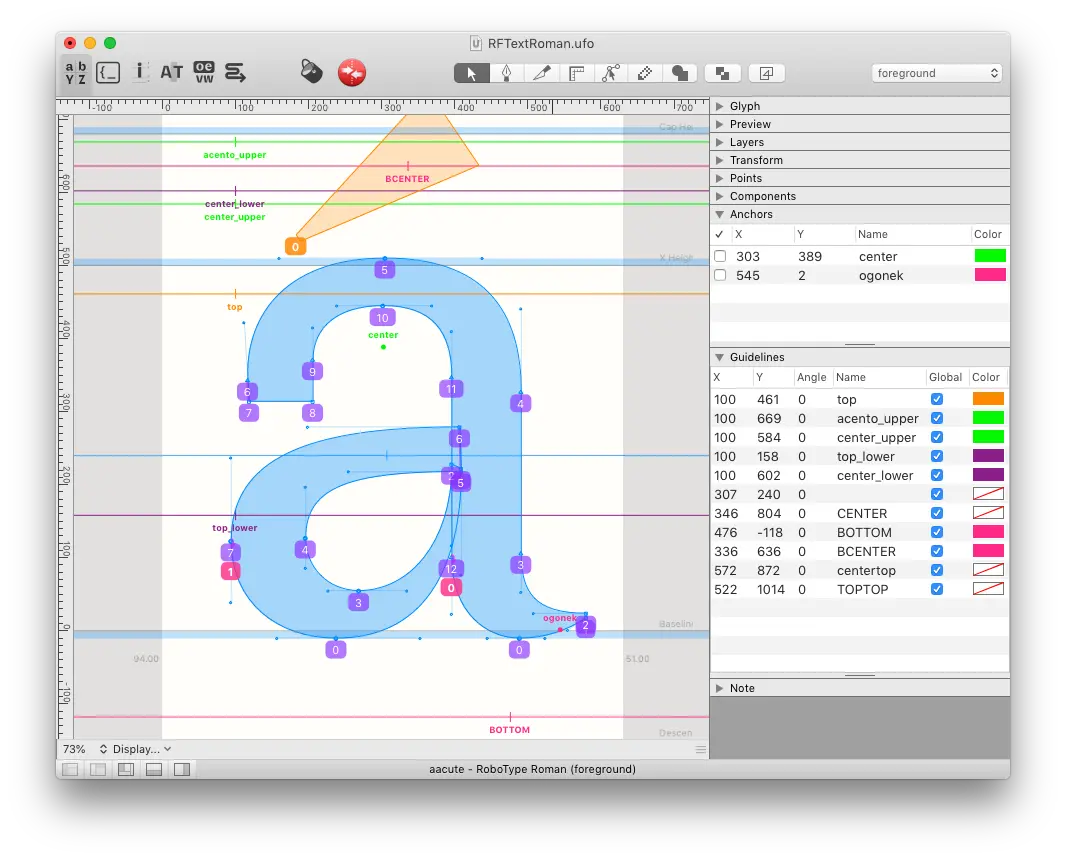
The real question to ask yourself before using RoboFont is: what's your objective? Because its relevance depends very much on its use. If your goal is professional typographic creation, cutting-edge type design, then yes, it's a reference tool. It gives you unrivalled control over every point and curve of your font.
For whom? I'm thinking of independent type designers or branding agencies developing bespoke fonts. If you need to design a font family, automate variations via Python scripts, or ensure perfect technical quality, RoboFont will be your best ally. That's where it excels.
Another major asset is its flexibility. Thanks to its open architecture and scripting capabilities, you can push the tool far beyond its basic functions. This opens doors to hyper-customized workflows, essential for innovative or large-scale typographic projects.
The tool's open architecture and scripting capabilities allow you to push the tool far beyond its basic functions.


Is RoboFont suitable for beginners?
RoboFont is often seen as the ultimate tool for typography experts, and its power is undeniable. Yet for any designer wanting to really dive into font creation, even without prior experience, its logic is surprising. Glyph editing tools, curve manipulation and precise kerning management quickly become intuitive. It's an excellent starting point for transforming font use into real mastery, even for your first explorations.
The great advantage for a beginner in type design with RoboFont is the autonomy it offers you. Every learning curve is a victory. The interface, while comprehensive, is still designed to focus your attention on the essentials. What's more, the community is incredibly active, sharing a multitude of Python scripts - even without coding, you benefit from their advances. It's a rewarding investment that plunges you right into the heart of typographic anatomy.
How much does RoboFont cost?
Let's talk money, because yes, investing in a state-of-the-art tool like RoboFont is a strategic decision. At Easy Web, we know that cost is as much a budget line as it is a bet on future productivity.
For the solo designer or freelancer, the individual license from RoboFont is the most common option. It's a one-off, non-subscription purchase that represents a substantial but long-term investment. You unlock the full functionality to create and edit fonts with razor-sharp precision. It's the ideal choice for anyone looking to master typography at its highest level, with no time constraints.
For agencies or studios, RoboFont offers multi-user or team licenses. Pricing is designed for multi-machine deployments, often with sliding scale pricing per user. This means a higher initial cost, of course, but is essential to standardize tools and workflows for an entire team of designers. It's the assurance of perfect consistency and collective efficiency on your most ambitious projects.
What are RoboFont's key features?
Clearly, the first thing that jumps out about RoboFont is its monumental flexibility. The extensive integration of Python scripting isn't a gimmick; it's a game-changer. Imagine automating repetitive tasks, or creating your own custom tools for kerning or variations. At Easy Web, this ability to code our solutions has saved us precious time on demanding typographic projects.
And this logic of customization continues with its modular architecture. You're not stuck with a fixed set of features. The extension system lets you add hyper-specific tools: for quality control, point optimization, or even advanced previews. It's this freedom to sculpt the tool to your needs, rather than the other way around, that really sets RoboFont apart.
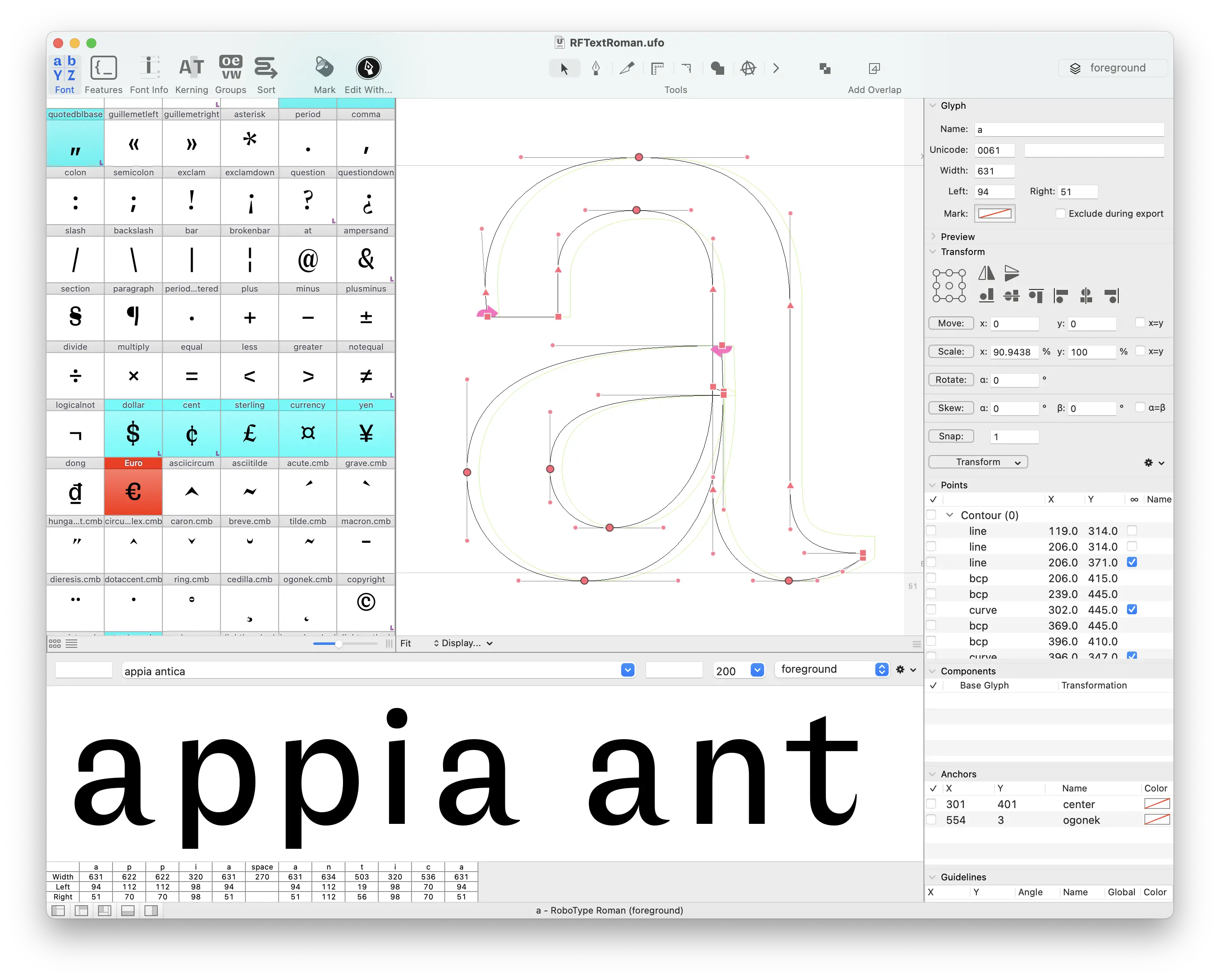
What has always impressed me about RoboFont is its scripting power. Thanks to its integrated Python API, you're no longer limited to basic functions. At Easy Web, we've been able to automate repetitive tasks such as aligning markers on hundreds of glyphs, or generating complex variants on the fly. This is a huge time-saver. You can create your own customized tools or use those from the community. A real lever for productivity.
Then there's OpenType feature management. RoboFont excels at creating and testing these advanced features - like contextual ligatures, stylistic sets or conditional kerning. You have granular control over the behavior of your fonts. And since everything is based on the UFO format, an open standard, collaboration and file exchange between different software programs and designers is incredibly smooth. It makes agency life so much easier.
RoboFont, powerful as it is, has its limits. If you're looking to quickly create simple vector icons or generate fonts for less complex projects, its learning curve can slow you down. It's not the ideal tool for mass production or when intuitiveness takes precedence over absolute control. You need to invest a lot to get the best out of it.
For these specific needs, alternatives such as Glyphs App or FontForge may prove more effective. Glyphs, for example, offers a more visual and often faster interface for prototyping. But when you dive into creating complex variable fonts or need pixel-by-pixel control via scripting, RoboFont takes over.
In short, RoboFont is:
- Advantages: Powerful Python scripting, extreme precision, extensibility.
- Disadvantages: Demanding learning curve, cost, less intuitive for simple needs.
FAQS
Is it reliable and secure?
Absolutely. RoboFont's stability is a criterion I fully endorse. Crash incidents are virtually non-existent, and file management guarantees remarkable integrity of your typographic data. As for security, its robust architecture and regular updates, driven by an active community of developers, ensure rapid resolution of vulnerabilities. It's an environment on which you can build and iterate with confidence, without fear for your creations.
Is it compatible with my other tools?
Frankly, RoboFont's compatibility is one of its great assets. It seamlessly handles industry-standard formats such as OpenType, but especially UFO (Unified Font Object). This is extremely useful when collaborating or switching to other editors. At Easy Web, we appreciate this fluidity. You're not locked into an ecosystem. This means you can easily export your projects or import work from other software such as Glyphs or FontLab.
.Is there responsive customer support?
When it comes to support at RoboFont, you can expect a more direct, less conventional approach than with a giant software publisher. You won't get a call center, but rather access to very active forums and, often, direct interaction with the developers themselves. For specific queries or complex bugs, their responsiveness is surprising, as the community and the creators are hyper-engaged. It's a niche medium, certainly, but incredibly effective for those who know where to look and prefer direct contact.
What do other users think?
The type design community is generally very positive about RoboFont. What often stands out is its incredible flexibility, not least thanks to its powerful Python scripting capabilities. Users praise the granular control and precision it offers for drawing and manipulating glyphs, essential for complex projects. Yes, the learning curve is often mentioned as a challenge, especially for those coming from more visual tools. But once past this stage, it is considered an indispensable tool, offering unrivalled freedom and efficiency for professional typographic creation.
Can I easily change later?
The type design community is generally very positive about RoboFont. What often stands out is its incredible flexibility, not least thanks to its powerful Python scripting capabilities. Users praise the granular control and precision it offers for drawing and manipulating glyphs, essential for complex projects. Yes, the learning curve is often mentioned as a challenge, especially for those coming from more visual tools. But once past this stage, it is considered an indispensable tool, offering unrivalled freedom and efficiency for professional typographic creation.
Alternatives
.svg)

Specializing in business creation, sales and digital marketing, he puts his expertise at the service of users to help them identify the solutions best suited to their needs. Passionate about digital innovation and optimizing online performance, Alexis is committed to providing detailed, transparent and unbiased comparisons.
Do you have an entrepreneurial project?
We support you in the structuring and development of your tech project. Make an appointment with one of our Business Strategists.