


.avif)





.svg)
.svg)




Placeit has carved out a place for itself as THE go-to platform for generating punchy mockups and quality visuals without breaking the bank or spending hours on it. It's the quick reflex for many. But in 2025, with the constant emergence of new AI-based solutions and design frameworks, is it still a good idea to use it for our professional visual creations? Simplicity, range of features, sometimes frustrating limitations... I've been using Placeit for years, and here I give you my raw feedback and objective opinion on what it can really bring to your agency or your design practice.
My experience with Placeit
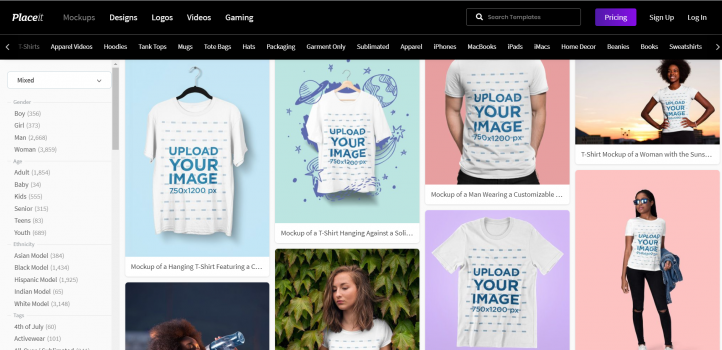
Placeit, I've seen it evolve over the years, using it since almost the early days of Easy Web for various customer projects. What has always blown me away, and what I consider its unrivalled strength, is its ability to generate ultra-realistic product mockups in record time.
When you need to present a website design on a computer screen, a logo on a T-shirt, or even an eBook cover in 3D without spending hours on Photoshop, Placeit is just unbeatable. It's the perfect tool for quick customer demos or to enhance your portfolios with effortlessly impactful visuals.
However, while speed is its greatest asset, customization is its Achilles heel. You're often limited to existing templates, and for projects requiring fine detail or out-of-the-box creativity, it quickly shows its limitations when compared to more robust design software.
If you're looking for a fast, easy-to-use solution, you've come to the right place.
Is Placeit really useful for my needs?
The real question before Placeit is: what is your objective? Its relevance really depends on the use. If you need to quickly produce professional mockups, demo videos or striking marketing visuals, Placeit is THE solution. It excels at staging your digital or physical products, ideal for launches or campaigns.
Whether you're an entrepreneur, content creator or small agency, Placeit is a time-saving machine. Imagine: app ads with authentic visuals on smartphones, or t-shirt designs on templates, all in minutes. The visual impact is instantaneous.
Its other big strength? Extreme simplicity. No need to be a Photoshop guru. The interface is intuitive: you upload, select, and presto! Studio quality rendering in the blink of an eye. Perfect for autonomy and speed, without ever sacrificing professionalism.


Is Placeit suitable for beginners?
When I think back to my early days, the idea of creating striking visuals without advanced graphic skills was a real headache. This is where Placeit shines for neophytes. Forget the complexity of Photoshop or Illustrator. Here, you just drag and drop, type in your text, and presto! You've got a realistic mockup for your site, an advertising banner for your social networks or even a simple logo in just a few clicks. It's an incredible gateway for those who want to produce fast and well.
For a young entrepreneur or budding designer, Placeit removes the barrier of technical learning. You don't need to master layers or blend masks. The tool guides you. It gives you the ability to generate professional visuals instantly, for your customer presentations or marketing campaigns. It's creative autonomy at your fingertips, without the frustration of complex software.
How much does Placeit cost?
For flexibility, Placeit's monthly subscription is often the entry point. At €14.95 a month (beware, rates may change, so always check their site!), you get access to their entire huge library of mockups, logo templates, promotional videos and social network designs, all with unlimited download and commercial license. It's the ideal solution for freelancers managing a variety of projects and one-off needs, or small agencies looking for month-to-month budget management, with no long commitment.
.If you're a regular user or a structure with a constant volume of production, Placeit's annual option clearly becomes the most advantageous. Priced at €89.69 per year, it drastically reduces the monthly cost to around €7.47. You benefit from the same unlimited access and licenses as the monthly package, but with substantial savings over the year. This formula is tailor-made for well-established agencies, in-house marketing teams or design studios aiming for efficiency and optimization of their operational costs.
What are Placeit's key features?
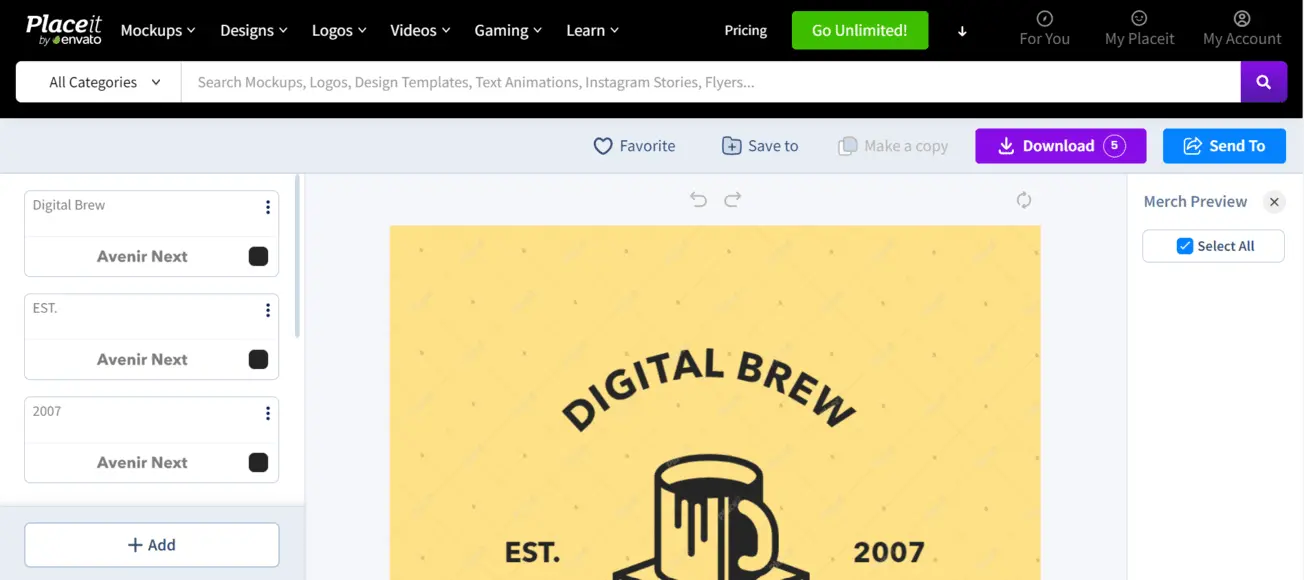
Frankly, mockups are the lifeblood of any design presentation. And that's where Placeit excels. You know, generating mockups of products - T-shirts, mugs, smartphones, etc. - with your visuals integrated, in high resolution, is ultra-fast. No more hours spent on Photoshop adjusting perspectives! The interface is intuitive; in just a few clicks, you'll have a professional rendering that will impress your customers. I've tested it for presentations, and the time saved is colossal.
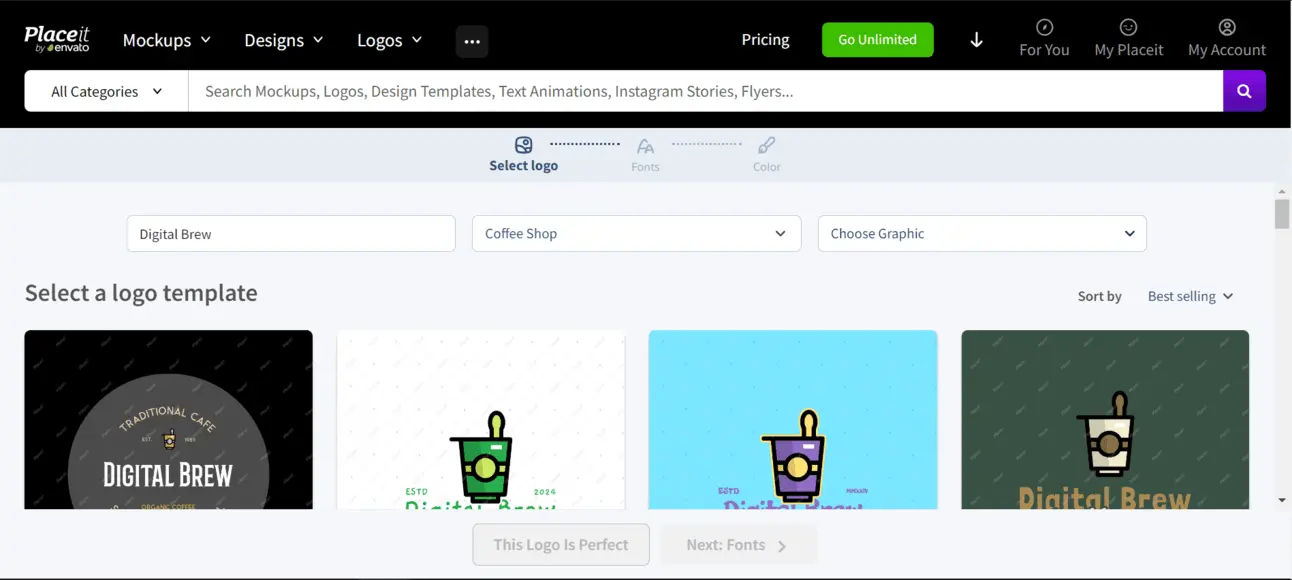
But that's not all. In today's video-driven world, Placeit also offers an impressive library of video templates. Whether for YouTube intros, product demos or social network promotions, you'll find what you're looking for. Simply drag and drop your logo and text, and adjust the colors. It's ideal for quick marketing campaigns, or when you don't have the time or skills for complex editing. A valuable resource, believe me.
What really impressed me about Placeit was the depth of customization on their layouts. We go far beyond simple logo replacement. Today, we can refine textures, manage light reflections and even manipulate complex smart objects in certain templates. It's ultra-realistic integration, without the need for heavy software, and a considerable time-saver for our day-to-day projects.
.And their video suite is the real revelation for 2025. Video is crucial, and Placeit lets you generate intros, outros or animated loops for social networks in just a few clicks. No more dedicated teams for quick clips! You choose a template, integrate your branding, and the magic happens. The quality is astonishing, and the production reactivity, simply unbeatable.
Frankly, Placeit excels for speed. But for pro advanced customization needs, like ultra-specific mockups or complex creations, it shows its limits. Forget adjustable layers, vector files or perfect print finesse. We just don't have that creative depth.
Our allies here are Figma, Illustrator or Photoshop. They give us total control. Nevertheless, I use it daily for quick visuals for social networks or basic web prototypes. Placeit remains a formidable time-saving asset. It certainly has its place.
Strengths and weaknesses?
Advantages:
- Crazy execution speed
- Huge library
- Easy access
Disadvantages:
- Limited customization
- No vector files
- Less creative freedom
FAQS
Is it reliable and secure?
Placeit, like any SaaS service worthy of the name in 2025, puts a premium on security. They employ robust encryption protocols (SSL/TLS) for all communications and protection of your personal data. Financial transactions are secured via PCI DSS-compliant service providers. As for reliability, the service boasts an excellent availability rate, guaranteeing constant access to your tools and creations. We've never encountered any major problems in this area at Easy Web, and it's an essential part of our workflow.
.Is it compatible with my other tools?
Placeit operates primarily as a stand-alone, entirely cloud-based solution. Expect to export your creations - images, videos - and integrate them manually into your other design software. There's no direct API integration with tools like Photoshop or Illustrator for a seamless workflow. For designers and agencies, this means it's excellent for generating quick mock-ups and visuals, then importing deliverables into your usual suite for finishing touches. It's a complement to, not a direct substitute for, your main creative tools.
Is there responsive customer support?
On the responsiveness of Placeit's customer support, my experience is positive overall. For technical questions or licensing queries, I've found that live chat offers fast, efficient responses. It's the channel I prefer when there's an emergency. By email, it's a little more variable, but the turnaround times remain quite acceptable for most non-critical queries. It's a criterion I always keep a close eye on, because a good tool is only a good tool if it's well supported.
What do other users think?
Frankly, when we talk to other design pros and agencies, the general feeling is clear: Placeit is all about efficiency. Users rave about its simplicity and speed for generating mockups or promotional videos without getting in over their heads. Ideal for quick deliveries or customer tests. Of course, it's no substitute for pure design software for highly specific projects or fine retouching. But for volume and speed, it's an excellent addition to the toolbox.
Can I easily change later?
Frankly, when we talk to other design pros and agencies, the general feeling is clear: Placeit is all about efficiency. Users rave about its simplicity and speed for generating mockups or promotional videos without getting in over their heads. Ideal for quick deliveries or customer tests. Of course, it's no substitute for pure design software for highly specific projects or fine retouching. But for volume and speed, it's an excellent addition to the toolbox.
Alternatives
.svg)

Specializing in business creation, sales and digital marketing, he puts his expertise at the service of users to help them identify the solutions best suited to their needs. Passionate about digital innovation and optimizing online performance, Alexis is committed to providing detailed, transparent and unbiased comparisons.
Do you have an entrepreneurial project?
We support you in the structuring and development of your tech project. Make an appointment with one of our Business Strategists.