


.avif)





.svg)
.svg)




Pixlr has always positioned itself as a light, accessible alternative to the graphic design behemoths, carving out a niche for quick retouching and less demanding web creations. It has long been a simple entry point for many, myself included. But in 2025, in the age of generative AI and hyper-specialized tools, is it still a viable solution for designers and agencies like ours? Simplicity, functionality, and above all its limitations: I'm sharing with you my opinion based on years of use at Easy Web, so you can decide whether it has a place in your processes.
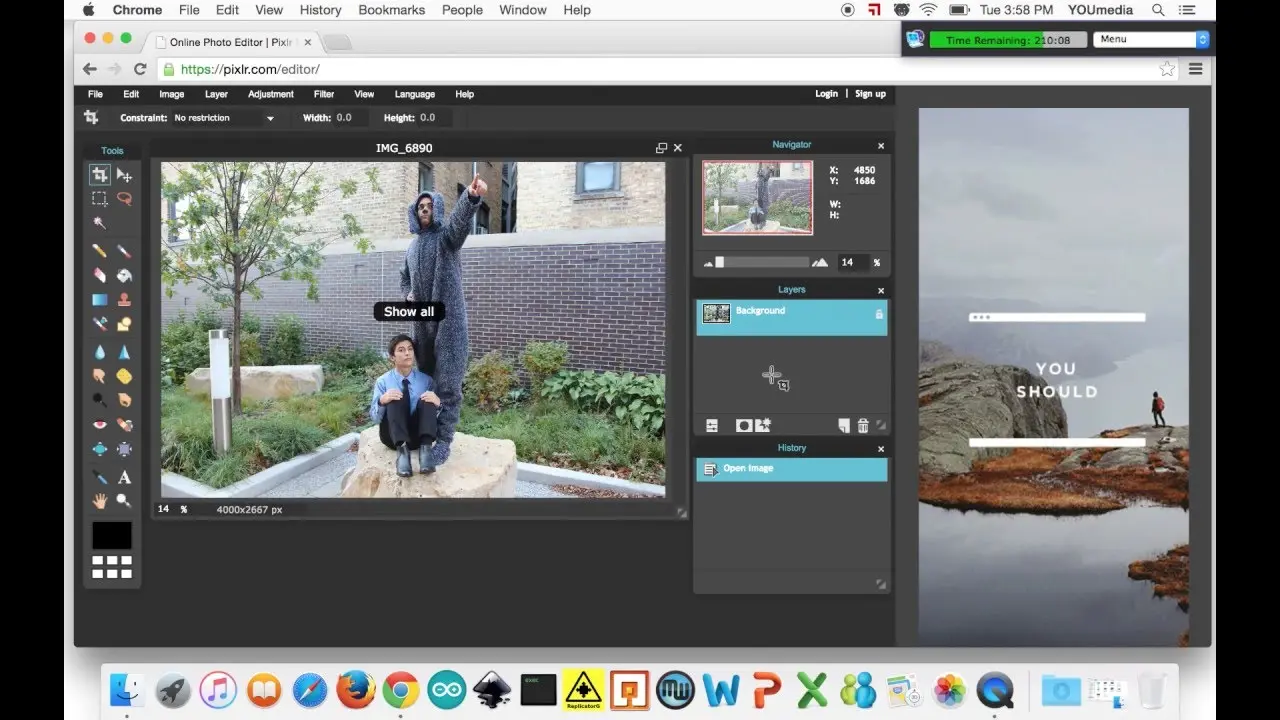
My experience with Pixlr
Pixlr, I've been using for a few years now, as much for troubleshooting as for more recurring needs. What really stood out for me right from the start was its incredible accessibility, without sacrificing essential functionality.
For quick retouching, social networking visuals or even simple mock-ups, it excels. No need to install heavy software: everything is done in your browser, with a surprisingly intuitive interface and tools like layers or filters well implemented. It's a real online Swiss army knife.
However, don't expect to replace dedicated desktop software for in-depth projects. As soon as you're talking about very heavy file management, surgical precision for advanced photo retouching or complex collaborative workflows, you quickly feel its limitations compared to behemoths like Photoshop.
If you're going to use it, you'll need to get used to it.
Is Pixlr really useful for my needs?
The real question to ask yourself before using Pixlr is: what is my objective? Because the relevance of Pixlr depends very much on how you use it. Honestly, for quick photo retouching or image adjustments for the web without drowning in heavy software, Pixlr is often my default solution. It's lightweight, straight to the point.
If you're a community manager, small business owner, or even a developer looking to optimize images without soliciting a designer for every basic retouch, Pixlr is a valuable ally. For quick cropping, resizing or color correction of your social posts or banners, it's super efficient. We've used it a lot at Easy Web for customer needs that didn't warrant Photoshop.
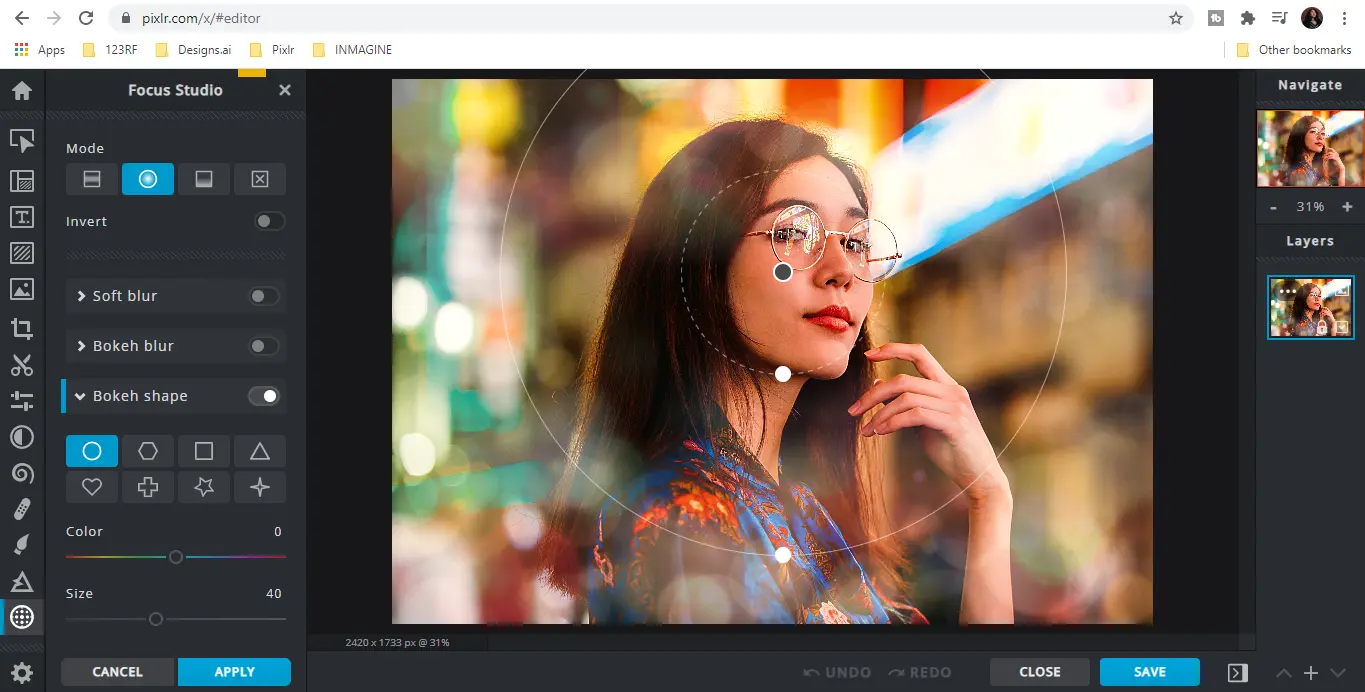
Its other major asset is its accessibility. Whether it's Pixlr E for advanced editing or Pixlr X for quick retouching, everything is online. No installation, just a browser. A real time-saver and flexible when you're on the go.


Is Pixlr suitable for beginners?
Are you new to design or looking for a quick solution for simple tasks? Pixlr is ideally positioned as a gateway. I've seen many of our young talents at Easy Web use it to rough out concepts. With features like one-click background removal, automatic filters and multiple pre-designed templates, it's a great ally for quickly creating impactful visuals for social networks or web banners. It greatly simplifies the approach to basic photo retouching without requiring advanced technical expertise.
The major advantage for novices is its resolutely intuitive interface. Getting to grips with it is almost immediate, a real plus when you don't have hours to devote to complex software learning. It lets you experiment with the basics of graphic design without the cost or steep learning curve of heavier tools. Whether for a student portfolio or to introduce a less technical team to content creation, Pixlr offers an accessible and efficient platform for transforming ideas into images without friction.
How much does Pixlr cost?
We're not going to lie, price is often the sinews of war when evaluating a new tool, right? At Easy Web, we scrutinize this closely for our own needs and for our customers.
The Pixlr Free formula is your gateway. It lets you do basic editing with Pixlr E and Pixlr X, but with clear limitations on advanced features and a presence of ads. It's perfect for beginners, students or those who need quick, occasional retouching without investing.
Then you have Pixlr Premium, our darling for many projects. For around €7.99/month (or a little less by the year), you unlock the full power of both editors, ad-free, with unlimited access to layers, fonts, overlays and a library of elements. It's the dream tool for freelancers or small agencies looking for a reliable, affordable Swiss army knife for daily visual content creation.
Finally, for the more demanding, the Pixlr Creative Pack (around €14.99/month) includes all the benefits of Premium plus access to a vast library of stock content via Envato Elements. Essential for agencies or content creators who produce visuals in volume and need a constant source of high-quality assets. A real time-saver!
What are Pixlr's key features?
Clearly, what jumps out at me with Pixlr in 2025 is the bluffing integration of AI. We're talking about features like generative filling or object deletion, which radically transform the way we iterate. For a designer, being able to extend an image or delete an unwanted element in just a few clicks, with an often impeccable rendering, is a monumental time-saver. It's the kind of tool that unlocks creativity and speeds up our workflows, especially when the customer is in a hurry.
The other major advantage, and this is crucial for an agency like ours, is its entirely web-based nature. Forget heavy installations and compatibility issues. Just open your browser and Pixlr is ready to go. It simplifies collaboration to the extreme; my teams can work on the same project, wherever they are, and without friction. It's invaluable flexibility for quick touch-ups or last-minute adjustments.
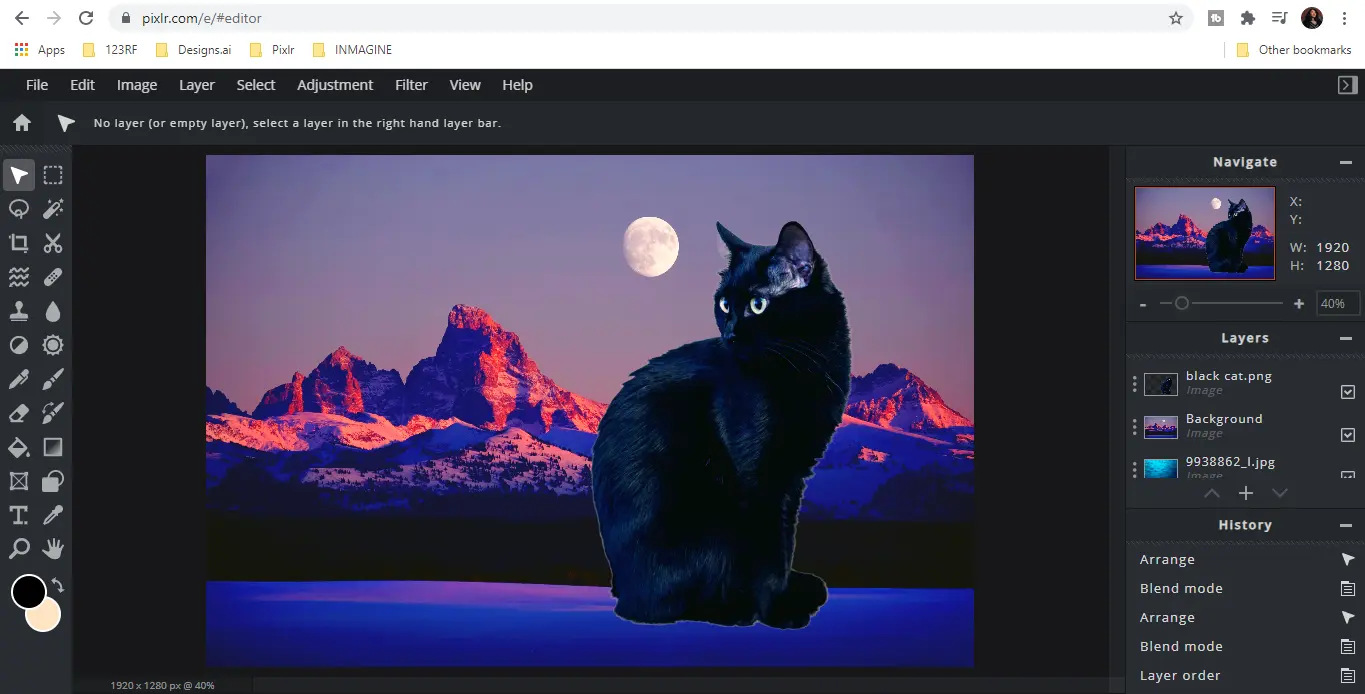
What blows me away with Pixlr in 2025 is the evolution of its AI. The background removal tool, for example, has become frighteningly efficient. There's no need to spend hours manually trimming: the AI handles fine details like hair or complex contours with almost surgical precision. This is a huge time-saver for our projects, especially when we need to integrate visuals on customer mock-ups quickly.
But the game-changing pro aspect for me is the management of non-destructive adjustment layers. Being able to modify colorimetry, levels or curves without altering the source image is fundamental. You can go back and make fine adjustments without fear of destroying your previous work. That's the basis of a robust workflow when we're working on iterations for our customers.
Frankly, for pro work, Pixlr quickly reaches its limits. I've tried to manage complex blend masks, refine delicate clipping or even calibrate CMYK colors for large-format printing.... Forget it. For advanced adjustment layers or non-destructive workflows, you soon find yourself stuck.
Here, you need to switch to much more robust tools. For advanced photo retouching, good old Photoshop remains unchallenged, or Affinity Photo for those looking for a subscription-free alternative. For vector graphics and UI/UX prototyping, Figma and Illustrator dominate. But for quick retouching and web image management, Pixlr remains a wise choice, so let's not throw the baby out with the bathwater!
Here's my review:
- Advantages:
- Instant web accessibility
- Speed for basic editing
- Free for the essentials
- Disadvantages:
- Lack of pro features (non-destructive, CMYK management)
- Limitations for complex projects
- Not suitable for pure vector
FAQS
Is it reliable and secure?
Absolutely. As a cloud-based tool, Pixlr relies on industry-standard security protocols. Your data transits via encrypted connections (HTTPS), and they implement measures to protect your files. As for reliability, its cloud infrastructure ensures generally very good availability. Of course, as with any online service, a stable connection is essential, but their response time and stability are up to the task for regular business use. We've never had any major concerns about this at Easy Web.
Is it compatible with my other tools?
Wondering if Pixlr fits into your usual ecosystem? Excellent question! Its major asset is its robust compatibility with standard file formats. We're talking Photoshop PSDs, of course, but also JPGs, PNGs, SVGs and sometimes AI files, depending on version and updates.
You can import and export without too much fuss, which makes going back and forth with other pro software much smoother. It's mainly via these formats that "compatibility" operates. For direct plugin-type integration, this is less common, but file exchange remains fluid and efficient for our agency workflows.
Is there responsive customer support?
Pixlr's customer support relies mainly on an extensive FAQ and an email ticket submission system. To be blunt, it's not the most responsive service we've had the opportunity to test, especially for urgent needs. At Easy Web, we always prefer tools with instant support, because every minute counts. There's no live chat or dedicated phone line here. You'll often find answers faster in their online community. This is something to consider if speed of support is crucial to your daily workflow.
What do other users think?
When I talk to other designers or agencies, Pixlr is often praised for its accessibility and ease of use, especially for quick retouching. It's a unanimously recognized strong point. However, for more complex workflows, requiring advanced layer management or optimal performance on heavy files, opinions converge towards a certain limitation. Many see it as an excellent complementary or starter tool, but rarely as the mainstay of a complete professional suite. Fluidity can sometimes be a matter of debate, depending on configurations.
Can I easily change later?
When I talk to other designers or agencies, Pixlr is often praised for its accessibility and ease of use, especially for quick retouching. It's a unanimously recognized strong point. However, for more complex workflows, requiring advanced layer management or optimal performance on heavy files, opinions converge towards a certain limitation. Many see it as an excellent complementary or starter tool, but rarely as the mainstay of a complete professional suite. Fluidity can sometimes be a matter of debate, depending on configurations.
Alternatives
.svg)

Specializing in business creation, sales and digital marketing, he puts his expertise at the service of users to help them identify the solutions best suited to their needs. Passionate about digital innovation and optimizing online performance, Alexis is committed to providing detailed, transparent and unbiased comparisons.
Do you have an entrepreneurial project?
We support you in the structuring and development of your tech project. Make an appointment with one of our Business Strategists.