


.avif)





.svg)




Pinterest is the digital crossroads where visual inspiration reigns supreme. It has established itself as a veritable goldmine for any creative in search of ideas. But in 2025, with the explosion of AI and ultra-sharp design tools, is Pinterest still relevant for our projects or visual creations? I've been using Pinterest since the early days of Easy Web. I'm going to detail its strengths, weaknesses, and actual positioning in today's designer's arsenal, in full transparency.
My experience with Pinterest
I've been using it for years, long before we even launched Easy Web in 2020, and Pinterest is still a reflex for me and our creative teams. What I particularly appreciate is its ability to offer unrivalled visual curation of ideas.
When tackling a new project - whether it's a site redesign or a new visual identity - the "mood board" is crucial. Pinterest excels in this area: it's a great tool for plucking inspiration, arranging color palettes, typography, moods, and quickly validating an artistic direction with a customer or internally. It really speeds up the creative research phase.
But beware, Pinterest remains a tool for discovery and organization, not pure creation. It absolutely won't replace Figma or the Adobe suite for production. Its collaborative features are pretty basic, limited to sharing tables, and it's impossible to edit or manipulate found elements directly.
Is Pinterest really useful for my needs?
The real question to ask yourself before using Pinterest is: what is my objective? Because its relevance depends very much on how you use it. At Easy Web, we use it primarily for creative monitoring and moodboard building. If your quest is pure visual inspiration, a dashboard for your ideas, then yes, it's frighteningly effective.
Whether you're a UI/UX designer, art director or content creator, Pinterest is formidable. Are you launching a client project and need to define an aesthetic direction? The platform lets you quickly compile references. A blogger looking for trendy visuals will find it a goldmine for illustrating his articles with styles that resonate.
Pinterest also excels at spotting emerging trends. Its algorithms highlight what's popular, helping us stay ahead of the curve. It's a powerful visual radar for anticipating market evolutions and refining our proposals.

Is Pinterest suitable for beginners?
Just starting out in design? Forget the blank pages and inspiration failure syndrome. At Easy Web, we've seen so many designers feel overwhelmed at first. Pinterest is your lifeline. Think mood boards, the basis for laying down your visual ideas. It's also an easy way to capture the trends of the moment, without drowning yourself in complex analysis. Really ideal for brainstorming without pressure and unlocking your initial creativity.
What makes Pinterest so powerful for novices is its visual simplicity. No need to master complex software or advanced design theories. You learn by observing, pinning, organizing your finds. It's a hands-on immersion that lets you gradually build your own visual vocabulary and hone your eye. It's the perfect tool for structuring your first inspirations and gaining confidence in your aesthetic choices.
How much does Pinterest cost?
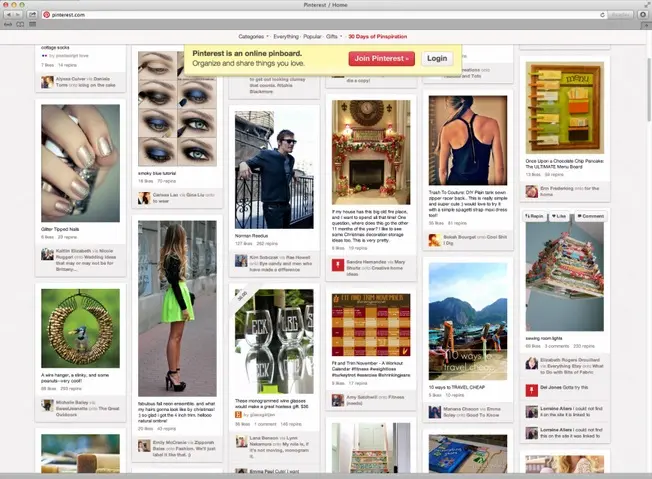
The first thing I always say about Pinterest is its ease of access. For most of us, designers or agencies, the basic tool is totally free. You create boards, collect inspiration and organize your visual feeds. With a pro account, you even get access to performance statistics. It's perfect for freelancers, small teams and daily creative monitoring.
The real 'cost' comes in when you aim for amplification via advertising. Here, no subscription. It's a CPC (cost per click) or CPM (cost per thousand impressions) model. You define your budget, target precisely and manage your campaigns to generate qualified traffic or sales. It's the essential tool for agencies managing customer strategies and e-tailers. A direct investment whose ROI is under your control. Think performance!
What are Pinterest's key features?
When you're a designer, Pinterest's first strength is its ability to centralize visual inspiration. Creating idea boards, themed "mood boards", is priceless. You can pin color palettes, typographies, layout layouts... It's a reflex for me and my teams at Easy Web to structure our research and present a clear creative direction to our customers.
PINTERBOARDS.But where the tool takes on an incredible dimension in 2025 is with its advanced visual search and suggestion algorithm. See a graphic element that catches your eye? The image search function or even the personalized feed recommendations propel you towards thousands of similar or complementary visuals. It's a colossal time-saver for refining our concepts and discovering emerging trends with surgical precision.
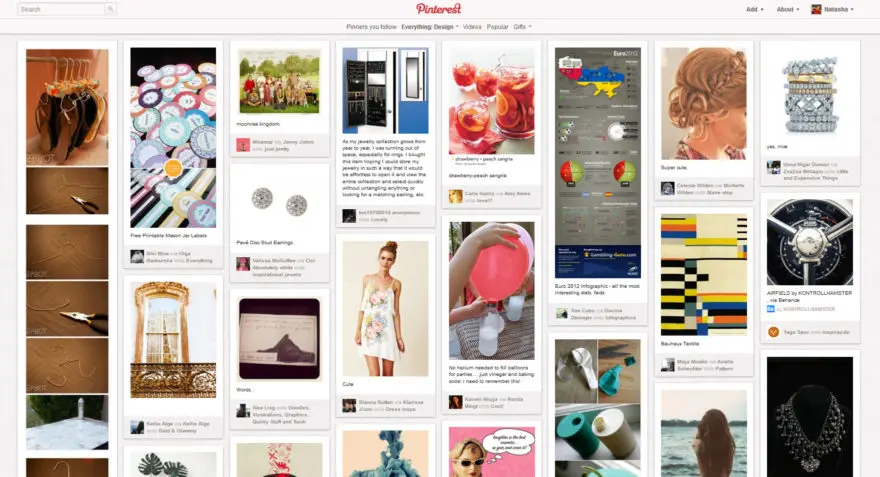
Are you looking to streamline collaboration on your creative projects? One of Pinterest's most powerful features for pros, yet one that's often underestimated, is collaborative board management. At Easy Web, we use it constantly. Sharing a board with a client or the team allows for instant feedback, shared pins and quick visual validation. It cuts through endless e-mail chains and aligns everyone to the same vision, much faster.
Think also of visual search, often called "Lens". It's a game-changing tool. Got an image, a texture, a mood that catches your eye, but you don't know how to describe it? Just scan it! Pinterest instantly suggests dozens of similar ideas and unexpected variations. For me, it's become essential for refining a concept or unearthing ultra-specific inspirations when words alone are no longer enough.
Pinterest, a stroke of genius for visual inspiration, but beware, for a concrete project, you quickly reach its limits. For real-time collaboration on mock-ups, version tracking or heavy asset management with a client, it shows its shortcomings. It is neither a production tool, nor a platform for precise feedback on finalized mock-ups.
.To fill these gaps, we naturally turn to solutions like Figma for co-creation, Milanote for more interactive moodboards or even Notion for project management and documentation. Pinterest remains a formidable catalyst of ideas, an unrivalled visual starting point that nurtures creativity. It opens the door, but other tools build the path.
In summary, Pinterest excels at what it does:
Benefits:
- Unlimited source of inspiration
- Visual trends watch
- Rapid creation of intuitive moodboards
Drawbacks:
- Lack of collaborative design tools
- No versioning management
- Limit on final deliverables
FAQS
Is it reliable and secure?
Absolutely. Pinterest, as a major global platform, places significant emphasis on user security and data protection. Their infrastructure is designed to handle massive traffic while ensuring information integrity. For us at Easy Web, using Pinterest for monitoring or sharing inspiration has never posed a reliability problem. They use standard protocols for data security and encourage good practice. You can post your pins and information there in complete confidence for your inspiration boards or watches.
Is it compatible with my other tools?
No, Pinterest doesn't offer direct integrations in the form of plugins with design software suites like Adobe Creative Suite or Figma. Its compatibility lies in the fluidity of your creative workflow. You mainly use the "Save to Pinterest" browser extension to collect and organize inspirations. These visuals can then be manually imported into your design tools for your mood boards, customer presentations or research phases. It's a visual intelligence and curation tool that enriches your upstream process, rather than a tool with native API connections for production.
Is there responsive customer support?
Let's be clear: if you expect ultra-reactive customer support like on dedicated SaaS tools, Pinterest isn't on the same level. Their support relies mostly on well-stocked help centers and an active community. For complex technical issues, support is provided via tickets, and response times can vary, sometimes significantly. This is clearly not their priority, and in 2025, this situation persists. You need to know that.
What do other users think?
In the design and agency community, the general feeling is very positive. Professionals see Pinterest as an invaluable resource for visual inspiration and mood board creation. It's a reflex for monitoring UI/UX trends and unearthing fresh ideas. Many emphasize its ease of use and the immense diversity of its content. A few point out that it's primarily an idea sourcing tool, rather than a pure collaboration platform. But when it comes to creative exploration, they're unanimous.
Can I easily change later?
In the design and agency community, the general feeling is very positive. Professionals see Pinterest as an invaluable resource for visual inspiration and mood board creation. It's a reflex for monitoring UI/UX trends and unearthing fresh ideas. Many emphasize its ease of use and the immense diversity of its content. A few point out that it's primarily an idea sourcing tool, rather than a pure collaboration platform. But when it comes to creative exploration, they're unanimous.
Alternatives
.svg)

Specializing in business creation, sales and digital marketing, he puts his expertise at the service of users to help them identify the solutions best suited to their needs. Passionate about digital innovation and optimizing online performance, Alexis is committed to providing detailed, transparent and unbiased comparisons.
Do you have an entrepreneurial project?
We support you in the structuring and development of your tech project. Make an appointment with one of our Business Strategists.