


.avif)





.svg)
.svg)



Should you use Photoshop Express in 2025?
Photoshop Express has established itself as Adobe's option for rapid photo retouching, directly on mobile or via your browser. It's the tool that many see as the lighter, more accessible version of the Photoshop behemoth. But in 2025, with the meteoric evolution of design tools and the arrival of generative AI, is Photoshop Express still a relevant ally for us, professional designers and web agencies?
Simplicity, real functionality, but also its limits... Since the beginnings of Easy Web, I've been able to put Photoshop Express to the test on numerous projects. Here I share with you my experience in the field and an objective opinion on its true value depending on your requirements.
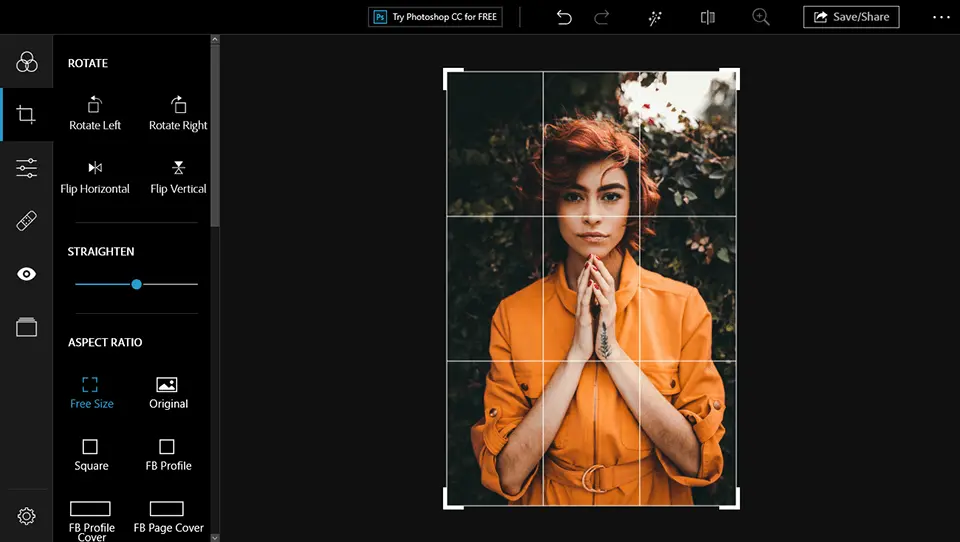
My feedback on Photoshop Express
I've had Photoshop Express on my phone for years now. It's the emergency tool, the one you pull out for a quick retouch when you're on the move or don't have access to your workstation. What I particularly appreciate is its intuitive interface and responsiveness on mobile.
It really excels for immediate adjustments: cropping, exposure, contrasts, quick filters. For a last-minute Instagram post or blog image that needs to be optimized in a hurry, it's perfect. It saves an incredible amount of time without compromising visual quality for these precise uses.
On the other hand, as soon as more advanced work is required - complex layer management, fine retouching, blending masks or preparation for large-format printing - the limitations become obvious. It's absolutely no substitute for its big brother, Photoshop CC, for in-depth professional work.
Is Photoshop Express really useful for my needs?
The real question to ask yourself before using Photoshop Express is: what is my objective? Because its relevance depends very much on how you use it. If your need is to quickly retouch photos for the web or social networks, directly from your mobile, this tool does the job. It's designed to do just that.
Whether you're a mobile content creator, solo community manager, or entrepreneur looking for a constant visual presence, Photoshop Express is formidable. Publish an Instagram story after an express retouch, enhance the shine of an e-commerce product, or give your blog photos a fresh look: it really does simplify these recurring tasks.
Another major advantage is its seamless integration into the Adobe ecosystem. If you're already juggling other Creative Cloud tools, the bridges are direct. This is a real plus for the consistency and centralization of your workflow.


Is Photoshop Express suitable for beginners?
You're getting into design or need express photo retouching? Photoshop Express is your solution. Forget the complex layers of its big brother. Here, we're all about the essentials: instant filters to add style, intuitive cropping tools and automatic fixes for exposure or contrast. Perfect for sublimating your Insta stories or quickly optimizing the visuals of a blog post.
The great thing about it is that it's so easy to get to grips with. No need to spend hours in tutorials. Just open, import, click and you're done. It's the ideal tool for novices who want pro results without the steep learning curve of heavier software. A real springboard before diving into more comprehensive suites.
How much does Photoshop Express cost?
The cost of Photoshop Express? Simple and effective, that's often where it shines. The free version is your ally for quick retouching, instant filters or collages for social networks. It's perfect for freelance content creators, community managers, or anyone who needs responsiveness without complexity. A great starting point if you're just starting out or looking for simplicity.
Then you have the Premium option, at around €4.99/month, often included in a Creative Cloud subscription. This is where you unlock the real potential: RAW support, precise local corrections, noise removal and advanced export options. For on-the-go graphic designers, web designers looking for a powerful mobile complement, or small agencies aiming to optimize fast visual workflows, it's a minimal investment that boosts your productivity tenfold.
What are the key features of Photoshop Express?
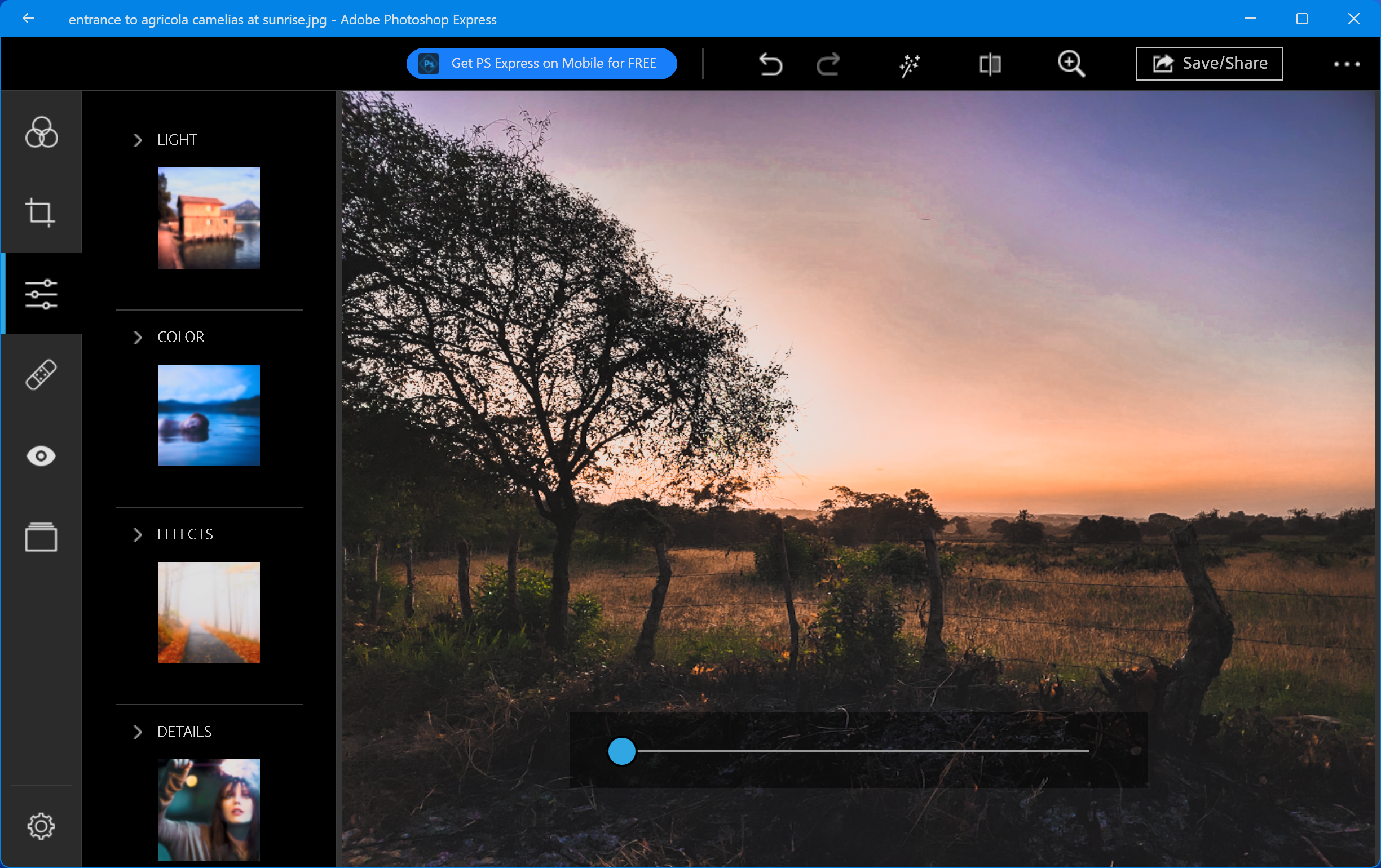
Let's talk productivity: Photoshop Express really excels at quick retouching. At Easy Web, we've used it a lot for quick content for social networks or lightweight web banners. Its presets, the "Looks", are a colossal time-saver. You can apply a filter, adjust exposure or contrast in the blink of an eye. It's perfect for a last-minute post without having to pull out the heavy artillery of Photoshop CC. Efficiency above all.
Another feature I appreciate is the removal of unwanted objects. For product photos or portraits, it's almost magic for cleaning up a background. Of course, don't expect the complexity of the desktop version's Content-Aware Fill, but for simple elements, it does the job impeccably. And their smart cropping tool is ultra-practical for adapting your visuals to different formats quickly, whether it's Instagram, a website or a newsletter. It's a real time-saver on repetitive tasks.
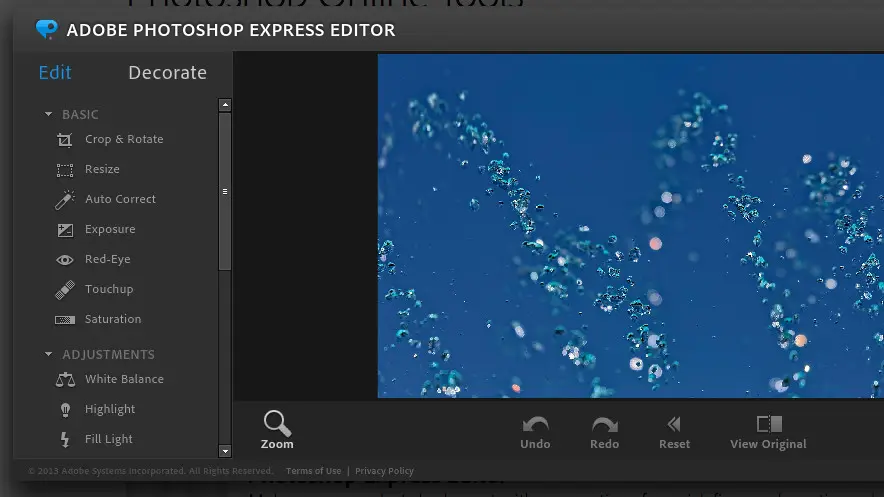
As we all know, time is money, especially with tight deadlines. One really bluffing feature in Photoshop Express for professionals is its fast retouching capability. I'm thinking of its imperfection removal tool, a simplified equivalent of Photoshop's Healing Brush. It erases any unwanted element - a grain, a blemish - in a matter of seconds. For last-minute adjustments, it's a monumental time-saver.
And when it comes to finishing, color management is paramount. Far from basic filters, Express offers advanced color correction tools, such as HSL (Hue, Saturation, Lightness) adjustments. This is crucial: you can fine-tune the color, intensity and brightness of specific ranges - for example, making a red deeper without affecting the rest of the image. For consistent professional rendering, this precision is a major asset.
Photoshop Express is fast, it's true, but for us pros, its limitations are glaring. Forget advanced layer management, complex blend masks, or precise clipping. It's not cut out for demanding graphic creations or CMYK preparation for printing. Our workflows are stuck.
For these tasks, Photoshop desktop, Affinity Photo, or Photopea online, are indispensable. Express is not a Swiss Army knife, but an excellent can opener. It excels for quick retouching of social visuals or adjustments to blog images. Its place is clear.
At the end of the day, here's what I take away:
- Advantages: Fast execution, simple interface, free, ideal mobile/web.
- Disadvantages: Limited functions, no advanced layer management, lack of pro precision, not suitable for printing.
FAQS
Is it reliable and secure?
Photoshop Express, being an Adobe product, benefits from the company's robust security infrastructure. Your data is hosted on secure servers, with industry-standard encryption protocols for transfers and storage.
For reliability, it's stable for fast retouching, although it's not optimized for complex graphic design tasks. Its design makes it perform well on mobiles, but it's not cut out for intensive use or real-time collaboration on agency projects. Its simplicity is an asset, but it limits its advanced functionalities.
Is it compatible with my other tools?
Absolutely. As an Adobe product, Photoshop Express fits naturally into the Creative Cloud ecosystem. That's its main advantage. You'll be able to manipulate your PSD or RAW files from Photoshop or Lightroom without a care in the world. Export to standard formats: JPEG, PNG, TIFF. It's ideal for quick retouching, for client validation, or for reintegrating your images into other page layout software such as InDesign. It's not a substitute for the full suite, but an excellent addition to your existing workflow.
Is there responsive customer support?
To be blunt, Photoshop Express support isn't the same as full Creative Cloud subscriptions. Expect more of an extensive knowledge base and active community forums. This is where I found most of my answers during our quick uses at Easy Web. If you're used to 24/7 dedicated support for pro tools, be prepared for a more self-taught or community approach. For urgent concerns, it can be a little frustrating, let's be honest. That's the other side of the coin for such an accessible tool.
What do other users think?
The feedback I see regularly is pretty clear: it's praised for its simplicity and accessibility, especially for quick retouching. Many appreciate the speed with which filters can be applied and the automatic corrections. On the other hand, for professional use or complex projects, experienced designers and agencies quickly find it limited. It sorely lacks the precision tools and advanced layer management essential to a demanding professional workflow. It's a useful add-on solution, but rarely the mainstay of a creative suite.
Can I easily change later?
The feedback I see regularly is pretty clear: it's praised for its simplicity and accessibility, especially for quick retouching. Many appreciate the speed with which filters can be applied and the automatic corrections. On the other hand, for professional use or complex projects, experienced designers and agencies quickly find it limited. It sorely lacks the precision tools and advanced layer management essential to a demanding professional workflow. It's a useful add-on solution, but rarely the mainstay of a creative suite.
Alternatives
.svg)

Specializing in business creation, sales and digital marketing, he puts his expertise at the service of users to help them identify the solutions best suited to their needs. Passionate about digital innovation and optimizing online performance, Alexis is committed to providing detailed, transparent and unbiased comparisons.
Do you have an entrepreneurial project?
We support you in the structuring and development of your tech project. Make an appointment with one of our Business Strategists.