


.avif)





.svg)
.svg)



Paletton has positioned itself as a must-have for thousands of designers, a benchmark when it comes to generating color harmonies. But in 2025, is it still a good idea to use it for your visual creations? Simplicity, functionality, limits... Believe me, Paletton and I go back a long way at Easy Web. I'm sharing my feedback and an objective opinion on its real usefulness today, depending on your projects.
My experience with Paletton
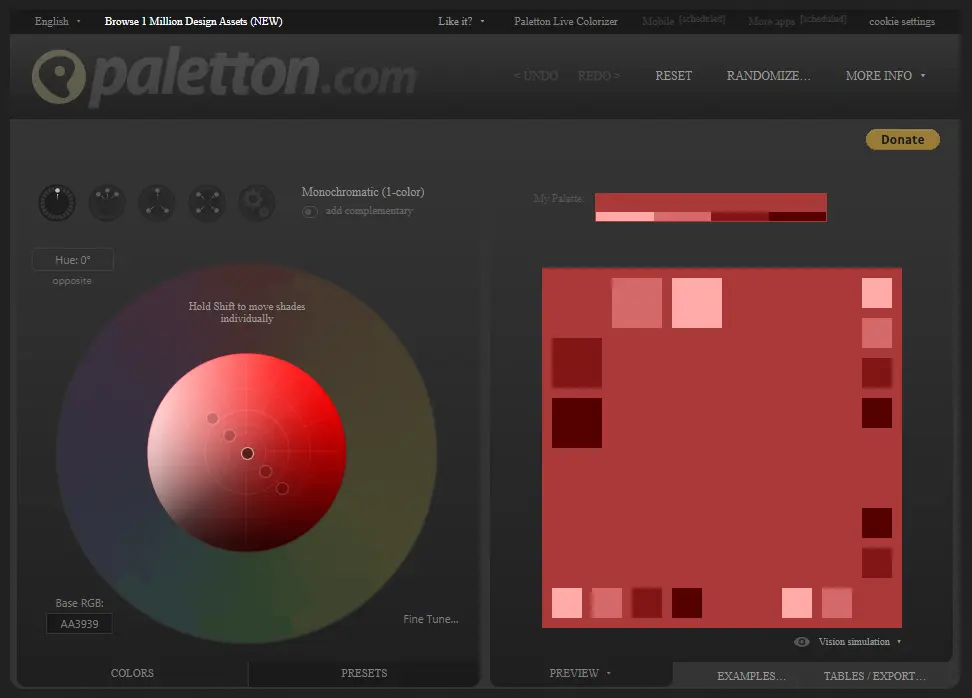
Frankly, I've had Paletton on my screen for years. It's one of those discreet but hyper-efficient tools that has often helped me out, whether for my own projects or those of our customers at Easy Web. What I appreciate most of all is its ability to intuitively generate complex chromatic harmonies from a single hue.
It excels when you have a basic color and need to quickly build a complete, balanced palette, without drowning in color theory. For wireframes, quick mock-ups or simply exploring coherent visual avenues, it's a huge help. It's a real time-saver!
That said, it does have its limits. If you're looking for ultra-granular control or advanced features like accessibility analysis (WCAG contrast), it won't cut it. For that, you'll have to turn to other solutions, or fine-tune everything in your usual design software.
Is Paletton really useful for my needs?
The real question to ask before using Paletton is: what is my objective? The tool's relevance depends enormously on its use. Its major advantage? Quickly generate harmonious color palettes from a basic hue. For quick color exploration or the start of a project, it's frighteningly effective.
Whether you're a web designer looking for UI consistency, a brand strategist exploring chromatic variations, or even a developer looking to style an interface, Paletton gives you a solid foundation. For example, to define the palette of a new e-commerce site, test variations of an existing theme, or harmonize the colors of a digital campaign, the tool is a great help.
In addition to generation, I appreciate its visual impairment simulation functionality. This is crucial to ensure that your palettes are inclusive and accessible to all, a point often overlooked but essential in 2025.


Is Paletton suitable for beginners?
You're just starting out in design or you've just joined an agency and color seems like a complex world to you? Paletton is a real lifeline. When I started Easy Web in 2020, finding the tool to demystify color theory for our juniors was key. Paletton excels in this area. It lets you generate harmonious palettes - monochromatic, complementary, triadic - at the click of a button. It's perfect for exploring directions without needing a master's degree in colorimetry.
It's not just a generator, you know. It's a learning-by-doing platform. You instantly see the relationships between colors, how they balance or clash. It develops your eye and intuition for successful combinations. To get started, it's crucial to be able to experiment freely without the fear of getting it wrong. Paletton gives you that confidence for your first steps.
How much does Paletton cost?
Let's talk budget. In 2025, every tool must justify its cost. Paletton offers clear options.
The free version is perfect for getting started. Access to the simple palette generator, it's suitable for students or personal projects. Ideal for getting acquainted.
The Pro plan, at €14.99/month, opens access to project management, advanced exports (crucial for web integration) and unlimited history. At Easy Web, this is our choice for freelancers and small teams. An investment that pays for itself
.For agencies, the Business plan (€29.99/user/month) is made for team collaboration, API and priority support. Indispensable for managing complex projects, for consistency and efficiency.
What are Paletton's key features?
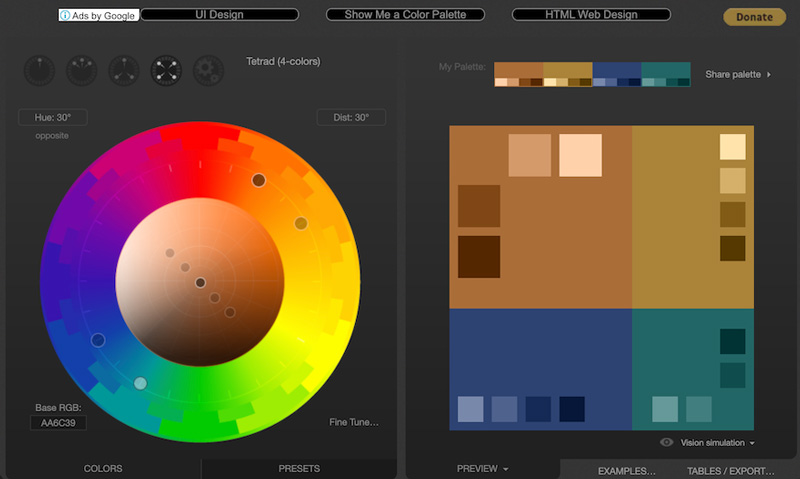
When you're looking to build a coherent color palette, Paletton really excels. Its strength is the automatic generation of harmonic schemes. You start with a primary color, and the tool instantly declines monochromatic, complementary, triadic or tetradic harmonies. No more time wasted groping around for a solid base; you've got it in a few clicks.
But Paletton doesn't stop there. What I like is the ability to fine-tune every hue generated. You can adjust the saturation, brightness, and even opacity of each color. Best of all, the tool offers a direct preview on light or dark backgrounds. This is essential for seeing how your colors react in different user interface contexts, before you even touch your design.
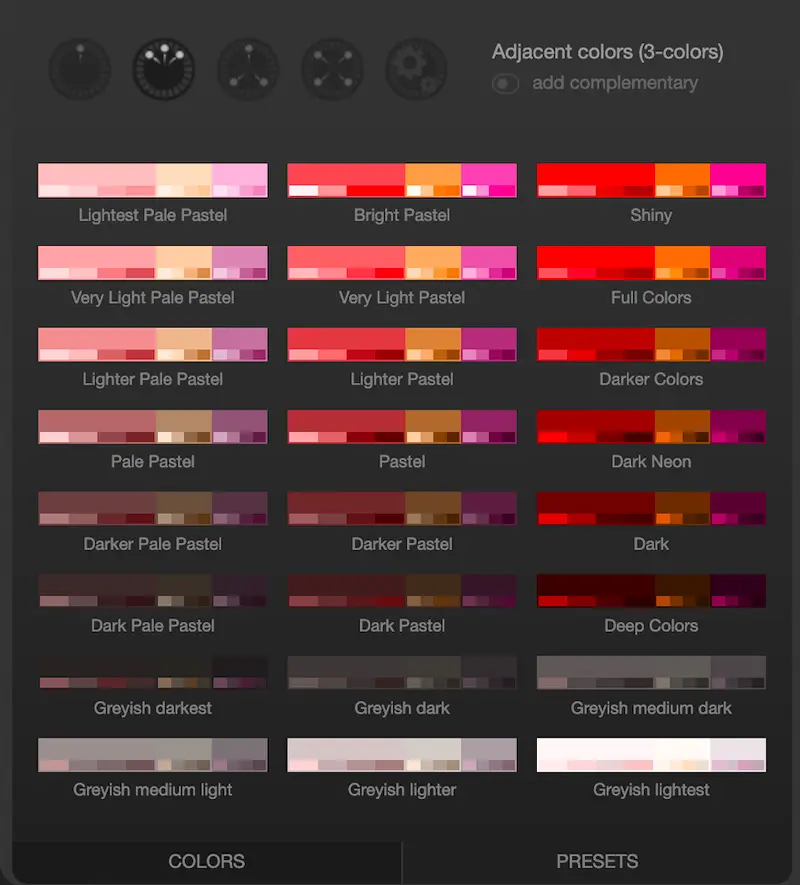
When I'm working on a web project, visual consistency is king. Paletton is my Swiss Army knife for this. One of its strengths is its ability to generate complex color harmonies, far beyond the simple complementary. I'm thinking of tetrad schemes or triad compositions adjusted to the nearest pixel. It's precise, it's powerful, and it saves us a lot of time at the agency in finding the right mood.
But where Paletton really excels is in granular control. You don't just settle for one main color; the tool lets you modulate every hue in the palette. You can adjust saturation, luminosity and play with shades to get exactly the effect you want. Believe me, this finesse of adjustment is what transforms a good palette into an exceptional one, perfectly suited to the demands of our customers in 2025.
When you push Paletton beyond quick creation, you quickly hit its limits. I've often seen teams use it for an initial moodboard, but as soon as it comes to generating palettes for a complex UI, with strict accessibility rules or multi-state declinations, it gets stuck. The absence of built-in WCAG checks or direct integration with tools like Figma for design systems is a real brake for pros.
.For these precise cases, we naturally turn to more robust solutions. Tools like Coolors are perfect for quick variations, and for full integration into professional workflows, Adobe Color or specialized plugins for your favorite design tools like Figma or Sketch are much better suited. Paletton remains useful for quick creative exploration, that's for sure, but it should be seen as a first step.
Advantages:
- Simplicity of use for rapid generation.
- Intuitive interface for colorimetric explorations.
- Ideal for initial prototyping and moodboards.
Disadvantages:
- Lack of professional integrations (APIs, plugins).
- Lack of built-in accessibility testing (WCAG).
- Limited for complex palettes or advanced design systems.
FAQS
Is it reliable and secure?
Look, for Paletton, the question of reliability and safety is pretty straightforward. The tool itself is ultra-stable. We use it regularly at Easy Web without any major hitches. It's a color palette generator, and doesn't manage your personal data or complex projects. Everything happens locally in your browser, a client-side approach. As a result, the risk of data security breaches is virtually nil. You don't have to create an account, and you don't have to save anything on their servers. It's clean, simple and effective for what it does.
Is it compatible with my other tools?
Paletton's compatibility isn't that of a direct integration, but it's very fluid. Paletton excels as a web color palette generator, providing all the information you need: Hex codes, RGB values, HSL or even CSS. Simply copy this data and paste it directly into your favorite design software, whether Figma, Adobe XD, Sketch or the Adobe Suite. It's a universal approach that fits seamlessly into your existing workflow.
Is there responsive customer support?
The experience with Paletton's customer support is quite different from what you'd expect from a paid tool. Since it's a free web resource, direct and responsive support isn't its main strength.
Personally, at Easy Web, we've learned to rely more on the documentation available online and the user community. If you encounter a bug or have a very specific technical question, responsiveness will be limited or non-existent. Don't expect a ticket system or live chat. Paletton is a powerful tool for pallet generation, but support is mostly self-help. This is the other side of the coin for such a practical and accessible tool.
What do other users think?
The feedback I receive on Paletton is generally very positive, especially for its ability to simplify the creation of harmonious palettes. Many designers, even experienced ones, use it as a quick starting point for color brainstorming.
It's a popular tool for its speed of execution and intuitive interface. On the other hand, it is sometimes perceived as less flexible for highly specialized colorimetry requirements or ultra-customized creations. It is often seen as an excellent assistant rather than an all-in-one solution.
Can I easily change later?
The feedback I receive on Paletton is generally very positive, especially for its ability to simplify the creation of harmonious palettes. Many designers, even experienced ones, use it as a quick starting point for color brainstorming.
It's a popular tool for its speed of execution and intuitive interface. On the other hand, it is sometimes perceived as less flexible for highly specialized colorimetry requirements or ultra-customized creations. It is often seen as an excellent assistant rather than an all-in-one solution.
Alternatives
.svg)

Specializing in business creation, sales and digital marketing, he puts his expertise at the service of users to help them identify the solutions best suited to their needs. Passionate about digital innovation and optimizing online performance, Alexis is committed to providing detailed, transparent and unbiased comparisons.
Do you have an entrepreneurial project?
We support you in the structuring and development of your tech project. Make an appointment with one of our Business Strategists.