


.avif)





.svg)
.svg)




.svg)
Paint.NET has always positioned itself as that interesting balance point: more capable than a simple basic editor, but far less intimidating than the market behemoths. It's the tool I've seen a lot of people use for quick retouching or lightweight creations. But in 2025, with the avalanche of new tools and rising demands, does it still have a place in your designer's arsenal? Personally, I've been using Paint.NET for quite a few years, for a variety of purposes, from rapid prototyping to simple image optimization. I'm going to share with you, in all transparency, my feedback on its strengths, its real limitations and, above all, tell you whether or not it still corresponds to your needs in 2025.
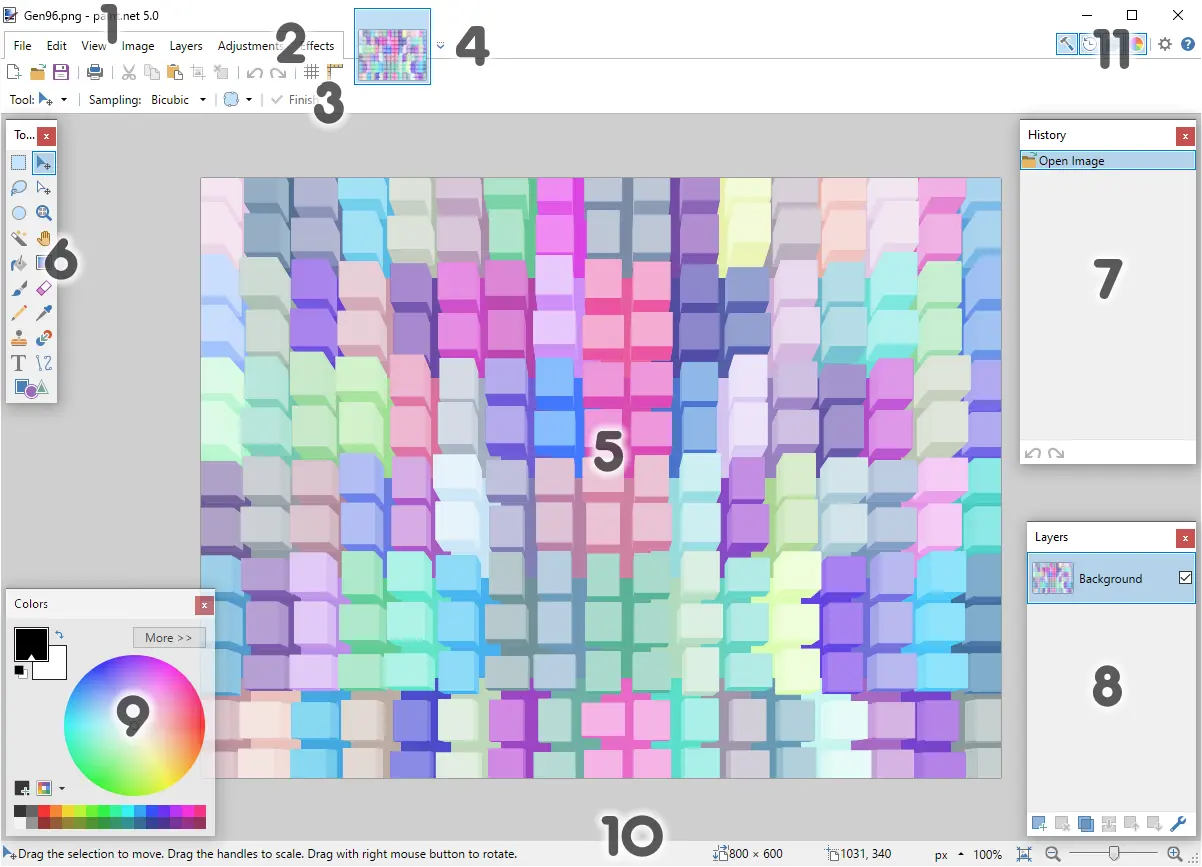
My Paint.NET experience
Paint.NET has been sitting on my dock, always ready, for years. For quick retouching or basic image manipulation, it's my reflex. What I appreciate most of all is its lightness and speed of execution.
This tool is a champion when it comes to editing visuals on the fly. Need to crop an image for the blog, adjust a banner size or apply a simple filter without launching a gas factory? Paint.NET excels. It loads instantly and does the job without fuss, ideal for non-designer profiles or one-off needs.
However, make no mistake. For more complex projects involving advanced layers, blend masks or vector tools, its limits are quickly reached. It's a sharp Swiss Army Knife, but not a complete toolbox for the seasoned designer.
It's a great tool to have around.
Is Paint.NET really useful for my needs?
The real question to ask yourself before using Paint.NET is: what is my objective? Because its relevance depends very much on how you use it. If your need is for simple retouching, quick cropping, or applying basic effects to your images without complexity, then yes, it's an excellent ally. For these tasks, it does the job, and well.
Whether you're a blogger, an e-merchant managing your catalog, or a small business community manager, Paint.NET is incredibly efficient. It's perfect for tasks like preparing article visuals, resizing banners, or compressing images for product sheets. You save precious time on these repetitive actions.
Another undeniable strong point is its lightness. It launches in a flash, even on modest machines, and doesn't monopolize your resources. This is a comfort when you're switching from one application to another or working on several projects simultaneously.
Another undeniable strength is its lightness.


Is Paint.NET suitable for beginners?
Are you new to design and afraid of Photoshop? I know the feeling. Paint.NET is like a novice's best friend. Its interface is disconcertingly clear, so you don't get lost in lengthy menus. For tasks such as quickly cropping an image, adjusting the brightness of a product photo or even creating a thumbnail for your blog, it's perfect. Layer management, a fundamental concept, is introduced in such an intuitive way that you'll master it in no time. It's ideal for getting to grips with the basics without being overwhelmed.
The advantage? No need to spend hours searching for a tutorial for every function. The essential tools are right there, at hand, and their operation is logical. It's the perfect tool to familiarize yourself with the key concepts of image processing, such as selections, basic filters or simple retouching, before thinking about more complex software. For your first steps, believe me, it lays a solid foundation. It lets you create quickly without friction, which is crucial when learning.
How much does Paint.NET cost?
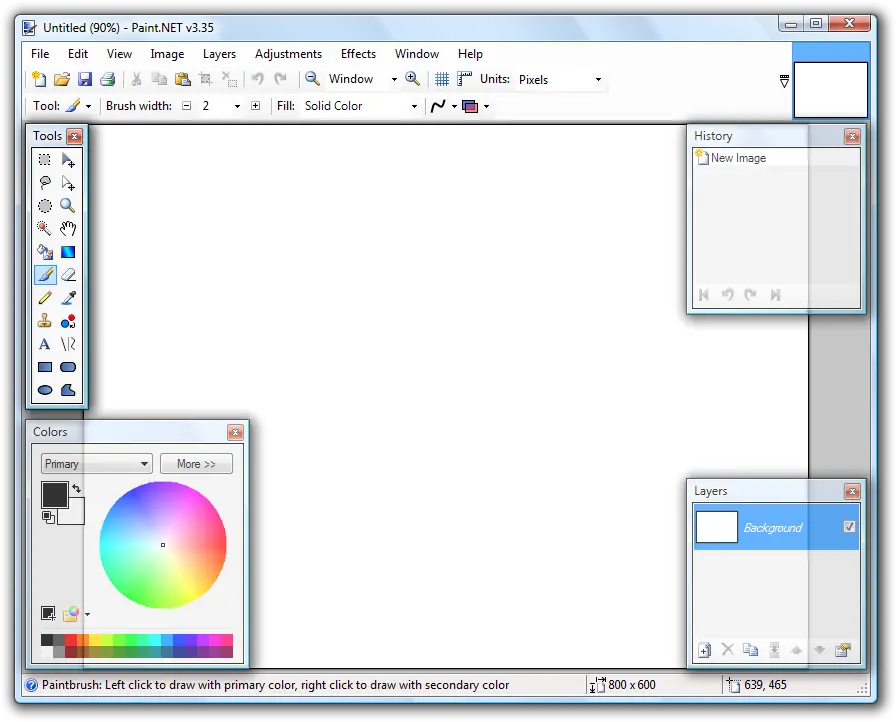
When it comes to tools, the question of cost is always on the table. With Paint.NET, it's a bit special. The basic version, the one I often recommend to my teams for quick needs, is completely free. Yes, free! It's directly downloadable and remains a fantastic option for freelance designers, students or small structures just starting out and needing a simple, effective image editing tool without impacting the budget.
Then there's the paid version available from the Microsoft Store, usually priced at around 7 to 10 euros. Here, there are no exclusive features; the core of the software remains the same. This one-off cost is above all a way of supporting the development of the tool and benefiting from simplified installation and automatic updates. For professionals who prefer this convenience or work in an environment where Store installations are preferred, this is the ideal option. It's more an investment in ease of use than a technical upgrade.
What are the key features of Paint.NET?
When it comes to image editing, layers are the lifeblood. Paint.NET is a masterclass in simplicity. I was blown away by the fluidity with which overlays are managed. No frills, just the essentials for working efficiently with the different layers of your design, whether for retouching or complex compositions. It's intuitive, and lets you concentrate on creativity without getting lost in endless menus.
But where Paint.NET really surprises is with its effects system and huge catalog of plugins. For Easy Web, you often need to quickly test renderings. The integrated tools for adjusting brightness, contrast or applying artistic filters are extremely effective. And if you're looking for something more specific, the community behind Paint.NET is incredibly active, offering a multitude of plugins to extend the tool's capabilities. It's a major asset for boosting your productivity without sacrificing quality.
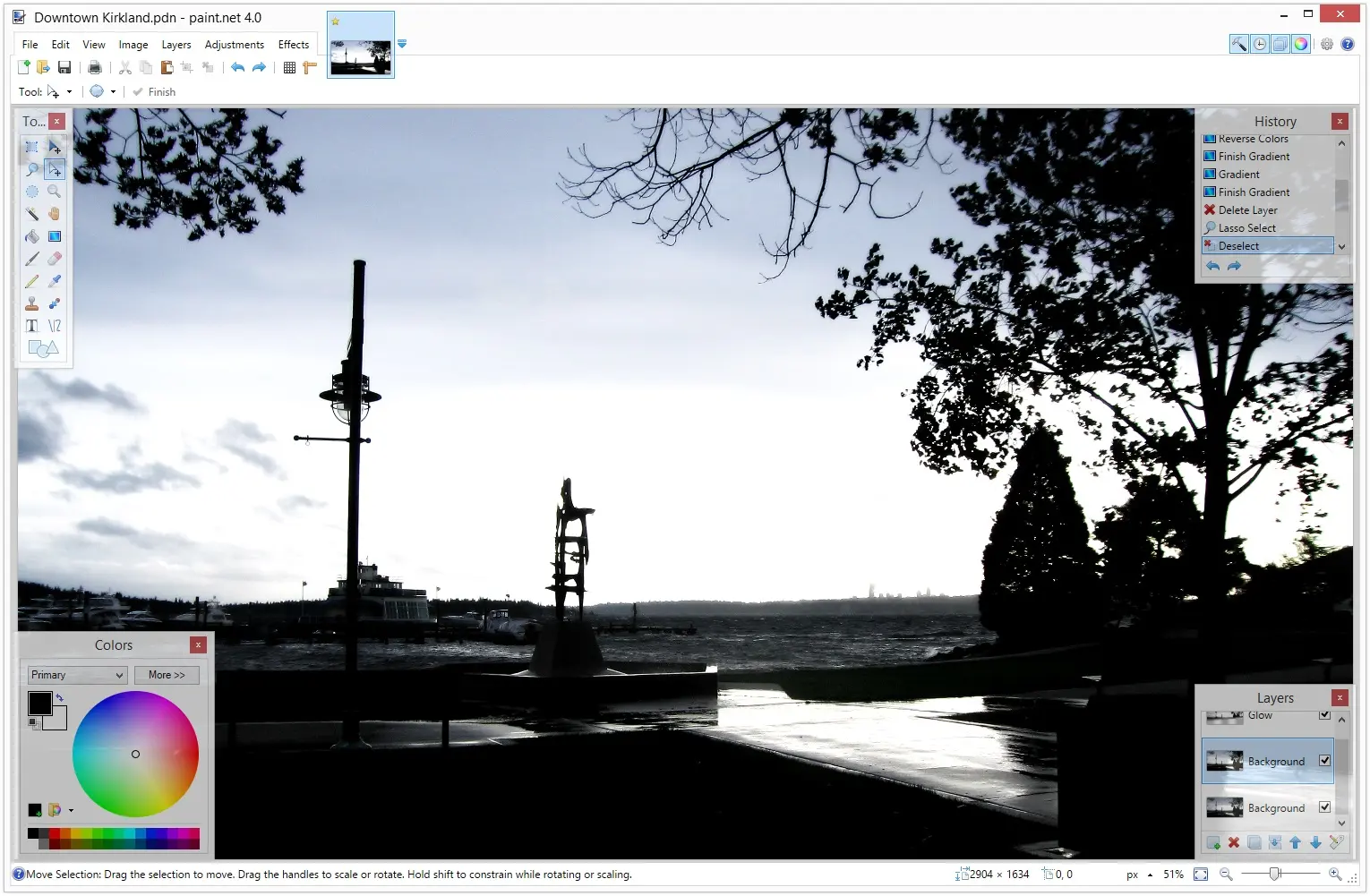
Even for a tool like Paint.NET, which might seem "limited", advanced management of layers and blending modes is a major asset. At Easy Web, we know that non-destructive editing is fundamental. Being able to superimpose elements, experimenting with modes such as "Product" or "Screen" for light or shadow effects without altering the original, is a precious time-saver. It's a solid foundation for any visual composition, even for fast web assets.
Where Paint.NET really reveals its unsuspected potential is via its open plug-in architecture. Need a particular effect or specific manipulation that isn't native? Chances are, a plugin developed by the community can do it. We've seen extensions for advanced sharpening filters or more precise selection tools, turning this free editor into a surprisingly capable solution for targeted workflows. It's a flexibility that few free tools offer.
Frankly, for complex web or design projects, Paint.NET quickly shows its limitations. Forget advanced photo retouching, non-destructive mask management, or pure vector creation. If you're working on detailed graphic charters or professional interface designs, the absence of CMYK or advanced typographic tools will be a real hindrance on a day-to-day basis.
For these demanding uses, giants like Photoshop, Affinity Photo or even GIMP (for free) offer a far more complete arsenal. Paint.NET clearly doesn't play in the same league. But don't throw it away just yet! For quick tasks, basic image editing or a first approach to layers, it remains a light, effective option.
So, what's in it for us?
Advantages:
- Lightweight and fast
- Intuitive interface
- Layer support
- Extensions (plugins)
- Free
Disadvantages:
- No native vector
- Limited photo editing
- Lack of CMYK
- No advanced non-destructive
FAQS
Is it reliable and secure?
Absolutely. Paint.NET is a well-established piece of software, and its code base is regularly reviewed by an active community. This ensures transparency and responsiveness to potential vulnerabilities. Updates are frequent and always include security patches. You can use it with confidence, as it's renowned for its stability and lightness. At Easy Web, we've often deployed it without a hitch.
Is it compatible with my other tools?
To be frank, Paint.NET is first and foremost a lightweight, stand-alone raster tool. It perfectly handles common image formats such as JPG, PNG or GIF, and its native .pdn format. However, don't expect deep compatibility with complex .PSD files (layers, smart objects) or Illustrator vector formats. It's not designed to integrate natively into an ecosystem like the Creative Cloud. Think of it as a quick fix for specific tasks, rather than a centerpiece of your cross-software workflow.
Is there responsive customer support?
No, there is no dedicated, responsive customer support in the traditional sense for Paint.NET. Being free, open-source software, support relies mainly on its community. You'll find a very active forum where users and even developers exchange ideas. Reactivity depends on the availability of the community. So you need to be able to search independently or wait for a response. It's a trade-off you have to accept for such a powerful and free tool.
What do other users think?
When I talk to my peers or scour the forums, the consensus on Paint.NET is pretty clear: it's the reference tool for anyone looking for a free, fast and lightweight alternative to Photoshop for simple retouching or basic compositions. Many appreciate its ease of learning and the richness of its plug-in community. On the other hand, if you need advanced functions such as non-destructive editing or advanced vector tools, feedback quickly shows its limitations when compared to the paid giants. An excellent entry point, but often insufficient for very demanding workflows.
Can I easily change later?
When I talk to my peers or scour the forums, the consensus on Paint.NET is pretty clear: it's the reference tool for anyone looking for a free, fast and lightweight alternative to Photoshop for simple retouching or basic compositions. Many appreciate its ease of learning and the richness of its plug-in community. On the other hand, if you need advanced functions such as non-destructive editing or advanced vector tools, feedback quickly shows its limitations when compared to the paid giants. An excellent entry point, but often insufficient for very demanding workflows.
Alternatives

Specializing in business creation, sales and digital marketing, he puts his expertise at the service of users to help them identify the solutions best suited to their needs. Passionate about digital innovation and optimizing online performance, Alexis is committed to providing detailed, transparent and unbiased comparisons.
Do you have an entrepreneurial project?
We support you in the structuring and development of your tech project. Make an appointment with one of our Business Strategists.