


.avif)





.svg)



Should Levity be used in 2025?

.svg)
Levity is positioned as an intelligent automation solution for web developers and agencies looking to simplify the processing of unstructured data, particularly through automatic document recognition and classification. In a world where AI is profoundly transforming workflows, Levity stands out as an innovative option for automating these time-consuming tasks without the need for heavy coding. But how far can we rely on Levity to effectively automate our business processes?
In this article, we'll explore Levity's strengths and limitations, its usefulness according to your business needs, as well as its positioning against the competition in 2025.
My experience with Levity
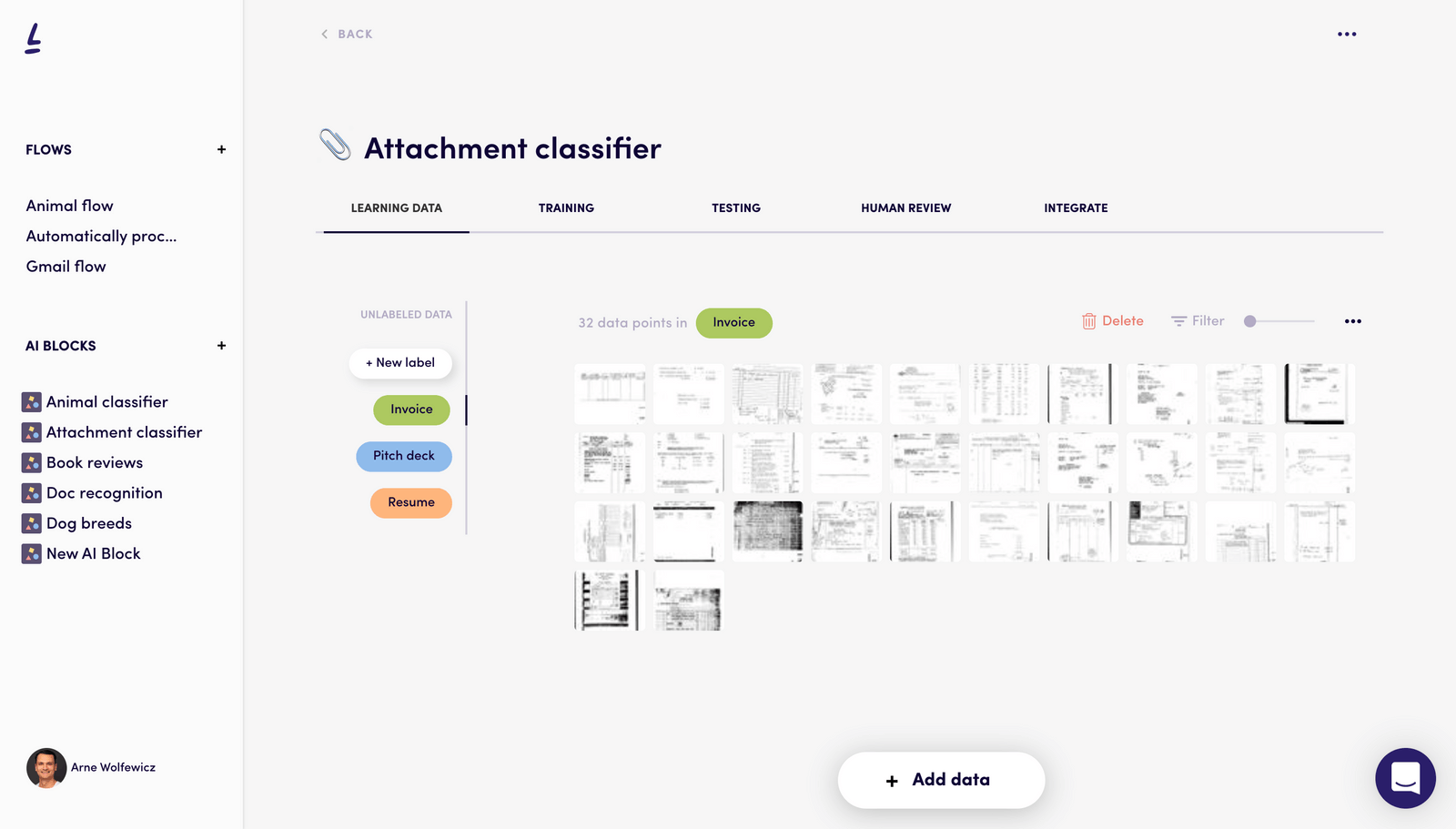
I use Levity mainly in a professional context to automate the processing of incoming documents such as invoices, emails or contracts. What I've found particularly useful is its ability to quickly train custom templates through an intuitive no-code interface. The fact that I can create automation workflows without heavy development is a real strength that has saved me time in my customer projects.
Levity excels in scenarios where text recognition and intelligent classification are required, for example to extract precise data from varied documents and route them to the right tools via integrations. This efficiency drastically reduces manual errors and streamlines workflows.
However, its limitations appear as soon as requirements go beyond simple classification or extraction, particularly when it comes to highly specific automations requiring complex business logic. What's more, its dependence on the quality of training datasets can limit its performance in certain cases.
Is Levity really useful for my needs?
The real question to ask yourself before adopting Levity is to gauge how much your business requires intelligent automation of unstructured document processing. If you spend a lot of time sorting, classifying or extracting information from your business documents, Levity could save you precious time.
Personas who can benefit from this tool include, for example, account managers who need to massively analyze incoming emails, accounting firms automating invoice entry, or digital agencies looking to simplify the management of customer contracts. In each of these cases, Levity makes it possible to rapidly deploy automation workflows without getting your hands into the code.
Another notable strength is its ability to integrate these automations with existing tools via connectors and APIs, which maximizes added value by reducing friction in your usual business tools.

Is Levity suitable for beginners?
Levity is ideally suited to beginners, thanks to its no-code philosophy and intuitive interface that lets you train AI models without writing a single line of code. Features such as drag-and-drop and step-by-step wizards make it easy to get the hang of.
For a developer just starting out or a non-technical professional, it's an excellent tool for experimenting with intelligent document automation without overly technical investment, enabling you to quickly understand the value of AI in business processes.
How much does Levity cost?

Levity offers a free package for evaluating basic functionality with a limit on the number of documents processed per month, ideal for testing or small projects.
The paid package starts at €39 per month, offering full access to unlimited custom template creation, advanced integrations via API, and priority support. This formula is recommended for small and medium-sized businesses or web agencies wishing to efficiently automate their document flow.
What are Levity's key features?
Levity's first key feature is its ability to train custom artificial intelligence models without coding. This makes it possible to tailor recognition and classification to use cases that are highly specific to your organization.
Then, Levity offers seamless integrations with various tools via APIs and connectors, enabling you to fully automate your workflows by synchronizing extracted data to your business or CRM systems.
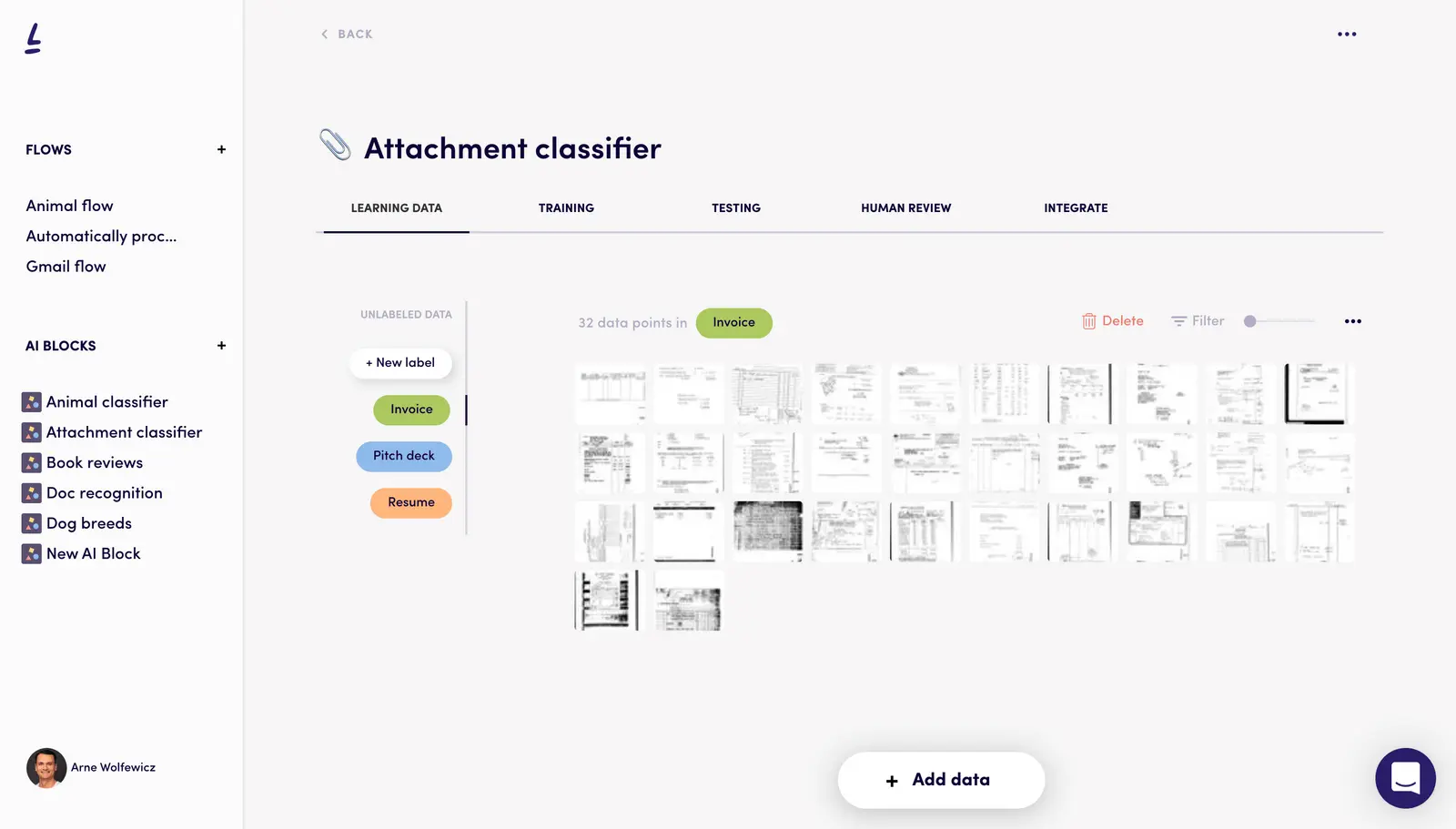
Among Levity's other advanced features are the ability to perform sentiment analysis on texts and automatically classify documents according to several customizable criteria.
In addition, Levity offers manual validation and real-time correction options, ensuring greater accuracy before full automation.
.Levity shows its limitations, particularly in use cases requiring highly specific automations or complex business logic. For example, if you need to integrate multiple decision rules or manage deeply nested workflows, the tool can quickly reach its functional ceiling.
Faced with this limitation, solutions such as UiPath or Automation Anywhere, which are more robust for robotic process automation (RPA), may be considered. However, Levity remains competitive for what it offers, thanks in particular to its easy-to-access interface and document-based AI focus.
When weighing up the pros and cons, Levity benefits from a user-friendly interface, rapid ramp-up and convincing results in intelligent recognition, but it may lack the power for very advanced or highly customized automation scenarios.
FAQS
Is it reliable and secure?
Levity uses industry-standard security protocols to ensure data confidentiality and protection, including TLS encryption for transmissions and secure storage on standards-compliant servers. The company also adopts rigorous practices for access management and data backup.
Ruggedness is notable, with a scalable cloud infrastructure. However, as with any SaaS service, trust rests partly with the provider, hence the importance of carefully checking contractual commitments and confidentiality policies according to the sensitivity of the data being processed.
Is it compatible with my other tools?
Levity is compatible with many common document formats, such as PDF, DOCX, JPG, and TIFF, and features an API for custom integrations with third-party platforms. It is also possible to connect Levity to tools such as Zapier to automate flows between different business applications.
Is there responsive customer support?
Levity's customer support is responsive with generally fast response times, including comprehensive documentation and an online help center. Pay-as-you-go users benefit from priority support, with personalized assistance and guidance in setting up workflows.
What do other users think?
Users particularly appreciate Levity's ease of use and its ability to quickly automate basic processes without development. Feedback also mentions efficiency in document extraction and classification.
On the negative side, some point to a limit in advanced customization and scalability on very high volumes or complex cases, which might require complementing with more robust tools as needed.
Can I easily change later?
Users particularly appreciate Levity's ease of use and its ability to quickly automate basic processes without development. Feedback also mentions efficiency in document extraction and classification.
On the negative side, some point to a limit in advanced customization and scalability on very high volumes or complex cases, which might require complementing with more robust tools as needed.
Alternatives

Specializing in business creation, sales and digital marketing, he puts his expertise at the service of users to help them identify the solutions best suited to their needs. Passionate about digital innovation and optimizing online performance, Alexis is committed to providing detailed, transparent and unbiased comparisons.
Do you have an entrepreneurial project?
We support you in the structuring and development of your tech project. Make an appointment with one of our Business Strategists.