


.avif)





.svg)
.svg)




Kittl has established itself as a key player in the landscape of AI-assisted design tools, often seen as a more powerful and creative alternative to more generalist platforms. It is clearly aimed at professionals and agencies who want to go beyond the simple template for advanced customization. But in the face of ultra-fast-changing technologies and the constant emergence of new solutions in 2025, does Kittl still live up to its promise for us demanding designers? From its simplicity of approach to its advanced features, not to mention its inevitable limitations, I've been using it since its launch, and I'm going to give you my unfiltered opinion on its real added value for your professional projects.
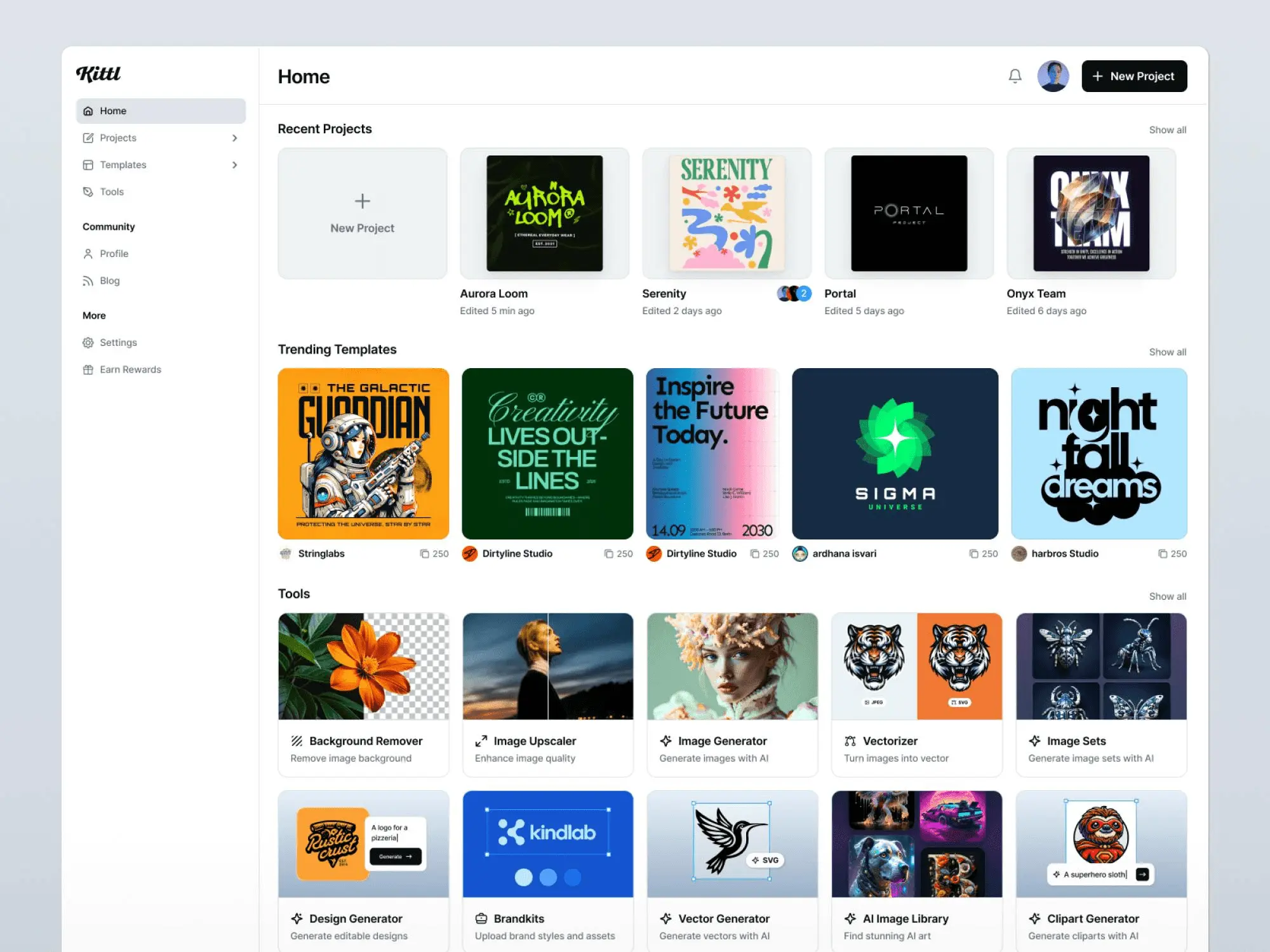
My experience with Kittl
It's already been a few years since Kittl joined our arsenal at Easy Web. As soon as I discovered it, I immediately saw the potential for out-of-the-ordinary creations. What really blew me away was its ability to generate text effects and realistic mock-ups with disconcerting speed.
For branding projects, T-shirt visuals, labels or even Instagram posts that need to click, Kittl is just incredible. It allows you to produce very high quality mockups and unique typography without spending hours on Illustrator or Photoshop. It's a huge time-saver for a professional rendering.
However, if you're looking for a solution for complex illustrations, advanced UI/UX design or total flexibility on every pixel, Kittl quickly shows its limitations. It's an excellent complement, but not a substitute for traditional graphic design tools for very specific tasks.
If you're looking for a solution for complex illustrations, advanced UI/UX design or total flexibility on every pixel, Kittl quickly shows its limitations.
Is Kittl really useful for my needs?
The real question to ask yourself before using Kittl is: what is my objective? Because its relevance depends very much on the purpose. If you're aiming for complex visuals, with advanced text effects, product mockups or vintage logos, Kittl excels. For these precise cases, it's incredibly powerful and intuitive.
Whether you're a freelance branding designer, T-shirt illustrator, or web agency looking to prototype visual identities, Kittl is a huge time-saver. It lets you quickly produce textured logo variations or make-up packaging, achieving impressive rendering quality with formidable efficiency.
Another major advantage of Kittl is its rich library of resources. Premium fonts, textures, vintage illustrations, icons... everything is integrated, ready to use and customizable. No need to look elsewhere, it's a complete creative ecosystem at your fingertips.


Is Kittl suitable for beginners?
For those just starting out, Kittl drastically simplifies the creative process. Forget the hours spent trying to understand complex interfaces. Here, getting started is almost immediate. Need a logo, T-shirt design or visual for an Insta post? Their thousands of pre-designed templates are a great starting point. And with drag & drop, creating a pro visual even with no experience becomes child's play.
What's bluffing is Kittl's ability to make you feel like an experienced designer, right from the start. Features like predefined text effects or rapid color palette generation let you achieve a professional rendering without even thinking about it. You go from idea to result in record time, and this speed is crucial when learning, as it maintains motivation and confidence.
How much does Kittl cost?
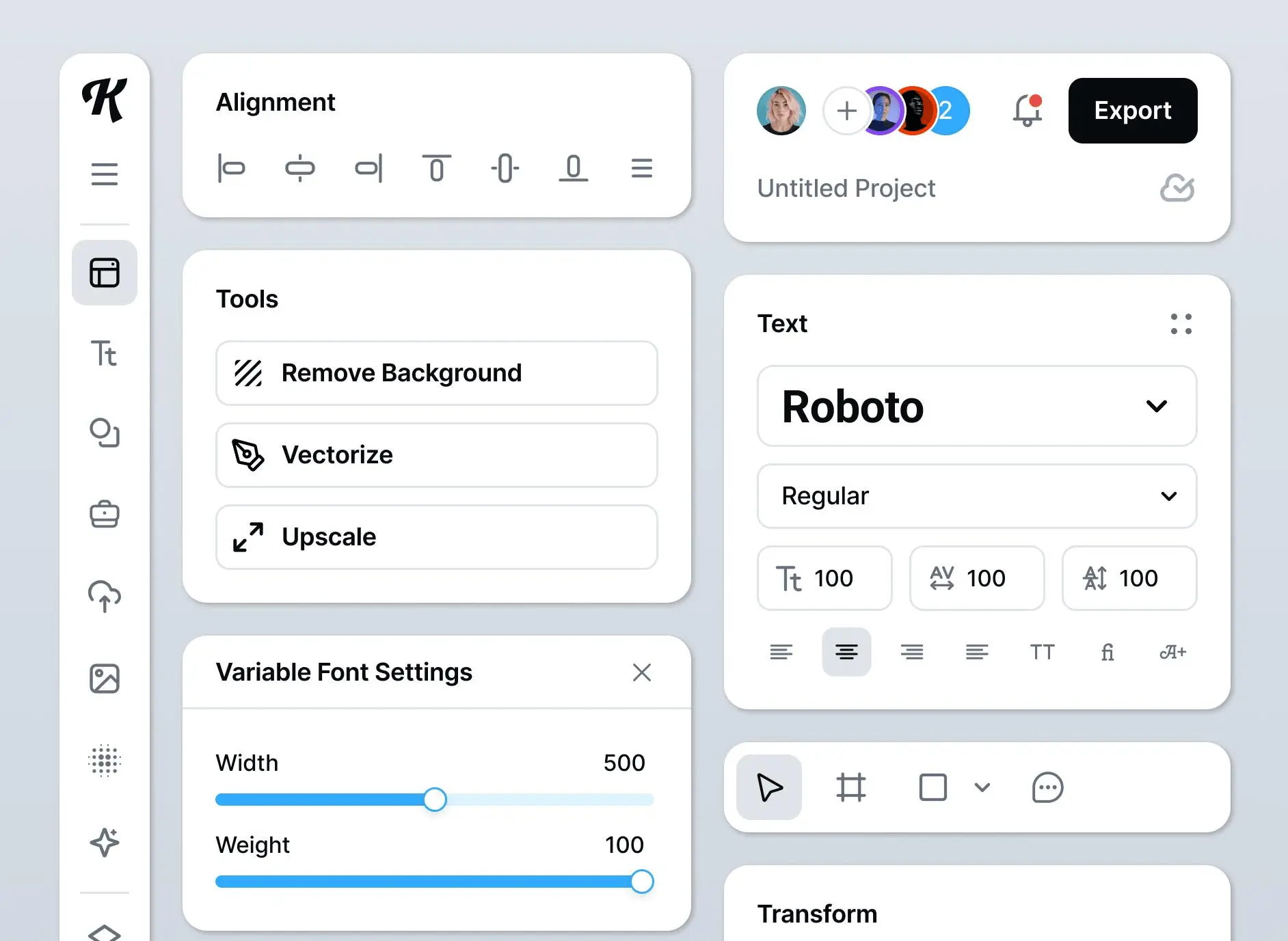
Kittl offers several formulas, each designed for a specific user profile.
The Free plan is your gateway. It lets you explore the basics of the tool and make non-commercial creations. Ideal for beginners who want to test the waters, or those with one-off, no-obligation needs.
For freelancers or content creators, the Pro plan, at around $15/month, is the tipping point. It unlocks high-resolution exports and, above all, the commercial license - essential for monetizing your designs! You also gain access to a greater number of premium assets and AI credits for your creations.
Finally, for agencies or teams, the Expert plan, often around $35/month, is fast becoming a must-have. It significantly boosts your AI credits, integrates advanced collaboration tools and offers priority support. It's the investment that pays off when you're managing multiple demanding customer projects.
What are Kittl's key features?
What really struck me about Kittl, and believe me, I've seen a lot of tools since 2020, is its amazing ability to transform text. We're not just talking about fonts, but incredibly rich typographic manipulation. Applying complex textures, distortion effects or realistic 3D shadows becomes child's play, even for renderings that would have taken hours on heavier software. You know those titles that click and give cachet to a poster or logo? Kittl makes them accessible in just a few clicks.
And if you're an agency that needs to deliver fast and well, the second strength is the formidable efficiency of their templates. Not only are they professional-quality and fully customizable, but the integration of generative AI to create elements or variations on the fly is a monumental time-saver. It's like having an ultra-fast junior who's constantly roughing you up. For our projects at Easy Web, it's a real game-changer when it comes to quick variations.
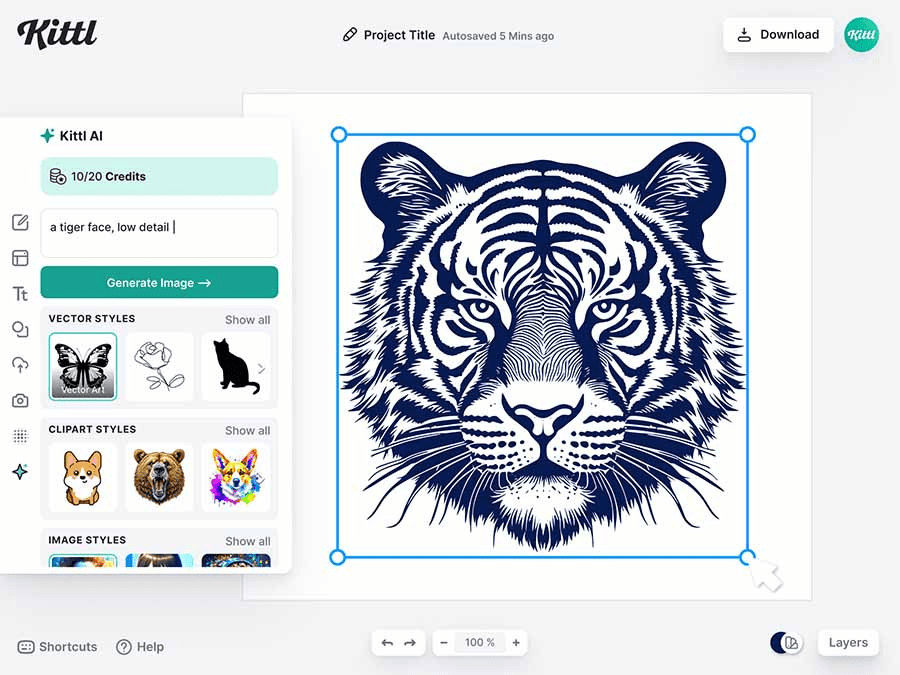
What immediately appealed to me about Kittl, as a stickler for typography, was its advanced text manipulation capabilities. We're not talking simple deformations, but complex 3D effects, customizable textures and shadows, all non-destructive. For Easy Web, it's a minor revolution. No more hours spent recreating unique renderings for titles or logos. You can iterate endlessly, testing variations without freezing your design. It's precise, fast and opens up crazy new perspectives for designers.
And let's talk about visual element generation. Kittl integrates AI functionality to create unique illustrations or icons, based on your text descriptions. The relevance of the results is astonishing. No need to search for the perfect resource in limited image banks. Got a specific concept? Describe it, and Kittl suggests options. An invaluable aid for creative exploration and for boosting the productivity of our teams, to deliver fast and with impeccable quality.
You know, when you push Kittl on projects that demand surgical precision or unlimited flexibility, you quickly hit your ceilings. For complex UI/UX design with detailed wireframes, ultra-specific vector logo creation or print layouts with bleed management and precise CMYK profiles, it just won't cut it. I've tested it, and the lack of pixel-by-pixel control or advanced vector tools quickly becomes apparent.
For these jobs, behemoths like Adobe Illustrator or Figma remain the must-haves, offering that depth and granularity that a professional expects. But Kittl isn't here to dethrone them! It excels where speed and an instant creative touch are needed, especially for impactful, stylized visuals, perfect for the web or social networks. It's a precious ally for productivity.
Advantages:
- Speed of execution for certain types of visuals.
- Library of unique styles and templates, very plug & play.
- AI features make it easy to create.
- Ideal for social media and quick branding.
Disadvantages:
- Limited control over fine details (vector, typography).
- Less suitable for professional print (CMYK management).
- Lacks some advanced features (e.g. advanced collaboration).
FAQS
Is it reliable and secure?
Absolutely. At Easy Web, we've found that Kittl puts a lot of emphasis on the reliability and security of their platform. They use robust encryption to protect your data and creations, a crucial point in 2025 with cyberthreats constantly evolving. Updates are frequent, guaranteeing a stable and resilient platform in the face of vulnerabilities. You can rest assured that your projects and information are safe. It's something we never take lightly.
Is it compatible with my other tools?
As designers, we often juggle between several tools. Kittl, although web-based, integrates well via its export options. You output your designs in SVG (ideal for vector graphics), PNG, JPG or PDF, allowing them to be reused without a hitch in Photoshop, Illustrator or Figma. This is a strong point when it comes to integrating your final creations. Just be aware that importing PSD or AI files is more for reference or as bitmap images; direct editing of these formats is not provided for. Your workflow remains fluid, but with this nuance.
Is there responsive customer support?
Kittl's customer support? I was pleasantly surprised. Their responsiveness is spot on. During my tests, the teams generally respond within 24 hours, often faster via chat if your question is urgent. That's a big plus when you're stuck with a bug in the middle of a project. They also have a well-stocked knowledge base for common queries. A real plus for peace of mind.
What do other users think?
From what I see on a daily basis, and from listening to feedback on specialist forums, Kittl is much appreciated for its ease of access and intuitive interface. Many highlight the integration of generative AI features that drastically speed up the creation of visuals. In particular, branding and digital marketing professionals praise the rich library of templates and vector resources. Some mention a short learning curve to exploit its full potential, but the general consensus remains very positive, underlining its potential to boost workflows.
Can I easily change later?
From what I see on a daily basis, and from listening to feedback on specialist forums, Kittl is much appreciated for its ease of access and intuitive interface. Many highlight the integration of generative AI features that drastically speed up the creation of visuals. In particular, branding and digital marketing professionals praise the rich library of templates and vector resources. Some mention a short learning curve to exploit its full potential, but the general consensus remains very positive, underlining its potential to boost workflows.
Alternatives
.svg)

Specializing in business creation, sales and digital marketing, he puts his expertise at the service of users to help them identify the solutions best suited to their needs. Passionate about digital innovation and optimizing online performance, Alexis is committed to providing detailed, transparent and unbiased comparisons.
Do you have an entrepreneurial project?
We support you in the structuring and development of your tech project. Make an appointment with one of our Business Strategists.