


.avif)





.svg)
.svg)



Glyphs has established itself as an essential reference for designers and typographers seeking absolute mastery in font creation, from single typefaces to complete families. But in 2025, with rapidly evolving tools and working methods, is it still the best choice for your projects? Simplicity of approach, power of functionality, potential limitations... Based on several years of intensive use, I offer you my experience and my objective opinion to help you see clearly and make the right decision.
My experience with Glyphs
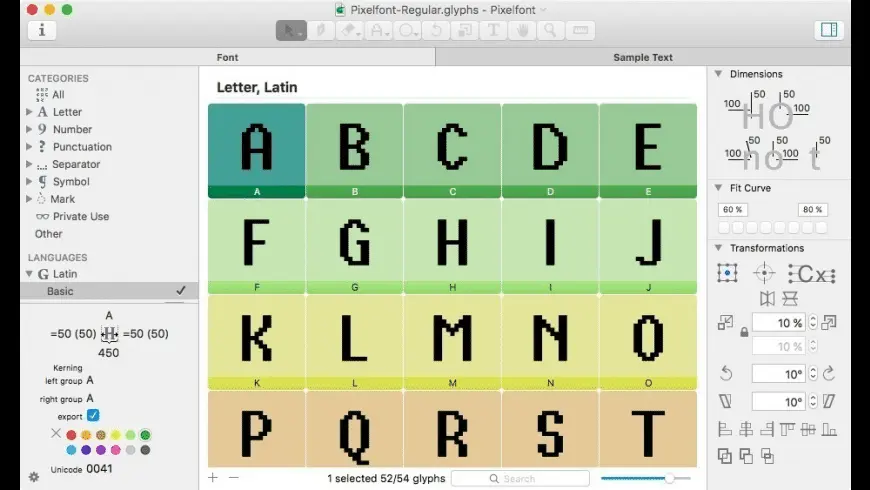
Glyphs has been a faithful companion since the beginning of Easy Web, and even before that for me. I've seen the tool evolve, grow, and it's always been at the heart of our most ambitious typographic projects. What always strikes me about Glyphs is its surgical precision in typeface design.
For anyone getting into font design, from digital lettering to complete typeface families, Glyphs is just unbeatable. Its interface, though dense, offers an intuitive logic once mastered, allowing total control over every curve, every point. It's the reference tool for demanding professionals.
However, make no mistake, this power comes at a cost. Its learning curve is steep, and its price can be a drag for freelancers or small structures just starting out. And of course, it remains a highly specialized tool, not an "all-in-one" solution for general graphics.
Is Glyphs really useful for my needs?
The real question to ask yourself before using Glyphs is: what is my objective? Because the relevance of Glyphs depends very much on how you use it. Clearly, if your aim is to design unique typography, modify existing fonts with surgical precision, or create vector icons integrated with fonts, then Glyphs is your best ally. We've seen it at Easy Web on several branding projects where typography made all the difference.
Whether you're a freelance typography designer, an agency specializing in visual identity, or even a studio developing its own branding, Glyphs gives you absolute control. Think of creating an exclusive logotype, developing a complete font family for a client, or even optimizing typefaces for specific displays. It's in these contexts that its power shines through.
Another strong point I particularly appreciate is Glyphs' flexibility with Python scripting. It allows you to automate repetitive tasks and optimize your workflow, a precious time-saver when you're managing multiple versions or need to iterate quickly on a project.
The other strong point I particularly appreciate is Glyphs' flexibility with Python scripting.


Is Glyphs suitable for beginners?
If you're new to type design, you might think that Glyphs is an impregnable fortress. But think again! I've seen designers at home adopt it very quickly for targeted tasks. You can start simply by adjusting the spacing of an existing font, or modifying a few glyphs for a logo. The interface is uncluttered for such a powerful tool, guiding you step by step towards concrete results.
It's a real sandbox for learning. Before diving into advanced features like OpenType feature code, you'll quickly master vectorization and curve handling. Numerous tutorials and an active community make it easy to get started. It's the ideal tool for transforming your curiosity into real skills without feeling overwhelmed.
How much does Glyphs cost?
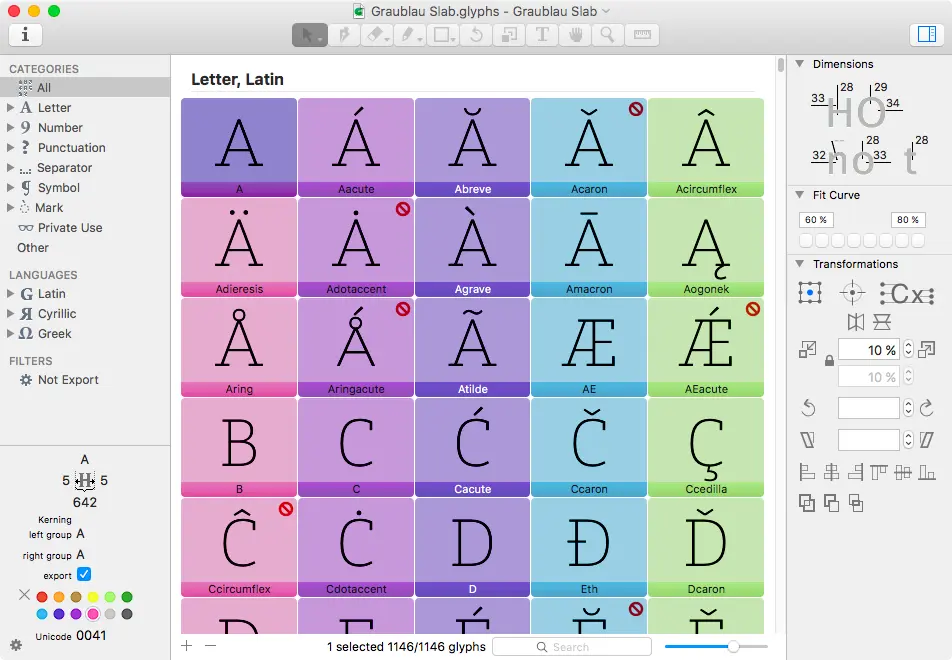
When evaluating Glyphs at Easy Web, its pricing model is a strong point: a one-off purchase, not a subscription, which is rare in 2025. The Glyphs 3 version is the pro tool par excellence, costing around €399. It's the perfect investment for experienced design studios and typographers managing variable fonts, multiple masters or complex typographic projects.
For those starting out or with lighter needs, Glyphs Mini, at around €49, is an affordable gateway. It lets you create basic fonts, ideal for general designers or students exploring typography without the complexity of full editing. An excellent value for money way to get started.
What are Glyphs' key features?
What's always impressed me about Glyphs is its management of Smart Components and interpolation. For a designer, this changes everything. You create a base, and Glyphs lets you generate variants - weights, widths, styles - almost automatically. No need to redraw each character for each variation! It's a colossal time-saver, especially for projects involving complete font families, or even for anticipating variable fonts.
Then, impossible not to mention the interface. Despite the inherent complexity of typography, Glyphs is disconcertingly clear. It's intuitive, and the workflow is designed with the designer in mind. Even if you're new to font creation, the learning curve is surprisingly gentle. This allows our teams to concentrate on creativity, not on navigating complicated software. This is essential to maintaining our efficiency.
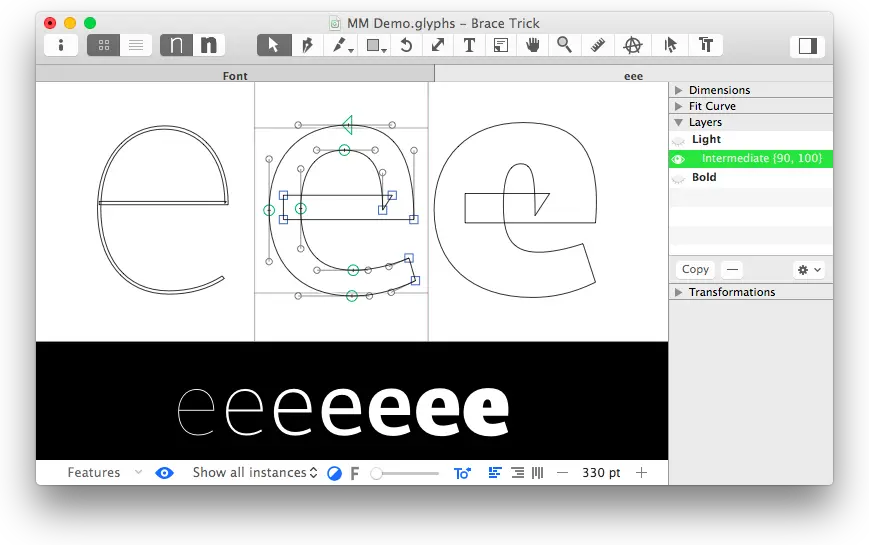
One of the first things that blew me away with Glyphs was the depth of its component management. It's not just copy and paste; it's a modular approach where every part of a typeface can be a reusable element. For us at Easy Web, when we manage font families with hundreds of glyphs and variations, this ability to modify a component and see the update applied everywhere is an invaluable time-saver. It guarantees perfect consistency and incredible flexibility.
But where Glyphs really takes the cake for professionals is with its integrated Python scripting engine. Seriously, it's a gold mine! You can automate repetitive tasks, create font data reports, or even develop your own custom tools. We were able, for example, to generate spacing variants for hundreds of kerning pairs in the blink of an eye. This is the kind of power that radically transforms your workflow.
If you think of Glyphs as your Swiss army knife of design, you're in for a disappointment. For complex illustration, layout or even user interface design, it clearly shows its limits. His realm is pure typography, creating fonts from A to Z. He's a specialist, not a versatile generalist.
For these broader tasks, we prefer tools like Adobe Illustrator, Figma or Affinity Designer. Understanding this nuance is vital to avoid choosing the wrong tool. Glyphs excels in its chosen field, offering incredible precision in sculpting every character. It's this specialization that is its real strength.
Here's a quick review of my experience:
- Advantages: Advanced specialization in font creation, surgical precision, advanced management of OpenType features.
- Disadvantages: Unsuitable for general illustration, layout or UI/UX, demanding learning curve.
FAQS
Is it reliable and secure?
Absolutely. At Easy Web, we've been using Glyphs for years, and its reliability is unquestionable. It's a mature, robust tool that handles complex typographic projects without a hitch. We've rarely had any problems with file corruption or unexpected crashes.
.On the security side, your data is mainly stored locally, which means its protection depends very much on your backup practices and the security of your operating system. The team behind Glyphs is highly responsive, with regular updates that include bug fixes and performance improvements, guaranteeing a stable and trustworthy platform. Your creations are safe.
Is it compatible with my other tools?
Absolutely! Compatibility is a major strength of Glyphs. It exports natively in OpenType, TrueType and WOFF/WOFF2 web formats, ensuring seamless integration. Your creations fit seamlessly into your usual graphic suites: Adobe Creative Cloud (Illustrator, InDesign), but also Figma or Sketch. It's crucial for us at Easy Web to have tools that interact frictionlessly. It really optimizes our design workflows.
Is there responsive customer support?
So, regarding Glyphs customer support, my personal experience is very good. When you have a pointed technical question or a bug, the answer comes via their forum or directly by e-mail. It's not 24/7 instant chat, let's be clear, but the responsiveness is there.
I've always appreciated their commitment, especially when tackling complex subjects like OpenType features or variable font exports. Their team is made up of people who really master the tool and the typographic ecosystem. It's solid support you can count on.
What do other users think?
The feedback has been overwhelmingly positive. Typography professionals praise its intuitive interface and the precision of its Bézier tools, essential for type design. The ability to extend its functionality via Python scripts is frequently cited as a major asset for automating repetitive tasks. If a certain learning curve is mentioned, it is generally perceived as a necessary investment to master such a powerful and comprehensive software. The active community is also a strong point for support and knowledge sharing. Glyphs is clearly a reference for many.
Can I easily change later?
The feedback has been overwhelmingly positive. Typography professionals praise its intuitive interface and the precision of its Bézier tools, essential for type design. The ability to extend its functionality via Python scripts is frequently cited as a major asset for automating repetitive tasks. If a certain learning curve is mentioned, it is generally perceived as a necessary investment to master such a powerful and comprehensive software. The active community is also a strong point for support and knowledge sharing. Glyphs is clearly a reference for many.
Alternatives
.svg)

Specializing in business creation, sales and digital marketing, he puts his expertise at the service of users to help them identify the solutions best suited to their needs. Passionate about digital innovation and optimizing online performance, Alexis is committed to providing detailed, transparent and unbiased comparisons.
Do you have an entrepreneurial project?
We support you in the structuring and development of your tech project. Make an appointment with one of our Business Strategists.