


.avif)





.svg)
.svg)




Framer has become the must-have solution for designers who want to transform their visions into functional websites, virtually without touching the code. It has established itself as an essential bridge between pure creation and web deployment. But in 2025, with the constant evolution of tools, is it still the best choice for your visual creations and customer deliverables? At Easy Web, we've been using Framer for years, watching it grow and become more complex. Simplicity, power, limits... Here I share my objective feedback and concrete opinion on its real usefulness, so you can make the right decision.
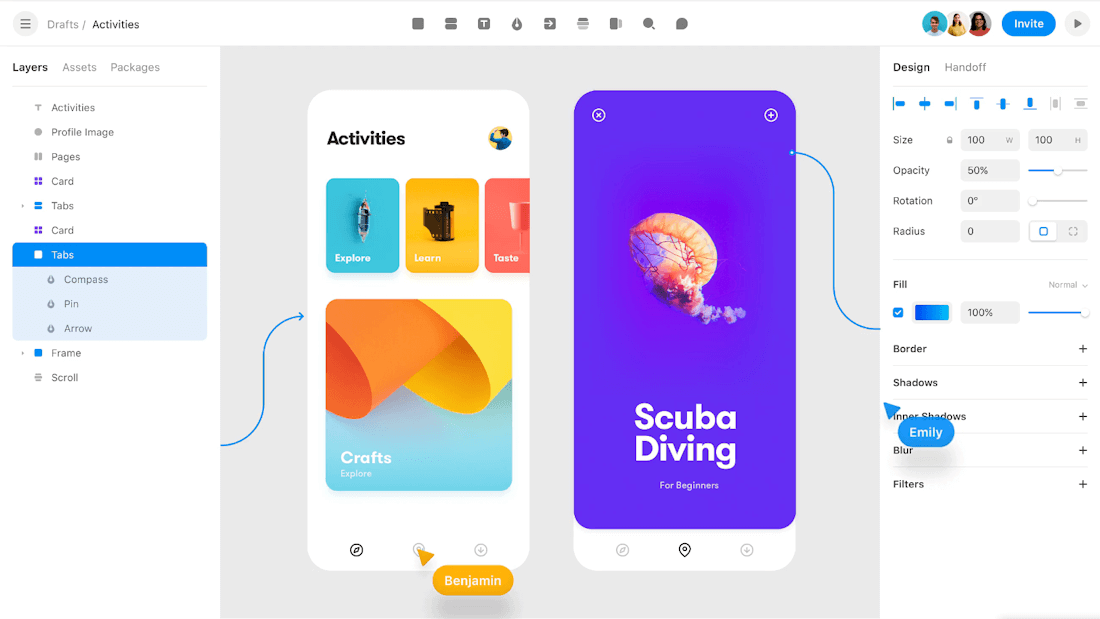
My experience with Framer
I've been using Framer for several years now, and the tool has never ceased to amaze me. From the very first tests, it clearly demonstrated its unique potential. But what really won me over was its ability to transform a design into a functional web product, without coding.
Framer particularly shines when you want to move beyond static mock-ups. It's the perfect tool for designers aiming for ultra-realistic interactive prototypes, almost indistinguishable from a real website. It lets you validate complex user paths and even publish simple sites directly.
Beware, however, that its learning curve is steeper than tools like Figma for simple wireframing. Framer is not a one-size-fits-all solution. For very basic mock-ups or projects requiring absolute coding freedom, its limitations may become apparent.
Framer is not a one-size-fits-all solution.
Is Framer really useful for my needs?
The real question to ask yourself before using Framer is: what is my objective? Because the relevance of Framer depends very much on how you use it. If your goal is to create high-performance, interaction-rich websites with impeccable fluidity, Framer is clearly a champion. It excels where a Figma stops: direct publishing and advanced prototyping.
Whether you're a freelance UI/UX designer, a web agency looking for efficiency on client projects, or even an entrepreneur who wants to launch your product quickly with a polished site, Framer gives you a distinct advantage. You can prototype with realistic animations, publish landing pages quickly, or build an interactive portfolio in a matter of hours, without writing a complex line of code.
Beyond its publishing power, Framer's ability to transform design directly into code ("design to code") is an undeniable strong point. This is a huge time-saver, reducing the need to go back and forth between design and development.
Framer's ability to transform design directly into code is an undeniable strength.


Is Framer suitable for beginners?
When I think back to our early days, I would have dreamed of a tool like Framer. For a designer just starting out, it's a real asset. No more fiddling with obscure lines of code! Framer democratizes web design with its intuitive interface. You can start with a template, drag-and-drop components, and quickly obtain an interactive prototype or a functional page. It's intelligent "no-code" that lets you turn a visual idea into reality without any technical effort.
The learning curve is gentle. You don't need to be an experienced developer. Framer lets you publish your creations - a portfolio, a landing page - without worrying about hosting. It's maximum autonomy to bring your visions to life directly on the web, a real plus for a designer who wants to prototype and iterate quickly without friction.
The learning curve is smooth.How much does Framer cost?
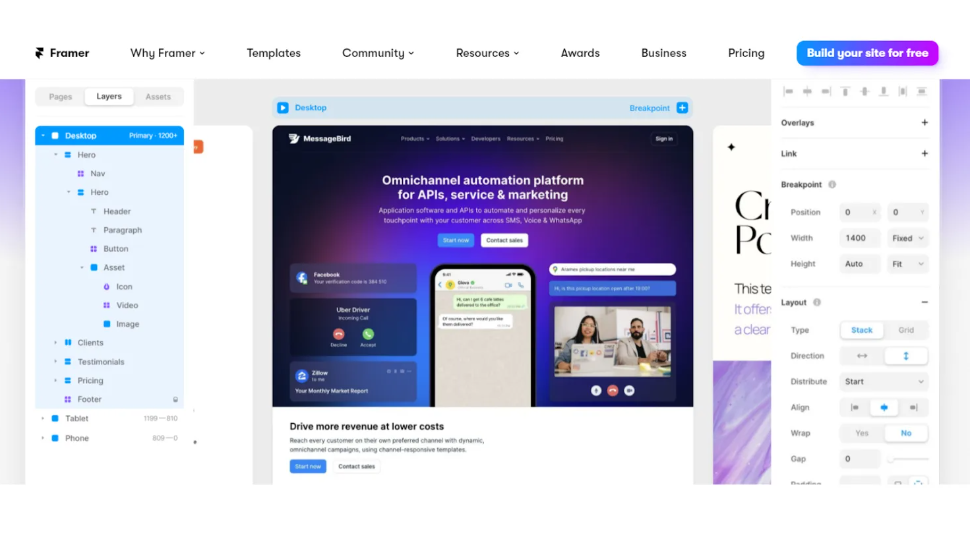
We often wonder how much it costs, Framer. Here's my take on the formulas.
The Free formula: this is your ideal springboard. It offers the essentials for prototyping and publishing a few pages. Perfect for beginners, students or just to validate an idea quickly. We've all started this way to get our bearings with the tool.
For freelancers or small teams, the formule Pro (around €19/month billed annually) is top. Unlimited projects and custom domains are included. This is the tier I recommend to take your offering to the next level and professionalize it without blowing the budget.
Established agencies or teams will opt for the Business package (around €49/month). It unlocks advanced collaboration, version history and a robust CMS. Indispensable for smooth, multi-handed management of complex projects, with the efficiency we expect in 2025.
What are Framer's key features?
What blew me away with Framer was its ability to transform a static design into a bluffing interactive experience. We're talking about prototypes so fluid and responsive that they're already approaching a final product. At Easy Web, this has enabled us to present much more lively concepts to our customers. The gap between creative vision and technical integration is virtually non-existent. A quantum leap for our workflows.
The other key feature, and a real asset for an agency like ours, is Framer CMS integration. If you're working on sites with dynamic content (blogs, portfolios, simple e-commerce), this is a revolution. No more juggling with external tools. You structure your data, manage collections and generate dynamic pages directly in Framer, without writing a line of code. Efficiency is the name of the game.
When I talk about advanced features with our teams, Framer clearly stands out for its "Overrides" and the integration of React components. It's revolutionary. You're no longer limited to static prototypes; you can inject real code, manipulate data or create ultra-customized interactions. For us, this means that designers can deliver almost production-ready experiences, reducing the back-and-forth with developers and dramatically speeding up the workflow.
The other strong point is its ability to transform your designs directly into a high-performance website, with an integrated CMS and SEO-optimized management. Gone are the days of having to recode entirely after the design. With Framer, you can link your elements to dynamic content collections in just a few clicks. This is a huge time-saver for our customer projects, enabling us to deliver live, responsive and optimized sites, without leaving the design environment. That's the power of direct delivery.
Framer shines for interactive prototyping and landing pages, that's undeniable. But for a robust CMS or complex backend functions (e-commerce, large blog), its limitations quickly become apparent. At Easy Web, we're quick to point out that it's not a one-size-fits-all solution for every project.
For these cases, Webflow, with its integrated CMS and flexibility, is more relevant. Or even React/Next.js if customization is paramount. Framer, on the other hand, remains unbeatable for transforming a mockup into a prototype that's live and publishable ultra-fast. It has its place, and it's a unique one in the ecosystem.
In brief:
Advantages of Framer:
- Fast prototyping and publishing.
- Fluid, realistic animations.
- Intuitive interface design.
Disadvantages of Framer:
- CMS and backend limitations.
- Less suitable for large projects.
- Specific learning curve.
FAQS
Is it reliable and secure?
Absolutely. As a SaaS cloud platform, Framer invests heavily in the robustness of its infrastructure. Reliability is a given, with excellent uptime that I've seen on our projects at Easy Web. On the security side, your data is encrypted, both in transit and at rest, using industry-standard protocols. They are also transparent about their compliance practices, ensuring solid protection against unauthorized access. This is a key point for us, and Framer meets the requirements.
Is it compatible with my other tools?
Framer is highly compatible. You can easily import your existing designs from Figma or Sketch, a real time-saver for your workflows. On the development side, code export is a major asset: you get ready-to-use HTML, CSS and even React. This synergy between design and code is designed to integrate seamlessly with your usual tools and processes, facilitating collaboration with developers.
Is there responsive customer support?
Frankly, Framer support is one of their strong points. We've had the opportunity to test it several times with Easy Web, and their responsiveness is excellent overall. Their live chat is particularly effective for technical emergencies. For more complex questions, the documentation is very comprehensive and the Discord community is a real goldmine. It's the kind of responsiveness that means you don't get stuck in the middle of production, and that's non-negotiable for us.
What do other users think?
Framer has been very well received, not least for its ability to rapidly transform high-fidelity designs into functional websites. Designers greatly appreciate the fluidity between the design phase and direct publication, often without a single line of code. Developers, for their part, praise the cleanliness of the generated code, facilitating integration where necessary. Of course, some point to an initial learning curve, especially to master advanced interactivity, but the community is incredibly active and supportive, rich in tutorials and resources. It's clearly seen as an essential bridge between design and development.
Can I easily change later?
Framer has been very well received, not least for its ability to rapidly transform high-fidelity designs into functional websites. Designers greatly appreciate the fluidity between the design phase and direct publication, often without a single line of code. Developers, for their part, praise the cleanliness of the generated code, facilitating integration where necessary. Of course, some point to an initial learning curve, especially to master advanced interactivity, but the community is incredibly active and supportive, rich in tutorials and resources. It's clearly seen as an essential bridge between design and development.
Alternatives
.svg)

Specializing in business creation, sales and digital marketing, he puts his expertise at the service of users to help them identify the solutions best suited to their needs. Passionate about digital innovation and optimizing online performance, Alexis is committed to providing detailed, transparent and unbiased comparisons.
Do you have an entrepreneurial project?
We support you in the structuring and development of your tech project. Make an appointment with one of our Business Strategists.