


.avif)





.svg)
.svg)




Fontpair has carved out a place for itself as a reference tool for unearthing harmonious font pairs, ideal for designers looking for quick inspiration. But in 2025, when trends are changing fast, is this tool still as relevant for our web and graphic projects? Simplicity, efficiency, and even its limits... After several years of using it regularly at Easy Web, I give you my honest opinion and comprehensive feedback on its real usefulness in the face of your creative challenges.
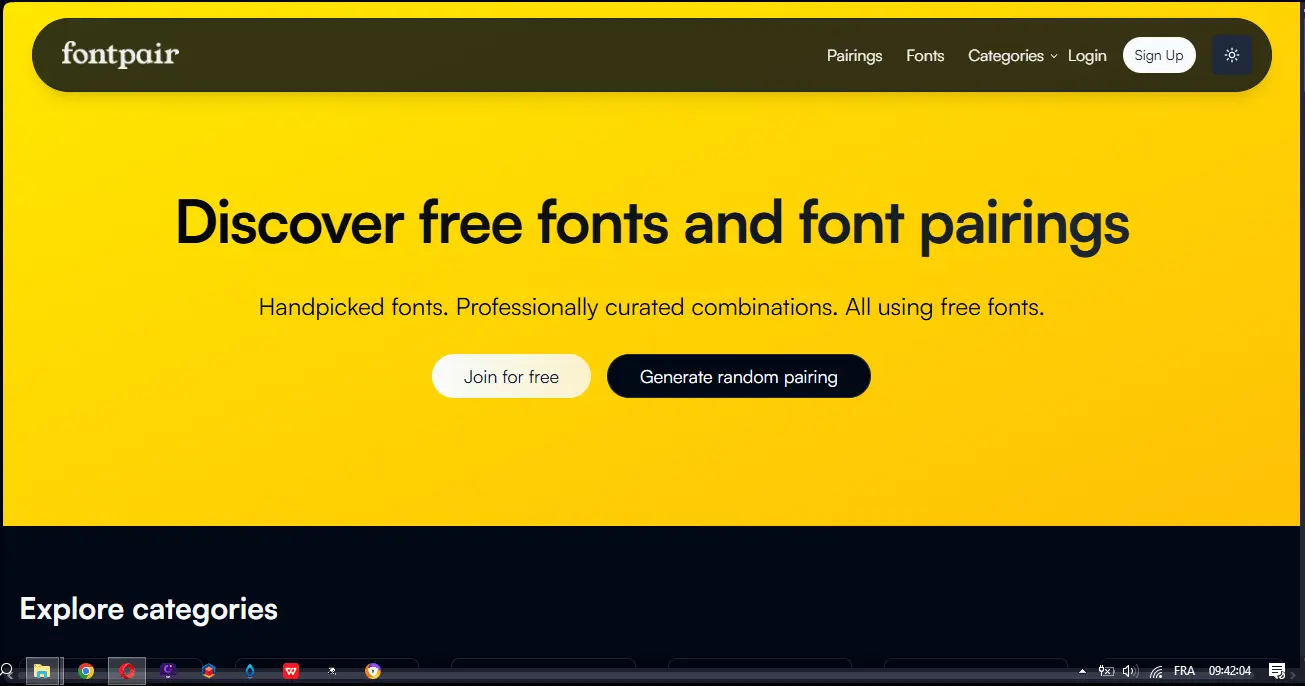
My experience with Fontpair
Fontpair is a tool that I've been using since my early days with Easy Web, and which has become a reflex for our designers. What I appreciate most of all is its ability to generate harmonious and relevant typographic associations in the blink of an eye.
Starting a web project often means coming up against the headache of fonts. Fontpair excels precisely here: it offers tried-and-tested pairs of Google Fonts, which is perfect for sketching out quick art directions or prototyping interfaces without wasting time. It's a formidable ally for the exploration phase.
That said, while Fontpair is excellent for roughing out, it's no substitute for real typographic expertise. The proposals are sometimes a little generic, and for projects with a strong identity, human intervention to fine-tune details and manage licenses remains indispensable.
Fontpair is a great ally for the exploration phase.
Is Fontpair really useful for my needs?
The real question to ask yourself before using Fontpair is: what is my objective? Because Fontpair's relevance depends very much on how you use it. Its core business is the rapid exploration of harmonious font combinations. To validate a typographic direction or enrich a mood board in just a few clicks, it's clearly a precious ally.
For the freelance designer juggling several projects, the solo entrepreneur building his visual identity, or even the marketing team of an SME, Fontpair is frighteningly efficient. Whether you need to quickly rough out options for a website, prepare client proposals with consistent typography, or just unblock a creative hesitation, the tool gives you solid leads.
Another strong point, for me, is the simplicity of its interface. No frills, just the essentials. You arrive, you see pairings, you test. This uncluttered approach facilitates rapid decision-making, without drowning you in tons of unnecessary options.


Is Fontpair suitable for beginners?
Are you new to design? Choosing the right fonts is often the first headache. Fontpair is your ideal shortcut. It offers you font combinations (often Google Fonts) that have already been tested and approved. No more hours of trial and error: you can visualize harmonious, ready-to-use pairs. For a first mockup or a quick landing page, it's perfect for seeing how it looks without being a confirmed typographer.
The big plus? You focus on the essentials of your design, without drowning in typographic theory. You hone your eye for successful associations, save an incredible amount of time and it boosts your confidence. It's a great springboard for getting started, before diving into more advanced concepts.
How much does Fontpair cost?
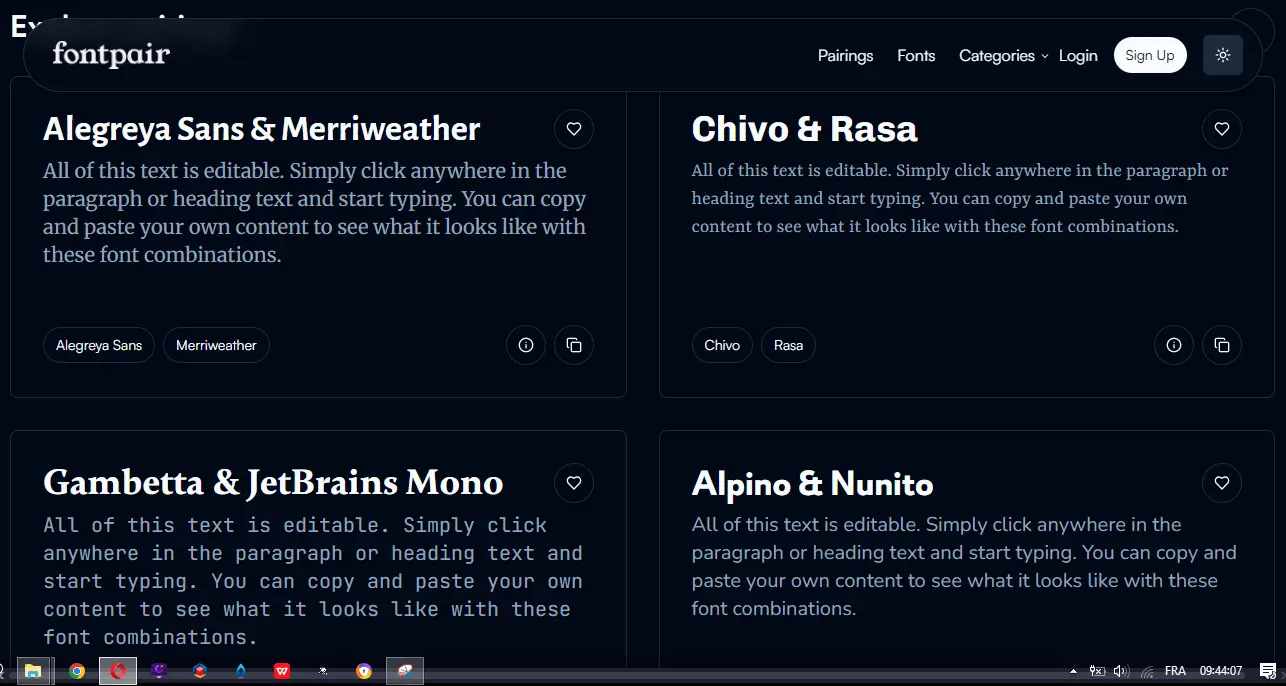
Let's talk about money, it's often the sinews of war, isn't it? The good news with Fontpair is, above all, its accessibility.
Fontpair Free: The Essentials for Everyone
You get unlimited access to thousands of Google Fonts combinations. Quick search, previews, favorites management: everything for exploration. Ideal for novice freelancers, students, or agile teams. A precious time-saver, at no cost.
Fontpair Pro (Vision 2025)
If a paid version were to see the light of day, I'd like to find cloud synchronization of collections, advanced exports (Figma, Sketch) and contextual AI suggestions. For a token monthly fee, this would be the strategic tool for agencies or senior designers looking to centralize and optimize their typographic workflow.
What are Fontpair's key features?
For Fontpair, what's immediately obvious is its ability to generate intelligent font pairs. No more endless trial and error to find the perfect combination! The tool proposes harmonious duos, often based on contrasts or similarities that work visually, in the blink of an eye. It's a monstrous time-saver for any designer concerned with typographic consistency and legibility.
Then, the live preview feature is a game-changer. Not only do you see the primary and secondary fonts side by side, Fontpair lets you view them in different text contexts - headlines, paragraphs, quotes. You can even adjust the size to better apprehend the final rendering. This is crucial for projecting and validating the impact of typography on the user experience of a site or application.
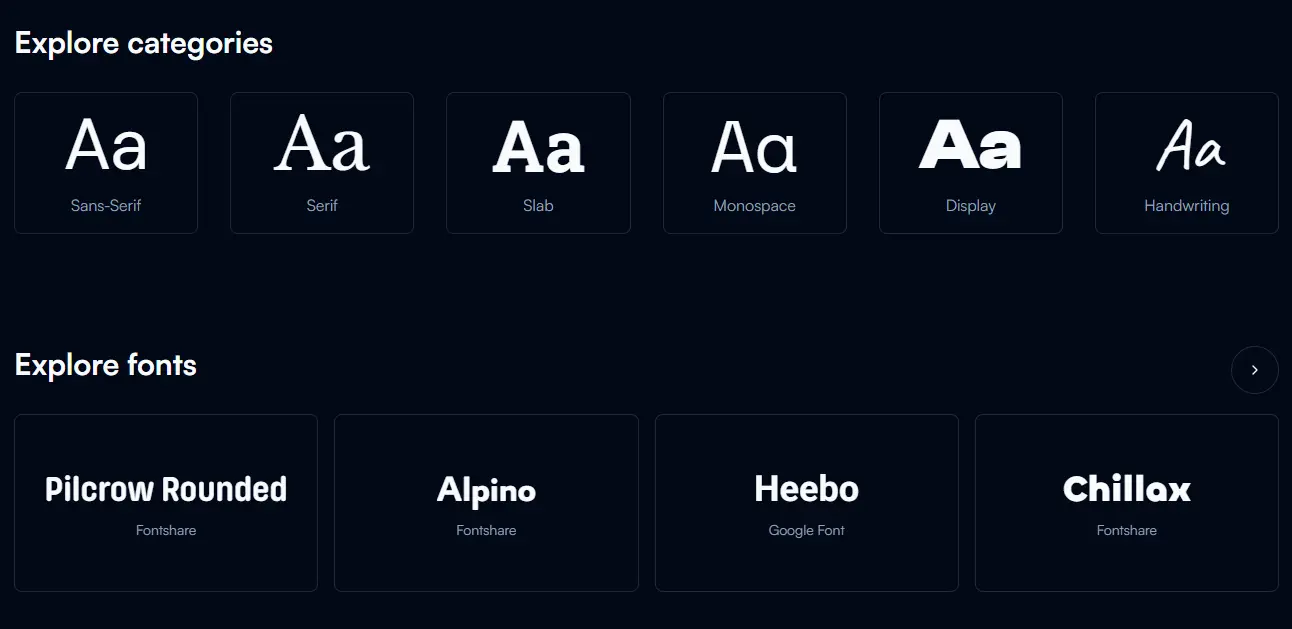
Fontpair, in 2025, has really turned a corner. What I particularly like is their contextual preview module. You no longer just see generic examples; you can simulate typography integration directly on various web page mockups. This is crucial for UI/UX, as a pair of fonts that work well on a headline may miss the mark on a block of text. This saves us a lot of time by eliminating tedious back-and-forth between the tool and our code editor.
And the icing on the cake? CSS code export. Once you've found your perfect combination, Fontpair directly generates the `@import` code for Google Fonts and the necessary CSS rules. No more manual searches for `font-family` and `font-weight`! It's a small feature, but it makes the workflow so much smoother, especially when you're managing several projects in parallel. For us at Easy Web, it's a real plus for efficiency.
Fontpair, perfect for a quick start, quickly shows its limitations. For a licensed, custom font, or a complete typographic system, it's confined to Google Fonts. The visualization of pairs in a real context (titles, body text) lacks depth.
For complex projects, tools like Adobe Fonts, Typ.io or manual experimentation are better suited, offering crucial freedom. But for quick inspiration on Google Fonts and simple projects, Fontpair remains a free and effective tool. It excels in its role.
FAQS
Is it reliable and secure?
Frankly, for a tool like Fontpair, the notion of security arises differently. It's not a service that hosts your sensitive data. It works on a front-end basis, simply displaying font combinations. Reliability, on the other hand, is spot on: the site is stable, previews are faithful, and regular updates ensure a fluid experience. I've been using it for years for projects at Easy Web, and we've never had a major problem. Zero risk on your personal info, just a good reference tool.
Is it compatible with my other tools?
No, Fontpair doesn't integrate directly as a plugin with Figma, Adobe XD or Photoshop. That is not its role. It's a reference tool that provides you with pairs of Google Fonts, with their names and CSS codes. You take this information and apply it manually in your layouts or directly in your code. Think of it as a universal resource: it gives you the ingredients, it's up to you to assemble them in your recipe. It's compatible with your workflow because it generates standard information that can be used anywhere.
Is there responsive customer support?
To be blunt, Fontpair is such an intuitive and straightforward tool that, honestly, we've never needed to request dedicated customer support at Easy Web. It's not a complex platform that generates endless tickets. The functionality is clear, the interface is uncluttered, and potential difficulties of use are virtually non-existent. In fact, the absence of traditional support underscores its robustness and ease of access. The rare updates are fluid and have never caused any problems.
What do other users think?
Frankly, the feedback I get from other design pros is ultra positive. Designers love Fontpair for its simplicity and formidable efficiency in roughing out a project. I'm often told that it's a huge time-saver when it comes to finding pairs that click quickly. The general consensus? An intuitive tool that unlocks creativity. Some would like more advanced options, but for day-to-day use by agencies and freelancers, it's clearly a must-have.
Can I easily change later?
Frankly, the feedback I get from other design pros is ultra positive. Designers love Fontpair for its simplicity and formidable efficiency in roughing out a project. I'm often told that it's a huge time-saver when it comes to finding pairs that click quickly. The general consensus? An intuitive tool that unlocks creativity. Some would like more advanced options, but for day-to-day use by agencies and freelancers, it's clearly a must-have.
Alternatives
.svg)

Specializing in business creation, sales and digital marketing, he puts his expertise at the service of users to help them identify the solutions best suited to their needs. Passionate about digital innovation and optimizing online performance, Alexis is committed to providing detailed, transparent and unbiased comparisons.
Do you have an entrepreneurial project?
We support you in the structuring and development of your tech project. Make an appointment with one of our Business Strategists.