


.avif)





.svg)
.svg)




Flaticon has established itself as THE reference for millions of designers, a mainstay when looking for icons or vector stickers. But in 2025, with the acceleration of visual demands, is this platform still the wisest choice for your creations? After years of daily use at Easy Web, from UI/UX design to integration, I give you my unfiltered opinion. Simplicity, functionalities, and yes, its limits: discover my objective feedback on its concrete usefulness for your projects.
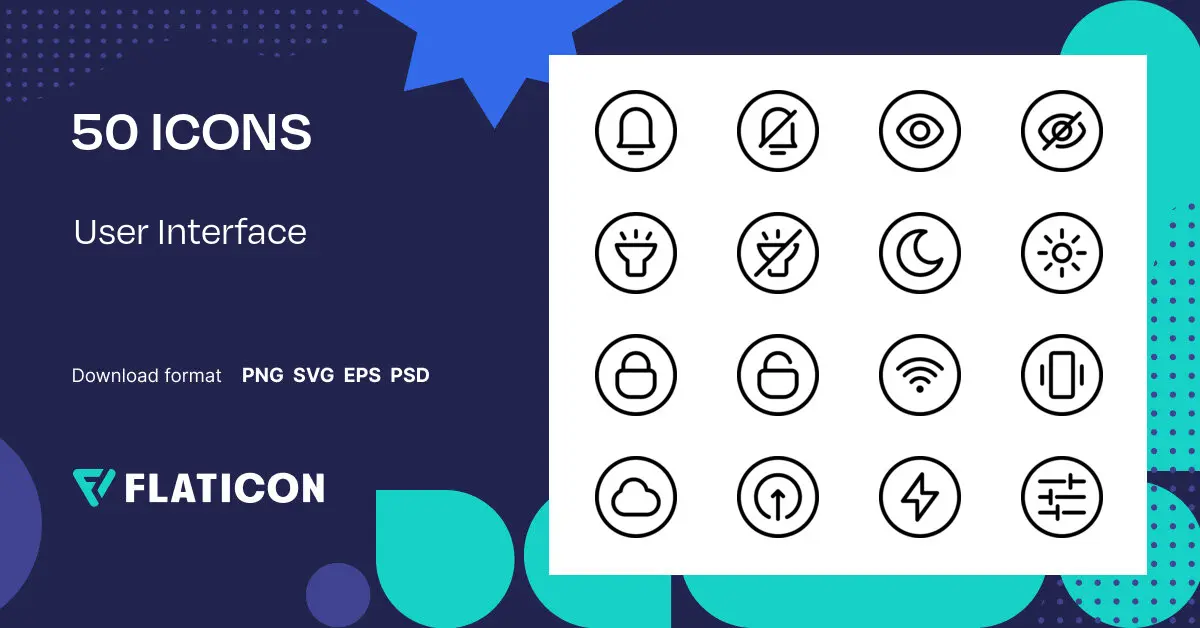
My experience with Flaticon
Flaticon has been a mainstay for me and Easy Web for over five years now. As soon as we tackle a project and need icons, it's our number one reflex. Its undeniable strong point, the one I particularly appreciate, is its absolutely gigantic library and the crazy diversity of styles available.
For quick mock-ups, UI/UX prototypes, or even fine-tuning a customer interface, Flaticon is formidable. You can almost always find the perfect icon. The ease of downloading SVGs and their rapid adaptation are crucial to guaranteeing visual consistency on all our deliverables. It saves precious time.
That said, for very unique brand identities or hyper-specific needs, Flaticon shows its limitations. Finding a complete set that's entirely bespoke becomes a challenge. Extensive icon editing requires the use of external tools, which can slightly weigh down the workflow on very complex projects.
This said, for very unique brand identities or hyper-specific needs, Flaticon shows its limitations.
Is Flaticon really useful for my needs?
The real question to ask yourself before using Flaticon is: what is my objective? Because the relevance of Flaticon depends very much on how you use it. If your need is to quickly integrate high-quality, varied and coherent icons into your web projects, UI/UX interfaces, or even presentations, then yes, Flaticon is a precious ally. It excels at the efficient deployment of symbolic visuals.
Whether you're a web developer, freelance UI/UX designer, or marketing manager managing visuals for content, Flaticon offers you a fast, professional solution. For example, for frequent e-commerce site updates with new categories, illustrating blog posts, or creating quick mockups for wireframes, Flaticon's library is an incredible time-saver.
Another major advantage is the flexibility of available formats (PNG, SVG, base64) and the ability to customize colors directly on the platform. This is essential for maintaining graphic consistency without spending hours on design software.
Flaticon is the ideal solution for all your design needs.


Is Flaticon suitable for beginners?
When you're just starting out in design, finding the right icon can turn into a nightmare. Flaticon saves you the trouble. Its search bar is intuitive, even if you only have a vague idea in mind. I've seen junior teams use it for quick mockups, social networking visuals or even customer presentations. The simple editor lets you change colors and size in the blink of an eye, perfect for non-designer profiles who want a pro rendering without drowning in complex software.
It's a real gas pedal. Instead of spending hours creating the perfect icon, you can concentrate on the essentials of your project. Flaticon gives you that freedom to have impeccable visual consistency without being an expert in vector illustration. Believe me, for beginners, it's an invaluable aid to quickly ramp up your skills and deliver polished renderings.
How much does Flaticon cost?

Let's talk directly about cost, because it's a key factor when choosing tools. Flaticon offers two options, and each meets very specific needs.
The free package is a great place to start. You have access to a huge library, but with limitations: a number of daily downloads, and above all, the obligation to attribute the source. It's perfect for a designer just starting out, or for one-off personal projects where the budget is tight.
Then there's the Premium subscription. For around €9.99 a month (often cheaper if you opt for the annual plan), you unlock unlimited access to icons, no need for attribution and, above all, access to vector formats (SVG, EPS) and PSD files. For an agency like ours, or a freelance designer managing several projects, this is an invaluable time-saver that more than justifies the investment. You pay for fluidity.
What are Flaticon's key features?
Honestly, what has always amazed me about Flaticon is the sheer breadth of their collection. I remember our early years at Easy Web, spending hours searching for the perfect icon. Today, you have access to millions of icons, available in SVG or PNG, in an impressive variety of styles: from sleek flat designs to more detailed glyphs. This is a major asset for our productivity, no more endless treasure hunting.
But the huge plus is their integrated editor. You don't just download; you can modify colors, sizes, orientations directly on the platform. It's a real Swiss army knife, allowing us to adapt each icon precisely to our customers' graphic charter without even opening a design software program. A feature that has saved us more than once, believe me.

The advanced customization capabilities of Flaticon are often underestimated. No more tedious back-and-forth with Illustrator for a simple color touch-up. Their integrated editor lets you modify SVG icons in depth: adjusting precise colors, even those of internal layers. For us, as an agency, this is a considerable time-saver when adapting an icon set to a customer's graphic charter, and that, believe me, is priceless in 2025.
Beyond editing, their "Webfont Kits" system is a real asset. Rather than exporting each PNG or SVG one by one, a complete CSS kit is generated. You integrate it into your web project in the blink of an eye, and your icons are ready, ultra-optimized for responsive and loading times. This guarantees fluid, high-performance integration, essential for today's web standards.
Flaticon is all about quantity, not always quality for cutting-edge branding. I've often struggled to find the perfect graphic consistency for demanding projects. For ultra-specific pictograms or complex illustrations, you quickly reach the limits of customization.
In these cases, I turn to Noun Project for their simplicity or Freepik/Adobe Stock for more advanced illustrations. Flaticon is nonetheless indispensable for rapid prototyping and standard projects. It retains its rightful place in my toolbox.
.In short, Flaticon:
Advantages:
- Colossal library
- Speed of access
- Multi-formats (SVG, PNG, EPS)
Drawbacks:
- Limited originality (branding)
- Cost Pro
- Low customization
FAQS
Is it reliable and secure?
Absolutely. As a major tool for millions of designers, Flaticon relies on a robust infrastructure. Their servers are reliable, and copyright management is taken very seriously. Licenses, whether free or Premium, are clearly defined, ensuring legal and secure use of their resources in your projects. Their commitment to user data protection is in line with current standards. It's a trusted player in our ecosystem, and I use it daily at Easy Web without the slightest concern.
Is it compatible with my other tools?
Absolutely, this is a major criterion for us. Flaticon is designed to integrate seamlessly into your workflow. You can download their icons in a multitude of industry-standard formats: SVG for seamless vectorization in Illustrator, Figma or Sketch; PNG for fast, seamless integration; and even EPS or PSD for other specific needs. Their dedicated plugins for Google Workspace and the Adobe Creative Cloud suite (Photoshop, Illustrator, XD) make the process much smoother. At Easy Web, we particularly appreciate the ease of exporting for the web. Compatibility is their strength.
Is there responsive customer support?
Flaticon customer support, from what we've observed at Easy Web, is generally very responsive. We're talking about a response time of 24 to 48 hours via their ticket system. For day-to-day issues - download problems, licensing questions - it's really efficient. For more complex queries, it may take a little longer, but their knowledge base is an excellent complement. No live chat, but for our teams, it clearly does the job.
What do other users think?
User feedback on Flaticon is very positive, a real consensus. What stands out most often is the immense icon library and ease of search. Designers particularly appreciate the quality of the vector assets, crucial for adaptability to all media. Integration with tools such as Adobe is another strong point. Some point to the need to check licenses carefully according to usage, but overall, it's seen as an essential tool for rapid prototyping and visual enrichment of any project.
.Can I easily change later?
User feedback on Flaticon is very positive, a real consensus. What stands out most often is the immense icon library and ease of search. Designers particularly appreciate the quality of the vector assets, crucial for adaptability to all media. Integration with tools such as Adobe is another strong point. Some point to the need to check licenses carefully according to usage, but overall, it's seen as an essential tool for rapid prototyping and visual enrichment of any project.
.Alternatives
.svg)

Specializing in business creation, sales and digital marketing, he puts his expertise at the service of users to help them identify the solutions best suited to their needs. Passionate about digital innovation and optimizing online performance, Alexis is committed to providing detailed, transparent and unbiased comparisons.
Do you have an entrepreneurial project?
We support you in the structuring and development of your tech project. Make an appointment with one of our Business Strategists.