


.avif)





.svg)
.svg)



Should you use Corel Painter in 2025?
.svg)
Corel Painter has established itself as a benchmark tool for digital painting and illustration, renowned for its incredible brush realism and rendering engine. But in 2025, with the rapid emergence of new technologies and more agile tools, is it still the ideal solution for your demanding visual creations? Stability, functional richness, learning curve... After testing and integrating it on numerous projects at Easy Web, I share with you my detailed feedback and objective opinion on its real usefulness today, depending on your specific needs.
My experience with Corel Painter
Corel Painter has been a constant companion for me for years now, both for my personal experiments and for cutting-edge customer projects. What always fascinates me is its digital brush realism, absolutely bluffing.
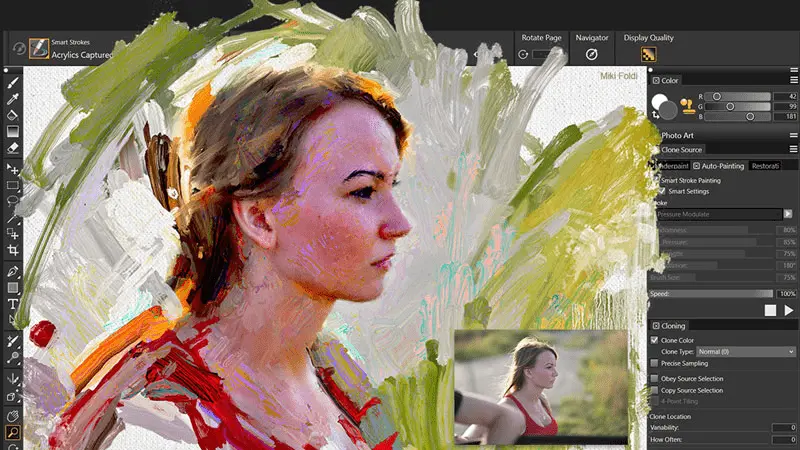
If you're looking to reproduce the authenticity of traditional painting or drawing - textures, color blends, line dynamics - Painter is second to none. It outperforms conventional vector or retouching tools, offering unrivalled creative freedom for digital illustration.
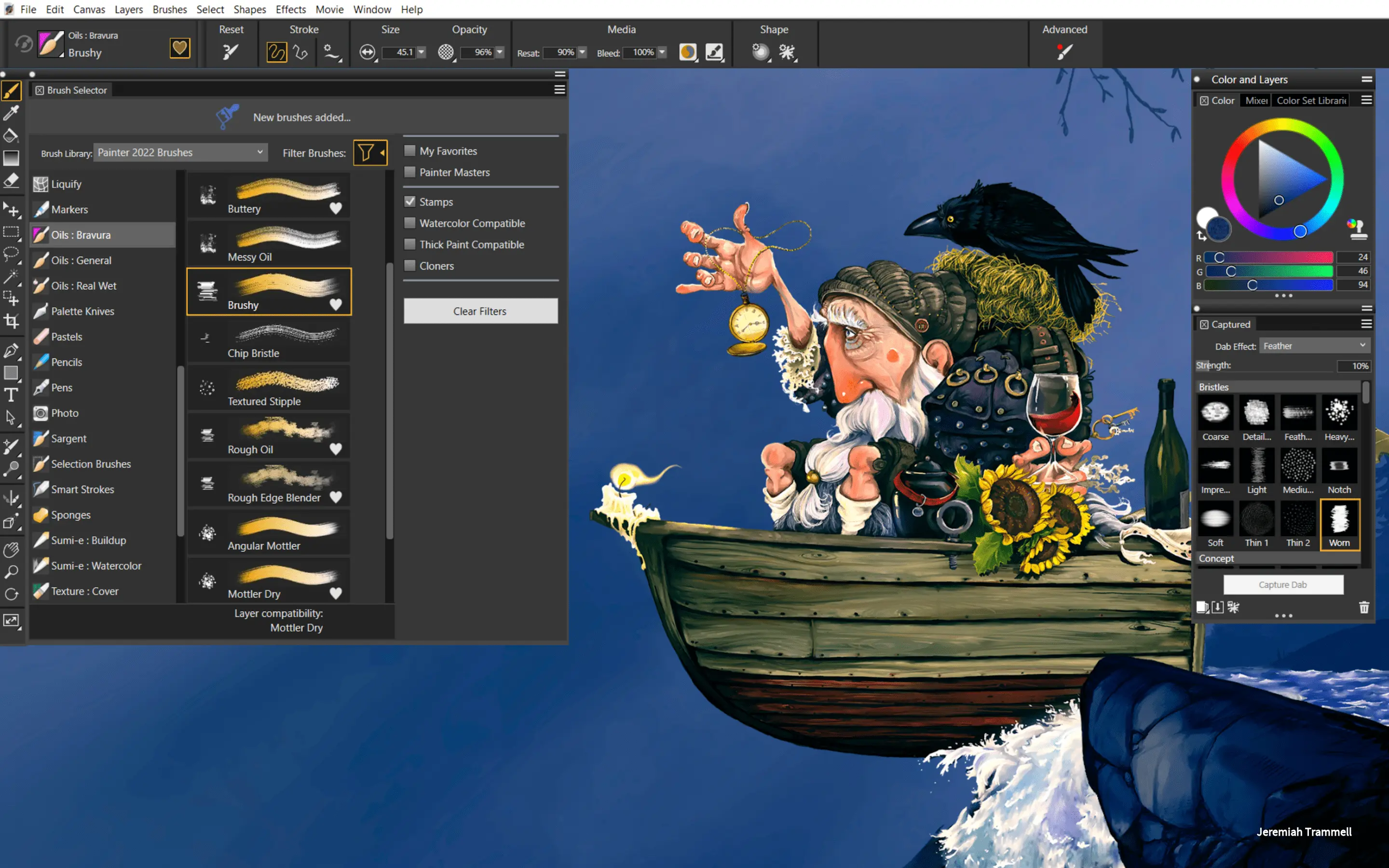
But this power has a downside: the interface is dense and requires a real investment. For less specific "natural media" needs, its learning curve and complexity can be a drag, making it less relevant than more generalist tools.
But this power has a downside: the interface is dense and requires a real investment.
Is Corel Painter really useful for my needs?
The real question to ask yourself before using Corel Painter is: what is my objective? Because the relevance of Corel Painter depends very much on how you use it. If your goal is to create digital illustrations with the feel of traditional art, its tools are unrivalled for simulating realistic brushes, inks and textures. That's where it shines, hands down.
Who should adopt it? Illustrators, concept artists, and traditional artists making the switch to digital will find it to their advantage. If you're creating work for book covers, video game character design or storyboarding, Corel Painter offers a fluidity and expressiveness that few others achieve. I've seen designers at Easy Web use it for some truly unique visuals.
Another major asset is its virtually infinite brush library. You can customize them to the extreme or create new ones, offering phenomenal creative freedom that transcends the simple click of a mouse.
Another major asset is its almost infinite library of brushes.


Is Corel Painter suitable for beginners?
When we think of Corel Painter, we often think of its immense depth and richness for experienced artists. Yet what many overlook is just how valuable an ally it can be for beginners. I've seen profiles at Easy Web start out with no experience of digital illustration and quickly find their feet. Thanks to features such as pre-set brushes that mimic traditional mediums to perfection, or the "photo-painting" option, transforming an image into a work of art becomes a surprisingly accessible experience.
The tool also offers dedicated workspaces for novices, lightening the interface so as not to overwhelm you with options right from the start. This allows you to experiment without fear, with visual aids like the composition guide to structure your first sketches. The advantage is that you progress at your own pace, discovering Painter's richness little by little. It's designed to guide you, step by step, towards more advanced mastery, without ever throwing you into the deep end.
How much does Corel Painter cost?
Let's talk about money. The cost of Corel Painter is a crucial issue. In 2025, the tool continues to shine with its perpetual license, a real breath of fresh air compared to the ubiquitous subscriptions. Acquiring the full version represents a significant initial investment. It's an ideal solution for professional designers or agencies equipping their teams for the long term, with no surprise recurring costs. For existing users, upgrade rates make updating much smoother. A clear-cut model that lets you keep your creative expenses under control.
What are Corel Painter's key features?
What's always blown me away with Corel Painter is the emulation of natural media. We're not just talking about copying the look, but recreating the feel. The RealBristle engine, for example, simulates the dispersion of real brush hairs, the way color spreads and blends. This is the Holy Grail for anyone wanting to rediscover the sensations of watercolor or oil painting, but in digital format. You can really feel the material under the stylus, it's striking.
But Painter is much more than simple reproduction. The depth of brush customization is monumental. You can adjust every parameter: paint load, angle, pressure, texture, even the way colors dynamically blend on the canvas. Therein lies its power for professionals: to create unique tools for specific renderings. I've seen our designers at Easy Web develop truly distinct styles thanks to this freedom, far from the usual presets.
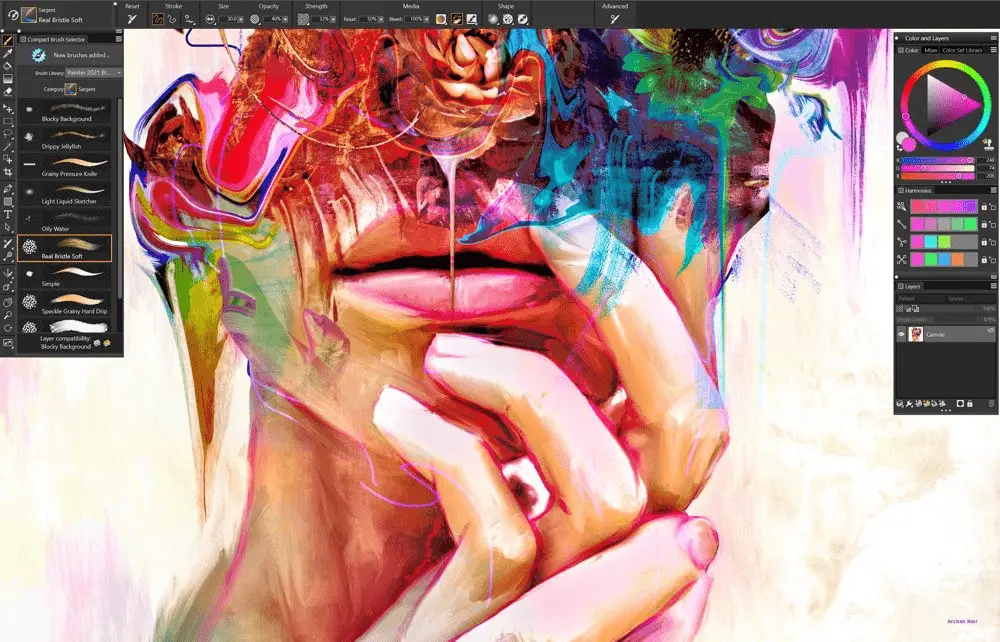
What has always amazed me about Corel Painter is the inordinate power of its brush engine. We're not just talking variations, but near-perfect simulation of traditional mediums - oils, watercolors, pastels.... The level of customization is just incredible. You can modify every parameter, from texture to reactivity, for hyper-realistic results. It's like having a complete digital art studio at your fingertips.
And if you're looking to go beyond the flat, impasto and texture management is a real revolution. Painter lets you create physical depth on your digital canvas, simulating the thickness of paint or the roughness of a surface. It's not just visual; the brushes react to this "matter", offering a unique tactile sensation that really elevates your art. It changes everything for works that require character.
If you're aiming for vector design, logo creation, or precise UI/UX mockups, Corel Painter will quickly reach its limits. Forget infinite scalability and fluid real-time collaboration; its raster engine and solo approach aren't suited to these demanding workflows. It excels in its field, but it's not a Swiss Army knife for agencies.
For these specific needs, I turn to tools like Adobe Illustrator or Figma, much more cut out for vector graphics and team workflows. But be warned: Painter's superiority remains unsurpassed for traditional art simulation with bluffing fidelity. It's an artistic thoroughbred, not a versatile line mule.
To sum up, here's what I take away:
Advantages:
- Unparalleled simulation of natural media
- Incredibly rich brush engine
- Pure artistic freedom
Disadvantages:
- No native vector support
- Limited team collaboration
- Less versatile for generalist graphic design
FAQS
Is it reliable and secure?
Reliability is the name of the game. We've pushed it on intense projects at Easy Web and it holds up, with regular updates that stabilize the experience. For security, because it's desktop software, your files stay locally on your machine. No forced Cloud or transfer of sensitive data, which greatly minimizes risk. Corel maintains high standards, with patches applied as needed. You can work with complete peace of mind.
Is it compatible with my other tools?
Absolutely. This is a major strength of Corel Painter. It's designed to integrate seamlessly with your existing design ecosystem.
Concretely, you can import and export files in PSD format, which ensures a seamless transition with software like Photoshop. It's essential for us at Easy Web to be able to switch from one tool to another without friction. Compatibility with most graphic tablets, such as Wacom, is also perfect, guaranteeing a precise and natural response from your stylus. This greatly simplifies going back and forth between the different stages of your creative projects.
Is there responsive customer support?
My experience with Corel Painter support has been mixed, but generally effective. For specific technical questions or artistic workflow issues, the user community and dedicated forums are often more responsive and rich in solutions. Corel's direct support proves efficient for licensing or installation concerns, with good response times. For advanced user tips, I always turn to their official tutorials and community resources. That's often where you find the real added value and maximum responsiveness.
What do other users think?
Look, when polling the community of designers and illustrators, Corel Painter is often unanimous on one point: its brush engine is an absolute benchmark. The realism of brushstrokes and the simulation of traditional media are astounding. Clearly, this is its greatest strength. The other side of the coin is that this power comes with a learning curve that some may find steep. The interface can be disconcerting at first, it's true. But for those seeking pure excellence in digital painting, it's a popular choice.
Can I easily change later?
Look, when polling the community of designers and illustrators, Corel Painter is often unanimous on one point: its brush engine is an absolute benchmark. The realism of brushstrokes and the simulation of traditional media are astounding. Clearly, this is its greatest strength. The other side of the coin is that this power comes with a learning curve that some may find steep. The interface can be disconcerting at first, it's true. But for those seeking pure excellence in digital painting, it's a popular choice.
Alternatives

Specializing in business creation, sales and digital marketing, he puts his expertise at the service of users to help them identify the solutions best suited to their needs. Passionate about digital innovation and optimizing online performance, Alexis is committed to providing detailed, transparent and unbiased comparisons.
Do you have an entrepreneurial project?
We support you in the structuring and development of your tech project. Make an appointment with one of our Business Strategists.