


.avif)





.svg)
.svg)




Coolors has become a reflex for thousands of designers, an essential reference when it comes to generating harmonious color palettes in just a few clicks. It's the quick and easy tool par excellence. But in 2025, in a fast-moving ecosystem, is it still relevant to your projects and your teams? After years of using it on an almost daily basis at Easy Web, I'd like to share my unfiltered feedback with you. We're going to talk about its simplicity, its hidden features and its limitations, so that you have all the cards in your hand.
My experience with Coolors
Coolors? I integrated it into my workflow long before Easy Web came into being. This tool has become a matter of course for pallet generation. If I had to remember just one thing, it's its dazzling speed in exploring relevant chromatic combinations.
For a project just starting out, when you need a solid foundation for visual identity or simply to inspire a client, Coolors is unbeatable. You click, lock in a color you like, and the AI suggests harmonies in real time. It's a huge time-saver, especially under the pressure of deadlines.
That said, beware. For very specific needs, such as the fine management of CMYK color models for printing or complex design systems with thousands of tokens, Coolors can show its limits. It excels in rapid exploration, less so in managing completeness.
Is Coolors really what I need?
The real question to ask yourself before using Coolors is: what is my objective? Because the relevance of Coolors depends very much on how you use it. If your need is to quickly generate harmonious color palettes, to find inspiration in the blink of an eye, or to start from a specific color to build an ensemble, then yes, Coolors is the tool for you. It's unbeatable for that first phase of ideation or quick validation.
Whether you're a UI/UX freelancer starting a new project, a web developer needing a chromatic base for your site, or even a marketing manager looking for shades for a new campaign, Coolors will save you precious time. I've seen teams use it for moodboards, quick site mock-ups, or to prepare templates for social networks. Its effectiveness is undeniable for these uses.
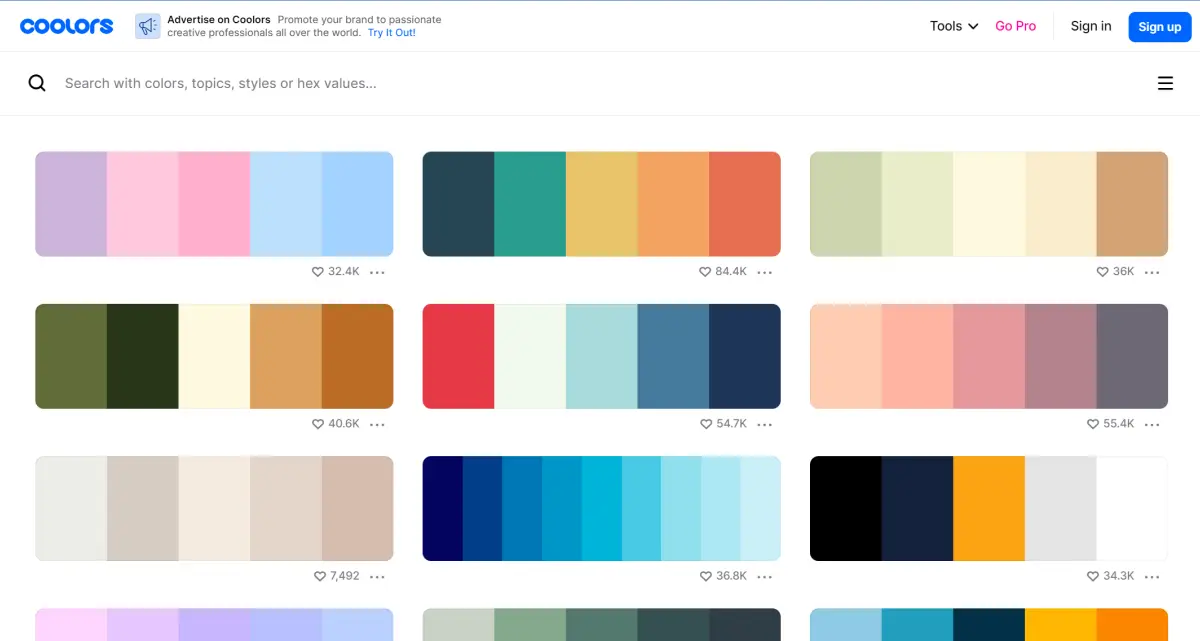
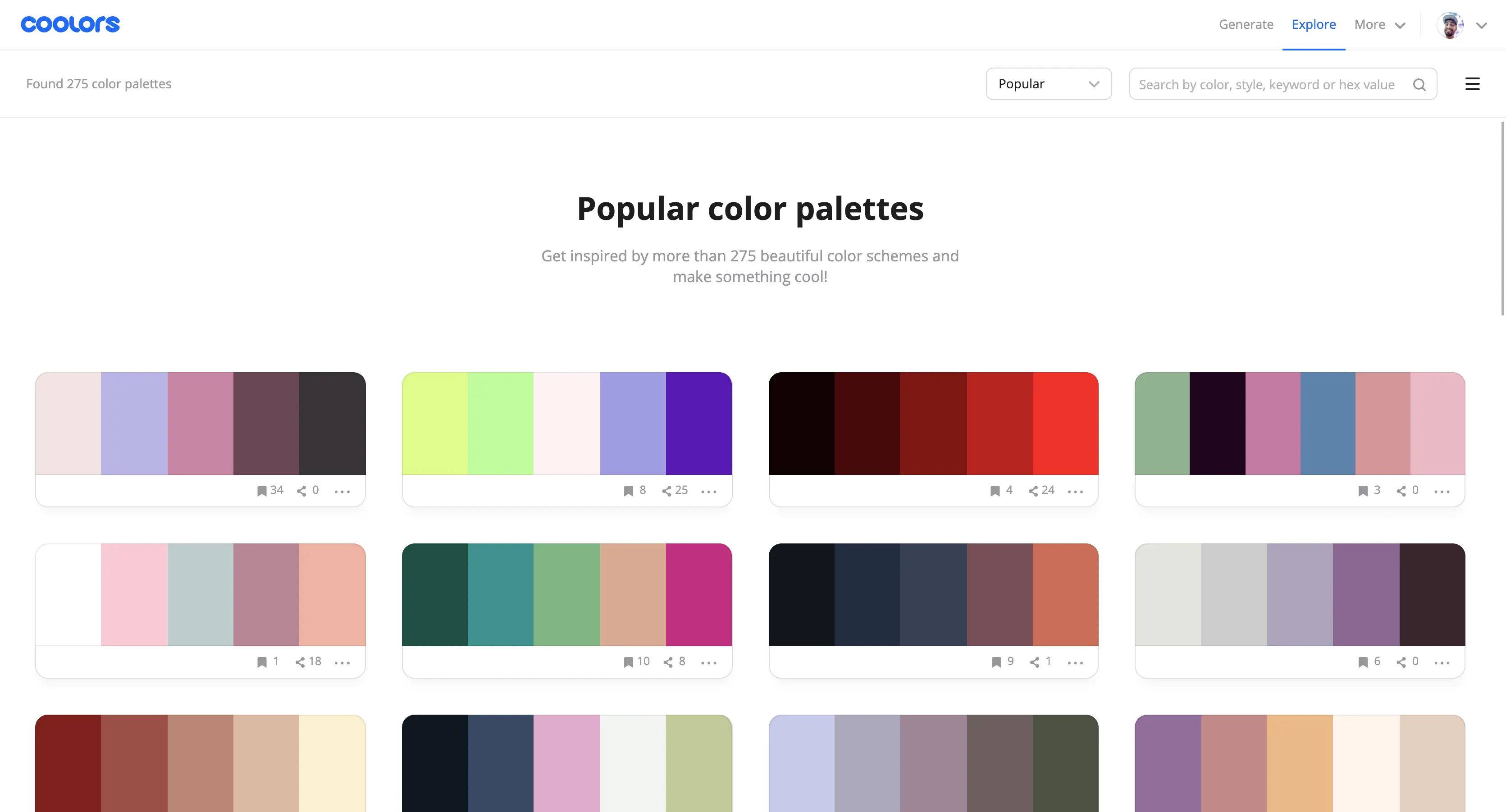
Another of its strong points is its exploration functionality. You can browse thousands of community-generated palettes, which is an invaluable source of inspiration. It's perfect for thinking outside the box and discovering combinations you'd never have thought of.


Is Coolors suitable for beginners?
When you're just starting out in design, finding the right color palette is often the first real challenge. Coolors, I've often recommended for this, and not just at Easy Web. It's a fantastic starting point. Random generation, just by pressing the space bar, is an almost magical way to unlock your creativity. You can also explore thousands of trendy palettes, it opens your mind to what works visually.
What's great for a novice is its simplicity. You can lock in a color you like and keep generating around it, refining shades to see how they interact. It teaches you color relationships intuitively. And export in all the essential formats (HEX, RGB, CMYK)? It's a gold mine for understanding the technical basics without getting bogged down. It's essential that you learn by doing.
How much does Coolors cost?
The free version is your starting point. It lets you generate and explore basic palettes. Ideal for students or occasional inspiration. Zero euro, perfect for testing the tool.
For the solo or freelance designer, the formule Pro (approx. €4.99/month) is a must. It unlocks unlimited recording, advanced exports (SVG, CSS) and better organization. A key investment for an optimized workflow.
Agencies and teams will opt for the formule Team (around €14.99/user/month, annual). All Pro functions are included, plus real-time collaboration. A cost justified by the efficiency and coherence of collective projects.
What are Coolors' key features?
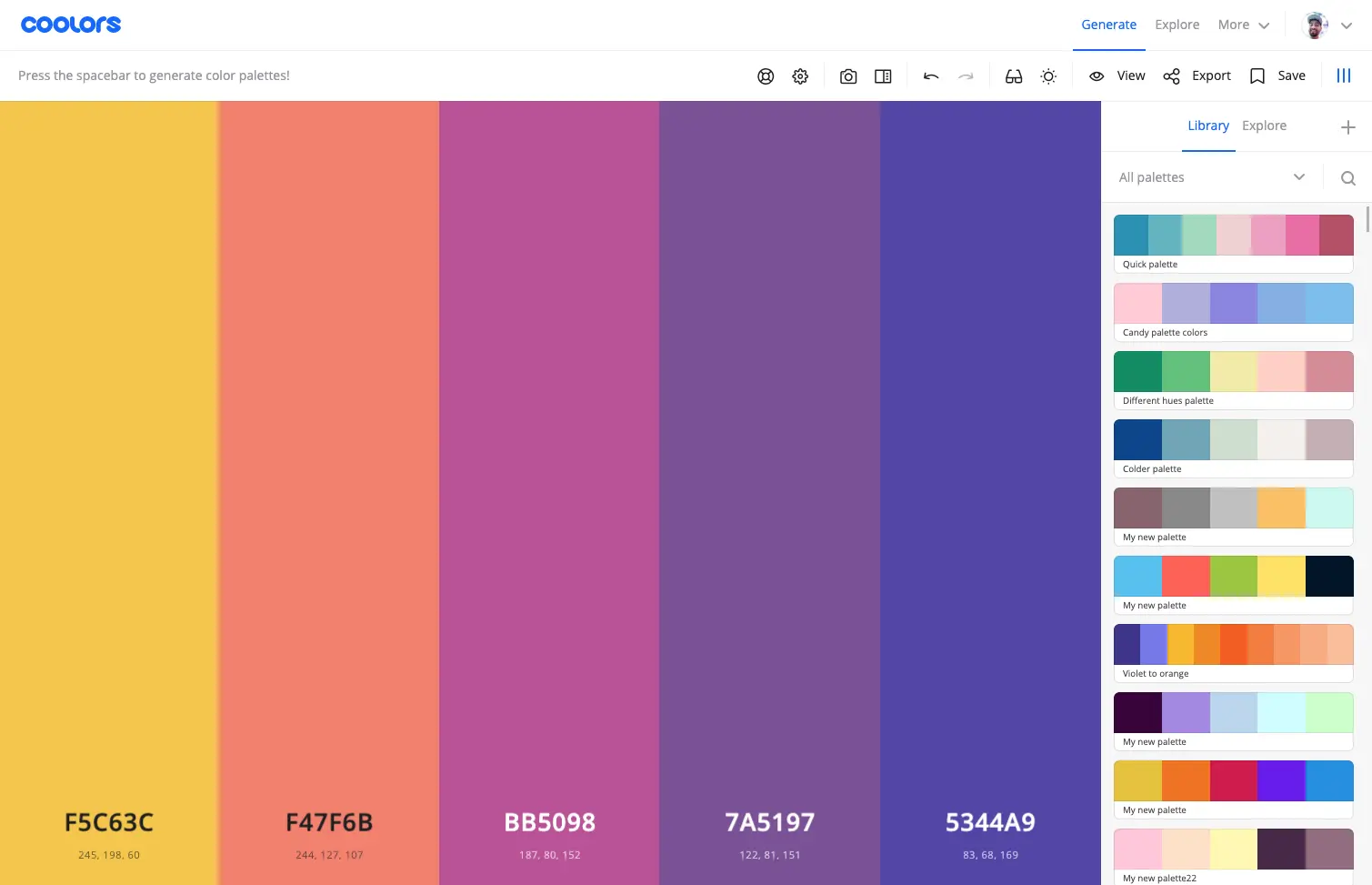
Have you ever had that moment when color inspiration eludes you, but the clock is ticking? Coolors' palette generator is the express solution. Just press the space bar, and a new harmony takes shape. It's perfect for roughing out a concept, launching a quick moodboard or testing out daring combinations. At Easy Web, we often use it at the start of a project to lay the first visual bricks without getting bogged down. Guaranteed to be extremely effective.
But Coolors doesn't stop at pure generation. What's powerful is the absolute control you retain. You can lock in your favorite shades and let the tool suggest variations around them. Adjustment is surgical: modify HEX, RGB, HSL, explore gradients... You fine-tune each color with millimetric precision. It's this ability to go from creative explosion to meticulous finish that makes the tool indispensable for designers like us.
How many times have you seen an image and wanted to extract the perfect color palette? Coolors makes it ultra-easy. Its palette extraction function from an image is a game-changer. You upload your visual, and the tool instantly identifies the dominant hues. For me, it's a huge time-saver for brand consistency on our Easy Web projects, or simply to start a new creation with a solid, inspiring visual base.
Beyond creation, integration is key. Coolors excels with its comprehensive export options. Whether in CSS/SCSS for our integrators, in SVG, or via direct plugins for Adobe suites (Photoshop, Illustrator, XD), fluidity is exemplary. This ability to inject the palette directly into our production tools guarantees that every pixel respects the charter. Less friction, more efficiency for our teams.
Coolors is fast, a stroke of genius for project start-ups, there's no denying it. But for mandates requiring complex palettes, such as precise thematic integration from an image or advanced accessibility checks (WCAG), it can quickly be limited. He doesn't think for you, he generates.
This is where tools like Adobe Color, with their finer harmonic rules, or dedicated accessibility generators like Contrast Checker, take over. Coolors remains fantastic for "quick win" and track exploration, a must-have in your arsenal despite these small shortcomings.
To sum up, Coolors is:
Benefits:
- Speed of generation.
- Intuitive, user-friendly interface.
- Multiple export options.
Drawbacks:
- Lack of advanced built-in accessibility tools.
- Little contextual guidance (e.g. from an image).
- Less suitable for highly nuanced or complex palettes.
FAQS
Is it reliable and secure?
Absolutely. From my experience and that of the team, Coolors has always proved highly reliable. Regular updates ensure constant stability and the swift correction of any bugs, a sign of active maintenance.
Security-wise, being a web-based tool, it relies on standard encryption protocols (such as SSL/TLS) to protect data exchanges between your browser and their servers. Your created palettes remain private, and their privacy policy is transparent. We use it on a daily basis without any concerns on these points.
Is it compatible with my other tools?
Absolutely. Coolors excels at exporting your palettes in a variety of standard formats: HEX, RGB, CMYK, but also CSS variables or even SVG and PDF files. This makes for seamless integration with most software. For our part, we use these exports directly in Figma for our mock-ups, or integrate CSS variables in Webflow or our code projects. No friction, you work directly with the right color codes.
Is there responsive customer support?
The responsiveness of Coolors support, for a tool of this nature, is quite honest. At Easy Web, we've seen returns via their contact form within 24 to 48 hours, which is a classic turnaround time for a freemium service. This is sufficient for most non-critical requests. For emergencies or very specific issues, their exhaustive documentation and active community are often your best allies. Don't expect 24/7 live chat, but the system works well.
What do other users think?
Frankly, the feedback has been overwhelmingly positive. What our teams and other design professionals remember is the disconcerting speed with which we generate coherent palettes. It's a monstrous time-saver on a daily basis. The versatile export to formats such as CSS or Adobe files is also constantly praised for its efficiency. Many comment on the almost instantaneous inspiration it provides, even when faced with a creative block. It's a reflex for rapid prototyping or exploring new graphic charts. Truly a key tool for an optimized workflow.
Can I easily change later?
Frankly, the feedback has been overwhelmingly positive. What our teams and other design professionals remember is the disconcerting speed with which we generate coherent palettes. It's a monstrous time-saver on a daily basis. The versatile export to formats such as CSS or Adobe files is also constantly praised for its efficiency. Many comment on the almost instantaneous inspiration it provides, even when faced with a creative block. It's a reflex for rapid prototyping or exploring new graphic charts. Truly a key tool for an optimized workflow.
Alternatives
.svg)

Specializing in business creation, sales and digital marketing, he puts his expertise at the service of users to help them identify the solutions best suited to their needs. Passionate about digital innovation and optimizing online performance, Alexis is committed to providing detailed, transparent and unbiased comparisons.
Do you have an entrepreneurial project?
We support you in the structuring and development of your tech project. Make an appointment with one of our Business Strategists.