


.avif)





.svg)
.svg)



Colormind has established itself as a simple and effective tool for generating color palettes, often the reflex when looking for quick chromatic inspiration. But in 2025, is it still a good idea to use it for your visual creations? Simplicity, functionality, limits... I've been using Colormind for several years now, since the first Easy Web projects, and here I share my complete feedback and objective opinion on its real usefulness according to your needs.
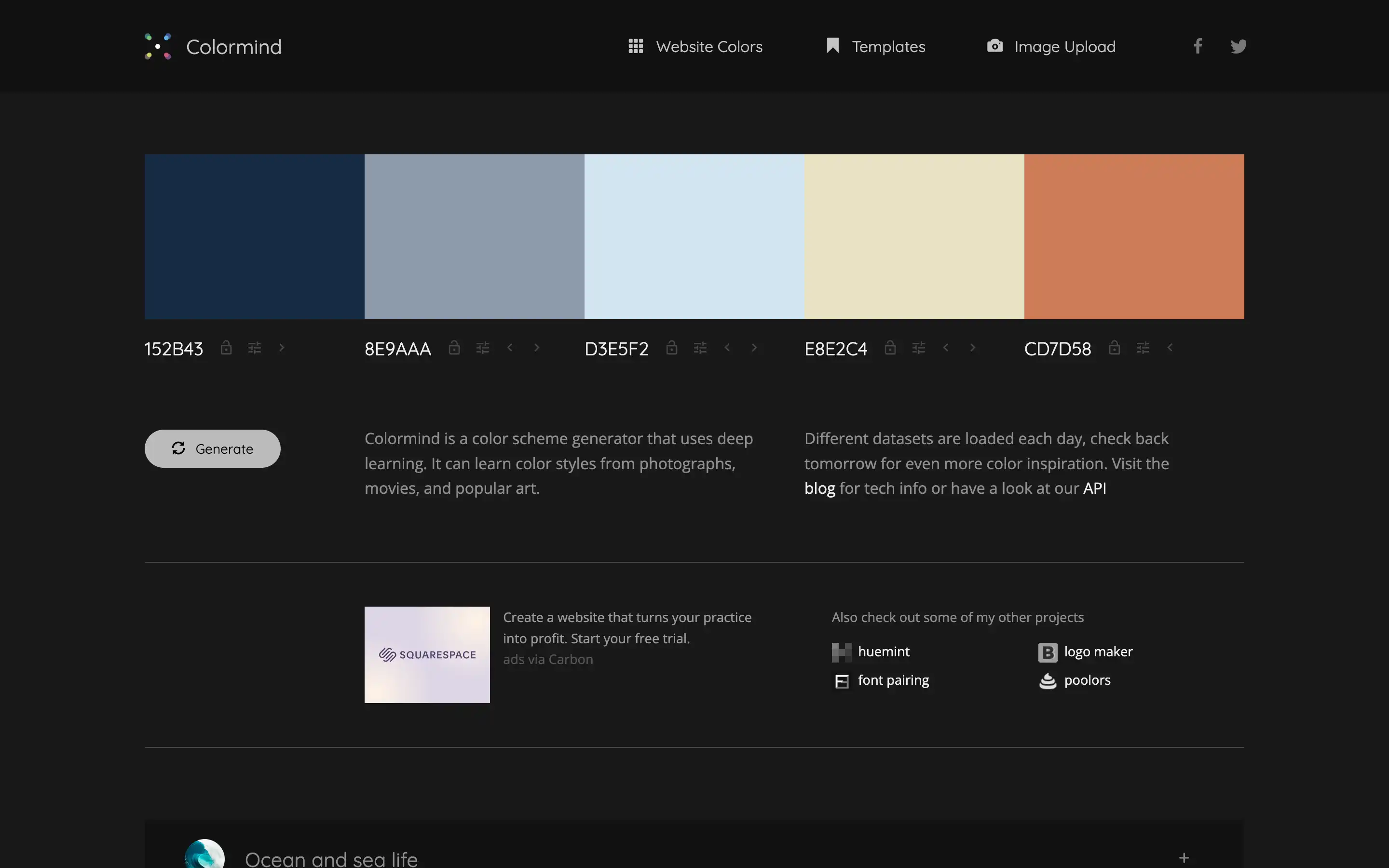
My experience with Colormind
Colormind has been on my radar and in my toolbox for several years now. It's become a quick reference whenever I need to explore chromatic avenues. What has always blown me away, and what I appreciate above all, is its ability to generate relevant palettes in the blink of an eye, thanks to its artificial intelligence.
It particularly excels when you're in a rapid prototyping phase, or when you start with an image and need to extract a harmony from it. Its AI engine learns visual styles and suggests combinations you might not have considered. It's a huge time-saver for initial brainstorming.
That said, make no mistake: Colormind is a genius assistant, not a replacement. For ultra-complex design systems or highly specific nuances requiring the seasoned eye of an expert, it shows its limits. It doesn't yet make all the decisions for you.
.Is Colormind really useful for my needs?
The real question to ask yourself before using Colormind is: what is my objective? Because the relevance of Colormind depends very much on how you use it. For me, its greatest asset is exploration. When you start with a blank page and are looking for a base or a colorful spark, Colormind excels in proposing innovative palettes. It's a real creativity gas pedal.
Whether you're a web designer looking for inspiration for a new project, a UI/UX designer exploring chromatic variants for an interface, or even a marketing manager who needs to quickly validate a visual direction, Colormind saves you precious time. It suggests harmonies you wouldn't necessarily have thought of, streamlining your design process.
Another undeniable strong point is its "lock" function. You've got one or two brand colors? You fix them, and the tool generates the rest of the palette accordingly, ensuring both consistency and novelty. It's perfect for iterating on a design without ever losing your basic visual identity.


Is Colormind suitable for beginners?
For a designer just starting out, Colormind is a real lifeline. No more blank-page paralysis in front of an empty palette! The tool generates harmonious color schemes with a simple click. Whether you're looking for hues for a website, a presentation or a logo, it gives you an excellent starting point. Its ability to extract image-inspired palettes is particularly useful for those lacking initial ideas.
It's a perfect sandbox for experimentation. You can easily lock certain colors to refine your choice, or instantly see the impact of your selections on sample interfaces. Colormind demystifies color theory by allowing you to learn by doing, develop your eye and gain confidence without the pressure of having to master everything straight away.
How much does Colormind cost?

When it comes to Colormind, one of its greatest assets, and what sets it apart for many, is its accessibility. You can use it for free and already enjoy incredible power to generate palettes. It's perfect for a quick exploration, for freelancers at the start of a project, or even for students learning the basics of color theory.
Now, if you're an agency or designer with more advanced needs, Colormind offers a "Pro" version. This isn't usually a hefty subscription, but rather a one-off purchase or minimal cost that unlocks features like unlimited palette saving, a longer history, or advanced export options. For me, it's a minimal investment for considerable time savings on customer projects where consistency is king.
What are Colormind's key features?
One of Colormind's major strengths is its AI-based palette generator. Frankly, it's a game changer. No more fumbling for hours to find the perfect match. The tool anticipates and suggests harmonious combinations, often unexpected, but always relevant. For our projects at Easy Web, it's been a real time-saver, especially when you're exploring different creative directions at the start of a project. It's like having an expert co-pilot in color theory at our fingertips.
Another feature I really appreciate is the ability to lock in certain colors. You have a basic color imposed by a graphic charter or an image? You "lock" it and Colormind generates the rest of the palette accordingly, respecting visual consistency. It's ultra-practical for maintaining brand identity while exploring new nuances. It's an invaluable aid for declining our designs, guaranteeing perfect harmony without breaking the bank.

What impresses me most about Colormind is clearly its AI-driven palette generation. The tool doesn't just mix colors at random; it continuously learns from existing visual styles and trends to offer you truly relevant harmonies. It's an invaluable aid for breaking the blank page, or when you're looking for that touch of originality without spending hours fumbling.
Another major highlight is the function for extracting colors from an image. You upload a moodboard, a product photo or a customer logo, and Colormind instantly outputs a coherent palette based on dominant hues. For me, it's a game-changer for guaranteeing perfect visual consistency across all media, or for drawing inspiration directly from a given universe, effortlessly.
Let's be clear: I often use Colormind for quick inspiration. But when a customer project requires an ultra-precise charter, complex nuances or accessibility validations (WCAG), it quickly shows its limitations. It doesn't handle complex thematic palettes or advanced integration.
If you're looking for finer controls, integrated color-blind simulations or advanced harmonies, turn to Adobe Color or Coolors. Colormind, on the other hand, remains an unbeatable ideas gas pedal, perfect for a quick start without drowning in options.
So, Colormind? For me, it's:
- Advantages: Simplicity, fast generation, effective inspiration, ideal for a kick-start.
- Disadvantages: Limited customization, no built-in accessibility tools, less suitable for large-scale projects or ultra-specific charters.
FAQS
Is it reliable and secure?
Clearly, Colormind relies on a robust infrastructure. For security, like most web tools today, it uses the HTTPS protocol, guaranteeing the protection of data in transit. It neither collects nor stores sensitive personal data, which considerably reduces the risk of data leakage. As for reliability, its AI algorithm is constantly updated and optimized. Personally, I've never encountered a major bug or inconsistency in the palettes generated. It's a stable, high-performance tool that does what it promises, with no nasty surprises.
Is it compatible with my other tools?
Absolutely! Colormind generates color palettes, but the important thing is that it provides you with the raw values: HEX, RGB, HSL codes, or even SCSS/LESS variables. You take this information and integrate it directly into all your usual tools. Think Figma, Adobe XD, Sketch, Illustrator, Photoshop... or even your web development code editor. No complex plug-ins to manage, just ready-to-use universal data. It's this export simplicity that guarantees its compatibility with your existing workflow.
Is there responsive customer support?
You know, Colormind is a pretty self-sufficient tool. Honestly, don't expect ultra-reactive customer support like you would with a complex SaaS. This kind of tool, highly specialized in pallet generation, relies more on comprehensive documentation and a good FAQ. If you encounter a specific technical problem, especially one related to integration via their API, an email contact is the way to go. Reactivity is decent for this kind of occasional need, but it's not their main strength. You'll soon be autonomous with Colormind, that's the idea.
What do other users think?
Feedback on Colormind is overwhelmingly positive. Designers particularly appreciate its ability to generate consistent, harmonious palettes thanks to AI, often cited as a considerable time-saver. Many underline the usefulness of the function for extracting colors from an image, an invaluable aid for maintaining a precise visual identity. A few mention that suggestions can sometimes lack originality for very specific projects, requiring manual adjustment afterwards. But overall, it's a very well-received tool for rapid prototyping and inspiration.
Can I easily change later?
Feedback on Colormind is overwhelmingly positive. Designers particularly appreciate its ability to generate consistent, harmonious palettes thanks to AI, often cited as a considerable time-saver. Many underline the usefulness of the function for extracting colors from an image, an invaluable aid for maintaining a precise visual identity. A few mention that suggestions can sometimes lack originality for very specific projects, requiring manual adjustment afterwards. But overall, it's a very well-received tool for rapid prototyping and inspiration.
Alternatives
.svg)

Specializing in business creation, sales and digital marketing, he puts his expertise at the service of users to help them identify the solutions best suited to their needs. Passionate about digital innovation and optimizing online performance, Alexis is committed to providing detailed, transparent and unbiased comparisons.
Do you have an entrepreneurial project?
We support you in the structuring and development of your tech project. Make an appointment with one of our Business Strategists.