


.avif)





.svg)
.svg)




Looking for color inspiration without the headache? Colorhunt has quickly become a must-have for unearthing harmonious palettes, a reflex for many in our profession. But in 2025, with the constant evolution of tools and the emergence of generative AI in design, is it still the best option for your visual creations? Simplicity, functionalities, limits... After years of using it at Easy Web, I share here my feedback and objective opinion on Colorhunt's real usefulness according to your needs.
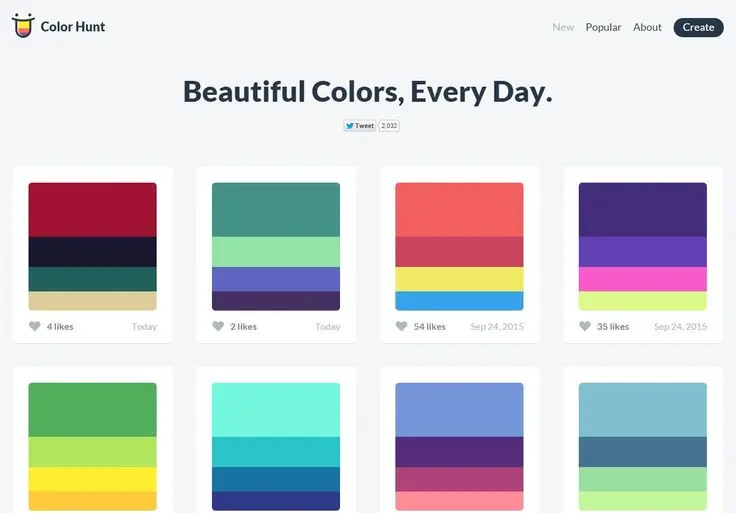
My experience with Colorhunt
I've been using Colorhunt since the early days of Easy Web; it's a constant reflex for inspiration. It's become an essential ally when you're looking to quickly set a visual mood. Its strong point, which I particularly appreciate, is its impeccable curation of ready-to-use color palettes.
This tool really shines at the start of a project or for quick prototypes. It allows our designers to find the perfect chromatic harmony, without wasting time. It's a creativity gas pedal to kick-start a brainstorm or inspire a customer.
This tool really shines at the start of a project or for quick prototypes.
Despite its strengths, it does have its limitations. It's no substitute for in-depth colorimetric analysis or the construction of a complex design system. It lacks the functionality for bespoke palettes or advanced integration into more advanced workflows.
It's not a substitute for a thorough colorimetric analysis or the construction of a complex design system.
Is Colorhunt really useful for my needs?
The real question to ask yourself before using Colorhunt is: what is my objective? Because Colorhunt's relevance depends very much on how you use it. If your need is a quick source of inspiration for harmonious color palettes, or to break an initial creative block, believe me, this is a great place to start.
Whether you're a junior designer in search of ideas, a front-end developer looking to infuse chromatic soul into your interfaces, or even a solo entrepreneur wanting to define a coherent visual identity, Colorhunt is frighteningly effective. For example, it helps you quickly find a palette for a landing page, define the mood of a newsletter or harmonize a moodboard.
Another of its major assets? Its disconcerting simplicity. It's a straightforward, no-frills tool that gives you instant access to current color trends without drowning you in complex options. It's pure efficiency.


Is Colorhunt suitable for beginners?
You're just starting out and color palettes make your head spin? Colorhunt is a breath of fresh air. It offers you a simple, intuitive gateway into the world of color. No more blank-page syndrome: explore current trends, generate random combinations with one click, or save your favorites for your first mockups or moodboards. It's the ideal tool for laying visual foundations without the headache.
The advantage is that you learn by doing. Colorhunt demystifies color selection, enabling you to quickly obtain usable HEX codes. This ease of use boosts your confidence, helps you visualize relevant harmonies without being an expert in color theory, and above all, keeps you motivated in your first creations.
The advantage is that you learn by doing.
How much does Colorhunt cost?
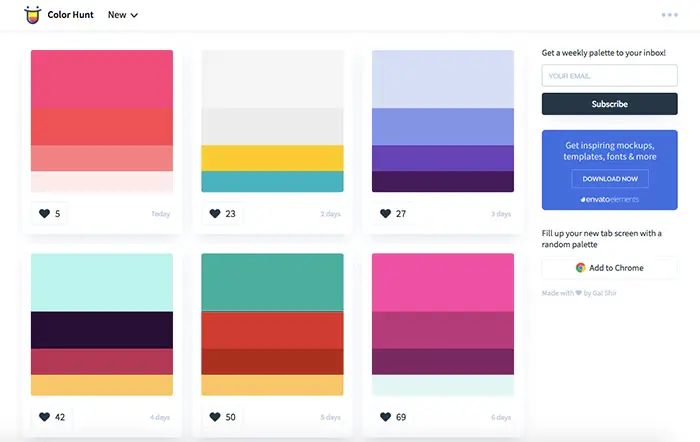
Let's talk about money. You know, in our business, every euro counts, especially for freelancers or small structures. So, with Colorhunt, the question of cost is quickly settled: there isn't any.
Yes, you read that right. Colorhunt's "Free Formula" is its one and only offering. No hidden features behind a paywall, no premium subscription. You have unlimited access to thousands of vibrant color palettes, generated and shared by the community. Features included? Intuitive searching, saving of your favorite palettes, and the ability to create and share your own collections with no restrictions. It's the ideal tool for freelance designers, applied arts students, or even established agencies looking for quick, unlimited inspiration without impacting the budget. For me, it's a must-have resource for creative minds of all backgrounds.
What are Colorhunt's key features?
When I'm looking for quick inspiration for a new project, the first thing that strikes me about Colorhunt is the quality and diversity of its pre-curated palettes. It's not just a random collection; each combination is well thought-out, often trendy, and that saves me an incredible amount of time. Being able to browse through thousands of color schemes, sorted by popularity or mood, is an undeniable asset. At Easy Web, we've often used it as a real starting point for creative exploration.
The other strong point is its ease of use. No need for tutorials or complex menus. With one click, you copy the hexadecimal code (#RRGGBB) of the desired color, and integrate it directly into your design software or CSS style sheet. This efficiency is crucial when juggling multiple projects. It's this kind of fluidity that makes Colorhunt so valuable for designers who just want to find THE right color without friction, and move quickly to integration.
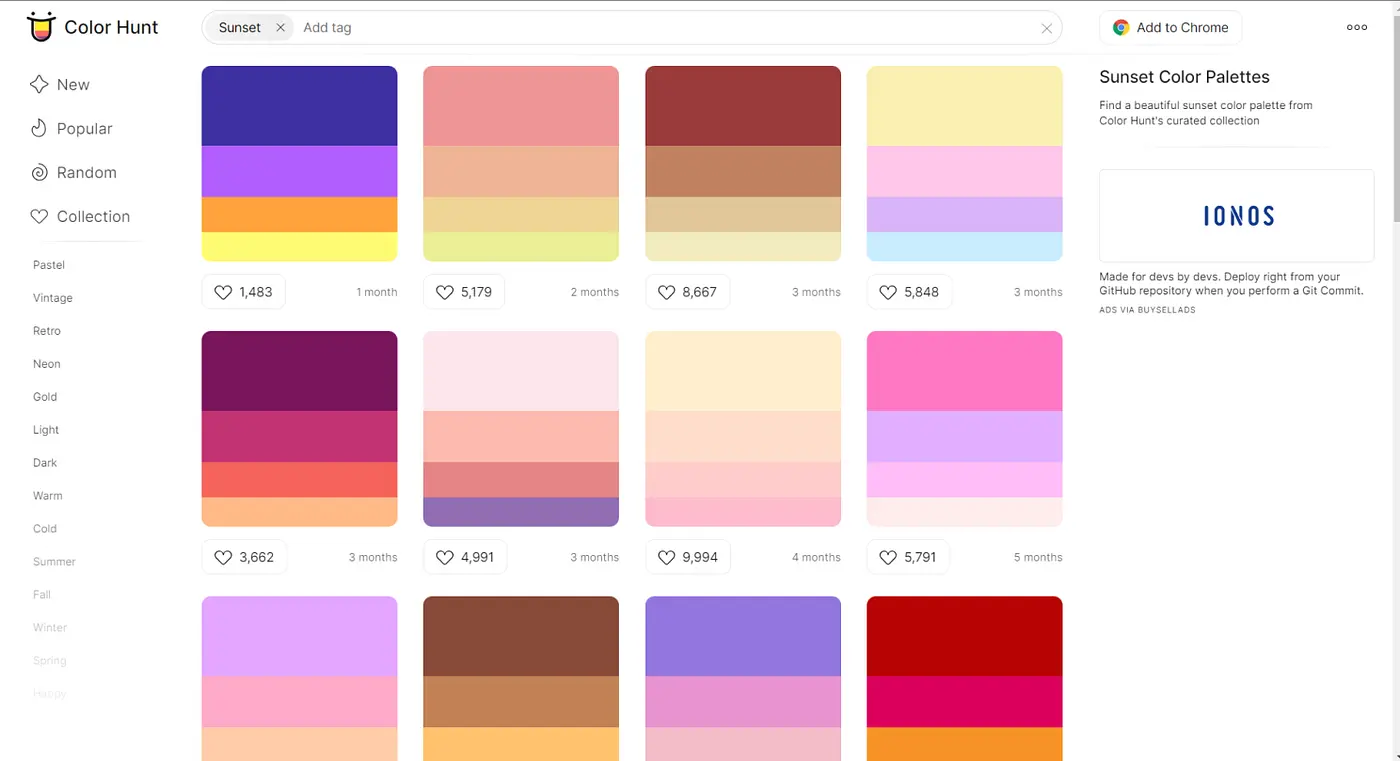
When I dive into Colorhunt, one feature I exploit to the full is the ability to filter palettes by dominant color or current "trends". It's no longer just infinite scrolling; it's surgical research. If a project calls for a specific mood - say, warm, earthy tones - I can refine instantly to find relevant combinations, without wasting an hour. For the ideation phase, it's a colossal time-saver.
The other strong point is how easy it is to integrate these palettes into our workflows. Being able to instantly copy HEX or RGB codes, or even directly generate CSS variables for our developers, is a game-changer. No need to manually copy and paste each value or juggle between tools. We go from inspiration to functional code in just a few clicks, making our prototyping and development phases so much smoother.
.Colorhunt is great for quick inspiration. But for professional projects, it quickly shows its limits. Need a palette from a logo or specific accessibility variants? Not possible. It lacks the customization and integration required for serious branding or complex UI.
That's where Coolors or Adobe Color come in. They manage generation from a base color and accessibility controls. But Colorhunt stays! For quick inspiration, trends, or simple unblocking, it's a simple, straightforward nugget.
In summary:
Benefits:
- Instant simplicity
- Trendy palettes
- Quick inspiration
Drawbacks:
- Limited control
- Customization absent
- No accessibility check
FAQS
Is it reliable and secure?
On reliability, Colorhunt is very stable and works as expected. I've personally never had any worries about availability or incorrect palettes. Regarding security, it's a lightweight web tool, mainly a color showcase. It doesn't handle sensitive data, complex user accounts or deep API integration. The risk associated with its use is therefore minimal, if not non-existent. This is a site to consult, not a platform for exchanging critical data.
Is it compatible with my other tools?
The good news is that Colorhunt integrates naturally into your workflow. You retrieve the color codes - HEX, RGB, that's the main thing - and import them without a hitch into your favorite software. Whether it's Figma, Sketch, Adobe XD, or directly into your CSS style sheets, the transition is seamless. No complex API integration, just universal compatibility based on web standards. It's practical and efficient.
Is there responsive customer support?
At Easy Web, when evaluating a tool, customer support is key. For Colorhunt, it's different. This tool is first and foremost a community resource, an open, free palette library. There's no reactive customer support like you'd expect from a premium SaaS. If you encounter a minor bug or have a simple question, there's no dedicated help desk. This is the downside of such an accessible tool. But honestly, given its simplicity and self-contained nature, you rarely need it.
What do other users think?
What I see coming up again and again is an appreciation for its radical simplicity. Designers love it for the speed with which we can find color inspiration or generate palettes for projects that don't require extreme customization. It's the perfect tool for a creative "quick win" or to break a deadlock. Ergonomics are an oft-cited strong point; copying hexadecimal codes and exploring new harmonies is child's play. It's a consensus: Colorhunt is an excellent starting point for palette exploration.
Can I easily change later?
What I see coming up again and again is an appreciation for its radical simplicity. Designers love it for the speed with which we can find color inspiration or generate palettes for projects that don't require extreme customization. It's the perfect tool for a creative "quick win" or to break a deadlock. Ergonomics are an oft-cited strong point; copying hexadecimal codes and exploring new harmonies is child's play. It's a consensus: Colorhunt is an excellent starting point for palette exploration.
Alternatives
.svg)

Specializing in business creation, sales and digital marketing, he puts his expertise at the service of users to help them identify the solutions best suited to their needs. Passionate about digital innovation and optimizing online performance, Alexis is committed to providing detailed, transparent and unbiased comparisons.
Do you have an entrepreneurial project?
We support you in the structuring and development of your tech project. Make an appointment with one of our Business Strategists.