


.avif)





.svg)
.svg)



Should Blush Design be used in 2025?

Blush Design has rapidly positioned itself as a major player in generating customizable and accessible illustrations, democratizing the integration of unique visuals for all designers. But in 2025, with the constant emergence of new solutions and the explosion of generative AI, is it still the essential tool you need for your creations? Having used it extensively on a number of projects at Easy Web, here I share my experience, my objective feedback on its features and limitations, to help you decide how useful it really is today.
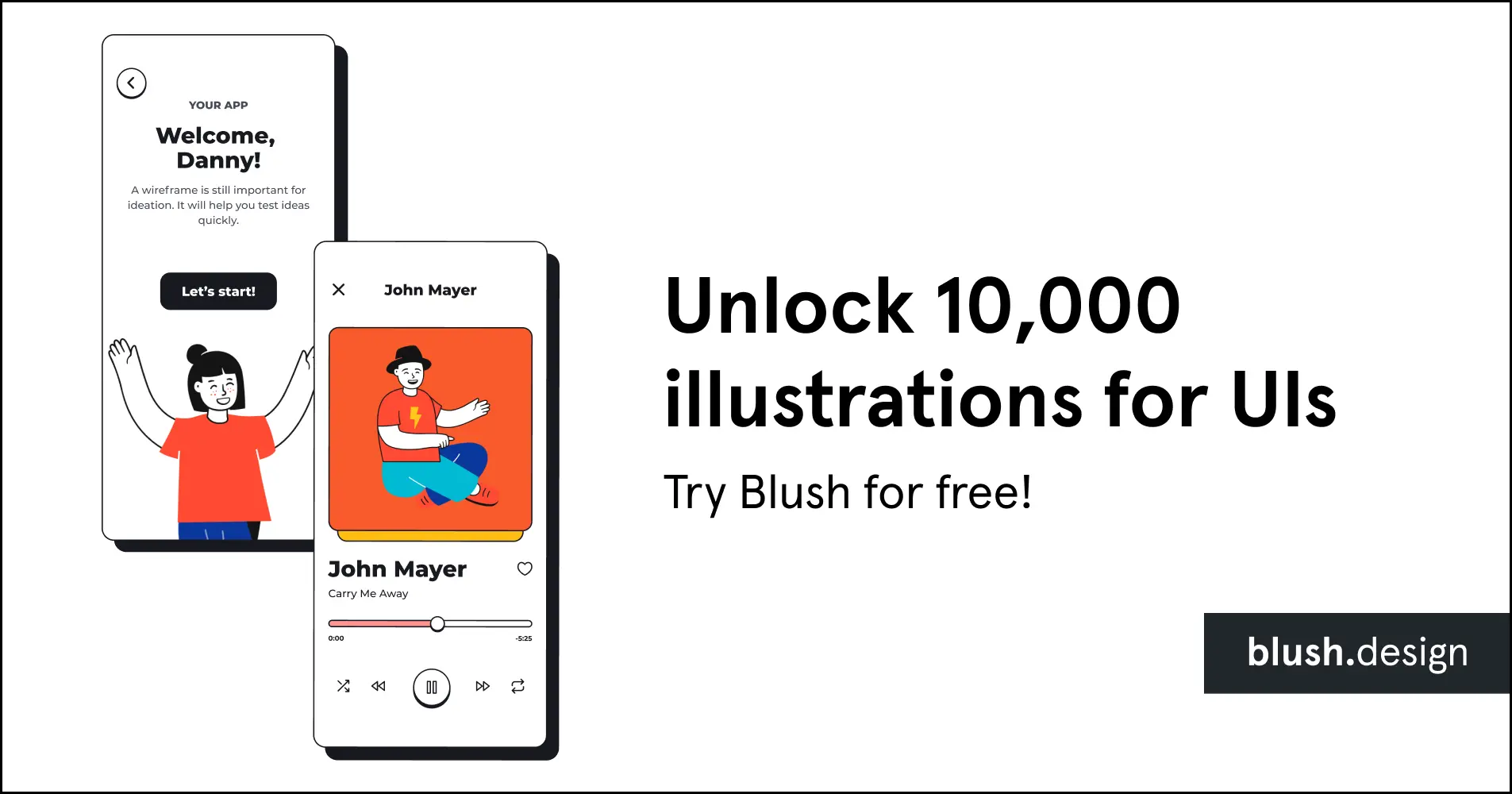
My experience with Blush Design
For a few years now, Blush Design has become a staple in my toolbox. Whether for rapid prototypes or customer deliverables, I've put it to the test on quite a few projects. What has really won me over is the disconcerting ease with which you can create varied and coherent illustrations.
For quick UI/UX or marketing needs, it's a golden solution. We can customize characters, scenes and colors in just a few clicks to perfectly match a customer's graphic charter. It allows us to deliver attractive mock-ups and visuals without spending hours on more cumbersome software or calling in an external illustrator.
Please note, though, that while the variety is there, the designs can sometimes seem less unique than 100% bespoke creations. For projects that require an extremely distinctive visual identity or a high degree of graphic complexity, the limits of customization can become apparent.
At the same time, it's important to remember that, even if variety is there, designs can sometimes seem less unique than bespoke creations.
Is Blush Design really useful for my needs?
The real question to ask yourself before using Blush Design is: what is my objective? Because its relevance depends very much on its use. If your aim is to quickly inject personality and visual originality into your layouts or presentations, Blush is invaluable. It energizes your UI/UX with modular illustrations, without starting from scratch.
Whether you're a solo designer, a content creator or a small agency prototyping fast, Blush saves you a ton of time. We've used it for express client mockups or social posts requiring an immediate graphic twist. It's ideal for breaking the monotony of image banks and adding a unique touch.
And its other trump card? Incredible flexibility. You don't download a fixed illustration, you personalize it. Change colors, elements, styles... It's like having a dedicated illustrator, adapting to your graphic charter in just a few clicks. This agility is a real game-changer.


Is Blush Design suitable for beginners?
You know, when you're just starting out in design, illustration can quickly become an insurmountable wall. That's where Blush Design really changes the game. For designers who aren't illustrators at heart, it's a gold mine. Imagine having access to collections of ready-to-use vector illustrations: you drag, you drop, and the crazy thing is that you can customize every element - characters, objects, scenes. It's perfect for injecting life into a quick mockup, creating an eye-catching blog banner or energizing a social post, without ever having to touch a digital pen.
The advantage for a beginner is, above all, the end of blank-page anxiety. Blush puts you straight on track with professional-quality elements. You don't need advanced illustration skills to get a flawless final rendering. It's super-intuitive, allowing you to concentrate on integration and visual storytelling rather than technical drawing. A real gas pedal for producing impactful visuals and gaining confidence, even when you're just starting out in the business.
How much does Blush Design cost?
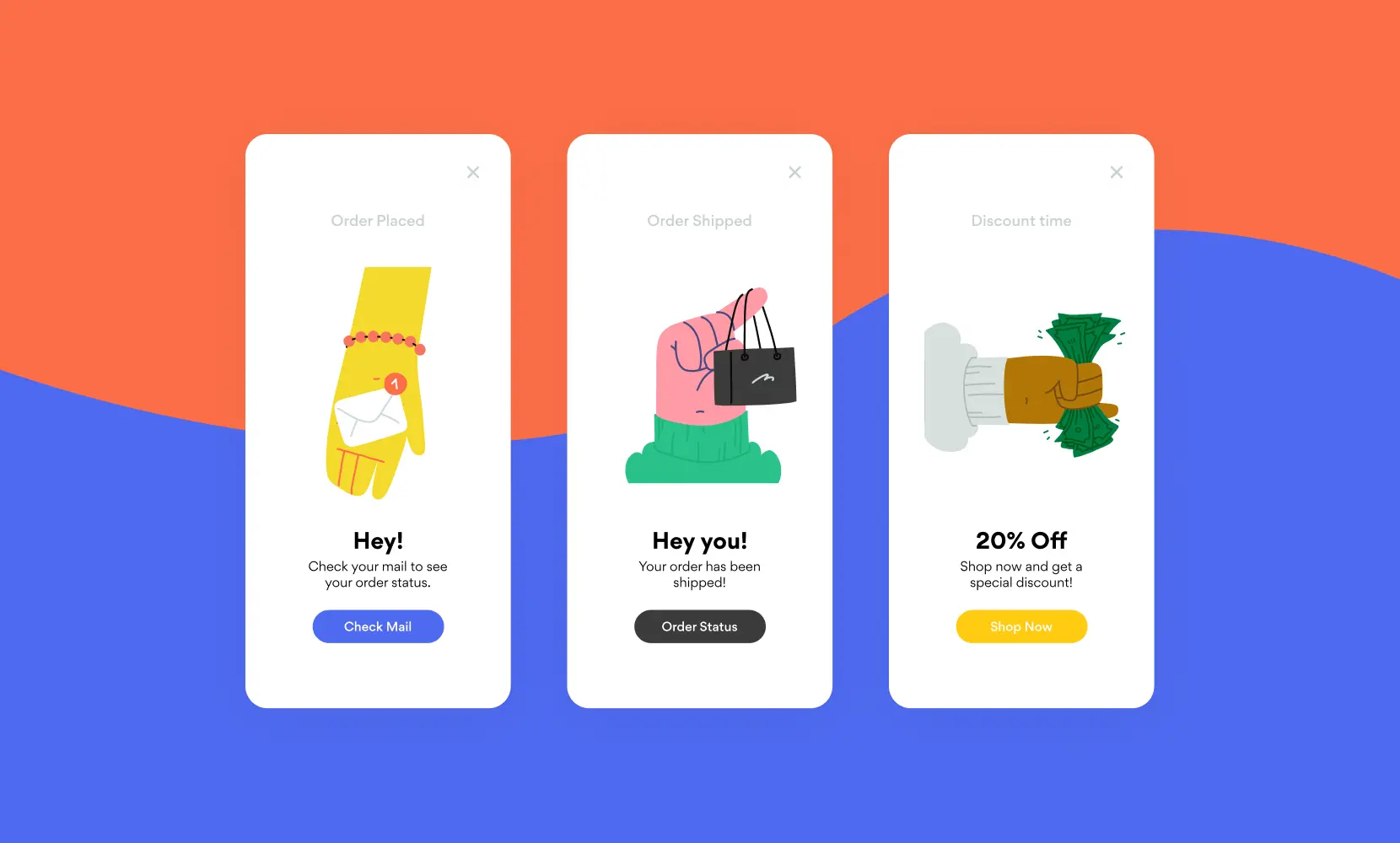
Let's get straight to the crux of the matter: cost. Blush Design's "Pro" package, the one I find most relevant for the working designer or small agency, is positioned at around €15 per month. For this fee, you unlock unlimited access to their entire illustration library, with the freedom to create and manage your own collections. The big plus is the ability to export in high resolution and the included commercial license, which is non-negotiable for customer projects. I clearly see this package as the happy medium for the up-and-coming freelancer or small team looking for flexibility and volume without blowing their budget. It's a smart investment that saves a huge amount of time.
What are the key features of Blush Design?
One of the first things that really grabbed me about Blush is the depth of customization it offers. Forget generic illustrations; here, you can adjust colors to align perfectly with your customer's graphic charter, alter a character's posture or even swap elements. At Easy Web, this ability to adapt every detail has been crucial to ensuring impeccable visual consistency on a variety of projects, without wasting hours.
Then, the richness of the library, with collections signed by different artists, is a major asset. No more time spent desperately searching for "THE" good illustration in often limited image banks. Whether you need a sleek corporate style or something more whimsical for an app, Blush offers a diversity of styles to suit almost any mood. It's a huge time-saver and a constant source of inspiration for our teams.
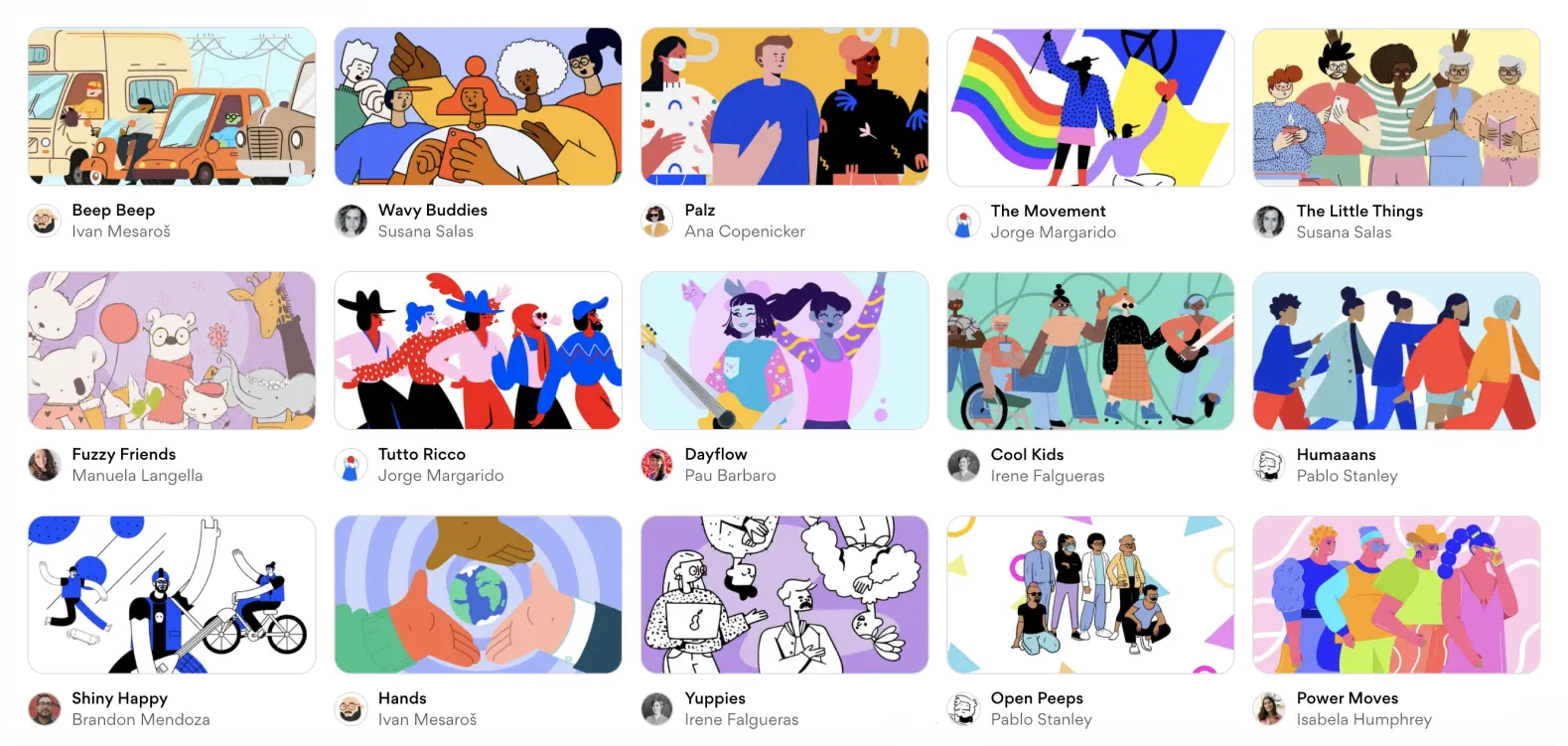
What really blew me away with Blush is the depth of customization they offer. Far from simple color variations, you can really dive into every element of an illustration: change facial expressions, poses, props, even the artist's overall graphic style. For us, this means tenfold creative freedom and, above all, the end of the generic illustration syndrome that haunted us all.
And what about integration? Being able to generate and import these illustrations directly into your favorite design tools like Figma, Sketch or Adobe XD, without leaving your work environment, is a monumental time-saver. No more incessant to-ing and fro-ing or fiddling with PNG exports. Just drag and drop, adjust, and your model comes instantly to life. That's efficiency in 2025.
Blush is great for getting started quickly, but it has its limits. For projects requiring seamless integration into a strict design system, or illustrations requiring advanced vector manipulation, it can frustrate. At Easy Web, we've found that surgical customization or complex exports are less obvious.
In these cases, tools like Illustrator or Figma take over for total freedom. But make no mistake: Blush is a must-have. For rapid prototyping, MVPs or just effortlessly adding flair, it's a real time-saver on a daily basis. A real productivity boost!
Clearly:
Benefits:
- Speed of creation.
- Easy customization.
- Variety of artists.
Disadvantages:
- No advanced vector editing.
- Limits on deep customization.
- Potential for generic visuals.
FAQS
Is it reliable and secure?
This is one of my first questions with any tool, and Blush Design delivers. I've noticed a solid technical infrastructure, based on leading cloud providers. Your designs are protected by standard encryption protocols (SSL/TLS), guaranteeing the confidentiality of exchanges and data. High availability is guaranteed, with regular backups to ensure the longevity of your designs. For us designers, security and constant access to our assets are non-negotiable. You can work with peace of mind.
Is it compatible with my other tools?
Absolutely. This is one of Blush's major assets: its extensive integration. You'll find native plugins for Figma, Sketch and Adobe XD, making it enormously easy to import and manipulate illustrations directly into your design files. Beyond plugins, export is flexible, notably in SVG for perfect adaptability on the web, or in PNG if you need a still image. For us at Easy Web, this fluidity was essential on a daily basis.
Is there responsive customer support?
Absolutely. From our experience with Blush Design, customer support is surprisingly responsive. I've been pleasantly surprised by the speed of responses, often within hours via their chat or email.
For a tool where the fluidity of the design process is paramount, this is a major asset. Whether it's a question about a license or more technical help on integrating with other platforms, the feedback is relevant. You get the feeling that the team is listening and really wants to solve problems quickly. This is a strong point that greatly facilitates day-to-day use.
What do other users think?
Feedback is generally unanimous: for speed and efficiency, Blush is often described as "revolutionary". Many users, especially those who are not illustrators by trade, praise its ability to generate striking visuals in record time. The ease with which it can be integrated into existing workflows and the diversity of graphic styles on offer are also appreciated. Of course, a few mention a limit of control compared to full illustration software, but the tool excels at rapid prototyping and adding a distinctive visual touch without breaking the bank on illustration licenses. It's a real asset for creative agility.
Can I easily change later?
Feedback is generally unanimous: for speed and efficiency, Blush is often described as "revolutionary". Many users, especially those who are not illustrators by trade, praise its ability to generate striking visuals in record time. The ease with which it can be integrated into existing workflows and the diversity of graphic styles on offer are also appreciated. Of course, a few mention a limit of control compared to full illustration software, but the tool excels at rapid prototyping and adding a distinctive visual touch without breaking the bank on illustration licenses. It's a real asset for creative agility.
Alternatives
.svg)

Specializing in business creation, sales and digital marketing, he puts his expertise at the service of users to help them identify the solutions best suited to their needs. Passionate about digital innovation and optimizing online performance, Alexis is committed to providing detailed, transparent and unbiased comparisons.
Do you have an entrepreneurial project?
We support you in the structuring and development of your tech project. Make an appointment with one of our Business Strategists.