


.avif)





.svg)
.svg)



Should Affinity Designer be used in 2025?
Affinity Designer has carved out an enviable place for itself in the design tools market, establishing itself as a powerful, subscription-free alternative to the industry's behemoths. But in 2025, with the acceleration of innovation and the emergence of new solutions, is it still the platform of choice for your visual creations? Power, interface, limitations... After years of putting it to the test at Easy Web, I share my objective opinion and real-world experience to help you decide whether Affinity Designer is the right tool for you.
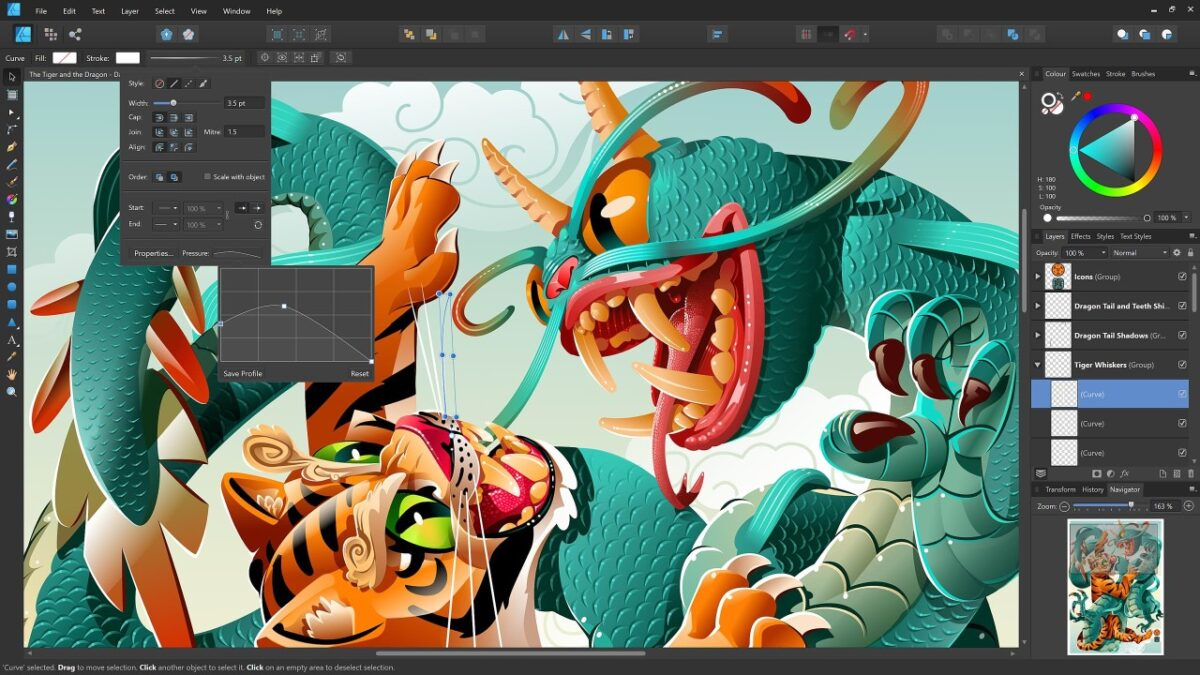
My experience with Affinity Designer
I've been working with Affinity Designer on a daily basis at Easy Web for several years now. What I've always particularly appreciated is its subscription-free economic model, coupled with exceptional performance.
This tool is a real champion for designers who want a robust, fast solution without the constraints of recurring licenses. It excels at creating visual identities, user interface design or even web resource design, thanks to its ability to handle vector and raster without friction.
This tool is a real champion for designers who want a fast, robust solution without the constraints of recurring licenses.
However, it's important to note that if your pipeline relies heavily on collaboration with Adobe-only partners, or the use of very specific plugins, compatibility challenges may arise. Real-time collaboration is also less mature.
Is Affinity Designer really useful for my needs?
The real question to ask yourself before using Affinity Designer is: what is your objective? Its relevance strongly depends on the use. For advanced vector illustration, interface design (UI) or graphic creation for web and print, it excels. It's a powerful tool, cut out for professional production that demands precision and control.
Whether you're a freelance illustrator, UI/UX designer, or even a small web agency looking for autonomy, Affinity Designer proves frighteningly efficient. Need to create precise SVG icons for a site, wireframes and mockups for mobile applications, or elaborate logos? It offers the fluidity and power needed for these critical tasks.
Its business model is a major and often underestimated asset. Forget monthly subscriptions! A single purchase gets you a perpetual license, a crucial financial advantage for budget-conscious professionals and agencies. It's a smart, sustainable investment for your business.


Is Affinity Designer suitable for beginners?
Frankly, if you're just starting out in graphic design, or if your agency is integrating new profiles, Affinity Designer is a smart choice. Its interface is remarkably intuitive, a far cry from the complexity of some market behemoths. Think about it: the layer panel is clear, the shape tools are easy to get to grips with, and even the famous Pen tool (for vectors) is much more accessible. We've used it a lot at Easy Web to train our juniors on tasks like creating basic logos or visuals for social networks.
The advantage for a beginner doesn't stop there. The one-time, subscription-free purchase model removes a huge psychological and financial barrier. This allows learning and experimentation without the pressure of a recurring cost. What's more, its non-destructive design philosophy is a real plus: you can modify your shapes or effects ad infinitum without ever "breaking" your work, which is ideal for the learning and creative exploration phases. An undeniable asset for serene progress.
How much does Affinity Designer cost?
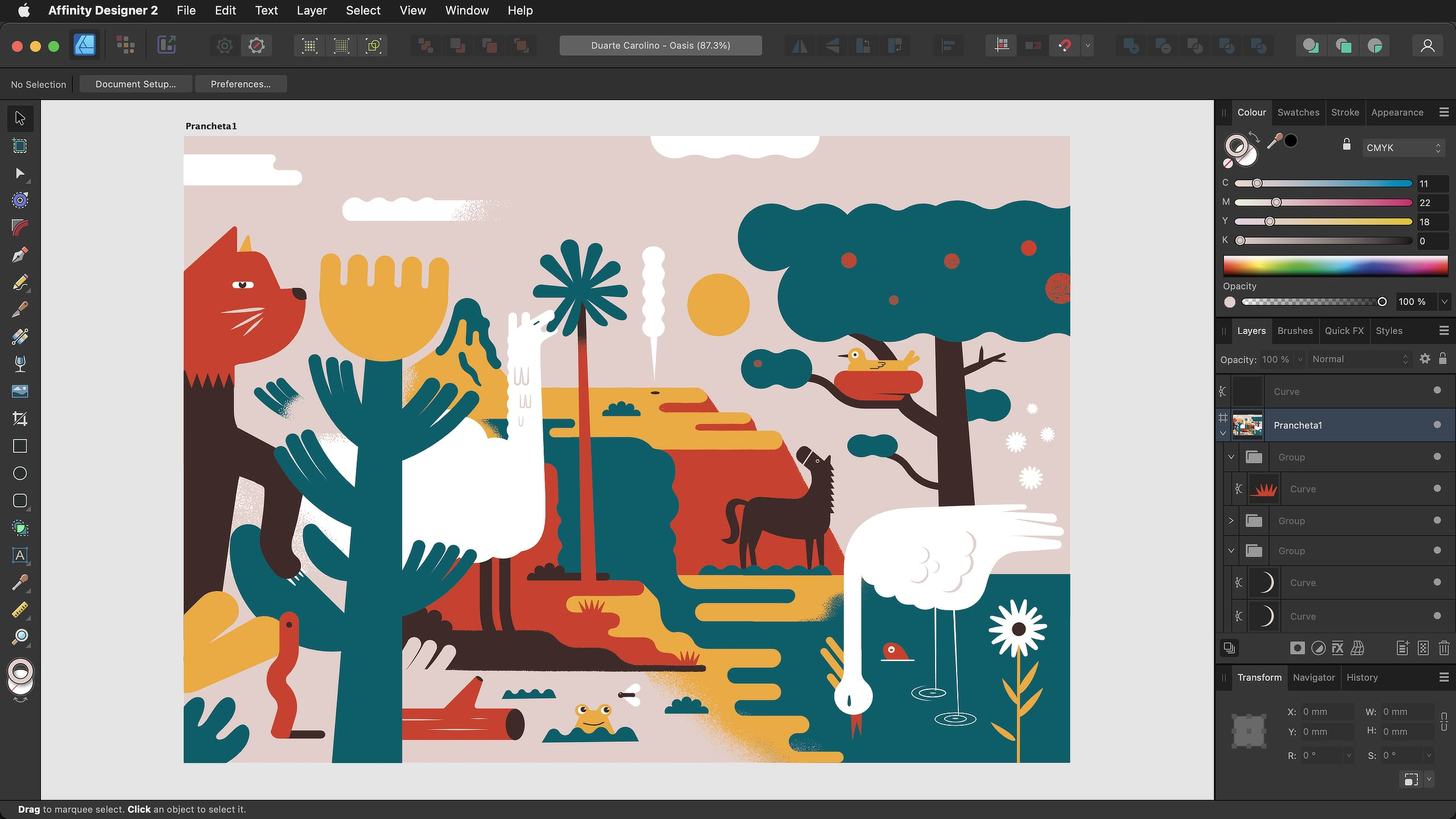
You know, one of the things I've always liked about Affinity Designer, especially as the founder of Easy Web who's seen so many business models come and go, is their ultra-simple approach to cost. No monthly or annual subscriptions that put a strain on your cash flow! No, this is a perpetual license. You buy the software once, and it's yours, forever.
For around €75 per platform (Mac, Windows or iPad), you unlock a full suite of features for vector illustration, graphic design and even image editing. It's perfect for freelance designers, small agencies or even students who want a powerful tool without breaking the bank. It's a minimal initial investment for a long-term return that subscription-based models can't offer. It's a game-changer, isn't it?
What are Affinity Designer's key features?
What really won me over with Affinity Designer right from the start was its ability to seamlessly merge vector design and raster editing. It's not just a simple overlay; it's a deep integration. In concrete terms, you can create ultra-precise vector illustrations and apply raster effects, retouch photos, or add bitmap textures directly in the same document, without any transitions. It radically simplifies workflows and saves us tedious exporting/importing.
And let's talk about performance. The tool is bluffingly fast, even on complex compositions with dozens of layers. The fluidity is there for all to see, and for a professional, this reactivity is a major asset so as not to break the creative rhythm. As for the interface, it's uncluttered and surprisingly intuitive; it's quick to get to grips with, even for those coming from more established environments. It's a real breath of fresh air for productivity.
When I first got my hands on Affinity Designer, one of its first strengths that I exploited was its unique management of vector and raster. Pixel Persona isn't just a mode, it's a direct gateway. You can apply precise bitmap brush effects, textures or pixel masks directly to your vector shapes. No more juggling between software. For agencies like ours, this fluidity is a huge time-saver, and it ensures a flexibility that few tools offer natively.
And speaking of non-destructive editing, this is the kind of detail that makes all the difference. Never again will you have to worry about ruining a design with an irreversible modification. Whether it's adjustment layers, filters or effects, everything is applied non-permanently. You can go back, modify or even delete at any time without touching the original. This flexibility is crucial for rapid iteration and to reassure demanding customers. For teams, it's invaluable security.
Frankly, at Easy Web, we like Affinity Designer, but it quickly shows its limitations. For real-time collaboration, essential in 2025, it is lacking. On complex workflows integrating prototyping or large-scale system design, its ecosystem isn't robust enough, slowing down the fluidity of our processes.
Frankly, we like Affinity Designer, but it quickly shows its limits.For these cases, Figma shines in collaborative, and Illustrator dominates for advanced vector. But make no mistake: Affinity remains excellent for freelance or standard projects. It's a cost-effective, high-performance alternative, a real asset for the majority of everyday needs.
In short, Affinity Designer is:
Benefits:
- One-stop shopping, fluidity, intuitive interface.
Disadvantages:
- No real-time collaboration, limited ecosystem, fewer advanced features for pro niches.
FAQS
Is it reliable and secure?
Absolutely. Affinity Designer is robust desktop software. This means that your files and work data remain locally on your machine, offering direct control and increased security compared to predominantly cloud-based solutions. We use it regularly at Easy Web, and its stability is exemplary. Updates are frequent, correcting bugs and boosting performance, ensuring long-term reliability. It integrates perfectly into a secure professional workflow.
Is it compatible with my other tools?
Absolutely. In fact, it's one of Affinity Designer's strengths, and a reason why we've often integrated it into our workflows at Easy Web. The tool handles industry-standard formats very well: PSD for Photoshop files, AI for Illustrator (with occasional adjustments required on very complex files), and above all SVG and PDF for web integration and printing. You won't have any nasty import-export surprises with most of your existing projects. It's seamless, and that's what counts most on a daily basis.
Is there responsive customer support?
The Affinity team relies less on direct, real-time support than on a very solid knowledge base. In my experience, when I've had a question, I've mostly found my answers via their official documentation or community forums. This is often where responsiveness is at its best, as the community is very active. For a tool with a unique purchasing model, this is a logical approach. Don't expect 24/7 chat, but rather comprehensive resources and structured answers by email if needed.
What do other users think?
Frankly, the feedback has been overwhelmingly positive! What I hear most often is enthusiasm for its single-purchase, subscription-free model, and its speed of execution, even on heavy files. Many also praise its wealth of features for vector graphics and its ability to handle large projects.
Of course, for those with years of experience with other tools, there's a bit of a learning curve at first, and its ecosystem of plugins is less extensive. But overall, it's perceived as a serious, high-performance alternative.
Can I easily change later?
Frankly, the feedback has been overwhelmingly positive! What I hear most often is enthusiasm for its single-purchase, subscription-free model, and its speed of execution, even on heavy files. Many also praise its wealth of features for vector graphics and its ability to handle large projects.
Of course, for those with years of experience with other tools, there's a bit of a learning curve at first, and its ecosystem of plugins is less extensive. But overall, it's perceived as a serious, high-performance alternative.
Alternatives
.svg)

Specializing in business creation, sales and digital marketing, he puts his expertise at the service of users to help them identify the solutions best suited to their needs. Passionate about digital innovation and optimizing online performance, Alexis is committed to providing detailed, transparent and unbiased comparisons.
Do you have an entrepreneurial project?
We support you in the structuring and development of your tech project. Make an appointment with one of our Business Strategists.