


.avif)





.svg)
.svg)



Should you use Adobe InDesign in 2025?
InDesign remains the unavoidable behemoth of professional page layout, the obvious choice for anyone involved in print or digital editorial. But in 2025, with the constant emergence of new solutions, is it still the tool of choice for your visual creations? I've been using InDesign for several years, even on a daily basis, for our customers' projects. Simplicity, advanced features, but also its limitations... here I share my objective opinion and feedback on its real usefulness, and above all whether InDesign still corresponds to your specific needs today.
My experience with Adobe InDesign
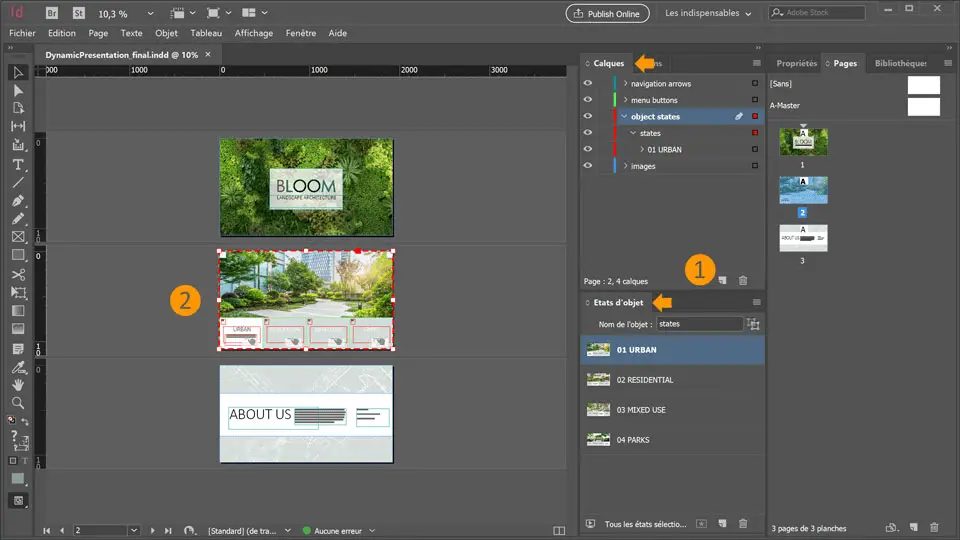
I've been juggling InDesign for years at Easy Web, and believe me, it's seen hundreds of brochures, eBooks and reports come through. It's the go-to tool when it comes to structuring long-form content. What I love most of all is its impeccable handling of text and complex layout.
For any editorial project, from magazines to interactive PDFs to white papers, InDesign excels. Its strength lies in its ability to manipulate typography, paragraph and object styles with surgical precision, guaranteeing impeccable graphic consistency across multiple pages.
However, its learning curve is steep for novices, and for simple graphic design or photo retouching tasks, it proves far too cumbersome. It's really cut out for publishing, not for pure visual creation or UI/UX design.
If you're a novice, the learning curve is steep.
Is Adobe InDesign really useful for my needs?
The real question before using Adobe InDesign: what's my purpose? Its relevance depends very much on the purpose. For the layout of long, complex documents, print or fixed digital - magazines, books, annual reports - InDesign is king. That's what it's all about, unrivalled mastery.
Freelance graphic designer, agency, or marketing with recurring publications? InDesign is your ally. It excels at structuring multi-leaf documents: precise paragraph styles, advanced typographic management. Corporate journals, product catalogs, e-books: it shines, guaranteeing consistency and efficiency on ambitious projects.
And its other major advantage? Seamless integration with the Adobe Creative Cloud ecosystem. Fluidly switches between Photoshop (images) and Illustrator (vectors) without losing time or quality. An essential synergy for demanding professional workflows.


Is Adobe InDesign suitable for beginners?
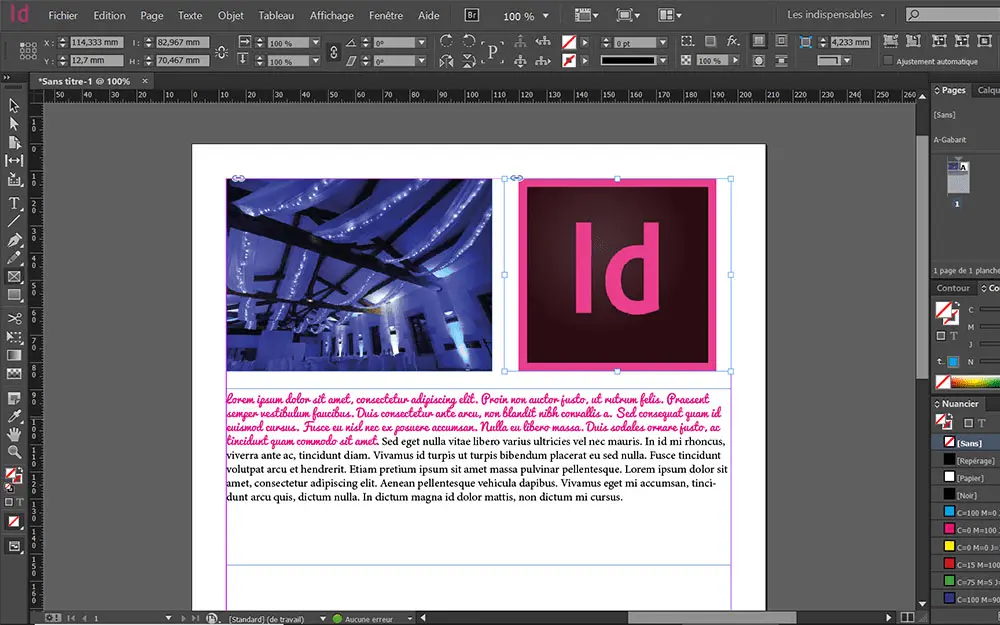
InDesign, at first glance, can be intimidating. We imagine it reserved for publishing gurus, don't we? But believe me, it's surprisingly welcoming to a beginner. Its interface, though rich, is logical. The predefined templates are a gold mine for getting started: a brochure, a CV or even a simple report, it's an excellent starting point for getting started without feeling overwhelmed.
The major advantage for a novice also lies in its seamless integration with the Adobe ecosystem. Ever dabbled in Photoshop or Illustrator? You'll quickly find your bearings. And the quantity of online resources - tutorials, communities - is monumental. You learn at your own pace and build your skills on real projects, which is a fantastic launchpad to Desktop Publishing (DTP).
.How much does Adobe InDesign cost?
Let's talk about money, because it's often the sinews of war. For InDesign, Adobe offers its classic individual subscription, the one I often recommend to freelancers or small structures. It costs around €24.19 per month with an annual commitment, or €36.29 per month with no commitment. This package includes full access to InDesign, of course, but also 100 GB of cloud storage, Adobe Fonts for unlimited typography, and all software updates. This is the ideal option if your core business revolves around page layout. For a freelance designer or small agency managing magazines, white papers or brochures, it's the most logical and cost-effective investment, offering a complete suite for your specific needs without overburdening your budget.
What are the key features of Adobe InDesign?
If InDesign is king, it's clearly for its unrivalled ability to tame text. I well remember our first digital magazines at Easy Web; no other tool offered us such precision on justification, hyphenation or basic grids. No more compromises on legibility or aesthetics, we could really sculpt the content with a craftsman's finesse. It's this typographic mastery that makes all the difference to a professional rendering.
What really makes it indispensable, especially on large projects, is its management of layouts and templates. Think of the annual reports or multi-page brochures we produce for our customers: creating dynamic master pages was a game changer. You maintain impeccable visual consistency effortlessly, you save an inordinate amount of time on edits. Believe me, it saves a lot of headaches.
To work effectively on complex projects, style management in InDesign has become non-negotiable. I remember our early days when we struggled to maintain consistency on every page. Today, with paragraph, character and, above all, object styles, we can automate a large part of the page layout. It saves an incredible amount of time and ensures perfect uniformity, whatever the size of the document.
And never underestimate InDesign's capabilities for digital. We don't just do print anymore! Direct publication in EPUB, interactive PDFs with multimedia elements, or the Folio format for rich experiences... it opens huge doors. For us, it's become essential to deliver content that lives on all screens, far beyond the simple static file.
InDesign, while powerful, isn't a one-size-fits-all solution. Are you looking to prototype responsive web interfaces in a team, create complex interactive wireframes for an app, or manage the agile production of content for social networks? Here, its traditional workflows and focus on the fixed can slow things down considerably.
For these cases, I'd steer you more towards Figma or Sketch for collaborative UI/UX, or even Webflow for direct web design. InDesign still excels where it was designed to shine: professional page layout and the editing of long, complex documents, whether print or digital.
In summary, here's what I take away:
Benefits:
- Pro layout for print/digital.
- Advanced typography, precise control.
- Perfect Adobe integration.
Disadvantages:
- Learning curve.
- Not suitable for interactive/collaborative web.
- Suite cost.
FAQS
Is it reliable and secure?
Frankly, the reliability of InDesign is a non-issue for us at Easy Web. We use it every day for critical projects. Adobe invests heavily in the stability and security of its products. The software is mature, with regular updates to correct flaws and optimize performance. Your creations are safe, all the more so with the Creative Cloud ecosystem that manages backups and access protection. Just remember your own good security practices: strong passwords and complementary external backups. That's the basics.
Is it compatible with my other tools?
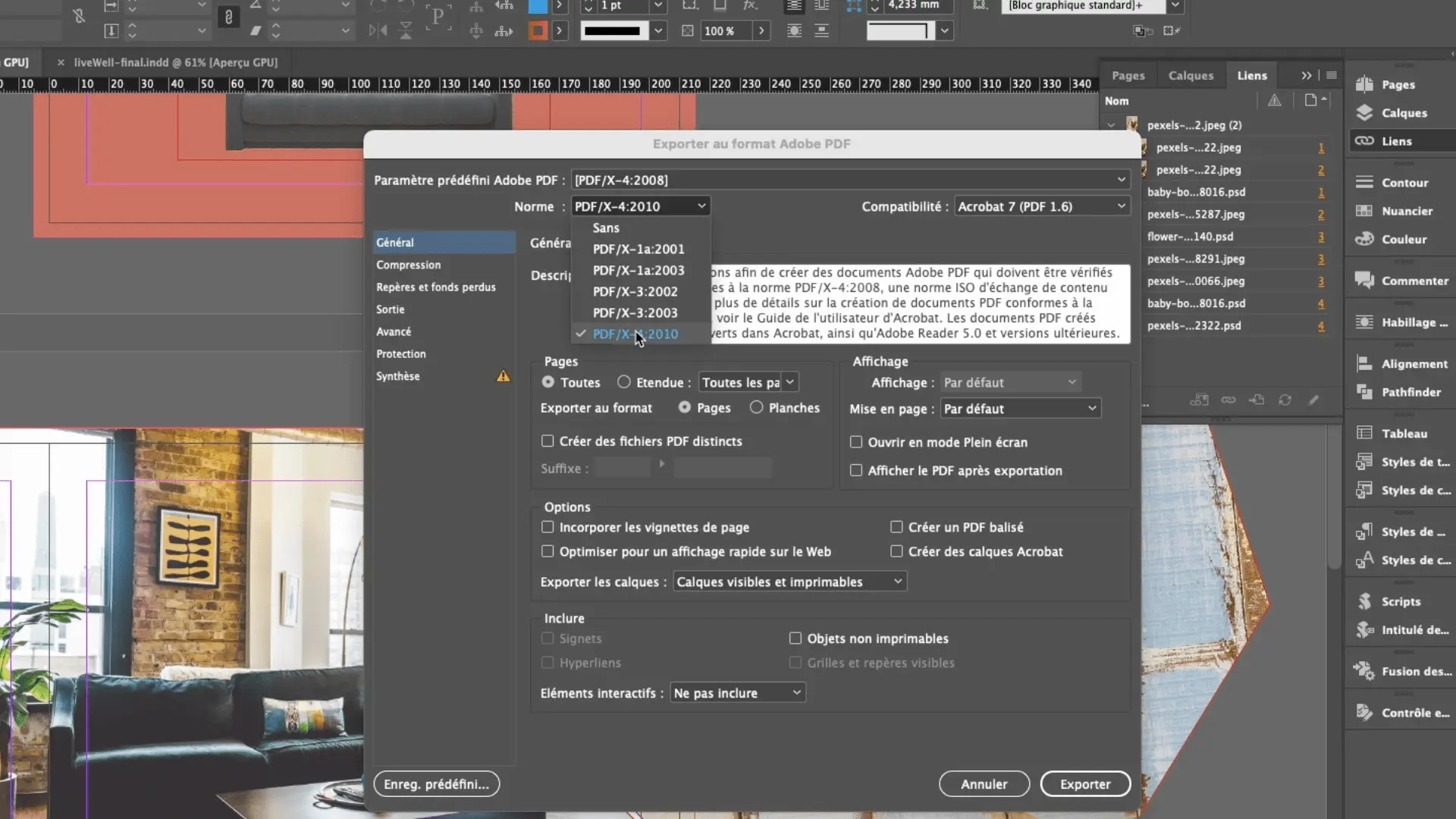
Absolutely. This is one of InDesign's major strengths. Its native compatibility with the Adobe Creative Cloud ecosystem is optimal. You can switch effortlessly between Photoshop for image retouching, Illustrator for vector creations, or Acrobat for PDF proofreading. The tool also handles the import of a multitude of standard formats (JPG, PNG, SVG, DOCX) and offers versatile export to PDF, EPUB or even HTML. It is designed to integrate seamlessly into your usual production process.
Is there responsive customer support?
Absolutely, Adobe customer support for InDesign is generally top-notch, as you'd expect from a publisher of this size. You have several channels at your disposal: live chat, telephone support and an extensive knowledge base. For our teams at Easy Web, responsiveness is good for routine queries. For more specialized problems, it may take a little perseverance to reach the right level of expertise, but the solution eventually arrives. Community forums are also an invaluable resource. It's a balance between initial responsiveness and depth of help.
What do other users think?
It is clearly perceived as the benchmark tool for professional page layout. Users praise its robustness, typographic precision and ability to handle highly complex documents, from magazines to interactive books. Integration with other Adobe software, such as Illustrator and Photoshop, is a frequently cited advantage. Criticisms focus mainly on its learning curve, which can be demanding for beginners, and sometimes on its resource requirements for large-scale projects. Nevertheless, for high-quality print and digital productions, it remains the preferred choice of the majority of agencies.
Can I easily change later?
It is clearly perceived as the benchmark tool for professional page layout. Users praise its robustness, typographic precision and ability to handle highly complex documents, from magazines to interactive books. Integration with other Adobe software, such as Illustrator and Photoshop, is a frequently cited advantage. Criticisms focus mainly on its learning curve, which can be demanding for beginners, and sometimes on its resource requirements for large-scale projects. Nevertheless, for high-quality print and digital productions, it remains the preferred choice of the majority of agencies.
Alternatives
.svg)

Specializing in business creation, sales and digital marketing, he puts his expertise at the service of users to help them identify the solutions best suited to their needs. Passionate about digital innovation and optimizing online performance, Alexis is committed to providing detailed, transparent and unbiased comparisons.
Do you have an entrepreneurial project?
We support you in the structuring and development of your tech project. Make an appointment with one of our Business Strategists.