


.avif)





.svg)
.svg)



Should you use Adobe Illustrator in 2026?
We're not going to lie, Adobe Illustrator remains the undisputed king of vector design, the mainstay of our agency workflows. It's the standard for the vast majority of professionals. But in 2026, with the constant emergence of new solutions, is it still the essential tool for your graphic creations? Its power, its ecosystem, its inevitable weak points... After years of pushing it to its limits on hundreds of projects at Easy Web, I share with you here my experience, my raw and objective opinion to help you decide if it still has a place in your toolbox.
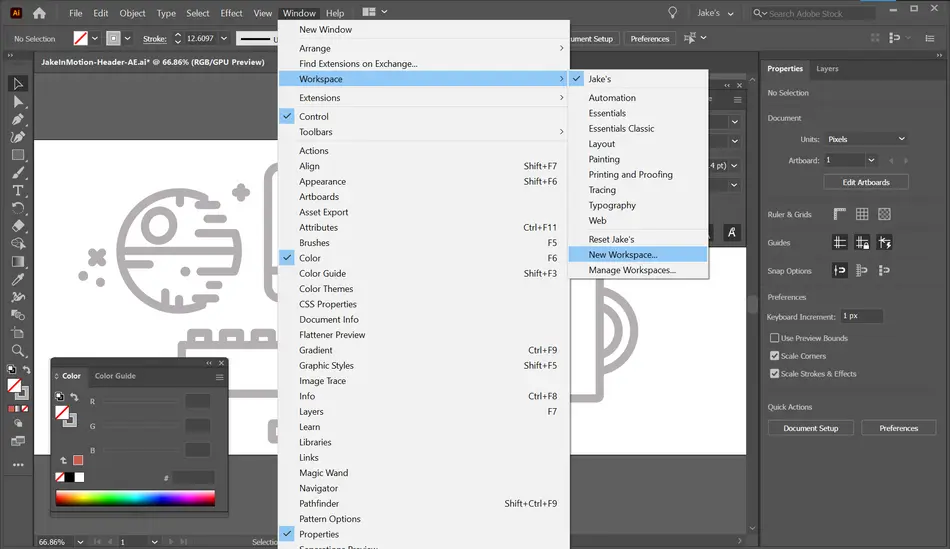
My experience with Adobe Illustrator
Frankly, I've been using Adobe Illustrator since the early days of Easy Web, and even long before that. It's one of those tools that has remained a mainstay of our daily workflow. Over the years, it has always evolved with our needs. What blows me away, and what I particularly appreciate, is its surgical vector precision.
When it comes to creating logos, icons, illustrations for the web or even complex UI/UX mock-ups that need to look perfect on any screen resolution, Illustrator is the gold standard. Its vector-based nature guarantees impeccable sharpness, whatever the zoom or medium. It's the ideal tool for deliverables that need to be flawless, with no pixelation.
Beware, however: for pure photo editing or highly textual layouts with lots of rasterized images, Illustrator can quickly show its limits. It's clearly not made for that. Getting to grips with it also requires a certain investment; it's not a "plug and play" tool like some others. And, as is so often the case with Adobe, the subscription cost weighs heavily in the balance for smaller structures.
Is Adobe Illustrator really useful for my needs?
The real question to ask yourself before using Adobe Illustrator is: what is my objective? Because the relevance of Adobe Illustrator depends very much on how you use it. If your main need is to create logos, icons, illustrations or any other scalable visual identity - i.e. one that can be enlarged ad infinitum without loss of quality - then yes, Illustrator is the indispensable tool.
Whether you're a freelance graphic designer, in a branding agency or a member of a demanding marketing team, Illustrator increases your efficiency tenfold. For example, when it comes to designing a logo for use on a business card, website or giant billboard, or for detailed illustrations for a book or advertising campaign, its vector precision is unrivalled.
If you're a freelance graphic designer, working in a branding agency or as part of a demanding marketing team, Illustrator boosts your efficiency tenfold.
Another major strength of Illustrator is its seamless integration into the Adobe ecosystem. Working on a project that involves bitmap images (with Photoshop) or page layout (with InDesign) becomes fluid and coherent, offering a smooth graphics production chain.
Another major advantage is Illustrator's seamless integration into the Adobe ecosystem.


Is Adobe Illustrator suitable for beginners?
We often hear that Illustrator is a beast to be tamed, reserved for the pros. Yet, believe me, it has crazy potential for beginners. At Easy Web, I've seen junior designers take the plunge and quickly master the basics. The primitive shape tools (circle, square) are your best friends for sketching logos or icons. The Pathfinder palette, which lets you assemble or subtract shapes, quickly becomes a reflex for more complex designs but with a simple logic. A great springboard, in fact.
The great thing is that even knowing only a fraction of its capabilities, you can already create pro things. The huge amount of tutorials and the community help enormously to progress. And best of all, it's a vector-based tool. Your creations can be resized ad infinitum with no loss of quality, a major asset for the web in 2025, where versatility is king. Investing in learning Illustrator is investing in sustainable skills.
How much does Adobe Illustrator cost?
The cost of Adobe Illustrator is always a key point, especially for us design pros. Think of it as a strategic investment. For a freelance designer or agency focusing on pure vector, the "Single Application" subscription is ideal. At around €26 a month, you get Illustrator with all its cutting-edge features for visual identity creation and illustration, plus 100 GB of cloud storage. It's precise, efficient.
If your work is more varied, touching on retouching, video or layout in addition to vector graphics, the "Creative Cloud All Applications" subscription is the complete solution. For around €64 a month, you unlock the entire Adobe suite - Photoshop, InDesign, After Effects... A substantial cost, to be sure, but the integration and versatility offered are a major asset for the efficiency of a multidisciplinary agency or studio.
What are the key features of Adobe Illustrator?
When it comes to Illustrator, the major asset that makes it indispensable for us at Easy Web is clearly its vector graphics management. You create illustrations that are based on mathematical equations, not pixels. In practical terms, this means that your logo, icon, or illustration can be enlarged infinitely for a billboard or reduced for a favicon without ever losing quality. No more blurring or pixelation, whatever the scale. For pros, this is non-negotiable.
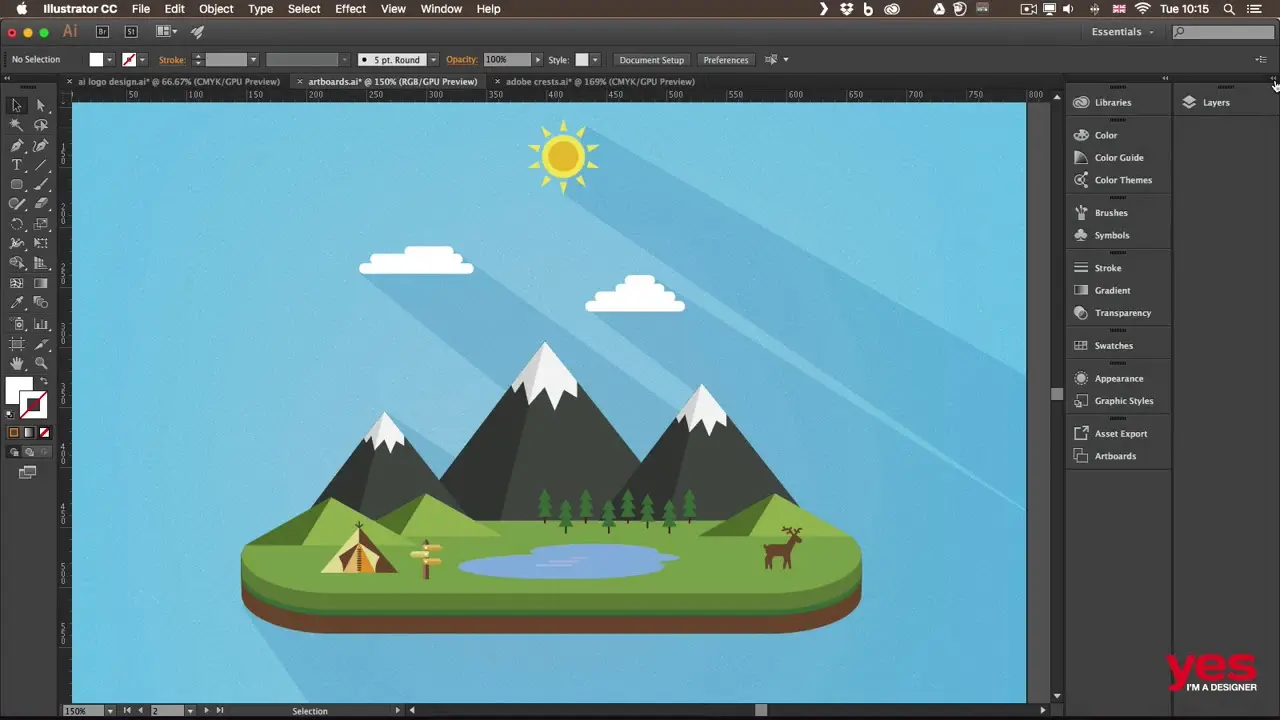
Next, a game-changing feature that our teams use on a daily basis is Artboards. You can have several independent design zones in a single file. Imagine: a desktop version, a mobile version, even an icon for the App Store, all managed in the same place. This makes for a much smoother workflow, especially when you're working on complex projects with multiple deliverables. It's a huge time-saver, believe me.
When managing projects with multiple variations or recurring elements, the "Global Modification" function changes the game. I remember when we started out at Easy Web, we used to waste an inordinate amount of time adjusting each instance of a logo or icon on different layouts. Today, one click is all it takes to modify a precise element wherever it appears. It's a monumental time-saver and drastically reduces errors, crucial for brand consistency on large deliverables.
Another feature that has revolutionized our approach, especially with the AI integrations of 2025: the "Recolor Illustration" tool. It's no longer just about changing a color palette. We can now explore complex harmonies, specific shades or even extract palettes from existing images in the blink of an eye. For branding variations or adapting visuals to new graphic charters, this has become a must. Gone are the days of trial and error, replaced by creative efficiency.
Frankly, as much as I love it, Illustrator has its limits. For complex UI mockups or projects with lots of bitmaps, it can get heavy and slow. It's clearly not optimized for interaction design workflows or whole-page composition, and its multi-artboard approach remains a little rigid.
For UI/UX, we'd prefer Figma or Sketch, that's obvious. If subscription weighs you down, Affinity Designer is a solid vector-based alternative, a one-off payment. But, and I say this loud and clear, Illustrator remains indisputable for the creation of pure technical or artistic illustrations. It's the king of vector tools.
In short, my entrepreneurial opinion on this flagship tool:
- The Pluses:
- Unmatched vector precision
- Professional industry standard
- Rich tools for illustration
- Fluid integration with the Adobe ecosystem
- The Minuses:
- Hungry on system resources
- High subscription costs
- Less agile for UI/UX or web design
- Significant learning curve
FAQS
Is it reliable and secure?
Absolutely. Backed by its status as an industry-standard tool, Illustrator is designed for maximum reliability. Its regular updates ensure that bugs are fixed and performance optimized, ensuring a stability that we at Easy Web appreciate. When it comes to security, integration with Adobe Creative Cloud and its encryption protocols protect your creative assets. Your data is managed on secure servers, and Adobe's frequent updates actively patch vulnerabilities. You can work with complete peace of mind.
Is it compatible with my other tools?
Absolutely. Illustrator's strength lies in its deep integration with the Adobe Creative Cloud ecosystem. You can seamlessly exchange files between Photoshop, InDesign or XD via the Creative Cloud Libraries, which makes workflows enormously fluid.
Externally, its handling of standard formats such as SVG, EPS, PDF or even DXF is impeccable. This guarantees universal compatibility with most third-party software and printers, essential for collaborative projects. At Easy Web, this interoperability is a pillar of our productivity.
Is there responsive customer support?
Adobe customer support, while direct, can be a nuanced experience. For my teams at Easy Web, online chat remains the most effective means for urgent or technical questions. I've found that responsiveness varies according to the time of day and the complexity of the concern, but competent agents are available. For deeper problems or workflow tips, the Adobe community and official forums are often an invaluable resource. This is where the collective experience of designers takes over, often faster than a support ticket.
What do other users think?
I see it all the time, whether internally at Easy Web or in the design community: Illustrator is widely regarded as the industry standard for vector graphics. Pros love its power and precision, especially for logo, illustration and technical layout. Its seamless integration with the Adobe suite is always cited as a huge plus, facilitating a super-smooth workflow. A few mention a steep initial learning curve, but for most, it's an investment that quickly pays off. It's the reliable tool par excellence.
Can I easily change later?
I see it all the time, whether internally at Easy Web or in the design community: Illustrator is widely regarded as the industry standard for vector graphics. Pros love its power and precision, especially for logo, illustration and technical layout. Its seamless integration with the Adobe suite is always cited as a huge plus, facilitating a super-smooth workflow. A few mention a steep initial learning curve, but for most, it's an investment that quickly pays off. It's the reliable tool par excellence.
Alternatives
.svg)

Specializing in business creation, sales and digital marketing, he puts his expertise at the service of users to help them identify the solutions best suited to their needs. Passionate about digital innovation and optimizing online performance, Alexis is committed to providing detailed, transparent and unbiased comparisons.
Do you have an entrepreneurial project?
We support you in the structuring and development of your tech project. Make an appointment with one of our Business Strategists.