


.avif)





.svg)
.svg)



Should you use Adobe Color in 2025?

As you know, when it comes to colors, Adobe Color has established itself as a classic, often the first reflex for exploring harmonious palettes or extracting visual moods. It's like the reliable companion that has helped us all out at one time or another in our agencies.
But in 2025, with the emergence of generative AI and increasingly sophisticated tools, is Adobe Color still a must-have? Does it still stand up to the new demands of our customers and the speed of our workflows? After several years of daily use at Easy Web, I'd like to share with you my detailed feedback. Simplicity, features, limitations... I tell you all about its real usefulness for your professional practice.
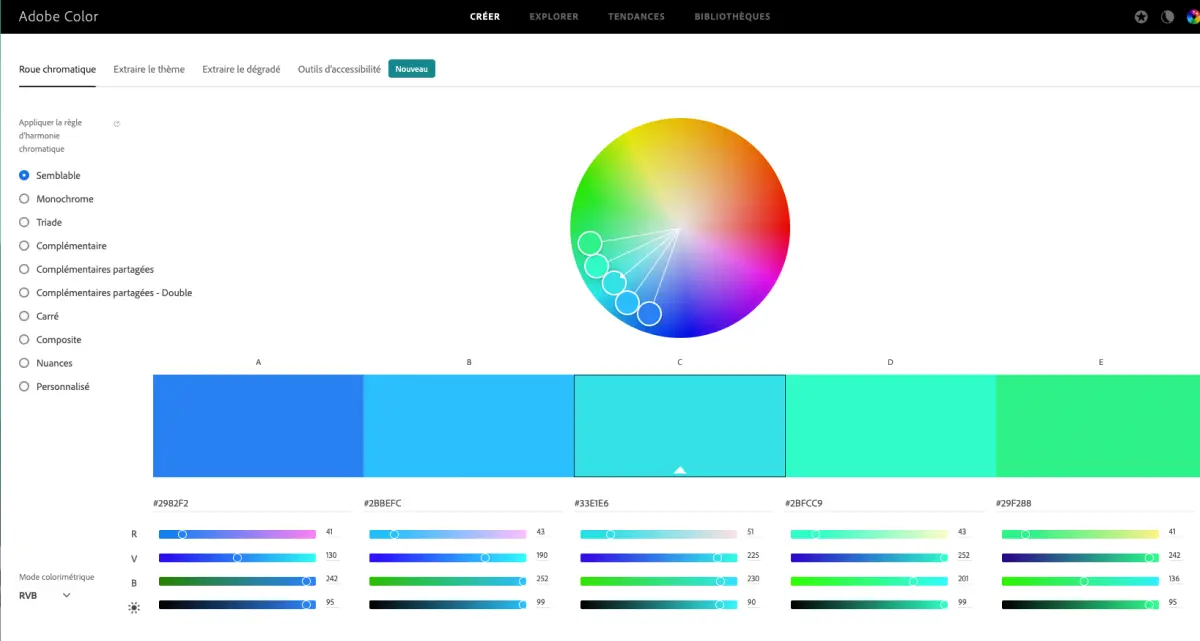
My experience with Adobe Color
I've been using Adobe Color since the early days of Easy Web. It quickly became a mainstay for color research. What I appreciate most is its ability to generate harmonious, balanced palettes, offering structured creative exploration.
Whether it's for new branding, a site redesign or the ambience of a mock-up, it excels. Its options, such as image-based generation or trend exploration, are a huge time-saver when it comes to finding inspiration or technically validating color combinations.
But be warned, it's a starting point, not a turnkey solution. It offers a solid foundation, yes, but the final touches, adapting to the project's precise context and validating accessibility (contrast), still require the designer's seasoned eye.
The designer's eye is always on the ball.
Is Adobe Color really useful for my needs?
The real question to ask yourself before using Adobe Color is: what is my objective? Because the relevance of Adobe Color depends very much on how you use it. Its area of excellence is clearly the generation and exploration of harmonious color palettes. To launch a project, define a visual identity, or simply find inspiration, it's a highly effective tool.
Whether you're a UI/UX designer, a freelance graphic artist, or even a marketing manager looking for brand consistency, Adobe Color saves you precious time. For example, if your goal is to build the color chart for a new application, design a strong identity for a client, or ensure visual consistency for your campaigns, the tool is a great help in laying the groundwork.
Whether you're a UI/UX designer, a freelance graphic designer, or even a marketing manager looking for brand consistency, Adobe Color saves you precious time.
What I also appreciate is its seamless integration with the Adobe Creative Cloud ecosystem. Transferring your palettes directly to Photoshop, Illustrator or XD really simplifies the workflow. It's a time-saver and an assurance of consistency for any designer on a daily basis.


Is Adobe Color suitable for beginners?
Are you starting out in web design, or recruiting start-ups? Believe me, Adobe Color is a godsend for getting started. Its color wheel is insanely intuitive, and the rules of harmony - monochromatic, triadic, etc. - are explained visually, making color theory accessible. It's perfect for creating your first palettes without stress, exploring and learning the solid basics of design.
The great thing is that the tool integrates natively with the entire Adobe ecosystem. A major asset for our teams. You can also draw ideas from thousands of existing palettes, or even observe current trends. For learning color theory by doing, and developing your eye quickly, it's an exceptional springboard.
How much does Adobe Color cost?
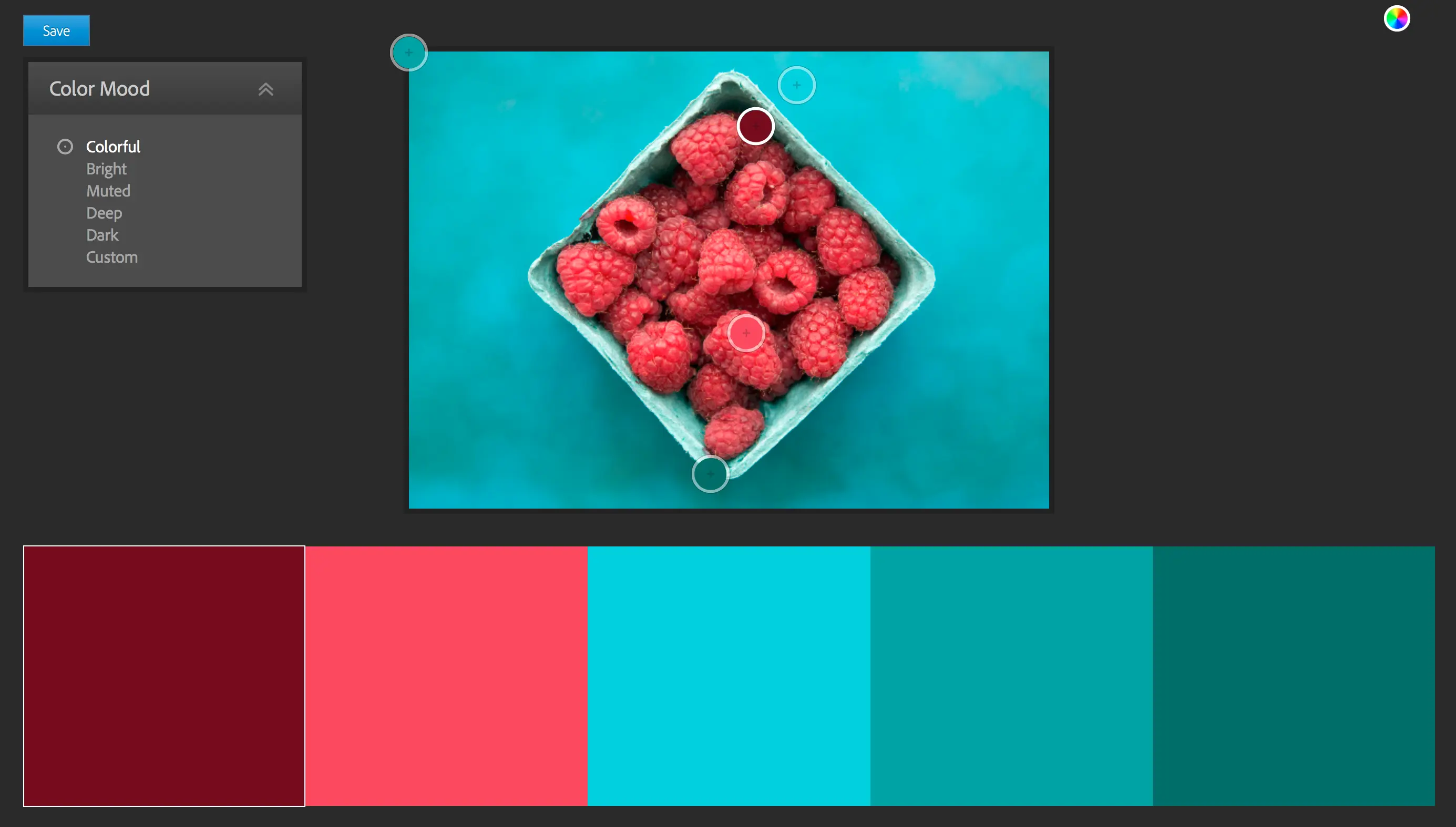
You know, when it comes to the cost of Adobe Color, it's a bit peculiar. There's no specific subscription formula for this tool alone. And that's great news for us pros.
In fact, Adobe Color is mainly accessible in two ways. The first is its web version, which is totally free. Ideal if you're a freelancer just starting out, a student or just someone who wants to quickly generate a palette for a one-off project with no commitment. You get access to the essential features for creating and exploring colorful themes.
For designers and agencies like Easy Web who are already immersed in the Adobe ecosystem, Adobe Color is integrated directly into your Creative Cloud subscription. Whether you use Photoshop, Illustrator or XD on a daily basis, you have access to all its integration and synchronization capabilities via Creative Cloud Libraries, at no additional cost. It's investing in the complete suite that unlocks the full power of Adobe Color, offering invaluable workflow fluidity for professional teams. It's a real plus for optimizing our resources without adding to the bill.
What are the key features of Adobe Color?
As a contractor at Easy Web, I can tell you that visual consistency is our obsession. I use Adobe Color almost daily for its ability to generate chromatic harmonies. You start with one color, and the tool instantly suggests complementary palettes: monochromatic, triadic, analog... It's a colossal time-saver and the certainty of a solid base for any creation.
But where this tool really becomes indispensable is its function for extracting themes from images. Got a mood photo, a logo, a key visual? Download it, and Adobe Color generates a custom palette, taken directly from the image. For us, this is essential for aligning a web project with an existing visual identity or specific mood. A major asset for inspiration and consistency.
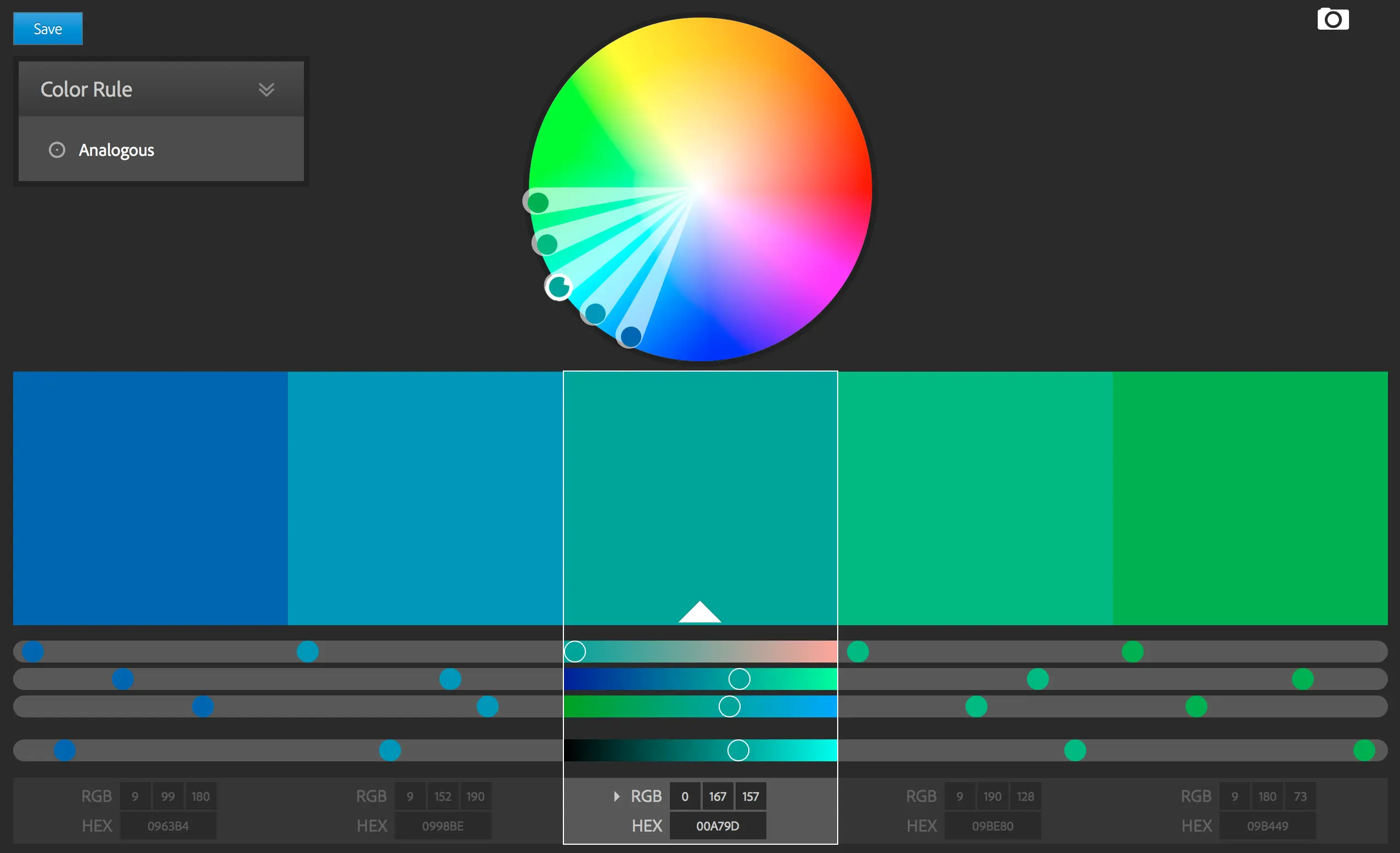
You know that hunt for the perfect palette inspired by a great photo? With Adobe Color, that's taken care of. Extracting themes from an image is a function I use all the time. You upload your visual and the AI does the rest, suggesting complete harmonies. It's an incredible time-saver and an assurance of consistency, especially for demanding customers who already have a clear visual direction. No more guesswork!
And let's talk about exploring trends. If, like me, you're obsessed with the relevance of your designs in 2025, the "Explore" section is a goldmine. Thousands of palettes created by the community or drawn from the Behance universe, categorized by themes like fashion or graphic design. The best part? One click and the palette goes straight into your Creative Cloud library, ready for use in Photoshop or XD. The workflow is amazingly fluid.
For quick inspiration, Adobe Color does the job. But on deeper projects, such as applying advanced chromatic harmony rules or strict WCAG validation for accessibility, it shows its limits. Managing a palette for a complex design system with dozens of components? Clearly not its strong point.
Thankfully, the market is full of alternatives. For finer harmonies, tools like Paletton or Coolors are formidable. And for accessibility, dedicated platforms like Stark or Contrast are indispensable. Despite this, I often return to Color for a first draft, a quick idea. It remains an excellent creative springboard.
At the end of the day, how do I see Adobe Color?
Benefits:
- Ease of use
- Adobe ecosystem integration
- Good initial inspiration
Disadvantages:
- Limited advanced functionality
- Lack of built-in accessibility tools
- Not well suited to large projects/design systems
FAQS
Is it reliable and secure?
Absolutely. As part of the Creative Cloud ecosystem, Adobe Color benefits from the robust infrastructure and advanced security protocols that Adobe deploys for all its applications. Your palette data is securely synchronized, protected by industry-standard authentication and encryption systems. Reliability is consistent, with a solid track record of uptime and performance, crucial to our workflows at Easy Web. You can use it with confidence for your business projects.
Is it compatible with my other tools?
Absolutely. It's one of its strong points, and believe me, in agency work, time is gold. Adobe Color integrates natively and effortlessly with the entire Creative Cloud suite. Once your palettes have been created, they can be accessed directly via the Creative Cloud libraries in Photoshop, Illustrator, InDesign or even XD. Synchronization is virtually instantaneous. For third-party tools, it's just as simple: you export your palettes in standard formats such as HEX, RGB or CMYK codes. Your workflow remains fluid, whatever your technical stack.
Is there responsive customer support?
No, there is no dedicated customer support specifically for Adobe Color. You depend on Adobe Creative Cloud's global customer service. In our experience at Easy Web, responsiveness is fine for major technical incidents. However, for more nuanced questions about using or optimizing Color, I often find that community forums and official documentation are much faster and more relevant. This is the reality with most specialized tools in such a vast software suite.
What do other users think?
From my feedback and what I regularly read on pro forums, designers are praising Adobe Color for its intuitive interface and its speed in generating harmonious color palettes. It's the ideal tool for exploring color rules such as monochromatic or triadic in just a few clicks. Seamless integration with Creative Cloud is a real plus, saving enormous amounts of time on a daily basis. Nevertheless, some may find it a little lacking for very specific needs or very advanced colorimetric analyses, preferring more niche solutions for ultra-complex branding projects. It remains an essential starting point.
Can I easily change later?
From my feedback and what I regularly read on pro forums, designers are praising Adobe Color for its intuitive interface and its speed in generating harmonious color palettes. It's the ideal tool for exploring color rules such as monochromatic or triadic in just a few clicks. Seamless integration with Creative Cloud is a real plus, saving enormous amounts of time on a daily basis. Nevertheless, some may find it a little lacking for very specific needs or very advanced colorimetric analyses, preferring more niche solutions for ultra-complex branding projects. It remains an essential starting point.
Alternatives
.svg)

Specializing in business creation, sales and digital marketing, he puts his expertise at the service of users to help them identify the solutions best suited to their needs. Passionate about digital innovation and optimizing online performance, Alexis is committed to providing detailed, transparent and unbiased comparisons.
Do you have an entrepreneurial project?
We support you in the structuring and development of your tech project. Make an appointment with one of our Business Strategists.