


.avif)





.svg)
.svg)



Should Dropcontact be used in 2025?

.svg)
Dropcontact is an automation solution specialized in B2B contact enrichment and verification. Aimed at content creators, marketing agencies, and sales teams, this platform makes work easier by automating the updating of business contact databases, while guaranteeing their reliability.
Faced with the growing complexity of customer data, how can you ensure you have up-to-date information without wasting time on manual input? This article presents Dropcontact, how it works, and its strengths and limitations, to help you make the best choice in your automation strategy.
My experience with Dropcontact
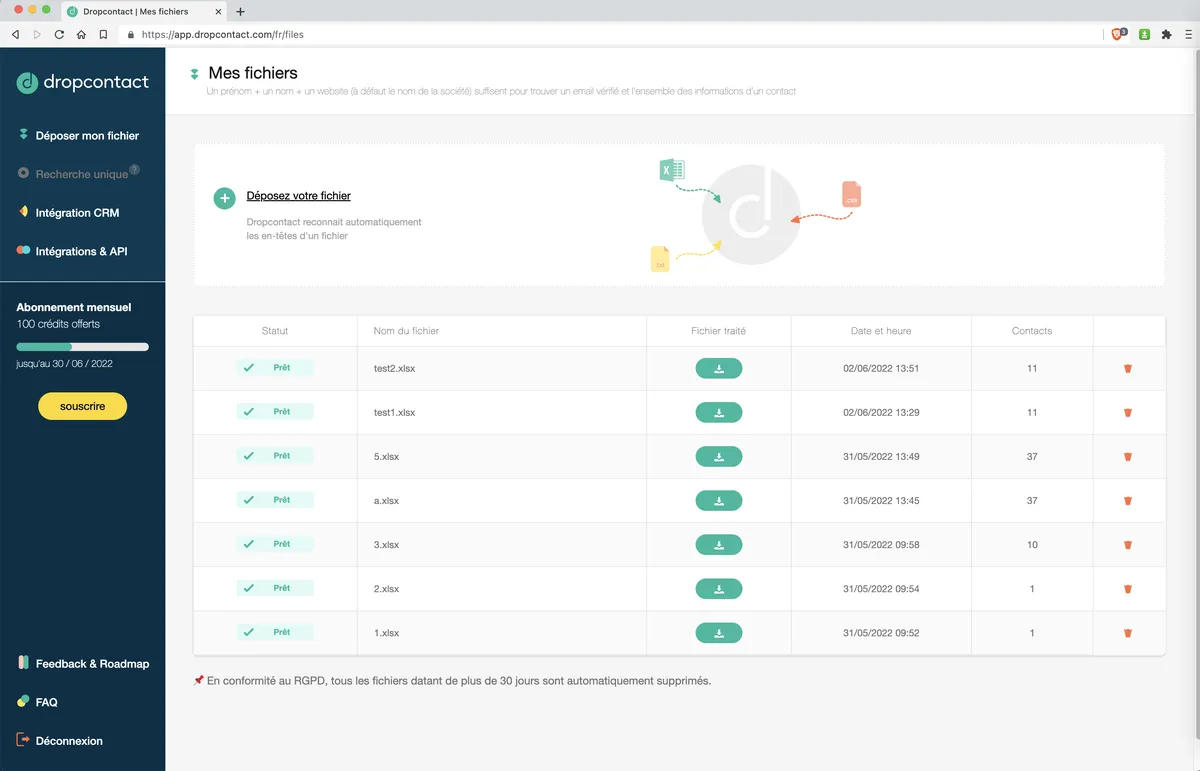
For professional use, I integrated Dropcontact to keep a customer database always up to date. What struck me was the simplicity of the interface and the reliability of the results. The highlight is undoubtedly the complete automation of searching and updating contact information, which has saved me precious time on a daily basis.
In a context where I had to manage a large quantity of leads without losing quality, Dropcontact really excels. It automatically detects invalid emails, corrects errors in names or headings, and enriches profiles with relevant legal and social data.
However, despite its many qualities, Dropcontact has a few limitations such as dependence on the available public database and sometimes less accurate results for very specific or international contacts. For these reasons, it cannot totally replace targeted human prospecting, but remains a valuable addition to a marketing automation strategy.
Is Dropcontact really useful for my needs?
The real question to ask is: do you need to automate the updating of your business contacts to save time and avoid errors? If so, Dropcontact is the perfect answer, thanks to intelligent, automatic database processing.
The professionals concerned are many:
- Freelance freelancers who need to keep their leads up to date without dedicated resources.
- Marketing agencies who process large databases under CRM and want to maintain data quality.
- Sales teams needing verified contacts for effective prospecting.
- Studios and content creators who collaborate with partners and want to avoid contact errors.
Another strong point of Dropcontact is its seamless integration with classic tools such as Hubspot, Salesforce, or even Pipedrive, making it much easier to synchronize enriched data into an existing workflow.


Is Dropcontact suitable for beginners?
Dropcontact is highly accessible to beginners, thanks to its intuitive interface and quick learning curve. Key functions such as automatic contact enrichment and duplicate deletion are simple to trigger without advanced technical knowledge.
For a beginner, this means being able to start cleaning and enriching databases immediately without lengthy training, which is a big advantage for small teams or solo individuals in marketing and sales.
How much does Dropcontact cost?
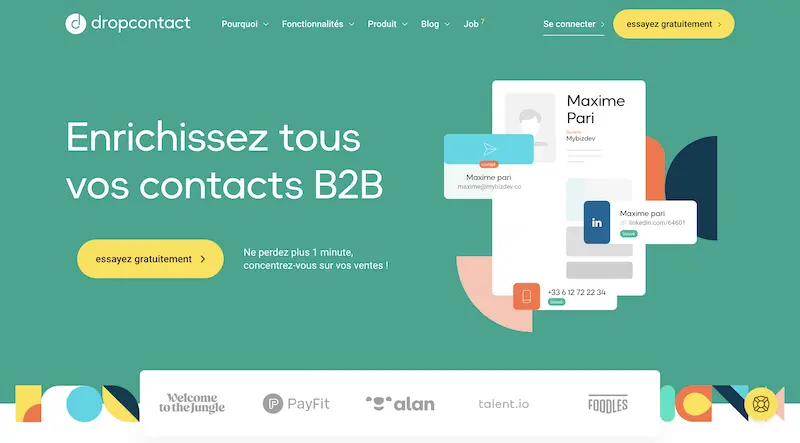
Dropcontact offers different packages to suit different needs. The Starter package starts at €29 per month, ideal for freelancers or small structures, with essential features such as contact enrichment and simplified CRM base management.
For more intensive use, the Pro and Business plans offer a higher volume of contacts as well as advanced integration and automation options. These offerings enable marketing or sales teams to effectively manage their customer bases in complex environments.
Finally, customized pricing and bespoke solutions exist for large accounts wishing to integrate Dropcontact into their large-scale information systems.
What are Dropcontact's key features?
The first key feature of Dropcontact is its automatic enrichment engine. It enables contact information to be updated from a simple email address, adding first name, last name, phone number, position, and even company data linked to the contact.
Then, Dropcontact includes a data verification and cleansing system. This mechanism detects duplicates, corrects classic errors in email addresses, and validates the overall reliability of the file to guarantee efficient prospecting without unnecessary bounces.
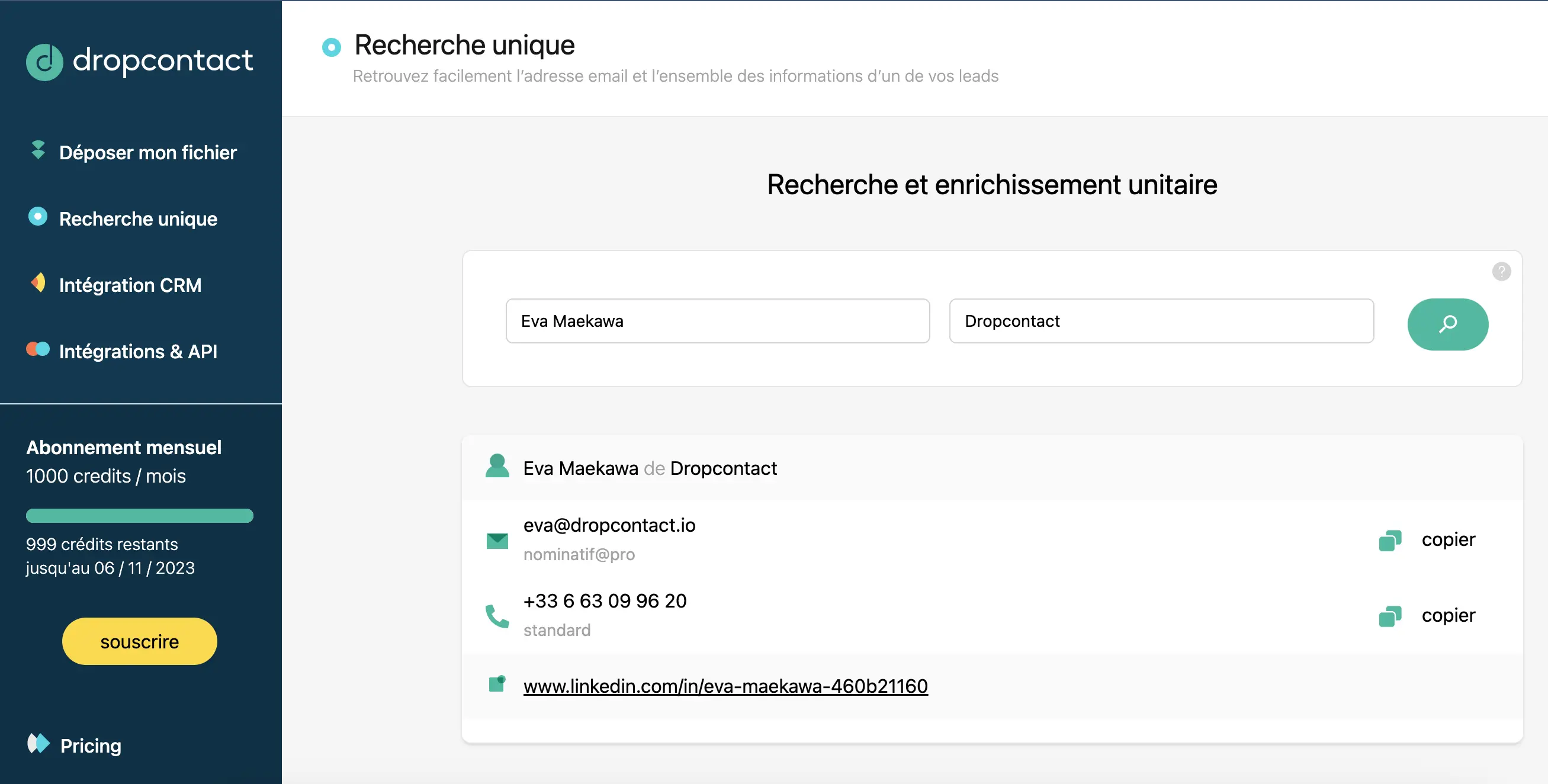
Beyond the basic functions, Dropcontact offers advanced features such as automatic detection of invalid emails, which avoids sending marketing campaigns to out-of-date addresses.
In addition, the tool features native integrations with popular CRMs such as Hubspot, Salesforce, and Pipedrive, enabling a seamless flow of data between the customer database and emailing or automated prospecting campaigns.
.Dropcontact is a specialized, high-performance tool, but it has limitations depending on the use case. For highly nested contacts or those outside the usual public databases, accuracy may decrease. It is therefore no substitute for in-depth manual research or personalized prospecting when volume is low or highly targeted.
Faced with these limitations, competitors such as Clearbit or Hunter.io offer interesting alternatives for certain user profiles. However, Dropcontact stands out for its ease of use and advanced automations, which often make the difference in productivity.
In summary:
- Advantages:effective automation, CRM integration, reliability of general data.
- Disadvantages: dependence on public database, less effective on highly targeted profiles, some possible errors.
FAQS
Is it reliable and secure?
Dropcontact is a reliable and secure tool. The data processed is protected by TLS encryption protocols and stored on servers that comply with current RGPD standards, guaranteeing the confidentiality and protection of personal information.
In addition, the platform carries out regular security audits to ensure the robustness of its infrastructure against the risks of intrusion or data leakage. This reliability is essential for companies wishing to manage their customer data within a legal and secure framework.
Is it compatible with my other tools?
Dropcontact is compatible with the leading CRM and marketing tools on the market. It supports standard formats for importing/exporting files such as CSV, Excel and offers APIs for custom integrations.
Native integrations include Hubspot, Salesforce, Pipedrive, and many others, making it much easier to synchronize enriched data with existing sales and marketing team workflows.
Is there responsive customer support?
Dropcontact customer support is responsive and available via email and online chat. Response times are generally fast, within 24 hours on weekdays, which means that any questions or difficulties encountered can be quickly resolved.
As a complement, online documentation is comprehensive, with tutorials and FAQs enabling effective self-startup for both beginners and advanced users.
What do other users think?
Dropcontact user reviews emphasize its ease of use and the real effectiveness of automatic contact enrichment. Recurring positive points include data accuracy and smooth CRM integrations.
However, a few users note that accuracy can vary depending on the quality of the initial data, and that the tool performs less well on very specific or international contacts.
Can I easily change later?
Dropcontact user reviews emphasize its ease of use and the real effectiveness of automatic contact enrichment. Recurring positive points include data accuracy and smooth CRM integrations.
However, a few users note that accuracy can vary depending on the quality of the initial data, and that the tool performs less well on very specific or international contacts.
Alternatives

Specializing in business creation, sales and digital marketing, he puts his expertise at the service of users to help them identify the solutions best suited to their needs. Passionate about digital innovation and optimizing online performance, Alexis is committed to providing detailed, transparent and unbiased comparisons.
Do you have an entrepreneurial project?
We support you in the structuring and development of your tech project. Make an appointment with one of our Business Strategists.