


.avif)





.svg)
.svg)



Should Autodesk SketchBook be used in 2026?
.svg)
Autodesk SketchBook has established itself as a benchmark for intuitive digital drawing, somewhat apart from the industry giants, by focusing on pure user experience. But in 2025, does it still have a place in our workflows, in the face of new platforms and changing needs? We take a look at its simplicity, its hidden features, and also its limitations. After years of pushing it to its limits, I give you my objective opinion so you can decide whether it's the right tool for you, whether for your quick sketches or your more advanced illustrations.
My experience with Autodesk SketchBook
Since my early days at Easy Web, and even before that, Autodesk SketchBook has always been a mainstay in my toolbox. What I've always appreciated above all is its fluidity and fidelity of line, an almost organic feel.
It's the perfect tool for the ideation and conceptualization phase. When I need to quickly put down a design idea, a wireframe or a storyboard, the responsiveness of the brushes and the simplicity of the interface mean I can concentrate on pure creativity, without being held back by technique. It's all about instinct.
However, let's be clear: SketchBook excels at digital drawing and sketching, but it's not cut out for advanced post-processing, complex photo retouching or the creation of precise vector elements. For these tasks, I naturally turn to other, more specialized software.
Is Autodesk SketchBook really useful for my needs?
The real question to ask yourself before using Autodesk SketchBook is: what is my objective? Because the relevance of Autodesk SketchBook depends very much on how you use it. If your core business is rapid sketching, digital illustration or concept art to visualize ideas, then yes, it's a major asset. It excels in the initial creative phase, when you lay down your first lines.
Whether you're a freelance illustrator, a product designer exploring shapes, or even an architect for preliminary sketches, SketchBook is frighteningly effective. For example, if you need to generate intuitive wireframes for a web project, create quick storyboards for an animation, or visualize a character for a video game, it offers a powerful and responsive blank canvas.
If you're a freelance illustrator exploring forms, or even an architect for preliminary sketches, SketchBook is formidable.
Another strong point that I particularly appreciate is its flexibility. It runs on virtually all platforms (PC, Mac, mobile) and its interface, while rich, remains surprisingly light and non-intrusive. This is crucial if you don't want to break your creative flow.


Is Autodesk SketchBook suitable for beginners?
When I discovered SketchBook, I immediately felt it had that je-ne-sais-quoi for beginners. The interface is uncluttered, you're not drowning in complex palettes. For someone new to digital design, the built-in perspective guides are a gold mine, as if the tool were holding your hand to draw your first scenes. As for line stabilization, it's a huge help to get cleaner lines, even if your hand is a little shaky. It's a real confidence booster.
What I also appreciate is that traditional drawing feel it provides. You can really concentrate on the creative gesture, without being overwhelmed by a mountain of unnecessary options at the outset. Access to a well-stocked brush library from the outset means you can experiment without looking for something new. For me, it's the ideal tool for laying the foundations, exploring your first ideas and enjoying yourself before plunging into more complex software.
How much does Autodesk SketchBook cost?
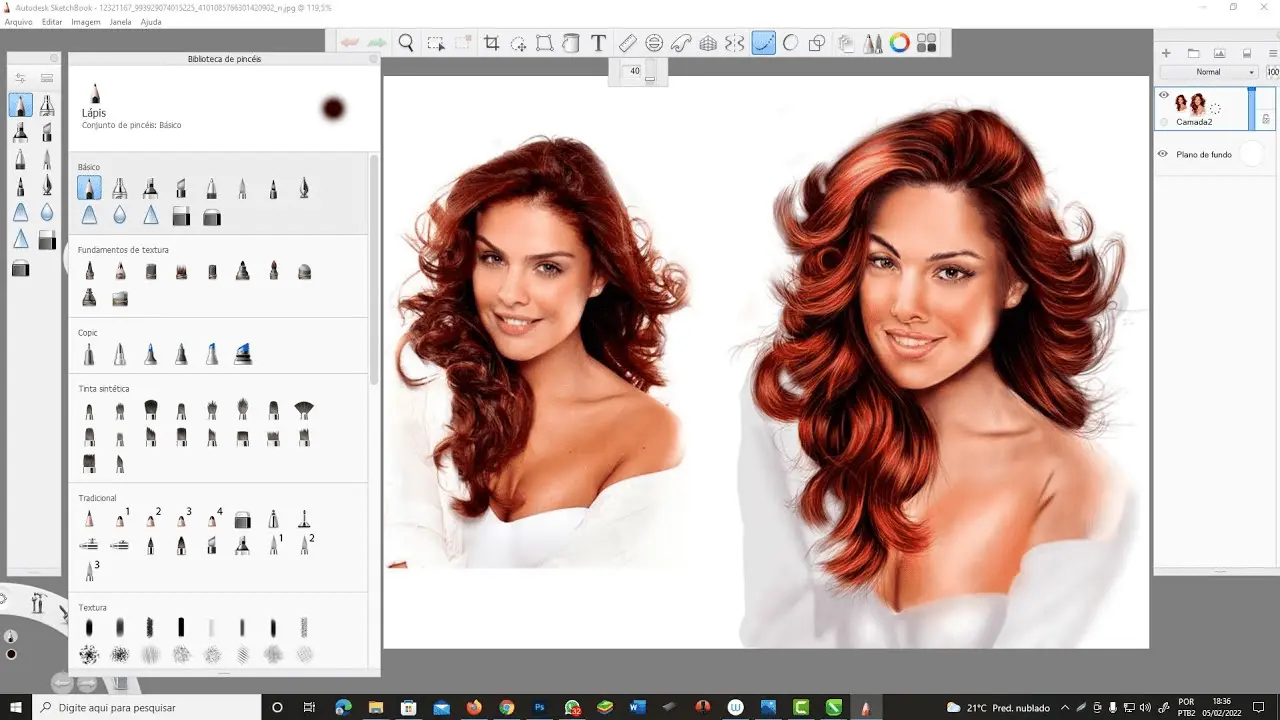
Let's talk budget, because a tool, no matter how great, must also stick to your finances. In 2025, Autodesk SketchBook's great strength is that it's entirely free. Yes, zero euros. It's a bold strategy that changes everything in our ecosystem. No more complex formulas and subscriptions that put a strain on your cash flow. You get access to all the key features - hundreds of customizable brushes, robust layer management, symmetry tools - without paying a cent.
This is an incredible boon for freelance designers, students who want to get started without initial investment, or even established agencies looking for an agile, high-performance solution for rapid brainstorming or initial drafts, without weighing down their software licenses. For a tool of this quality, that's a major advantage.
What are the key features of Autodesk SketchBook?
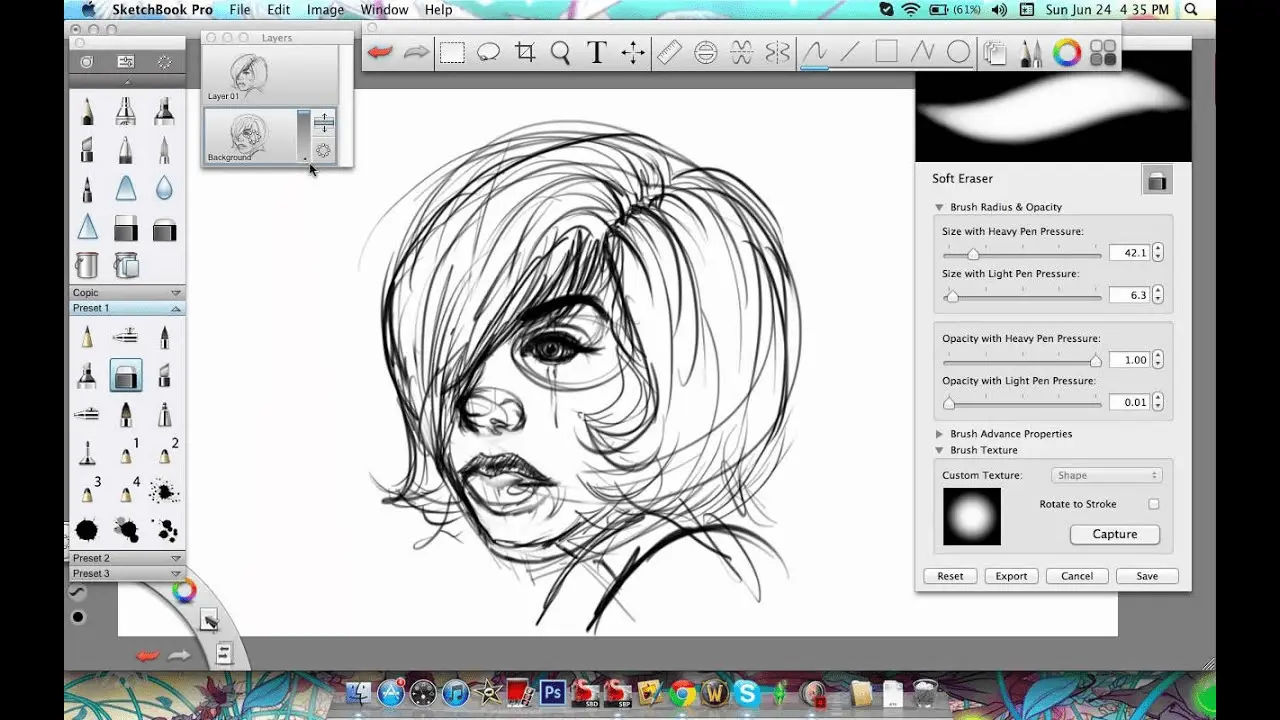
We often talk about powerful tools, but for me, the real strength of design software is when it steps aside. With SketchBook, it's exactly that. The interface is disconcertingly simple. You're not drowning in palettes; everything is focused on your canvas. This minimalist approach, combined with an amazing fluidity of line, makes the sketching process incredibly intuitive. It's almost like working on paper, but with all the advantages of digital.
But beyond the pure drawing sensation, what really sets SketchBook apart for us pros are its support tools. I'm thinking in particular of the predefined perspective guides and symmetry tools. No more time wasted drawing vanishing lines; the tool manages them for you. For product designs, architecture or even complex logos, it's a monumental workflow gas pedal. Precision is there, effortlessly.
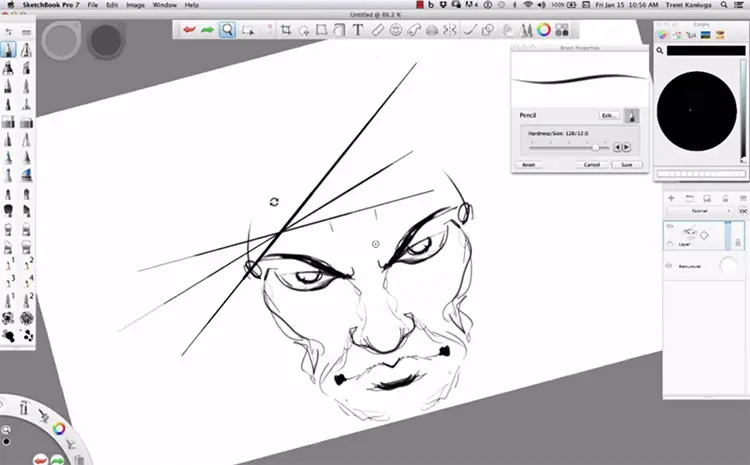
You know, precision is the keystone of our designs. SketchBook's 'Predictive Stroke' is a nugget. This feature literally anticipates your movement, smoothing your strokes for fluid curves and impeccable straight lines. No more tedious retouching to correct a shaky hand! I've seen my interface sketches become cleaner and faster thanks to this. It's a huge time-saver, believe me.
And let's talk about 'Perspective Guides'. For any designer venturing into architectural concept, product design or even complex illustrations for the web, these guides are an undeniable asset. Whether it's one, two or three vanishing points, SketchBook gives you a dynamic grid that guarantees perfect spatial consistency. No more tedious calculations or lines that don't converge! It greatly simplifies the creation of scenes with realistic depth, freeing your mind for pure innovation.
Let's be clear, SketchBook excels for quick sketches and illustrations. But for demanding UI/UX or complex vector design, its limitations quickly become apparent. Forget about interactive mock-ups or advanced integration into a web workflow; this is not its primary role.
For these cases, tools like Figma, Adobe XD or Illustrator are indispensable, offering vector precision, collaboration and prototyping. However, don't bury it! For ideation, free sketching and creative exploration, SketchBook remains a staple of our Easy Web box. It has its place.
To sum up, the tool is:
Benefits:
- Intuitive interface
- Excellent brushes
- Ideal for sketching
Drawbacks:
- Weak vector/UI/UX
- No advanced collaboration
- Less suited to complex web projects
FAQS
Is it reliable and secure?
Absolutely. As an Autodesk product, SketchBook benefits from the robustness and security of a major publisher. Regular updates correct potential vulnerabilities and guarantee constant stability. Your files are mainly managed locally, giving you direct control over the confidentiality of your creations. Reliability is the name of the game, with performance optimized to minimize crashes, even on complex projects. You can rely on this tool to protect your work.
Is it compatible with my other tools?
Absolutely. This is a crucial issue for proper integration into your workflow. SketchBook excels in its ability to export to standard formats such as Photoshop PSD. This makes transferring your layers and work to other software in the Adobe suite, or even GIMP and Krita, impressively smooth. It also handles PNG, TIFF and JPEG exports - everything you need to integrate your creations seamlessly into any project or post-production tool. No friction, just creation.
Is there responsive customer support?
The responsiveness of customer support is crucial, we agree. For SketchBook, since it's now a free tool, the support model differs a bit. Don't expect the kind of direct hotline support you'd expect from expensive pro software. On the other hand, the Autodesk community and forums dedicated to SketchBook are hyperactive and very useful. That's where you'll find the quickest answers to common questions and pro tips. For more technical concerns, the official Autodesk channel is available, but the delay may be a little longer, that's the game.
What do other users think?
The community is generally very positive. Users often praise its ultra-intuitive interface and the fluidity of its brush engine, which offers a truly natural rendering. It's a favorite for fast concept art and pure illustration, especially for those coming from a traditional background. We sometimes hear that for precise vector work or complex page layout, it reaches its limits, but this is consistent with its specialization. For pure digital sketching, it's a recognized reference.
Can I easily change later?
The community is generally very positive. Users often praise its ultra-intuitive interface and the fluidity of its brush engine, which offers a truly natural rendering. It's a favorite for fast concept art and pure illustration, especially for those coming from a traditional background. We sometimes hear that for precise vector work or complex page layout, it reaches its limits, but this is consistent with its specialization. For pure digital sketching, it's a recognized reference.
Alternatives

Specializing in business creation, sales and digital marketing, he puts his expertise at the service of users to help them identify the solutions best suited to their needs. Passionate about digital innovation and optimizing online performance, Alexis is committed to providing detailed, transparent and unbiased comparisons.
Do you have an entrepreneurial project?
We support you in the structuring and development of your tech project. Make an appointment with one of our Business Strategists.