


.avif)





.svg)



Should you use Mailchimp in 2025?

Mailchimp has established itself as a key player in the field of email marketing and automation. Since its creation, it has evolved to offer a comprehensive platform that's easy to learn, and equally suited to small structures and more seasoned web agencies. With advanced segmentation features, customizable templates, and an intuitive interface, Mailchimp offers an environment conducive to customer conversion and loyalty.
.But then, is Mailchimp still relevant in 2025 in the face of rising alternatives and increased demands for personalization and automation? In this article, we'll analyze its strengths, its limitations, and share feedback that can help you position yourself on this tool according to your specific needs.
My experience with Mailchimp
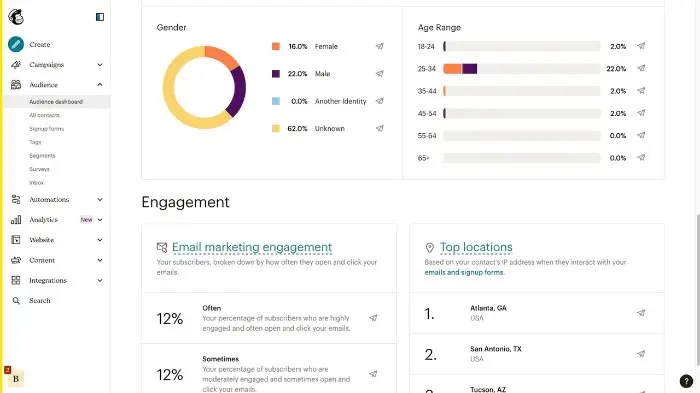
I use Mailchimp both professionally and personally to manage and send email campaigns. What I like most about it is its fast learning curve and powerful segmentation that enables precise targeting of recipients, a major asset for maximizing open and click rates. The simplicity of its interface combined with advanced functionalities makes it a very good compromise.
In an agency context, Mailchimp excels when it comes to managing multiple lists and automating simple customer journeys such as welcome sequences, cart abandonment relaunches or behavioral segmentations. Its integration with other tools via API or Zapier makes it a versatile tool for orchestrating multi-channel campaigns.
However, for very advanced needs or very large volumes of mailings, you can quickly reach the limits of your platform, particularly in terms of advanced personalization and high-end support. In this case, it may be necessary to turn to more specialized or robust solutions depending on the context.
Is Mailchimp really useful for my needs?
The real question to ask yourself before adopting Mailchimp is to understand your email marketing objectives and your level of expertise. If you're looking for a simple tool that's quick to deploy, with solid functionality for managing lists, sending newsletters and automating basic sequences, then Mailchimp will fit the bill perfectly.
Personas that can benefit from Mailchimp include:
- Freelance developers who want a headache-free solution for managing their customer campaigns.
- Small web agencies who need a standardized tool to create emailing tunnels and effectively segment their bases.
- Beginner e-merchants who want to automate cart relaunches and promotional emails without complexity.
- Marketing teams who want to quickly create creative campaigns thanks to integrated templates and drag & drop.
Another Mailchimp strength lies in its rich ecosystem, which enables fluid integration with many other platforms (CRM, CMS, etc.) and thus facilitates the centralization of data for better-targeted campaigns.

Is Mailchimp suitable for beginners?
Mailchimp is one of the most suitable email marketing solutions for beginners, thanks to its clear, intuitive interface. Users can take advantage of ready-to-use templates, a drag & drop editor and step-by-step wizards that make it easy to create campaigns without in-depth technical knowledge.
These features combine to offer novices the ability to quickly launch effective campaigns, while also having the opportunity to gradually explore advanced functionalities such as simple automations or basic segmentation.
How much does Mailchimp cost?
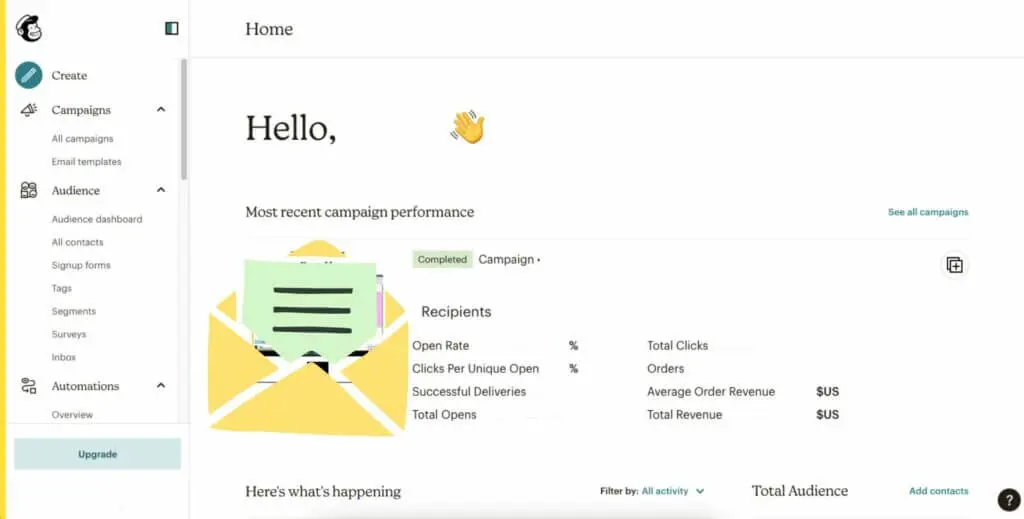
Mailchimp offers an attractive free package that lets you send up to 10,000 emails per month to a maximum of 2,000 contacts, with access to basic templates, the drag & drop editor, and a few simple reports. This formula is ideally suited to freelancers and small structures in their start-up phase.
The Essentials package starts at around €11 per month and adds important features such as simple A/B testing, more templates, 24/7 email support, as well as expanded mailing and contact capacity. It's ideal for small businesses and agencies who want a little more power for their campaigns.
The Standard plan, from €17 per month, includes advanced automation, detailed reporting, finer segmentation and additional integrations. This plan is aimed at more established marketing teams who want to make full use of the personalization and analytics capabilities.
Finally, the Standard plan includes advanced automation, detailed reporting, finer segmentation and additional integrations.
Finally, the Premium plan, often by quotation, targets large companies with high mailing volumes and advanced needs in terms of support, automation and advanced segmentation.
What are Mailchimp's key features?
Mailchimp's first key feature is its powerful list management and segmentation system. Contacts can be precisely categorized according to a wide range of criteria (demographics, behaviors, engagement), enabling hyper-targeted, personalized campaigns.
The second flagship feature lies in its emailing automations. Mailchimp offers a clear interface for creating automated sequences - such as welcome, basket relaunch, birthday emails - that greatly improve the customer journey without constant manual intervention.
The second key feature lies in its emailing automations.
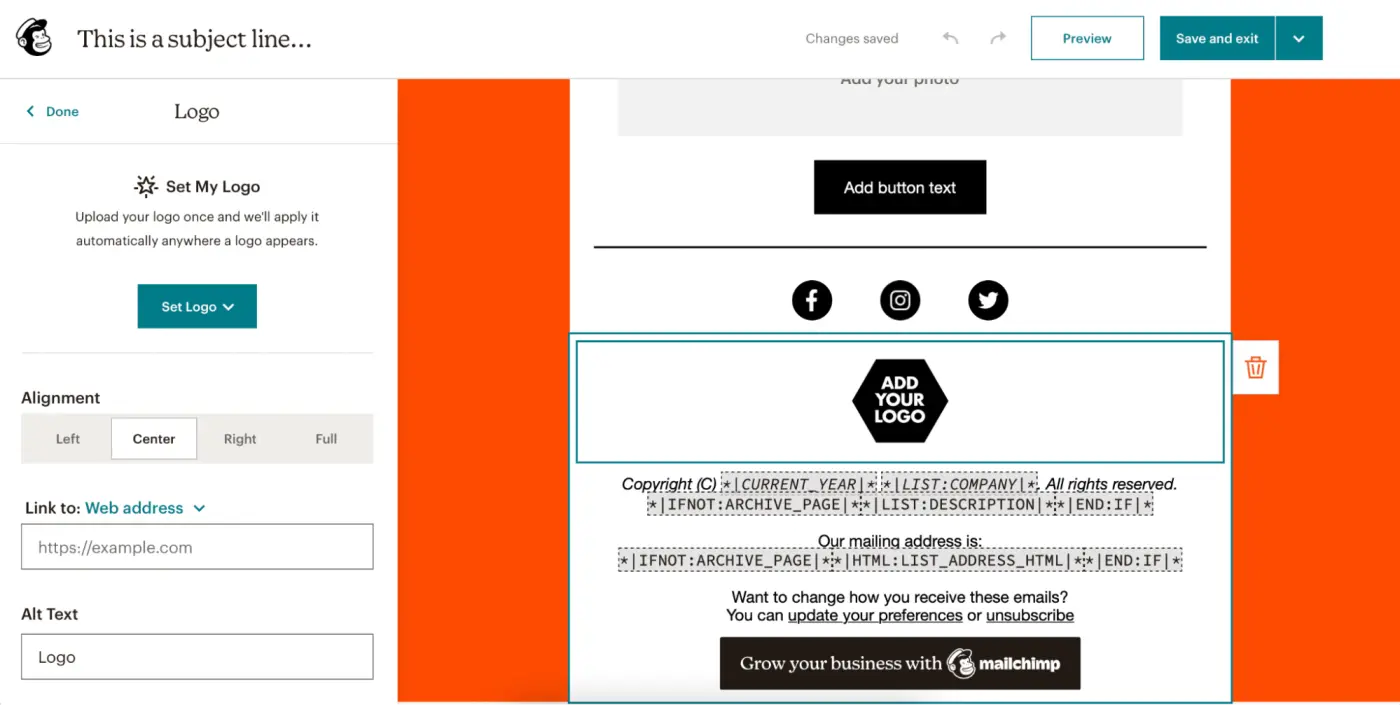
Mailchimp also offers advanced features such as A/B testing, which lets you compare different email versions to optimize performance. This includes the ability to test objects, content, or send times to maximize impact.
Another advanced option is integration with third-party APIs and tools, enabling its uses to be extended beyond classic email marketing, notably by connecting customer data to CRMs or e-commerce platforms for richer multi-channel campaigns.
Mailchimp's limitations emerge mainly according to the context of use. For simple and average campaigns, it does the job very well, but as soon as requirements become more sophisticated - complex segmentation, advanced A/B testing, ultra-fine personalization or bespoke integration - certain constraints emerge.
For example, tools like Sendinblue, ActiveCampaign or HubSpot can offer more flexibility and power in terms of advanced automation and integrated CRM. However, Mailchimp retains a clear advantage in terms of ergonomics and accessibility, particularly for smaller teams or limited resources.
To sum up, Mailchimp offers an excellent balance between functionality and simplicity, but should be considered against its competitors according to specific needs criteria. Its major advantages are its ease of use and its deep roots in the market, while its disadvantages lie in its limitations in automation and support for very large volumes.
Mailchimp is the ideal solution for a wide range of needs.
FAQS
Is it reliable and secure?
Mailchimp is a reliable and secure platform, complying with rigorous RGPD standards for the protection of personal data. Data is hosted on secure servers with advanced encryption protocols, guaranteeing the confidentiality and security of user information.
The robust infrastructure makes it possible to handle very high email volumes with a high rate of availability. Mailchimp also offers advanced access control and authentication options to ensure secure use and limit the risks of abuse or piracy.
Is it compatible with my other tools?
Mailchimp is compatible with a multitude of platforms and formats. It offers native or API integrations with popular CMS (WordPress, Shopify, Magento), CRM (Salesforce, HubSpot) and other marketing tools like Zapier or Google Analytics.
Standardized export/import formats also make it easy to manage customer lists and data for optimal interoperability with a rich digital ecosystem.
Is there responsive customer support?
Mailchimp customer support is accessible via several channels depending on the package chosen. Free formula users have access to a comprehensive knowledge base and community forums.
Paid packages benefit from 24/7 email support and live chat, with fast response times that vary according to subscription level. The service is renowned for its relevance and efficiency, providing reliable assistance to resolve issues quickly.
What do other users think?
User reviews of Mailchimp regularly highlight its ease of use, rich functionality and intuitive interface. Users particularly appreciate the speed with which it can be set up and the quality of the templates on offer.
However, some feedback points the finger at limitations on advanced features, particularly in terms of customization and management of very large volumes, as well as the cost, which can quickly escalate depending on the size of the base.
Can I easily change later?
User reviews of Mailchimp regularly highlight its ease of use, rich functionality and intuitive interface. Users particularly appreciate the speed with which it can be set up and the quality of the templates on offer.
However, some feedback points the finger at limitations on advanced features, particularly in terms of customization and management of very large volumes, as well as the cost, which can quickly escalate depending on the size of the base.
Alternatives
.svg)

Specializing in business creation, sales and digital marketing, he puts his expertise at the service of users to help them identify the solutions best suited to their needs. Passionate about digital innovation and optimizing online performance, Alexis is committed to providing detailed, transparent and unbiased comparisons.
Do you have an entrepreneurial project?
We support you in the structuring and development of your tech project. Make an appointment with one of our Business Strategists.