


.avif)





.svg)



Should Joget be used in 2025?
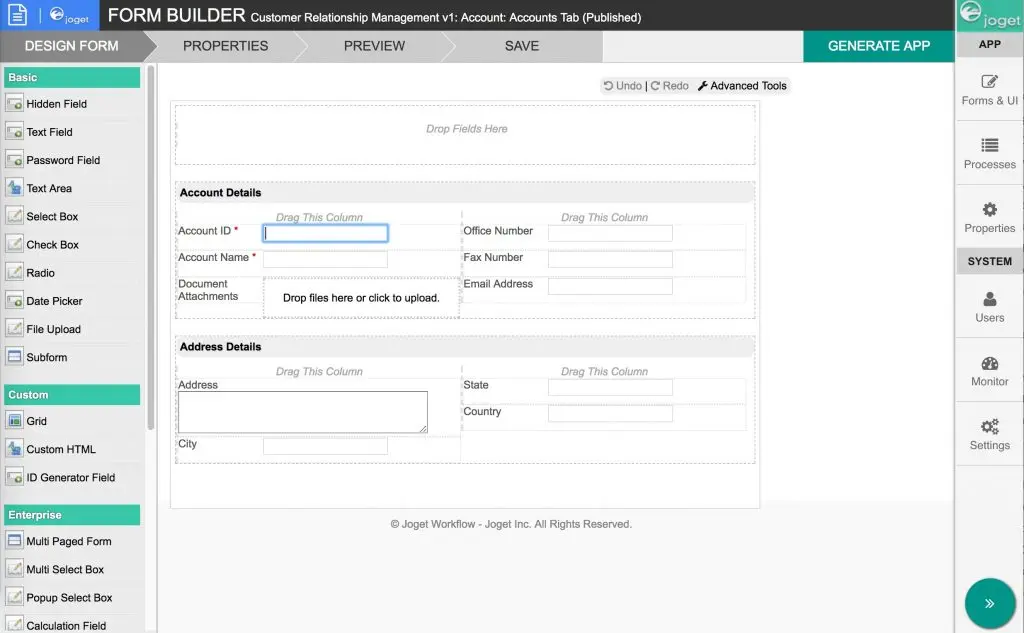
Joget is an open source low-code platform that revolutionizes the way web developers and agencies build business applications. By combining drag-and-drop simplicity with the power of a robust framework, Joget drastically reduces development time while retaining extensive flexibility for fine-tuning and customizing applications.
In a market where speed of execution and agility have become key criteria, Joget is positioned as a hybrid solution that marries speed and customization. But to what extent can Joget meet the specific needs of professional developers? This article examines the advantages and limitations of this tool to help you make an informed choice in 2025.
My experience with Joget
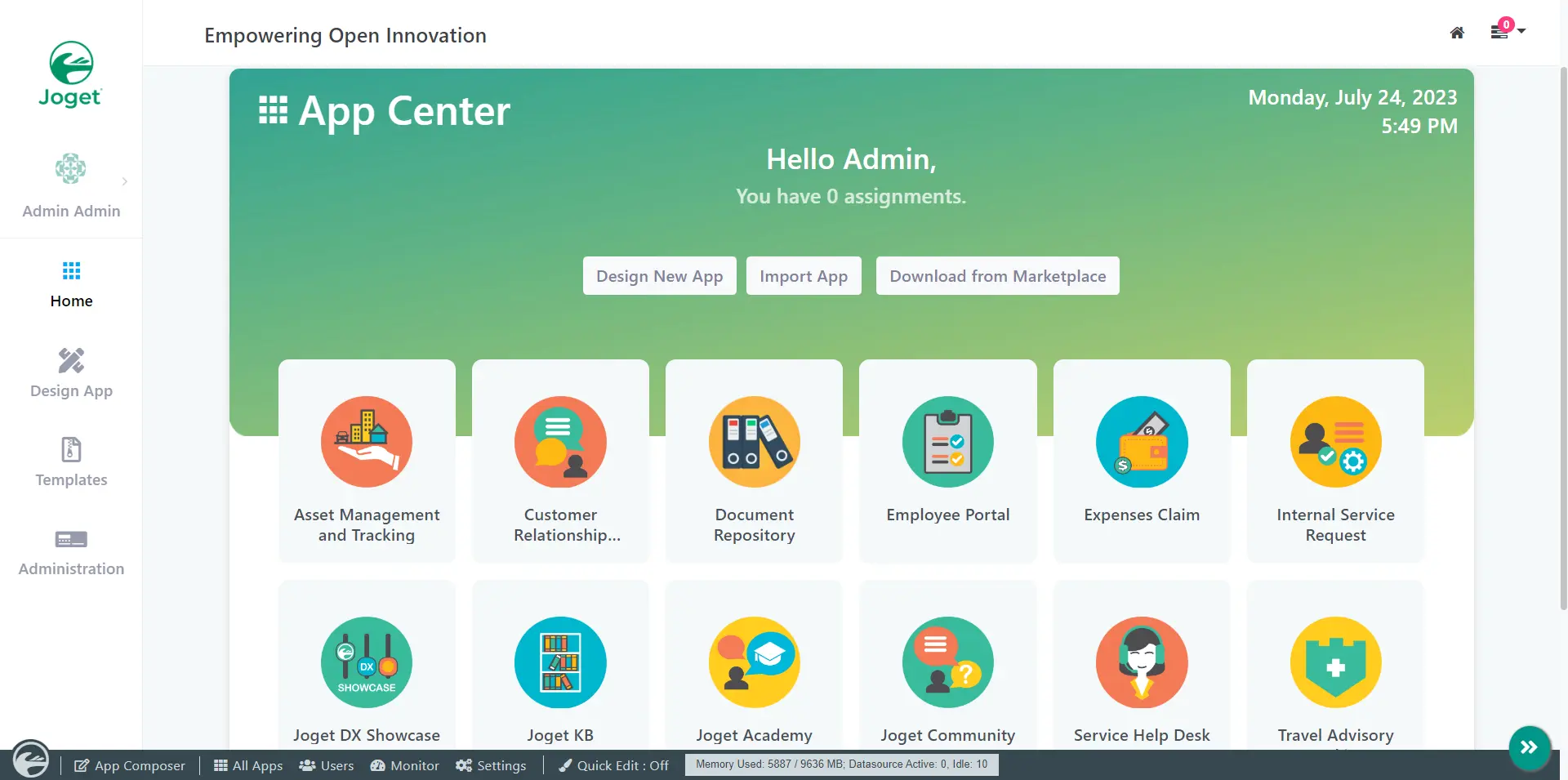
I used Joget mainly in a professional context to rapidly prototype internal applications designed to manage business processes. What struck me first was its ease of use via the drag-and-drop interface, which enabled me to design forms, workflows and dashboards in record time. The strong point, in my opinion, lies in the flexibility of the system, which allows both low-code and the integration of custom Java scripts, adding enormous value in terms of adaptability.
This platform excels in environments where speed of implementation is crucial, particularly when building applications that need to evolve regularly according to business needs. For example, in web agencies wishing to offer customized applications quickly to their customers, Joget proves particularly effective.
However, I have noted a few limitations, notably on the learning curve for developers unfamiliar with Java, as well as on some rather basic UX design aspects by default. This may require additional investment to achieve a visually more modern and user-friendly application.
Is Joget really useful for my needs?
The real question to ask yourself before adopting Joget is: do your needs lie at the intersection of speed of execution and a certain amount of technical customization? This low-code solution is aimed at those who want to speed up application creation while keeping the door open to advanced modifications.
Typical personas include: IT project managers who want to quickly validate business application prototypes; web agencies who need to deliver configurable applications to their customers without starting from scratch; or internal teams looking to digitize processes without relying too heavily on traditional developers. Joget offers everyone a scalable framework, offering both a visual approach and advanced integration possibilities.
Another Joget strength is the large open source community that shares plugins and extensions, enabling you to enrich your projects even further and benefit from a dynamic ecosystem.

Is Joget suitable for beginners?
Joget can be adapted for a beginner thanks to its intuitive drag-and-drop interface, which makes it easy to create simple applications without in-depth programming knowledge. The basic templates and examples provided make it easy to get started quickly and understand the fundamentals of low-code development.
For beginners, this represents an excellent opportunity to grasp the logic of workflows and forms while remaining in a visual environment. However, as soon as requirements go beyond simple configuration and call for complex scripts or integrations, a certain technical mastery becomes necessary.
How much does Joget cost?
Joget offers a Cloud Starter package at €99 per month, ideal for small teams looking to get started quickly with an affordable low-code platform. This package includes core application creation functionality, hosting, and basic support.
For companies with more advanced needs, Joget also offers Enterprise versions on a quotation basis, incorporating additional options such as high availability, advanced integrations, premium support and advanced customization capabilities. These offerings are aimed at medium and large enterprises or web agencies with complex projects.
What are Joget's key features?
The first key feature of Joget is its low-code development environment, which enables business applications to be designed and deployed via a visual drag-and-drop interface. This approach speeds up the design of forms, workflows and dashboards without the need to write large amounts of code.
Another major feature is the native integration of Java scripts, enabling deep customization of applications. This hybridization between low-code and traditional development offers great flexibility to meet specific needs while retaining the speed of low-code development.
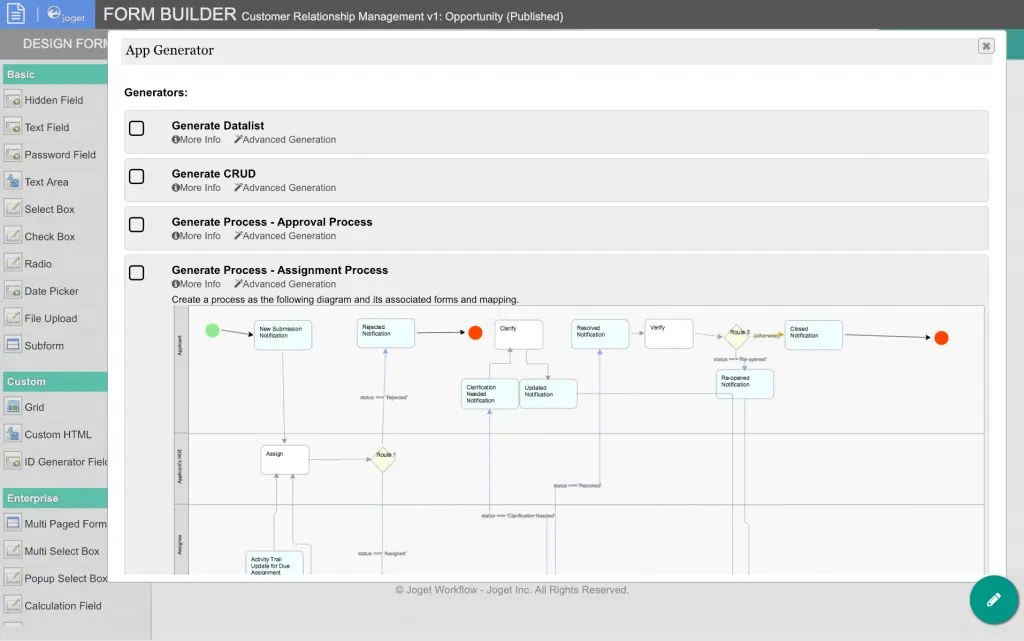
Beyond basic functionality, Joget offers advanced capabilities such as user role management and detailed permissions definition, which are crucial for secure business applications. In addition, the platform supports numerous connectors enabling easy integration of external databases, ERP, CRM, or other systems via API.
Furthermore, Joget supports multi-platform deployment, with native version management, facilitating the ongoing maintenance and updating of developed applications, an important asset for agile teams.
Like any low-code tool, Joget has its limitations depending on the use case. Highly complex applications with advanced UX requirements may come up against its native capabilities, requiring additional development or another more specialized platform. Similarly, its reliance on Java can make it less fluid for developers unfamiliar with this environment.
Faced with these constraints, competitors such as Outsystems, Appian or Mendix can offer more comprehensive solutions, but often at higher subscription costs. That said, Joget remains an interesting alternative thanks to its open source model and affordable pricing.
In summary, Joget's main advantages are its speed of development, its hybrid low-code/code model, and its controlled cost. Disadvantages include a sometimes rudimentary default UX and the need for a learning curve for advanced customizations.
FAQS
Is it reliable and secure?
Joget is designed to be reliable and secure, with a robust architecture based on recognized standards. The platform relies on secure protocols such as HTTPS and offers strong authentication mechanisms, including fine-grained role and permission management for rigorous access control.
When it comes to data security, Joget enables the configuration of regular backups and integrates encryption-at-rest options. These features guarantee robust protection against common vulnerabilities and data loss, which is essential for sensitive business applications.
Is it compatible with my other tools?
Joget is compatible with several popular databases such as MySQL, PostgreSQL, Oracle and SQL Server. The platform also offers REST APIs to facilitate integrations with other systems and enable smooth data exchange.
Thanks to its modular architecture, Joget can be extended via third-party plugins and connectors, making it easily integrated into an existing or hybrid IT ecosystem.
Is there responsive customer support?
Joget's customer support is available via several channels, including comprehensive documentation, an active community forum, and a ticket system for users of paid packages. Response times vary according to package, with priority support for Enterprise customers.
In addition, Joget offers customized training and coaching options, which is a plus for companies looking to ramp up quickly.
What do other users think?
User reviews highlight the speed of implementation and flexibility offered by Joget as its strong points. Users also appreciate the open source aspect, which allows them to adapt the platform to their specific needs.
However, some regret a sometimes dated user interface and a learning curve not always negligible to master advanced customizations, especially for non-developers.
.Can I easily change later?
User reviews highlight the speed of implementation and flexibility offered by Joget as its strong points. Users also appreciate the open source aspect, which allows them to adapt the platform to their specific needs.
However, some regret a sometimes dated user interface and a learning curve not always negligible to master advanced customizations, especially for non-developers.
.Alternatives
.svg)

Specializing in business creation, sales and digital marketing, he puts his expertise at the service of users to help them identify the solutions best suited to their needs. Passionate about digital innovation and optimizing online performance, Alexis is committed to providing detailed, transparent and unbiased comparisons.
Do you have an entrepreneurial project?
We support you in the structuring and development of your tech project. Make an appointment with one of our Business Strategists.