


.avif)





.svg)



Should you use Jet Admin in 2025?

.svg)
In the modern web development ecosystem, managing administration interfaces and backends is crucial to speeding up application deployment. Jet Admin has brilliantly established itself as an effective solution for designing custom administration interfaces, without sacrificing flexibility and power. This service is particularly aimed at web developers and agencies who want to simplify the creation of dashboards and the administration of complex data without starting from scratch.
But is Jet Admin really a must-have backend management tool in 2025? By exploring its strengths and limitations, this article will help you determine whether Jet Admin fits your business needs and guide you in making an informed decision.
My experience with Jet Admin
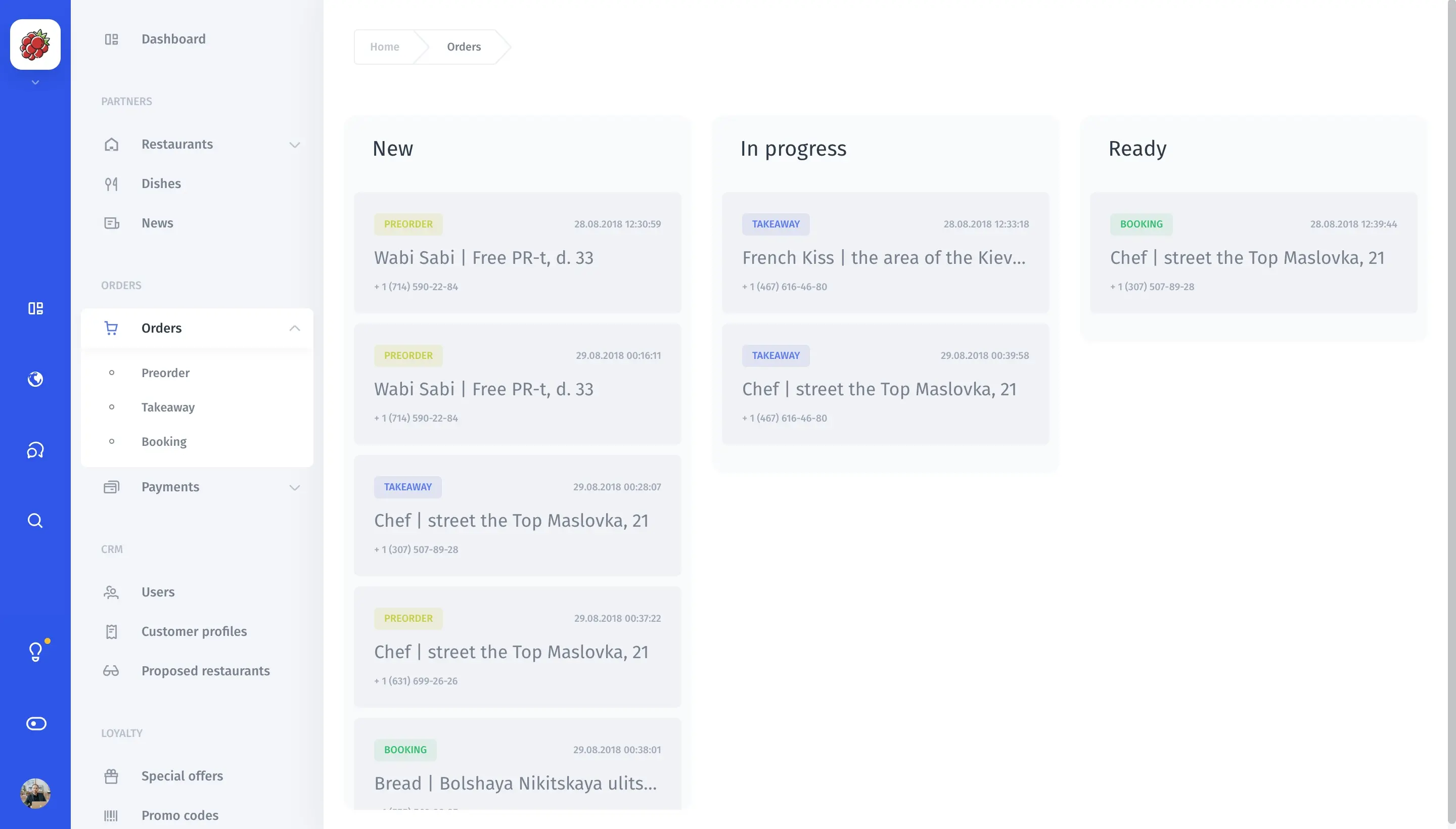
I've used Jet Admin mainly in a professional context, to quickly build customized administration interfaces for customer projects. The simplicity of interface creation and robust integration with multiple data sources are its greatest asset. The quick learning curve and modularity of the components really helped me to iterate efficiently on different versions of the dashboards.
Jet Admin particularly excels in contexts where projects involve multiple databases or diverse APIs to be consolidated into a single pragmatic interface. It also makes it easy to manage user rights according to different roles, a real plus for complex environments.
However, if you have very specific needs or advanced visual customization requirements, Jet Admin can show its limits. Some advanced functionalities require a longer adaptation time, and CSS customization is sometimes restricted. What's more, the cost can quickly escalate depending on the options and the number of admin users.
Is Jet Admin really useful for my needs?
The real question to ask before adopting Jet Admin is whether you really need an out-of-the-box administration interface that's easy to customize and capable of connecting heterogeneous data sources. If your project involves extensive data management or requires an administrator dashboard without starting from scratch, this tool can save you precious time.
Many profiles can benefit from it: freelance developers looking for a fast solution to deliver functional backends, web agencies that need to manage several projects with different databases, or product teams that want responsive, scalable dashboards. For example, an API developer who wants a clear interface to monitor his endpoints, or a marketing manager who needs simple, real-time analytics.
Finally, Jet Admin shines through its flexible integration with platforms such as PostgreSQL, Airtable, REST API and many others, making it a powerful tool for centralizing data management while retaining precise control.

Is Jet Admin suitable for beginners?
Jet Admin is positioned as an accessible tool even for developers with little back-end experience, thanks to its intuitive interface and database connection wizards. Novices can quickly set up management interfaces without writing too much code.
Features such as component drag-and-drop, simplified user rights configuration, and predefined templates make learning easy. This allows a beginner to concentrate on the business logic without being overwhelmed by complex technical details.
How much does Jet Admin cost?
Jet Admin offers a free plan that lets you test basic functionality and manage a single project with a few users. This free formula is ideal for discovering the tool and validating that it meets your needs before investing.
Paid plans start from $15/month. This package includes multi-user management, a larger number of projects, advanced integrations and enhanced support. It's ideally suited to small teams or freelancers who need a more robust administration interface.
For agencies and companies with greater needs, higher packages exist, offering enhanced security features, premium support and the ability to further customize the interface. The price increases according to the number of users and options chosen, which can represent a significant investment for larger structures.
What are Jet Admin's key features?
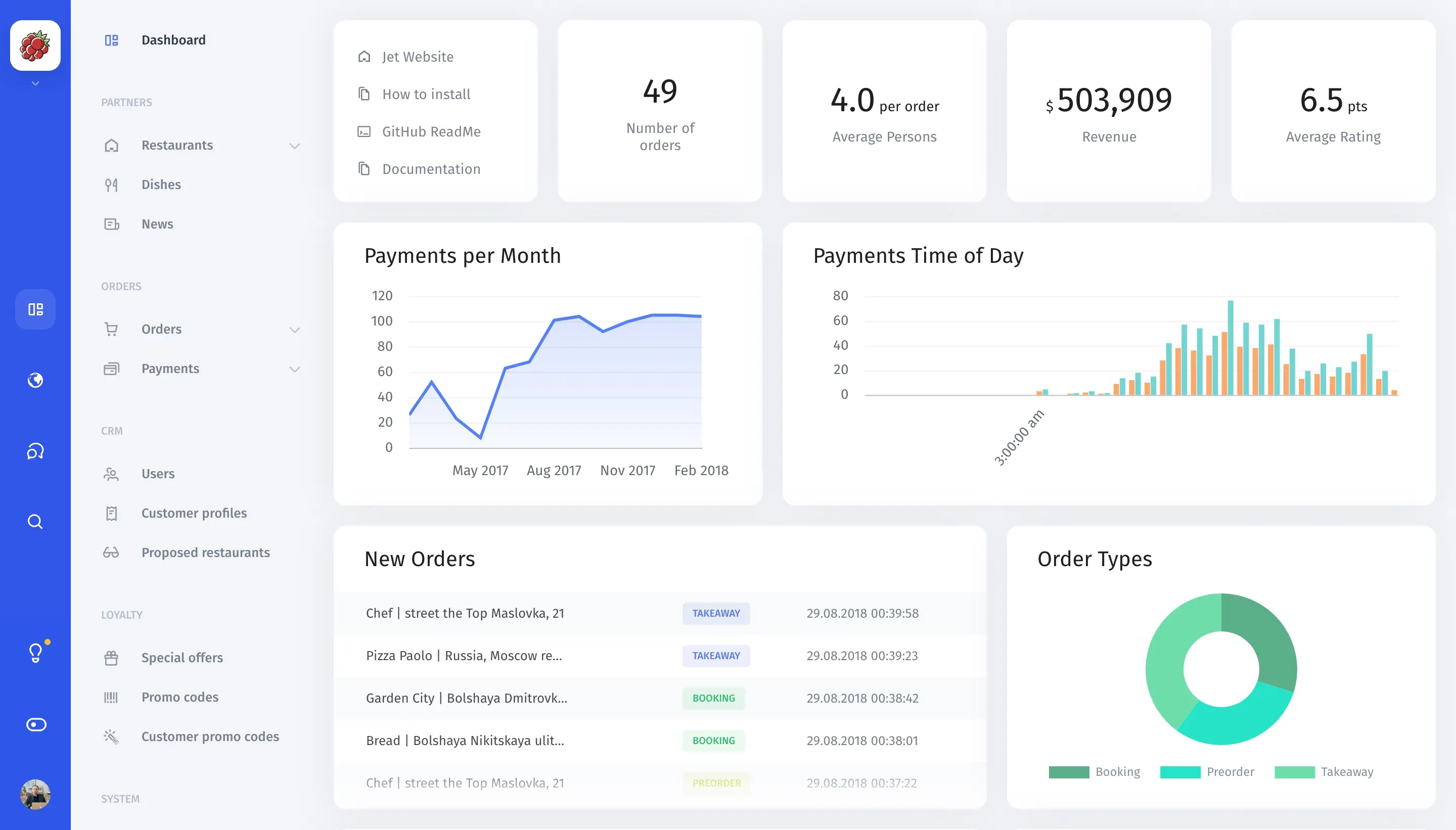
The number one key feature of Jet Admin is its ability to quickly create customized administration interfaces connected to various data systems. Whether SQL databases, REST APIs or spreadsheets, Jet Admin brings it all together in a unified dashboard accessible via a simple graphical interface.
Another major feature is advanced user rights management. Jet Admin lets you fine-tune roles and permissions to control who can view or modify certain data, which is essential for security and the management of complex projects.
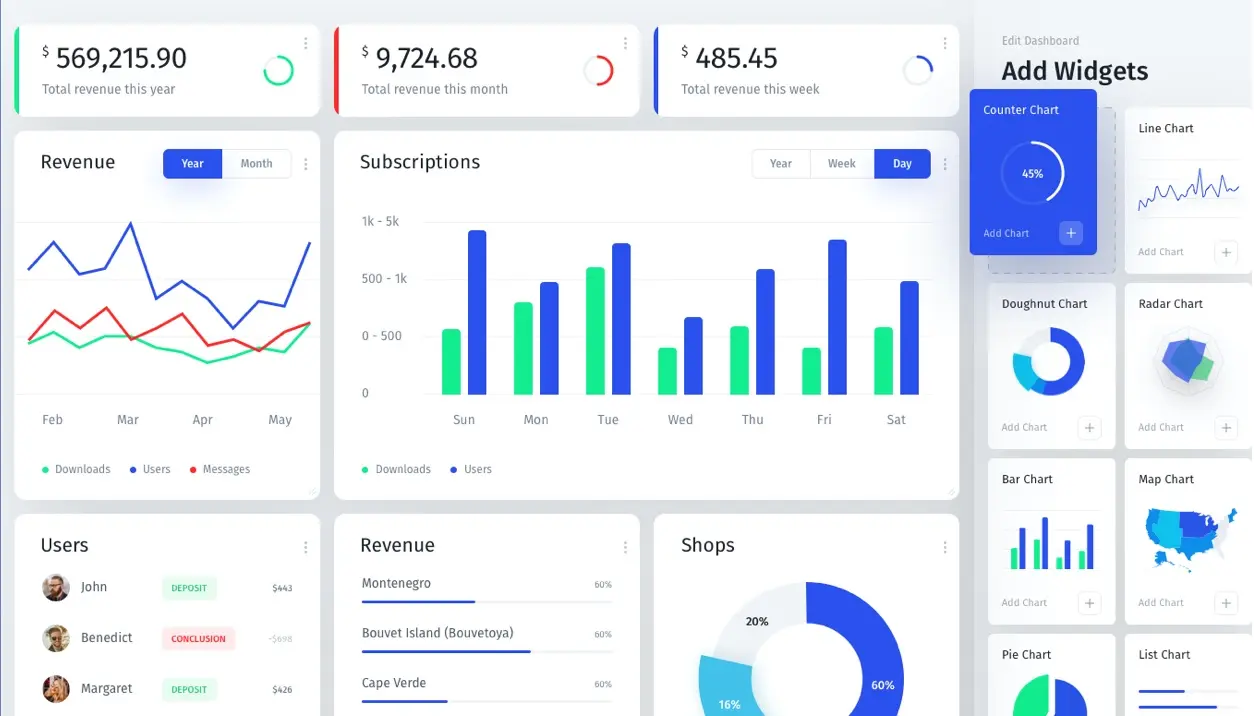
Beyond the basics, Jet Admin features advanced functionalities such as workflow automations to trigger actions based on specific events in the data. This makes interfaces more dynamic and responsive.
In addition, it offers the ability to customize via JavaScript code specific behaviors and interactions, giving more flexibility for advanced users who want to go beyond standard functionality.
Despite its many advantages, Jet Admin has certain limitations to consider depending on your use cases. For applications requiring extensive UI customization or very specific user flows, the tool may not be sufficient. For example, developers who want total control over design will sometimes need to intervene heavily via CSS or workarounds.
On the market, solutions such as Retool, Forest Admin or Appsmith offer convincing alternatives with different approaches, sometimes better suited to certain specialized needs. However, the Jet Admin community is growing, and regular updates constantly improve flexibility.
In summary, Jet Admin offers an excellent compromise between ease of use and power, but specific needs must be carefully assessed before committing to it, especially in long-term projects. Advantages: multiple integrations, rapid implementation, role management. Disadvantages: limited customization, cost increasing with the user.
FAQS
Is it reliable and secure?
Jet Admin is a reliable and secure tool, developed with modern data encryption protocols in transit (TLS) and at rest. Its cloud infrastructures benefit from high availability and regular backups, guaranteeing service continuity.
Integrated role and permissions management ensures precise access control, limiting the risk of data exposure or leakage. What's more, Jet Admin offers the option of integrating third-party authentication systems such as OAuth to reinforce the security of user sessions.
In short, the technical robustness and security measures in place make Jet Admin a safe choice for managing your administration interfaces, even in a demanding professional context.
Is it compatible with my other tools?
Jet Admin is compatible with many popular databases such as PostgreSQL, MySQL, MongoDB, as well as with REST and GraphQL APIs. It also accepts data from platforms such as Airtable, Google Sheets and Firebase.
The tool offers API integrations to extend its functionality and connect with other third-party services or internal systems, promoting great flexibility of use in a variety of technical environments.
Is there responsive customer support?
Jet Admin customer support is efficient, offering a comprehensive help center and clear documentation. For paid packages, priority support is available with fast response times and personalized guidance.
Users particularly appreciate the availability of technical teams to resolve problems, and feedback often taken into account for continuous product improvement.
What do other users think?
User reviews of Jet Admin are generally positive, praising the ease of use and development speed it offers. Customers appreciate the multiple integrations and advanced permissions management.
Some negative feedback concerns the limited graphical customization and the sometimes high price depending on the volume of users. However, the majority recommend Jet Admin for its time savings and functional robustness.
Can I easily change later?
User reviews of Jet Admin are generally positive, praising the ease of use and development speed it offers. Customers appreciate the multiple integrations and advanced permissions management.
Some negative feedback concerns the limited graphical customization and the sometimes high price depending on the volume of users. However, the majority recommend Jet Admin for its time savings and functional robustness.
Alternatives

Specializing in business creation, sales and digital marketing, he puts his expertise at the service of users to help them identify the solutions best suited to their needs. Passionate about digital innovation and optimizing online performance, Alexis is committed to providing detailed, transparent and unbiased comparisons.
Do you have an entrepreneurial project?
We support you in the structuring and development of your tech project. Make an appointment with one of our Business Strategists.