


.avif)





.svg)
.svg)



.svg)
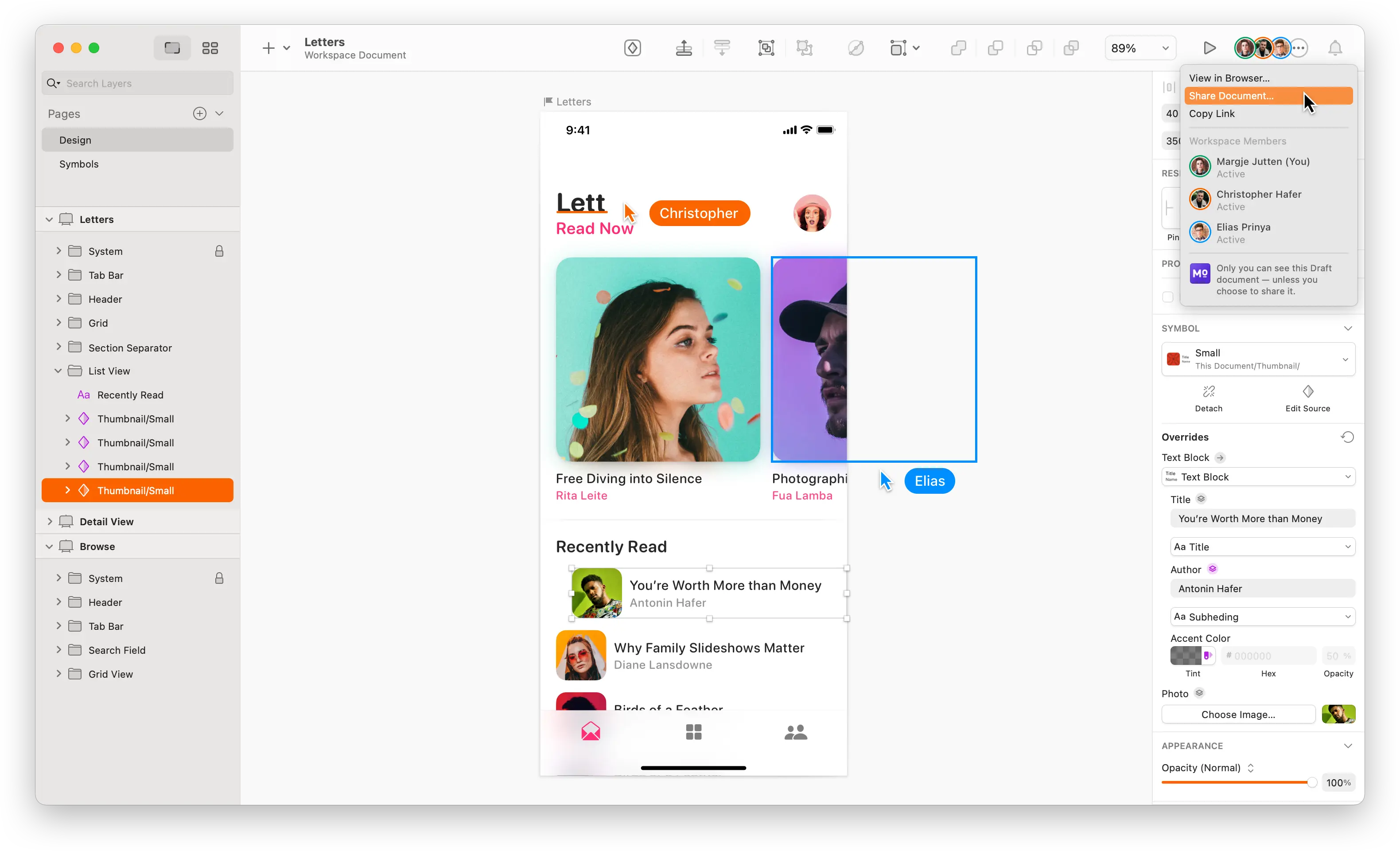
Sketch has long been the undisputed favorite of UI/UX designers on macOS, a pioneer in democratizing vector interface design. It truly paved the way for more modern tools, positioning itself as the benchmark for agility and lightness. But in 2025, faced with ever more innovative competition and constantly evolving needs, is it still the best option for bringing your creative visions to life? I've spent thousands of hours on Sketch with my teams at Easy Web, and here I share my feedback on its usability, ecosystem, strengths, and limitations.
My experience with Sketch
Since I started working with Easy Web in 2020, Sketch has always been at the heart of our design processes. I've seen it evolve and adapt, and honestly, it remains a cornerstone of our creations. What always strikes me is how lightweight it is and how well it's optimized for the UI/UX workflow.
When it comes to designing user interfaces and experiences (UI/UX), it's a champion. Its speed of execution and dedicated features (symbols, overrides, libraries) allow you to prototype and iterate at breakneck speed. It's the ideal tool when you want to focus on pure design, without any frills.
However, Sketch is primarily for Macs. This is a major limitation for multi-OS teams. And if you need advanced interactive prototyping features or ultra-smooth real-time collaboration, other tools may sometimes take precedence.
Is Sketch really useful for my needs?
The real question to ask yourself before using Sketch is: what is my goal? Because Sketch's relevance depends greatly on how you use it. For designing user interfaces (UI) and user experiences (UX) for the web and mobile devices, Sketch is formidable. Mockups, wireframes, prototypes: that's what it's designed for, and it does it well.
Whether you're a freelance UI/UX designer, working in an agency, or part of a product team, Sketch is your ally. It excels at structuring design systems and managing reusable components and symbol libraries. It has proven effectiveness when it comes to iterating on application screens or designing modular websites.
Its plugin ecosystem is another strong point. This ability to extend its functionality is crucial. Automate tasks, synchronize with development tools, and enrich your prototypes. It saves considerable time and offers greater flexibility.
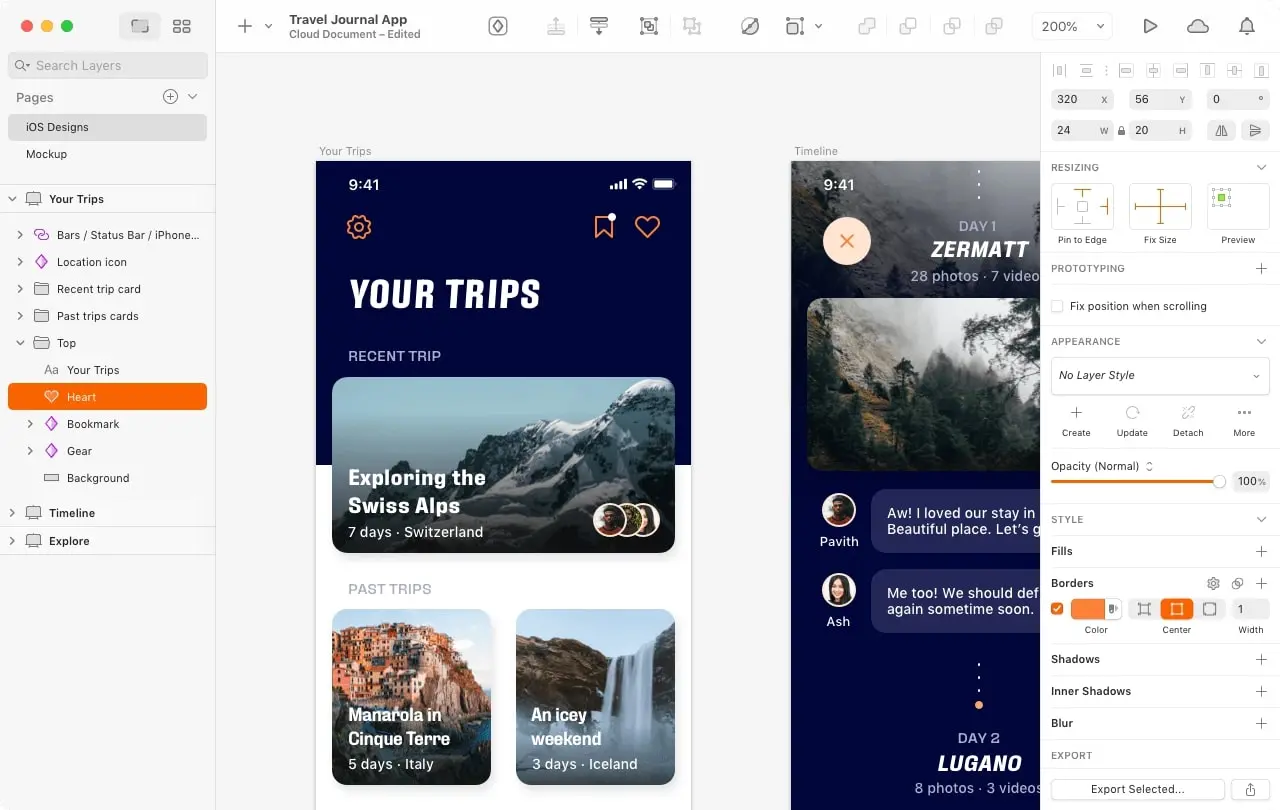
Is Sketch suitable for beginners?
When you're new to interface design, the complexity of the tools can quickly become discouraging. In my experience, Sketch radically simplifies this initial approach. Its interface is streamlined and focused on the essentials: creating screens. You have access to intuitive vector tools that are perfect for understanding the logic of digital design. Think of symbols, those reusable elements that introduce you to the concept of design systems from the outset without overwhelming you.
It's a real springboard for young talent. You're not overwhelmed by a thousand photo editing or printing features. The focus is on artboards, for designing multiple screens for an app or website, and creating components. For someone who wants to learn UI/UX without any detours, it's the ideal tool for building a solid foundation before exploring larger ecosystems.


How much does Sketch cost?
Cost is often the first question that comes to mind when evaluating a tool. With Sketch, the pricing model is transparent, which I appreciate. It's an annual subscription per user, costing around $99 per year in 2025. This one-time cost is a full license for the Mac application, giving you access to all updates, major or minor, and the Sketch Cloud ecosystem. Think real-time collaboration, prototype sharing, and centralized Design System management—it's all included. It's perfect for solo designers, independent studios, or integrated teams looking for a robust solution without the complexity (or cost) of a comprehensive suite. And an important point: even if you don't renew, you keep the latest version of the app, which is a significant advantage for the longevity of your projects.
What are the key features of Sketch?
For me, what really sets Sketch apart is its symbol management. At Easy Web, this feature has become the backbone of our efficiency. The ability to create reusable components—whether buttons, navigation bars, or cards—and instantly sync them across all our mockups is a game-changer. It ensures flawless consistency and saves us valuable time, especially on complex projects.
The other major strength is clearly the plugin ecosystem. For professionals, Sketch goes beyond a simple design application thanks to this extensibility. Tools such as Zeplin immediately come to mind for a smooth developer handoff, or even extensions to quickly generate dummy content. These plugins personalize the experience, allowing us to tailor the tool precisely to our needs and optimize our workflows. It's the freedom to sculpt your own tool.
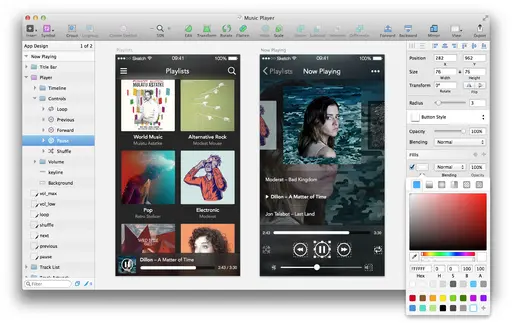
When it comes to design efficiency, Sketch's smart resizing features are a major asset. You know, the ability to define "Smart Layouts" allows your elements to automatically adjust to the size of the content or frame. It's a game changer for rapid iterations, and it has saved us countless times on complex projects at Easy Web, avoiding tedious manual adjustments with every change.
And let's never underestimate the power of Symbols and their "Overrides." Creating a reusable component is the basis. But being able to easily modify its text, images, or colors without breaking the link to the master symbol? That's where Sketch excels. By combining this with Libraries, we achieve the design system consistency that every modern agency seeks. It saves time and provides unparalleled quality assurance.
At Easy Web, I have to admit that we sometimes pushed Sketch to its limits. When real-time collaboration is essential on large team projects, it's clearly not designed for that; we have to juggle files, which quickly becomes frustrating. And for complex, ultra-interactive prototyping, it often requires plugins or exports to other tools, which adds friction.
This is where tools such as Figma and Adobe XD come into their own, excelling in their seamless co-editing capabilities, which will be essential in 2025. They meet these specific needs. But don't throw Sketch away just yet! When it comes to pure speed of execution and managing robust design systems solo or in small teams, it still excels and remains a must-have for many.
So, in summary, Sketch is:
Advantages:
- Lightness, speed of execution
- Excellent management of symbols (components)
- Extensive ecosystem of plugins
Disadvantages:
- Limited real-time collaboration
- No native web or Windows version
- Advanced external prototyping
FAQ
Is it reliable and secure?
Absolutely. As a native macOS application, Sketch is inherently stable and reliable. Your files .sketch are stored locally, so you retain complete control over your data. For collaborative features via Sketch Cloud, communications are secured via HTTPS, ensuring the integrity of your exchanges. The Sketch team is very responsive to updates and security patches, which constantly reinforces its robustness. My team and I have been using it at Easy Web for years without encountering any major flaws.
Is it compatible with my other tools?
Absolutely. Sketch excels at integration, which is key for our workflows. Its robust plugin ecosystem allows you to easily connect it to tools like Zeplin or InVision for developer hand-off, or Abstract for versioning and collaboration. Exports in SVG, PNG, or PDF formats ensure seamless compatibility with most of the development and project management tools we use daily at Easy Web.
Is there responsive customer support?
So, regarding Sketch support, my experience at Easy Web has been quite positive. They are generally very responsive. For technical issues, we often get a relevant response within 24 business hours.
Beyond direct contact, their documentation is comprehensive and the community is incredibly active. This is a real asset for finding quick solutions or tips without waiting for a formal response. So yes, you can count on effective support when you need it.
What do other users think?
Many designers praise Sketch for its lightness and its interface designed for UI/UX. It is a favorite on macOS, known for its rich plugin ecosystem and fluidity. The integration of Sketch Cloud is appreciated for sharing. However, its Apple exclusivity and real-time collaboration, which is considered less advanced than tools such as Figma, are often cited as weaknesses. Overall, there is strong consensus on its effectiveness for interface design.
Can I easily change later?
Changing tools is always a legitimate question. With Sketch, the good news is that the transition is fairly manageable. Its `.sketch` files are well supported by tools such as Figma or Adobe XD via direct imports. Post-import adjustments will sometimes be necessary, especially for complex components or certain text styles. Let's be clear: it's rarely a perfect copy and paste. But the framework of your work is there, ready to be refined elsewhere. We've handled migrations at Easy Web, and it's far from a nightmare if you're organized. Consider SVG or PDF exports for specific assets if needed.
Alternatives
.avif)
Specializing in business creation, sales and digital marketing, he puts his expertise at the service of users to help them identify the solutions best suited to their needs. Passionate about digital innovation and online performance optimization, Alexis is committed to providing detailed, transparent and unbiased comparisons.
Do you have an entrepreneurial project?
We support you in structuring and developing your tech project. Make an appointment with one of our Business Strategists.